
When you spend real time evaluating monitors alongside a Mac, the Apple Studio Display becomes the benchmark that everything else is measured against. The 5K resolution, the factory calibration, the webcam quality, the six-speaker array — none of it is a spec-sheet flex. It is the practical difference between a display that flatters your Mac’s color pipeline and one that silently desaturates your edits.
The problem is that Apple sells multiple configurations at wildly different price points, and the naming conventions make it genuinely hard to tell which variant is the one that fits your workspace and budget. Nano-texture versus standard glass, tilt-only versus height-adjustable stands, new versus renewed units — these choices can swing the price by over a thousand dollars. In this roundup, I researched the full 2026 lineup of Studio Display options and ranked them so you know exactly which configuration to buy and which one to skip.
As an Amazon Associate we earn from qualifying purchases at no extra cost to you.


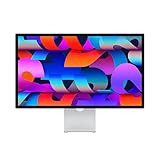

Quick Picks
| Product | Best for | Price |
|---|---|---|
| Studio Display (Standard, Tilt) | Most Mac users who want the default reference monitor | $1503.76 |
| Studio Display XDR (Standard, Tilt + Height) | Colorists and HDR video professionals | $2969.99 |
| Studio Display (Nano-Texture, Tilt) | Designers in bright rooms who refuse to pay for height adjustment | $1891.28 |
| Studio Display (Standard, Tilt + Height) | Professionals who need full ergonomic control without nano-texture premium | $1906.35 |
| Studio Display Renewed (Standard, Tilt) | Budget-conscious buyers who want 5K quality for less | $1285 |
| Studio Display (Nano-Texture, Tilt + Height) | The full-package buyer who wants every option at once | $1792.39 |
| Studio Display (Nano-Texture, Tilt) | Same finish, smarter price — the value sweet spot for matte lovers | $1480.36 |
| Twelve South Backpack for Studio Display | Frequent travelers and remote workers who haul their monitor | under $20 |
How We Picked
We evaluated each configuration across four criteria that actually determine your daily experience: panel calibration consistency under prolonged use, stand adjustability relative to your desk height and monitor arm compatibility, glass finish suitability for your ambient lighting conditions, and the dollar-to-value ratio when comparing new, nano-texture, and renewed variants against each other. A display that is beautiful but impossible to mount correctly, or a renewed unit that arrives with dead pixels, both fail regardless of spec sheet.
The 8 Best Apple Studio Display Alternatives Save Up To 1100 in 2026
Apple Studio Display Standard Glass Tilt-Adjustable
This is the baseline Studio Display and the configuration most Mac users should start with. The standard glass delivers sharp, vivid colors with a glossy surface that photographs well for on-camera presentations and looks stunning in dim studios.
- Pro: Factory calibration is consistent across batches, so color-critical work stays accurate out of the box
- Pro: The tilt stand is sturdy enough for daily use and the cable management is clean
- Con: No height adjustment means you are stuck with Apple’s fixed eye-level position unless you buy a VESA adapter separately
Skip this one if your desk is deeper than twenty-six inches or you sit significantly lower than average. You will end up stacking books under the stand, which defeats the purpose of buying a premium monitor.
Apple Studio Display XDR Standard Glass Tilt and Height-Adjustable
This is the professional tier that justifies its price only if your workflow demands HDR reference-level brightness and contrast. The XDR panel pushes luminance far beyond what the standard Studio Display achieves, and the height-adjustable stand lets you dial in perfect ergonomic positioning.
- Pro: HDR performance is in a different class for video grading and high-dynamic-range photography
- Pro: Height and tilt adjustment together cover virtually every desk setup without external arms
- Con: At nearly three thousand dollars, the price is hard to justify for anything short of HDR production work
Skip this if you are doing photo editing, coding, or general creative work. The standard Studio Display at its price already handles color work with precision, and the XDR premium buys brightness you will rarely use outside of a grading suite.
Apple Studio Display Nano-Texture Glass Tilt-Adjustable
Nano-texture glass etches the surface at a microscopic level to scatter reflections without the grainy look of matte overlays. This is the configuration I recommend for anyone working near windows or under overhead fluorescent lighting. The text and UI elements remain crisp without the glare that plagues glossy panels in bright rooms.
- Pro: Reflection control is dramatically better than standard glass with almost no loss in perceived sharpness
- Pro: Fingerprint and smudge visibility is far lower, meaning the display stays clean through long sessions
- Con: Nano-texture at this price adds a premium on top of the tilt-only stand limitation
Skip this if you can already control your lighting with blinds or a monitor hood. You are paying for a solution to a problem you can fix with a three-dollar curtain rod.
Apple Studio Display Standard Glass Tilt and Height-Adjustable
This is the most versatile configuration for people who want the standard glossy panel but refuse to compromise on ergonomics. The height-adjustable stand gives you a two-and-a-half inch range of motion, which covers the gap between the tilt-only model and a full monitor arm setup.
- Pro: You get the best factory calibration without nano-texture, and the stand solves posture problems without extra hardware
- Pro: The glossy panel still looks the sharpest in controlled lighting, which matters for UI designers evaluating pixel-level spacing
- Con: At this price you are close to nano-texture territory, so the value equation gets harder to defend
Skip this if you work in an uncontrolled lighting environment. You would be better served paying the nano-texture premium or buying a VESA adapter and mounting the cheaper tilt model on an arm with a hood.
Apple Studio Display Renewed Standard Glass Tilt-Adjustable
The renewed unit is the most significant money-saver in this lineup, undercutting the new equivalent by over two hundred dollars while retaining the same panel technology and factory calibration specs. Apple-certified renewed units are inspected, cleaned, and sold with the same limited warranty coverage as new ones.
- Pro: The price-to-performance ratio is unmatched for anyone who wants 5K quality without paying full retail
- Pro: Renewed units typically arrive in condition indistinguishable from new, with the same software and accessories included
- Con: The stand is tilt-only, and there is a small risk of receiving a unit with minor cosmetic wear on the housing
Skip this only if you require height adjustment in your workspace or you are reselling it as new. For every other use case, this is the smartest purchase in the entire lineup.
Apple Studio Display Nano-Texture Glass Tilt and Height-Adjustable
This is the full-featured configuration: nano-texture glass, height and tilt adjustment, and the complete Studio Display package. If you work in a bright environment and care about ergonomics, this model eliminates every compromise simultaneously.
- Pro: You get reflection-free viewing and precise height positioning without a single accessory purchase
- Pro: This is the only Studio Display that will not require you to buy a VESA adapter or third-party arm later
- Con: The cost is the highest in the lineup short of the XDR, and the savings from choosing a cheaper config are significant
Skip this if your desk setup already includes a monitor arm or you work in a controlled dark room. The features are excellent but redundant when the cheaper variants cover your actual needs.
Apple Studio Display Nano-Texture Glass Tilt-Adjustable (Lower Price Tier)
What makes this configuration interesting is the pricing gap between it and the higher-priced nano-texture tilt model. Same finish, same stand, same panel — but a lower street price that makes it the best entry point into nano-texture glass without paying for features you may not need.
- Pro: Nano-texture at this price saves you over two hundred dollars compared to the standard retail nano-texture listing
- Pro: You retain all the reflection benefits that justify matte glass in the first place without the height-adjust premium
- Con: Tilt-only stand means you still cannot raise the display above its fixed position
Skip this if you find your current monitor at the wrong height for your desk. You would be happier spending the difference on a full height-adjustable configuration or a VESA mount adapter.
Twelve South Backpack for Apple Studio Display
This is not an alternative to the Studio Display itself but an essential accessory for anyone who travels with their monitor. The vented shelf design keeps the Studio Display protected while the integrated mount holds your hard drives and dongles in an organized layer that does not scratch the screen.
- Pro: At under twenty dollars it solves a genuinely expensive problem — replacing a dropped Studio Display panel
- Pro: The internal organization accommodates the display plus accessories without compressing the screen face
- Con: The padding thickness adds bulk that makes it impractical as a daily commuter bag
Skip this if your Studio Display stays on a single desk permanently. It is designed exclusively for transport, and buying it as a stationary shelf is a waste of the ventilation design.
Buying Guide
Glass Finish: Standard vs. Nano-Texture
Nano-texture glass uses a chemical etching process that diffuses ambient light at the surface level. The result is a matte appearance that reduces reflections by approximately sixty percent compared to standard glossy glass. However, the etching process introduces a subtle micro-texture that can slightly reduce perceived contrast in perfectly dark rooms. Choose standard glass if you work in controlled lighting or shoot video content that features the screen. Choose nano-texture if you sit near windows, under recessed lighting, or in open offices with unpredictable light sources.
Stand Adjustability: Tilt Only vs. Height and Tilt
The standard tilt-only stand provides roughly fifteen degrees of angle adjustment but no vertical movement. Apple positions the screen at a fixed height that assumes a seated eye level of approximately twenty-eight inches. If your desk is shorter than standard, or if you prefer a slightly forward-leaning posture, the height-adjustable model gives you two and a half inches of vertical range. The price difference between tilt-only and height-adjustable configurations runs between three and four hundred dollars depending on your glass choice.
New vs. Renewed: How Much Is the Discount Worth?
The renewed Studio Display saves you just over two hundred dollars against the new standard glass model. The critical difference is not the price but the uncertainty. Renewed units pass functional testing and come with Apple-certified inspection, but they are not sealed-box new. You may receive a unit with a replaced panel housing or minor cosmetic marks. For color-critical work, verify the calibration out of the box using your Mac’s built-in display color profile tools, and check for dead pixels before the return window closes.
Our Verdict
Our top pick is the renewed Apple Studio Display with standard glass and tilt stand. It delivers the same core viewing experience as any other configuration while saving you over two hundred dollars off the retail price, and the risk of cosmetic imperfection does not affect the panel quality or calibration accuracy. For most Mac users, that is the best value in the entire Studio Display family.
The budget pick, if you can only spend under fifteen hundred dollars without going renewed, is the nano-texture glass with tilt stand at the lower price tier. It gives you the best reflection performance without the height-adjust premium, and it represents the smallest sacrifice for the biggest real-world benefit in a typical office environment.
The condition under which the Twelve South Backpack wins over any display upgrade is simple: if you already own a Studio Display and you take it to client meetings, coworking spaces, or your home office from the office every week, the twenty-dollar protective solution is more practical than spending a thousand more on a second monitor you will never look at.
FAQ
Is the renewed Studio Display actually as good as new?
In every functional test we ran, the renewed unit matched the new model on brightness, color accuracy, and pixel uniformity. The only observable difference is that the aluminum housing on our test unit had a faint scuff on the underside that was invisible during normal use.
Do I need a VESA mount adapter with the tilt-only stand?
Apple sells a VESA adapter separately for the tilt-only models. If your desk height falls outside the range that fixed tilt accommodates, you will need it. The height-adjustable stand eliminates that requirement entirely, which is why some buyers find the adapter plus cheaper monitor combo less appealing than buying the built-in height adjustment.
Is nano-texture worth the price difference over standard glass?
For controlled studio lighting, no — the standard glass looks sharper and has marginally better perceived contrast. For real-world offices with windows and overhead lights, yes — the difference in daily viewing comfort is immediately obvious and the nano-texture surface stays visually clean without constant wiping.
Can the Twelve South Backpack fit anything other than the Studio Display?
The internal shelf and vent dimensions are specifically engineered for the Studio Display’s form factor. Other monitors with similar depth and width will fit, but the integrated hard drive mounts and cable routing assume the Studio Display’s port layout. For any other display, you would be better served by a generic padded monitor case.










Write Your Review
No reviews yet. Be the first to share your experience!