
As an Amazon Associate we earn from qualifying purchases.
- 1. Korg nanoKEY Studio — Best Wireless Controller for iPad
- 2. Arturia MiniLab 3 — Best Compact All-Rounder
- 3. Novation Launchkey Mini 37 MK4 — Best for Melodies and Ideas
- 4. Akai Professional APC Key 25 mk2 — Best for Clip Launching
- 5. M-Audio Keystation 49 MK3 — Best Full-Size Keys
- How to Choose a MIDI Controller for iPad
- FAQ
An iPad is already a capable music studio. GarageBand, Logic Pro for iPad, Cubasis, KORG Gadget, Drambo and dozens of synth and drum apps all respond to MIDI, which means a physical keyboard or pad controller can turn tapping glass into actually playing an instrument. Keys give you velocity and pitch control that a touchscreen cannot match, pads make drum programming far faster, and knobs and faders let you shape filters, volumes and effects without hunting through menus.
The good news is that iPad compatibility is simpler than it used to be. Most modern controllers are class-compliant, so they need no drivers, and models with USB-C connect directly to recent iPads. Older Lightning models usually need an Apple camera adapter, and a few controllers skip cables altogether with Bluetooth MIDI. The picks below cover the main ways people make music on an iPad: a wireless all-in-one for travelling, compact 25-key and 37-key boards with pads and encoders, a clip-launching grid with keys, and a full-size 49-key board for players who want room for two hands.
Disclosure: This article contains affiliate links. If you buy through them, we may earn a commission at no extra cost to you.
1. Korg nanoKEY Studio — Best Wireless Controller for iPad

The nanoKEY Studio is the controller on this list that was designed around iPad and iPhone first. It connects over Bluetooth MIDI as well as USB, runs on batteries, and is smaller than a sheet of letter paper, so it can live in the same bag as your tablet. For anyone who makes music on trains, in cafes or on a sofa, removing the cable and the desk from the equation is a genuine advantage rather than a novelty.
You get more control surfaces than its size suggests. Alongside the 25 velocity-sensitive keys there are eight trigger pads for drums, eight assignable knobs, and an X-Y touch pad inherited from Korg’s Kaoss range for filter sweeps and pitch effects. Scale Guide lights the keys that belong to your chosen scale, and Easy Scale and arpeggiator functions help sketch melodies even if your keyboard technique is limited. KORG Gadget has a dedicated mode that maps the controls automatically, but the controller also works as a standard MIDI device in GarageBand and other apps.
The trade-offs are about feel rather than function. The low-profile keys are fine for step recording, bass lines and chords, but pianists will find them shallow, and Bluetooth, while well tuned here, still depends on keeping the iPad reasonably close. If your priority is a cable-free, genuinely portable setup that pairs naturally with iPad apps, this is the most purpose-built option here.
Specs
- Brand: Korg
- ASIN: B01AT2AT6S
- Keys: 25 velocity-sensitive keys with Scale Guide backlighting
- Controls: 8 trigger pads, 8 assignable knobs, X-Y touch pad
- Connection: Bluetooth MIDI and USB
- Power: 2 AA batteries or USB bus power
- Model: NANOKEY-ST
2. Arturia MiniLab 3 — Best Compact All-Rounder

The MiniLab 3 packs the widest mix of controls into a 25-key frame. You get slim velocity-sensitive keys, eight multi-colour performance pads, eight rotary encoders and four faders, plus a small display that shows what you are adjusting. That combination suits iPad production well: pads for drums in GarageBand or a drum app, encoders for synth parameters, and faders for mixer levels, all without switching devices.
Connection is straightforward. The controller uses USB-C and is class-compliant, so it plugs directly into a USB-C iPad and draws power from it. It also includes a standard MIDI output, which is unusual at this size and useful if you later add a desktop synth or groovebox to your setup. Onboard, a built-in arpeggiator and Chord mode help turn single notes into patterns and full chords, and touch strips handle pitch bend and modulation.
Bundled desktop software is less relevant to a purely iPad workflow, so judge this controller on its hardware, where it is strong. The keys are mini-sized, as on most controllers in this class, and using it bus-powered will draw on the iPad battery during long sessions. For a single compact board that can handle melodies, drums and mixing duties in iPad apps, the MiniLab 3 is the most balanced pick here.
Specs
- Brand: Arturia
- ASIN: B0BGMNKCNT
- Keys: 25 slim velocity-sensitive keys
- Controls: 8 RGB backlit pads, 8 encoders, 4 faders, pitch and modulation touch strips
- Connection: USB-C, plus MIDI output
- Features: Built-in arpeggiator, Chord mode, display screen
- Colour: White
3. Novation Launchkey Mini 37 MK4 — Best for Melodies and Ideas

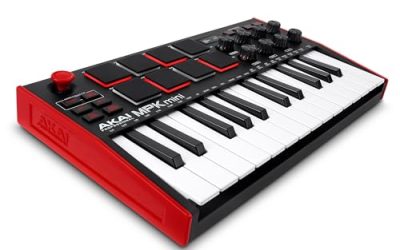
Most mini controllers stop at 25 keys, which often means reaching for the octave buttons mid-phrase. The Launchkey Mini 37 MK4 stretches the same portable format to 37 mini keys, giving bass lines and melodies more room while staying small enough for a backpack and an iPad stand. If you find 25 keys cramped but do not want a full-size board, this middle ground makes a lot of sense.
The creative tools are the headline. Three Chord modes help build progressions, Scale Mode keeps notes in key across 30 scales, and the arpeggiator includes an eight-step editor for making patterns your own. A Chord Detector shows the chord you are playing on the OLED display. Sixteen pads with polyphonic aftertouch handle finger drumming and clip launching, continuous encoders give practical parameter control, and there is a 3.5mm MIDI output for external gear alongside the USB connection.
On an iPad, the Launchkey works as a class-compliant USB MIDI controller for apps such as GarageBand, Logic Pro for iPad and Cubasis, even though its deepest integration is aimed at desktop DAWs. That means some DAW-specific buttons matter less on a tablet, but the keys, pads, encoders and onboard chord and scale tools all translate directly. Choose this one if generating and playing musical ideas, rather than mixing, is the centre of your iPad sessions.
Specs
- Brand: Novation
- ASIN: B0D6YY1W6X
- Keys: 37 synth-style mini keys
- Controls: 16 pads with polyphonic aftertouch, continuous encoders, pitch and modulation touch strips
- Connection: USB, plus 3.5mm MIDI output
- Features: Chord modes, Scale Mode, editable arpeggiator, OLED display
- Model: AMS-LAUNCHKEY-MINI37-MK4
4. Akai Professional APC Key 25 mk2 — Best for Clip Launching

The APC Key 25 mk2 combines two control styles in one compact unit: a 25-key keyboard for playing parts, and a 40-pad RGB grid for launching clips and scenes. That grid is the reason to choose it. If your iPad workflow is loop-based — building songs from repeating sections in apps with clip or scene launching — having a physical grid changes how quickly you can arrange and perform those parts compared with tapping a screen.
Eight rotary knobs sit above the grid for device parameters, effects sends or mixer duties, depending on how your app handles MIDI mapping. The 25 responsive mini keys are there for melodies and bass lines between clip launches, so you do not need a second controller for playing in parts. The unit is USB powered and class-compliant, keeping the iPad setup to a single cable on USB-C models or an adapter on Lightning models.
Its identity is closely tied to Ableton Live on desktop, and it includes Ableton Live Lite, so be clear about what carries over: on iPad you are using it as a standard MIDI keyboard, pad grid and knob controller, and the exact mapping depends on your app. Apps that support MIDI learn make that straightforward. If your music is built from loops and scenes and you want keys and a launch grid in one small box, nothing else on this list matches its layout.
Specs
- Brand: Akai Professional
- ASIN: B0BPC1SRKM
- Keys: 25 responsive mini keys
- Controls: 40 RGB pads in a clip-launch grid, 8 rotary knobs
- Connection: USB MIDI, bus powered
- Software: Includes Ableton Live Lite for desktop use
- Model: APCKEY25MK2
5. M-Audio Keystation 49 MK3 — Best Full-Size Keys

Sometimes the right controller is simply a proper keyboard. The Keystation 49 MK3 offers 49 full-size, velocity-sensitive synth-action keys, which makes it the pick for piano practice, two-handed playing, and anyone learning keys with an iPad app such as GarageBand, Flowkey-style tutors or a piano-teaching app. The extra range means far less octave shifting than on the mini boards above.
Controls are deliberately simple. There are pitch and modulation wheels, a volume slider, octave buttons, transport and directional buttons for recording workflows, and a sustain pedal input for an external pedal, which matters for realistic piano playing. There are no drum pads or encoder banks, so this is a player’s controller rather than a producer’s control surface.
For iPad use, M-Audio highlights class-compliant USB-MIDI operation and iOS connectivity support, historically via Apple’s iPad Camera Connection Kit on Lightning models; on USB-C iPads a direct USB connection is the simpler route. It is the largest controller here and needs a desk or keyboard stand, so it suits a home setup rather than travel. If your iPad is mainly a sound source and you want to play it like an instrument, this is the most satisfying option on the list.
Specs
- Brand: M-Audio
- ASIN: B07DDN6TP6
- Keys: 49 full-size velocity-sensitive synth-action keys
- Controls: Pitch and modulation wheels, volume slider, transport and directional buttons
- Connection: USB MIDI, class-compliant
- Pedal: Sustain pedal input
- Model: Keystation 49 MK3
How to Choose a MIDI Controller for iPad
Check the connector first. USB-C iPads accept most USB-C or USB controllers directly, sometimes with a simple cable swap. Lightning iPads generally need Apple’s Lightning to USB camera adapter, and bus-powered controllers can occasionally draw more power than a Lightning port wants to supply, in which case a powered hub helps. Bluetooth MIDI, as on the nanoKEY Studio, avoids the issue entirely.
Match the key count to how you play. Twenty-five mini keys suit travel, bass lines and step recording. Thirty-seven keys reduce octave switching for melodies. Forty-nine full-size keys are the starting point for two-handed piano-style playing and lessons. Bigger is not automatically better; it is better only if your music uses the range.
Decide whether you need pads and knobs. Finger drummers and loop producers should prioritise responsive pads. Synth players benefit from encoders they can map to filter cutoff, resonance and effects. If you mostly play piano or organ sounds, wheels and a sustain input matter more than a pad grid.
Think about power and portability. Bus-powered USB controllers drain the iPad battery over long sessions, while battery-powered Bluetooth models leave the iPad port free for charging or audio. If you record vocals or guitar alongside MIDI, plan how your audio interface and controller will share the iPad’s single port, usually through a USB hub on USB-C models.
Check app mapping, not just compatibility. Any class-compliant controller will send notes to GarageBand, Logic Pro for iPad, Cubasis and synth apps. What varies is how easily knobs, pads and transport buttons map inside each app, so look for MIDI learn support in your main app if practical control beyond the keys matters to you.
FAQ
Do MIDI controllers work with GarageBand on iPad?
Yes. Class-compliant USB controllers and Bluetooth MIDI controllers are recognised by GarageBand for playing its software instruments, and many other iPad music apps follow the same standard.
Do I need an adapter for a Lightning iPad?
For wired USB controllers, usually yes: Apple’s Lightning to USB camera adapter is the standard route. Bluetooth MIDI controllers need no adapter. USB-C iPads can connect to most controllers directly with the right cable.
Can a controller charge or be powered from the iPad?
Most compact USB controllers are bus powered and draw power from the iPad, which shortens battery life during long sessions. A powered USB hub, or a battery-powered Bluetooth controller, avoids that trade-off.
Are mini keys suitable for learning piano?
Mini keys are fine for melodies, chords and production work, but they do not build the finger spacing that full-size keys teach. If lessons or piano technique are the goal, choose a full-size model such as the Keystation 49 MK3.
Is Bluetooth MIDI fast enough for playing?
Modern Bluetooth MIDI, used by controllers designed for iOS, is tuned for low latency and is fine for most playing and recording. For fast, percussive playing where every millisecond counts, a wired USB connection remains the safest choice.


Write Your Review
No reviews yet. Be the first to share your experience!