
Our Short List of 3

- Material: Metal frame with anti-skid silicone pads
- Height adjustment: About 7.1 to 8.5 inches
- Viewing angle: 5 to 85 degrees
- Fits devices: 4 to 10 inches, including phones in thick cases

- Material: Aluminum
- Folding: Folds flat to about 0.24 inches thick
- Viewing angle: 0 to 90 degrees
- Fits devices: 4 to 8 inches, including phones in thick cases

- Mount: Magnetic mount for iPhone 12 and later
- Phone charging: Up to 7.5 watts
- Base pad: Wireless charging pad for AirPods up to 5 watts
- Adjustment: Tilting magnetic mount
All 3 Picks at a Glance
| Product | Specs | Action |
|---|---|---|
| 1. LISEN Cell Phone Stand — Best Budget Pick |
| Check price on Amazon |
| 2. JSAUX Foldable Aluminum Cell Phone Stand — Best Folding Travel Pick |
| Check price on Amazon |
| 4. Spigen ArcField 2-in-1 Dual Magnetic Wireless Charging Stand — Best Charging Pick |
| Check price on Amazon |
Gaming on an iPhone is hard on your hands and your setup. Hold the phone for an hour and your fingers cramp, prop it against a book and it slides at the worst moment, and a straight charging cable juts into your grip mid-match. A stand built for gaming fixes that: it holds the phone low and steady in landscape, keeps the charging port clear, and leaves both thumbs free for the controls.
This roundup covers five stands chosen for gaming only, not for video calls or kitchen counters. Every pick is judged on the same three questions: does it stay put during fast play, does it hold a low landscape angle without tipping, and does it fit a phone inside a thick case.
As an Amazon Associate, we earn from qualifying purchases.
Quick Answer
For most iPhone gamers, the LISEN Cell Phone Stand is the best starting point, because its tall, adjustable frame holds the phone steady in landscape at a low angle. Pair it with the 8BitDo Mobile Clip if you play with a controller, or the Spigen Cryomax stand if long sessions heat your phone. The JSAUX foldable stand is the travel pick.
Our Top Picks
- LISEN Cell Phone Stand — Budget — Tall, adjustable desk stand.
- JSAUX Foldable Aluminum Cell Phone Stand — Budget — Folding travel stand.
- 8BitDo Mobile Clip for Pro 2 and Pro 3 — Mid-range — Controller clip.
- Spigen ArcField 2-in-1 Dual Magnetic Wireless Charging Stand — Mid-range — Magnetic charging stand.
- Spigen OneTap Pro 3 Cryomax Cooling Fan Stand — Premium — Cooling stand.
1. LISEN Cell Phone Stand — Best Budget Pick
- Material: Metal frame with anti-skid silicone pads
- Height adjustment: About 7.1 to 8.5 inches
- Viewing angle: 5 to 85 degrees
- Fits devices: 4 to 10 inches, including phones in thick cases
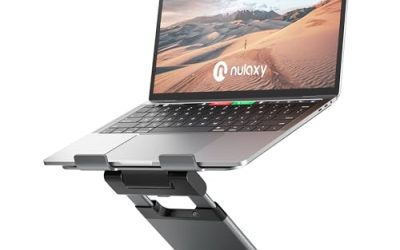
The LISEN Cell Phone Stand leads this roundup because it was built tall. The frame adjusts from about 7.1 inches to 8.5 inches high, so the screen sits near eye level in landscape, and the viewing angle adjusts from 5 degrees to 85 degrees. Set it low and flat for touch-heavy games, or raise it for controller play where you only watch.
The metal frame uses a triangle structure that spreads the phone’s weight across the base, and anti-skid silicone keeps the stand from sliding when you tap hard. A built-in charging hole keeps the cord out of your grip, and the cradle fits phones in thick cases, so there is no need to strip the case off before a session.
2. JSAUX Foldable Aluminum Cell Phone Stand — Best Folding Travel Pick
- Material: Aluminum
- Folding: Folds flat to about 0.24 inches thick
- Viewing angle: 0 to 90 degrees
- Fits devices: 4 to 8 inches, including phones in thick cases
The JSAUX stand is the pick for gamers who play away from their desk. It is a single piece of aluminum that folds completely flat, down to about a quarter of an inch thick, so it slips into a pocket or a bag next to a controller. Open, it adjusts from flat to 90 degrees, which covers the low landscape angle that touch games need and the steeper angle for watching a stream between matches.
The cradle slot is about an inch wide, wide enough for a phone in a thick protective case, and the aluminum body weighs only 105 grams while staying rigid under tapping. It fits phones and small tablets from 4 to 8 inches. The trade-off is height: it holds the phone close to the desk surface, so it suits tabletop play more than a raised setup.
3. 8BitDo Mobile Clip for Pro 2 and Pro 3 — Best Controller Clip Pick
The 8BitDo Mobile Clip turns a controller and a phone into one handheld unit. The clip snaps onto an 8BitDo Pro 2 or Pro 3 controller and holds the phone directly above the grips, so your eyes stay on the screen and your hands stay on the sticks. It folds down when you finish, which keeps the whole setup pocket-friendly for travel.
The clip uses an aluminum frame with ABS plastic and silicone where it touches the phone, and the angle adjusts so you can tilt the screen toward your line of sight. It fits phones from 49 mm to 86 mm wide, which covers every iPhone with a case on, though a very thick case on a wide phone can push past the limit. The hard limit is compatibility: this clip fits only the Pro 2 and Pro 3 controllers.
Specs
- Fits controllers: 8BitDo Pro 2 and Pro 3 Bluetooth controllers
- Phone width range: 49 mm to 86 mm
- Frame: Aluminum frame with ABS plastic
- Phone contact material: Silicone
- Adjustment: Adjustable angle, foldable
4. Spigen ArcField 2-in-1 Dual Magnetic Wireless Charging Stand — Best Charging Pick
- Mount: Magnetic mount for iPhone 12 and later
- Phone charging: Up to 7.5 watts
- Base pad: Wireless charging pad for AirPods up to 5 watts
- Adjustment: Tilting magnetic mount
The Spigen ArcField stand is the pick for gamers who play plugged in. It is a magnetic stand that holds an iPhone upright and charges it at the same time, so a long session never ends with a dead battery. The magnetic mount tilts, which lets you set a low landscape angle for play, and the phone stays attached through quick movements because the magnets hold it against the stand rather than resting it in a cradle.
The base holds a wireless charging pad for AirPods, which keeps a headset charged between matches. The phone side delivers up to 7.5 watts and the base pad up to 5 watts, and a USB-C cable is included in the box. A wall adapter is not included. The stand weighs 320 grams, heavy enough to stay planted when you lift the phone off with one hand.
5. Spigen OneTap Pro 3 Cryomax Cooling Fan Stand — Best Premium Pick
The Spigen OneTap Pro 3 Cryomax is the only stand here built around heat, and heat is what ends long gaming sessions early. A cooling fan sits behind the magnetic charging pad and moves air across the back of the phone while it charges, which keeps the device cooler during demanding games. Cooler phones hold their performance longer, so frame rates stay steadier deep into a session than on a passive stand.
Beyond cooling, it is a full magnetic charging stand: Qi2 wireless charging delivers up to 15 watts to the phone, the viewing angle adjusts to suit landscape play, and a sleep mode turns the fan and the LED lighting off when you want a dark room. It works with iPhone 12 and later models, plus Pixel phones with a magnetic case.
Specs
- Charging: Qi2 wireless charging up to 15 watts
- Cooling: Built-in cooling fan with heat control
- Mount: Magnetic mount for iPhone 12 and later
- Adjustment: Adjustable viewing angle
- Extras: Sleep mode for fan and LED lighting
How to Choose an iPhone Stand for Gaming
Start with how you play. If you play touch games at a desk, a low-angle cradle stand is the right shape: it holds the phone in landscape near the surface so your fingers reach the controls without lifting the device. If you play with a controller, a controller clip beats a desk stand, because the screen moves with your hands. If you play for hours, look for a stand that charges while you play or cools the phone, because battery and heat are the two limits on a long session.
Check stability next. A gaming stand gets tapped, swiped, and bumped far more than a video-call stand, so weight and grip matter. Metal frames and weighted bases resist tipping better than light plastic, silicone pads stop sliding on smooth desks, and a magnetic mount needs strong magnets to survive quick movements. Check the cradle width before ordering: a stand that fits a bare phone may not fit the same phone inside a thick case.
Angle range is the third check. A stand that only holds one angle forces you to adapt your posture to the phone; a stand with a wide hinge range lets you set the screen low for touch play and steeper for watching. Folding stands trade height for portability, which suits travel but not a permanent desk. Finally, check the charging path: a cradle with a charging cutout or a magnetic charging pad keeps the cable clear of your thumbs.
Who Should Skip These Stands
Skip this roundup if you need a stand for video calls, reading, or the kitchen, because these picks are tuned for low landscape gaming angles and controller play, not for upright portrait viewing. A reader who wants eye-level portrait text or a cook who wants a splash-proof kitchen mount will be better served by a stand built for that job.
Skip the controller clip if you do not own the matching controller, since the 8BitDo clip fits only the Pro 2 and Pro 3 pads. Skip the magnetic stands if your phone or case has no magnets. And skip the cooling stand if your sessions are short: the fan earns its place over hours of demanding play, not over a quick round.
Frequently Asked Questions
What angle is best for gaming on an iPhone stand?
A low landscape angle works best for most games, because it keeps the screen close to your hands for touch controls and keeps the phone stable. Set the stand near flat for touch-heavy games and raise it a little for controller play.
Can I use these stands with a thick phone case on?
Most of them, yes. The LISEN and JSAUX stands have wide cradles made for thick cases, and the 8BitDo clip fits phones up to 86 mm wide with a case on. Measure your phone with its case installed before ordering.
Do magnetic stands hold the phone during fast gameplay?
A strong magnetic mount holds the phone through normal play. Make sure the phone or the case is magnetic, and check that the mount is rated for your phone size.
Is a cooling stand worth it for iPhone gaming?
It is worth it if your sessions run long or your games are demanding, because sustained play heats the phone and heat can slow performance. For short sessions or light games, a simple cradle stand does the job.
Final Verdict
For most iPhone gamers, the LISEN Cell Phone Stand is the pick to start with: it is tall, adjustable, stable under tapping, and it fits thick cases. Add the 8BitDo Mobile Clip if you play with a Pro 2 or Pro 3 controller, and consider the Spigen Cryomax stand if your sessions run long. Travelers should take the JSAUX folding stand, and players who always play plugged in should take the Spigen ArcField charging stand.
Product and ASIN Reference
| Product | ASIN |
|---|---|
| LISEN Cell Phone Stand | B07Z82895W |
| JSAUX Foldable Aluminum Cell Phone Stand | B09HKN6M19 |
| 8BitDo Mobile Clip for Pro 2 and Pro 3 | B0FNQ1319R |
| Spigen ArcField 2-in-1 Dual Magnetic Wireless Charging Stand | B0CF5249VG |
| Spigen OneTap Pro 3 Cryomax Cooling Fan Stand | B0DLXD7SYB |

Write Your Review
No reviews yet. Be the first to share your experience!