
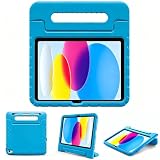
- Top Pick: Azzsy Case for iPad A16 11th Generation 11 Inch 2025 / iPad 10th Generation 10.9 Inch 2022, [Built-in Pencil Holder] Heavy Duty Shockproof Rugged Protective Case, Black
- Best Value: ProCase for iPad Air 11-inch Case M4/M3/M2, Air 5th/4th Gen 10.9,Navy
- Premium Choice: ProCase for iPad Air 13 Inch Case M4/M3/M2(2026/2025/2024), Black
Students tend to buy an iPad case by choosing the cheapest attractive cover, then discover that it does not fit their exact iPad, blocks the charging port, adds too much weight, or offers little protection in a backpack. Another common mistake is assuming that every “11-inch” case fits every 11-inch iPad. Camera cutouts, button placement, magnet locations, and body dimensions can differ between generations.
This iPad case buying guide for students focuses on the details that matter during lectures, commutes, library sessions, and everyday handling. The right case should protect the tablet without making it unpleasant to carry, write on, or charge. Before comparing colors and patterns, check these practical decisions.
As an Amazon Associate we earn from qualifying purchases at no extra cost to you.
![Azzsy Case for iPad A16 11th Generation 11 Inch 2025 / iPad 10th Generation 10.9 Inch 2022, [Built-in Pencil Holder] Heavy Duty Shockproof Rugged Protective Case, Black](https://m.media-amazon.com/images/I/514ba5koaAL._SL160_.jpg)



Decide These 3 Things First
- Your exact iPad model: Find the model name and number in Settings > General > About. Confirm the screen size, generation, camera position, and whether it is an iPad, iPad Air, iPad Pro, or iPad mini.
- Your main failure risk: If your tablet is likely to be dropped, prioritize a raised bezel, reinforced corners, and a hard outer shell. If it mainly needs protection from scratches in a tote, a slim folio may be the better choice.
- How you work: Decide whether you need a Pencil holder, keyboard, hand strap, stand, or shoulder strap. Every extra feature adds bulk, so buy only what you will use several times a week.
Size and Model Compatibility
Fit is the most important specification. A case designed for one iPad family can be unusable on another even when both screens are advertised as roughly 11 inches. Measure the tablet only if the model number is unavailable, and compare the manufacturer’s case dimensions with your device’s height, width, and thickness.
Allow no more than about 1 to 2 millimeters of looseness around the tablet. A case that is too loose can let the iPad shift during a fall; one that is too tight can press against buttons or make removal difficult. Check the camera opening, speaker grilles, USB-C port, and magnetic charging area. If you use a Pencil, confirm that the case leaves the charging edge accessible rather than merely including a storage loop.
For a typical student backpack, an overall case thickness of 12 to 20 millimeters is a useful range. Slim folios may be closer to 8 to 12 millimeters, while rugged cases can exceed 20 millimeters. Remember that a large case may not fit comfortably into a sleeve designed for the tablet alone.
Material and Drop Protection
Case materials determine how the cover feels, how it ages, and how well it absorbs impact. Thermoplastic polyurethane, or TPU, is flexible and useful around corners. Polycarbonate is a harder plastic that resists scratches and helps the case hold its shape. Silicone feels grippy but can collect lint. Vegan leather and fabric generally suit folio covers, although they are not automatically impact-resistant.
For ordinary campus use, look for a flexible bumper with a hard back or a folio with a reinforced shell. A raised bezel of approximately 1 to 2 millimeters can help keep the display from resting directly on a flat surface. For students who regularly carry the iPad loose in a crowded bag, corner reinforcement and a back panel at least about 1.5 millimeters thick are sensible targets.
Do not treat phrases such as “military grade” or “shockproof” as test results. Unless a seller provides a recognized testing standard and conditions, regard those terms as marketing. Azzsy’s rugged case, listed around $15, is the type of budget option to consider when a built-in Pencil holder and heavier protection matter more than a thin profile.
Construction and Everyday Access
Inspect how the case is assembled. A two-piece rugged shell should close firmly without gaps at the corners. A folio should have stitching or securely bonded edges, and its interior should not shed fibers onto the screen. The hinge is especially important: a cover that folds cleanly but becomes floppy after a few weeks is frustrating for note-taking.
Look for precise openings rather than oversized cutouts. Port openings should leave at least 2 to 3 millimeters of clearance around the charging connector, while speaker openings should not be covered by a loose flap. Covered buttons can be useful for dust protection, but they should still provide clear tactile feedback.
A stand is most useful when it supports at least two stable positions: roughly 60 to 70 degrees for viewing and about 15 to 30 degrees for writing. Magnetic folio stands are convenient, but test whether the base stays planted when tapping near the top of the screen. A hand strap can improve one-handed use, but it adds another component that can snag inside a backpack.
Comfort, Weight, and Performance
Students often carry a tablet alongside books, a laptop, charger, and water bottle. A case that weighs 1 pound can add nearly as much weight as the tablet itself. For daily portability, aim for approximately 0.4 to 0.8 pounds for a slim folio and 0.7 to 1.2 pounds for a rugged case. Keyboard cases commonly reach 1.3 to 2 pounds before adding the tablet.
Consider the thickness of the grip. A bumper that extends 3 to 6 millimeters beyond the tablet can feel reassuring without becoming awkward. Very thick corner guards provide more cushioning but can make the device difficult to hold for long reading sessions.
Keyboard cases deserve extra scrutiny. A wireless keyboard is convenient for essays and email, but check battery claims, charging time, key spacing, and whether the keyboard detaches. A keyboard with a rechargeable battery rated for at least 20 hours of claimed use is more practical than one requiring frequent disposable batteries. Hamile’s keyboard case, listed around $25, represents a low-cost option for students who want typing capability, but compare its total weight with a basic case plus a separate compact keyboard.
Price Tiers and Value
Price is not a direct measure of protection. A useful student budget can be divided into three levels:
- Budget, $8 to $18: Basic folios, simple TPU shells, and entry-level rugged covers. Expect adequate scratch protection and functional stands, but inspect hinge quality and corner coverage carefully.
- Midrange, $18 to $40: Better materials, stronger closures, Pencil storage, keyboard options, and more reliable stand designs. This is often the best value for daily campus use.
- Premium, $40 to $90 or more: Specialized rugged protection, detachable keyboards, multi-angle systems, hand straps, or higher-quality finishes. Pay for a feature you genuinely need rather than a decorative brand name.
Several basic ProCase folios illustrate how low the entry price can be: an 11-inch Air version is listed around $10, while a 13-inch Air version is around $10. At that level, confirm exact compatibility and do not assume that a low price includes strong drop protection, a Pencil holder, or a long-lasting hinge.
Warranty and Return Protection
A case should survive normal use, but defects can appear quickly in seams, magnets, clasps, and keyboard connections. Look for a return period of at least 30 days and a stated warranty of 6 to 12 months or longer. Save the order confirmation and photograph any defect when it appears.
Read exclusions before buying. Many warranties cover manufacturing defects but not cracked plastic caused by a fall, cosmetic wear, stains, or damage from a charging accessory. A seller that clearly identifies its support process is preferable to one that offers only vague claims about lifetime coverage.
Delivery and Assembly
Basic folios usually need no assembly beyond snapping the iPad into place. A rugged case may require separating two shells, installing the tablet, and attaching a screen protector or port covers. Allow 5 to 10 minutes for installation and follow the included instructions so you do not damage a button or camera edge.
Keyboard cases need additional setup. Check whether the keyboard arrives charged, whether it pairs through Bluetooth, and whether the package includes a charging cable. For a dorm, apartment, or shared mailbox, verify the packed dimensions and delivery window. A case that arrives after classes begin is not useful, and an oversized package can be inconvenient to collect.
Spec Checklist
| Spec | Budget | Mid | Premium |
|---|---|---|---|
| Typical price | $8–$18 | $18–$40 | $40–$90+ |
| Case weight | 0.4–1.0 lb | 0.6–1.3 lb | 0.8–2.0 lb |
| Overall thickness | 8–18 mm | 12–22 mm | 15–30 mm |
| Protection | Scratch and light-bump protection | Raised bezel and reinforced corners | Multi-layer shell, stronger edge coverage, optional screen protection |
| Stand positions | 1–2 | 2–3 | 3 or more, often with adjustable viewing angles |
| Pencil storage | Loop or no holder | Integrated holder or charging-compatible channel | Protected storage with charging access |
| Warranty target | 30-day returns | 30-day returns and 6–12-month warranty | 12 months or more, with responsive support |
Red Flags
- The listing names only the screen size and does not identify compatible generations or model numbers.
- The case covers the camera, speakers, buttons, or charging port in product photographs.
- “Shockproof” appears without information about the shell construction, bezel, corners, or testing.
- The cover uses magnets but does not explain whether automatic sleep and wake functions remain available.
- A keyboard listing gives battery life but omits weight, charging port, connection method, or key layout.
- Reviews repeatedly mention loose corners, peeling material, weak hinges, or inaccurate sizing.
- The return policy is unclear, shorter than 30 days, or dependent on contacting an unnamed third party.
FAQ
Should a student buy a rugged case or a folio?
Choose a rugged case if the iPad is frequently carried without a sleeve, used outdoors, or handled by younger siblings. Choose a folio if you mostly need scratch protection, a stand for lectures, and the lightest possible setup. A sleeve plus a slim folio can provide a useful middle ground for careful users.
Is a built-in Pencil holder worth it?
Yes, if you use the Pencil regularly and tend to lose small accessories. A holder should secure the stylus without blocking magnetic charging. If you rarely use a Pencil, a holder may add unnecessary bulk and make the case harder to slide into a sleeve.
How much should an iPad case weigh?
For daily carrying, staying below 1 pound is a comfortable goal. Up to about 1.3 pounds is reasonable when you need stronger protection or a stand. Keyboard cases can weigh 2 pounds or more, so compare the complete case-and-tablet setup with the weight you are willing to carry.
Can one case fit multiple iPad models?
Only when the manufacturer explicitly lists those models and their model numbers. Similar screen measurements do not guarantee matching camera openings, dimensions, buttons, or magnetic features. Verify compatibility before ordering, especially when buying a case advertised for several generations.








Write Your Review
No reviews yet. Be the first to share your experience!