
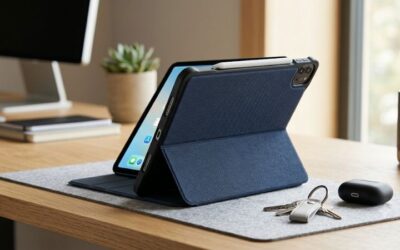
- Top Pick: MoKo for iPad (A16) 11th Generation Case, iPad 10th Gen Case, Navy Blue
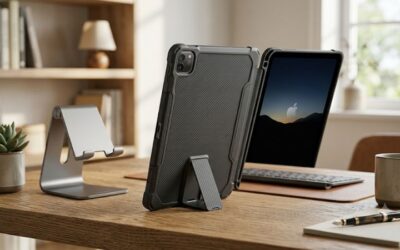
- Best Value: SEYMAC stock Case for iPad (A16) 11th/10th Generation 11''/10.9'' 2025/2022, Full-Body Drop Protection Case with Screen Protector &360° Rotate Hand Strap/Stand, Black
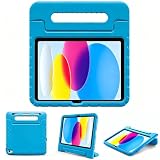
- Premium Choice: Akkerds for iPad A16 11th Gen Case, iPad 10th Generation Case, Sky Blue
Choosing the right iPad case is less about the screen size printed on the box and more about the tablet’s exact model and physical dimensions. Two iPads can both be described as “11-inch” models yet have different camera cutouts, button locations, speaker openings, or body measurements. A case that is slightly too small will not fit, while one made for a different generation may leave controls blocked or provide little drop protection.
The Short Answer
To find the right case, identify your iPad model number first, then buy a case that names that exact model or generation. For the standard iPad with the A16 chip and the 10th-generation iPad, choose a case labeled for both the 11th-generation iPad and 10th-generation iPad. These tablets share the same exterior dimensions: approximately 9.79 inches long by 7.07 inches wide by 0.28 inch thick (24.86 by 17.95 by 0.70 centimeters).
As an Amazon Associate we earn from qualifying purchases at no extra cost to you.


Do not shop by diagonal screen size alone. An “11-inch” case may be intended for an iPad Air or iPad Pro, which have different body shapes and camera layouts. The most reliable match is the model name, generation, and model number printed in your iPad’s settings.
For a budget case, basic folio and shell options commonly cost about $9 to $15. Rugged cases with a built-in screen protector, hand strap, rotating stand, or reinforced corners generally cost about $25 to $45. For example, basic cases from MoKo, Akkerds, and ProCase are often positioned around the $9 price range, while a full-body SEYMAC-style case is commonly around $28. Prices can change by color, seller, and promotions.
Standard Sizes
Use this table as a starting point. The measurements refer to the tablet itself, not the outside of a protective case. Small production differences and rounding are normal.
| iPad type | Approximate screen size | Tablet dimensions (inches) | Tablet dimensions (centimeters) | Typical case-shopping note |
|---|---|---|---|---|
| iPad A16, 11th generation | 11 inches | 9.79 × 7.07 × 0.28 | 24.86 × 17.95 × 0.70 | Usually shares cases with the 10th-generation iPad |
| iPad, 10th generation | 10.9 inches | 9.79 × 7.07 × 0.28 | 24.86 × 17.95 × 0.70 | Look for cases labeled 10th generation or A16/11th generation |
| iPad, 9th generation | 10.2 inches | 9.80 × 6.80 × 0.29 | 24.86 × 17.41 × 0.73 | Not interchangeable with the 10th-generation body |
| iPad Air, 11-inch class | 11 inches | 9.74 × 7.02 × 0.24 | 24.70 × 17.85 × 0.61 | Needs an iPad Air-specific case |
| iPad Pro, 11-inch class | 11 inches | 9.83 × 6.99 × 0.21 | 24.97 × 17.76 × 0.53 | Needs an iPad Pro-specific case |
| iPad mini, 6th generation | 8.3 inches | 7.69 × 5.30 × 0.25 | 19.54 × 13.48 × 0.64 | Requires a mini-specific case |
| iPad Pro, 12.9-inch class | 12.9 inches | 11.04 × 8.46 × 0.25 | 28.06 × 21.49 × 0.64 | Do not substitute a 13-inch Air or Pro case without checking the model |
The first two rows are the key match for shoppers looking at an A16 or 10th-generation case. A case advertised for the 11th-generation A16 iPad and 10th-generation iPad should fit either tablet, provided the listing specifically includes both models.
How to Measure Your Space
For an iPad case, “measuring your space” means checking the tablet, your accessories, and the place where you plan to use or store it.
- Find the model in Settings. Open Settings, choose General, and select About. Note the Model Name and Model Number. Tap the model number if necessary to reveal the longer identifier.
- Measure the tablet without its old case. Measure the longest side, shortest side, and thickness. Use a ruler with at least 1/16-inch markings, and measure in more than one place if the tablet has a raised camera area.
- Check the camera corner. Compare the shape and position of the camera opening in the product photos. A close body measurement does not guarantee a matching camera cutout.
- Account for accessories. If you use a keyboard, thick screen protector, USB-C hub, or detachable pencil holder, check whether the new case leaves enough clearance. Most folio cases are designed for the bare tablet or a very thin protector.
- Measure the storage spot. For a drawer, shelf, backpack, or vehicle mount, allow at least 0.25 inch (0.64 centimeter) of extra width and height beyond the case’s outside dimensions. Rugged cases may add roughly 0.4 to 1 inch to each overall dimension.
- Confirm the listing’s compatibility line. Prioritize the exact generation and model over phrases such as “universal 11-inch case.”
By Room or Use Case
For school, work, or everyday carrying
A slim folio or snap-on shell is usually the easiest choice. Look for a case weighing about 0.4 to 0.8 pound (0.18 to 0.36 kilogram) if you carry the iPad in a tote or backpack. A magnetic or folding cover can provide two or three viewing angles without adding much bulk. Basic cases such as MoKo, Akkerds, and ProCase-style models are suitable when the priority is low cost, everyday scratch protection, and a simple stand.
For children and family rooms
Choose a thicker case with raised corners, a covered back, and a screen protector. A hand strap or rotating grip can make a large tablet easier to hold. Confirm that the case still exposes the charging port and speakers. Full-body options, including SEYMAC-style designs, are typically better for drops and spills than a thin folio, but they add weight and may not fit a tight tablet sleeve.
For travel and commuting
Measure the inside of your bag before buying a rugged case. An iPad that fits on its own may not fit once the case adds nearly an inch to its width or height. A front cover, pencil storage, and reinforced edge protection are useful on planes and public transit. If you use a seat-back or vehicle mount, verify the mount’s clamp range with the case installed.
For kitchen counters or workshops
Choose a case with a stable kickstand and a washable, textured exterior. Avoid relying on the tablet’s screen size to determine counter space; the stand can require 6 to 10 inches of depth depending on its viewing angle. A case with sealed buttons and port covers offers more protection from dust and splashes, though port covers can be inconvenient if you charge frequently.
Common Sizing Mistakes
- Confusing screen size with model size: An 11-inch iPad Air case is not automatically right for an 11-inch standard iPad.
- Assuming nearby generations are identical: The 9th- and 10th-generation standard iPads have different proportions, ports, and camera placement.
- Ignoring the model number: Product titles can use broad wording. The compatibility list is more important than the headline.
- Forgetting case thickness: A rugged case may prevent an iPad from fitting inside an existing sleeve, folio, or mount.
- Overlooking the camera opening: A case can fit around the edges and still partially cover the lens or flash.
- Buying for the wrong accessory: Apple Pencil storage, keyboard clearance, and charging access vary from case to case.
FAQ
What size iPad case do I need for the A16 iPad?
Choose a case specifically labeled for the iPad A16 11th generation, often listed together with the 10th-generation iPad. The tablet measures about 9.79 by 7.07 by 0.28 inches (24.86 by 17.95 by 0.70 centimeters). A case labeled only for an 11-inch Air or Pro is not a confirmed match.
Will a 10th-generation iPad case fit the 11th-generation A16 iPad?
In general, yes, when the listing explicitly says it supports both models. These two standard iPads share the same external body dimensions and a similar port and camera arrangement. Check the seller’s compatibility list before ordering, especially for cases with molded openings or a built-in screen protector.
Can I use a universal 10.9-inch or 11-inch case?
You can, but it is a less precise choice. Universal cases usually hold the tablet with straps, corner grips, or a pouch, so they may fit several models. They may not provide exact camera access, button protection, or a secure fit. A model-specific case is preferable for drop protection.
How much extra room should I allow in a drawer or bag?
Allow at least 0.25 inch (0.64 centimeter) beyond the case on every side for a slim design. For a rugged case, allow closer to 0.5 inch (1.27 centimeters) or more, then confirm the case’s listed outside measurements. This small amount of clearance makes the tablet easier to remove without scraping the edges.







Write Your Review
No reviews yet. Be the first to share your experience!