
One of the most-searched iPad questions this year is deceptively simple: what size keyboard fits my iPad? Apple’s tablets come in several screen sizes, and a keyboard cut for the wrong one either won’t attach or leaves the tablet unbalanced. This guide maps every current iPad to the right keyboard dimensions.
Affiliate disclosure: As an Amazon Associate we earn from qualifying purchases. Prices and availability are accurate as of the date shown and are subject to change.
As an Amazon Associate we earn from qualifying purchases at no extra cost to you.

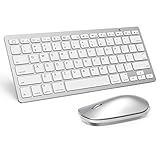


iPad keyboards are matched by screen size, not just model
Apple splits its tablets into size families, and keyboards are built to those exact footprints. The two current mainstream sizes are the 11-inch class (iPad Pro 11″, iPad Air 11″) and the 13-inch class (iPad Pro 13″, iPad Air 13″). Older but still common are the 10.9-inch iPad/Air and the 12.9-inch iPad Pro. A keyboard cut for one class will not clip cleanly onto another.
Typical dimensions to expect
An 11-inch iPad keyboard folio is roughly 24.8 × 17.5 cm closed; a 13-inch model is closer to 28.1 × 21.5 cm. The difference is enough that the magnets and Smart Connector pins won’t line up across sizes. When a listing gives dimensions, compare them to your iPad’s own width and height (in Settings → General → About, or Apple’s spec page) before buying.
Magic Keyboard vs third-party cases
Apple’s Magic Keyboard offers a floating hinge, trackpad and pass-through charging, but it’s expensive and adds weight. Third-party keyboard cases are lighter and far cheaper, often with backlit keys and adjustable stands — just confirm they list your exact iPad generation, since the camera cutout and Connector position change between models.
How to be sure it fits
Check three things: (1) your iPad’s exact model and generation, (2) the screen size the keyboard is listed for, and (3) whether it uses the Smart Connector or Bluetooth. Match all three and the fit is guaranteed. The best-rated iPad keyboards from our catalogue are listed below.
Our Top Picks


Quick Comparison
| Product | Brand | Rating | Reviews | Price | Prime |
|---|---|---|---|---|---|
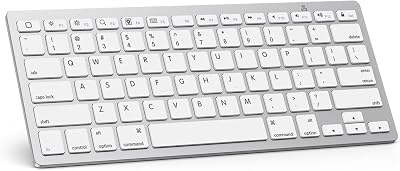
| OMOTON Ultra-Slim Bluetooth Keyboard for iPad 11th/… | OMOTON | ★ 4.5 | 27k | under $20 | ✔ |
| Arteck 2.4G Wireless Keyboard Stainless Steel Ultra… | ARTECK | ★ 4.4 | 29.1k | under $40 | — |
| Logitech Ergo K860 Wireless Ergonomic Keyboard – Sp… | — | ★ 4.5 | 7.9k | under $150 | — |
| Perixx PERIBOARD-512B Wired Ergonomic Keyboard – Sp… | PerixxComputerGmbH | ★ 4.4 | 8.4k | under $40 | — |
| SteelSeries USB Apex 5 Hybrid Mechanical Gaming Key… | — | ★ 4.6 | 4.2k | under $100 | — |
Related Guides
- Best iPad Cases With Pencil Holder 2026
- Best Otterbox iPad Cases in 2026: Top Rugged Covers
- Best iPad Cases With Keyboard: Reviewed and Compared (2026)
Frequently Asked Questions
Will an 11-inch iPad keyboard fit a 13-inch iPad?
No. The footprints and connector positions are different. An 11-inch keyboard won’t attach securely to a 13-inch iPad, and a 13-inch keyboard will leave an 11-inch iPad oversized and unbalanced.
How do I find my iPad’s exact size?
Go to Settings → General → About to see your iPad model, then check Apple’s spec page for its dimensions. Keyboard listings state which screen size they fit.
Are third-party iPad keyboards as good as the Magic Keyboard?
Many are excellent and far cheaper, often with backlighting and adjustable angles. The Magic Keyboard’s advantages are its trackpad, rigid floating hinge and pass-through charging.
Do iPad keyboards work without Bluetooth?
Smart Connector keyboards draw power and data through the magnetic connector — no Bluetooth or charging needed. Bluetooth models work with more devices but need their own battery.
Ready to decide? Our #1 pick for 2026 is the OMOTON Ultra-Slim Bluetooth Keyboard for iPad 11th/….
Live price & availability on Amazon.





Write Your Review
No reviews yet. Be the first to share your experience!