
Disclosure: As an Amazon Associate, this site may earn from qualifying purchases made through links on this page.
The best touchscreen arranger keyboards for music teaching turn a lesson into a practical session. A student can tap a voice, start a style, and hear how chords, rhythm, and melody fit together, instead of only reading about them in a book. A clear touch display also makes the lesson easier to follow, because teacher and student can see the same screen and change a sound together.
Arranger keyboards combine a keyboard, a band, and a practice tool in one instrument. A student can play a melody with the right hand while the left hand triggers chords, and the keyboard adds drums, bass, and harmony. The models below were chosen for readable screens and simple controls. Check the listing for included accessories.
At a Glance
| Product | Standout feature | Best for |
|---|---|---|
| Yamaha PSR-SX700 | 7-inch color touchscreen with 986 voices | A clear, approachable first arranger |
| Korg Pa700 | 7-inch TouchView display with more than 370 styles | Exploring genres and song structure |
| Yamaha PSR-SX900 | 7-inch color touchscreen with 1,337 voices | A busy teaching studio |
| Korg Pa1000 | Tiltable 7-inch touchscreen with vocal processing | Singing, recording, and advanced lessons |
How to Choose for Music Teaching
Start with readability. A large touchscreen with clear labels helps a student follow a lesson. A tiltable screen helps when the keyboard is shared between a seated student and a standing teacher, or when the room has bright light. Look for a display that shows the current voice, style, tempo, and chord.
Next, think about the sounds and styles that match your lessons. Piano, organ, strings, brass, guitar, and drum sounds cover most beginner and intermediate material. A wide style library lets a teacher show the difference between a waltz, a ballad, a swing pattern, and a pop groove. Tempo change is also valuable, because a student can slow a song down for practice.
Recording and playback features matter in teaching. A built-in song recorder lets a student hear a performance back, which is often more useful than a verbal correction alone. An MP3 player with tempo change helps a student practice along with a backing track. A microphone input suits singing lessons, and a headphone output is essential where several students practice at the same time.
The Picks
Yamaha PSR-SX700

View the Yamaha PSR-SX700 on Amazon
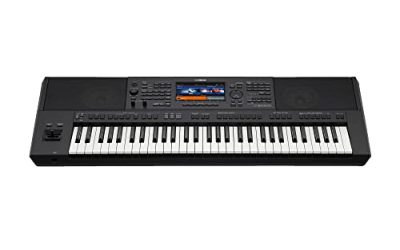
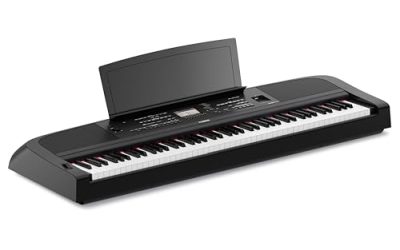
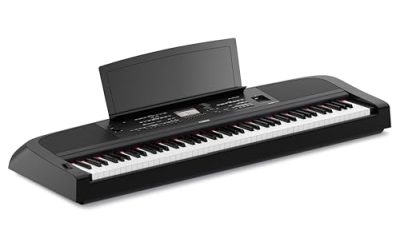
The Yamaha PSR-SX700 is a clear and approachable choice for teaching, with a 7-inch color touchscreen and a layout that is easy to explain to a new student. The listing describes 986 voices, including 131 Super Articulation voices, and 400 accompaniment styles. That range is wide enough for lessons in pop, classical, jazz, and world music, while the interface stays visual and direct. The 61-key FSB keyboard is responsive, and a joystick controller replaces the usual pitch and modulation wheels. A 16-track song recorder is listed, which gives a teacher a simple way to record a student performance and play it back for discussion. The color touchscreen shows voice and style assignments at a glance, so a student can see the result of each choice. One limitation is the 61-key range, which may feel short for advanced piano students.
Key specs (from the manufacturer)
- 61 keys, organ-type (FSB) with initial touch
- Up to 128 notes of polyphony
- 986 voices (131 Super Articulation) plus 41 drum/SFX kits
- 400 preset styles and 226 Multi Pad banks
- 16-track song recorder; USB audio recorder and player for WAV and MP3 files
- Speakers: two 13 cm and two 5 cm, amplified 15 W x 2
- Mic/guitar input, USB TO DEVICE for a flash drive, MIDI in/out, headphone-friendly line outputs
- No Bluetooth audio on this model (the SX900 has it)
For a lesson, the Multi Pad banks and the USB audio player are the most useful extras: a teacher can load a backing track on a flash drive, slow the practice down, and record the student over it. The 61-key range is enough for beginner and intermediate repertoire; advanced piano students will want a longer keyboard at home. Manufacturer spec page.
Korg Pa700

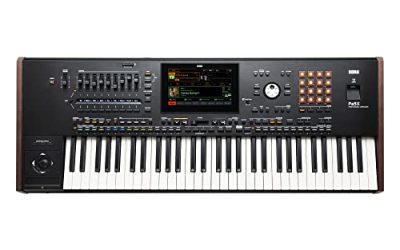
The Korg Pa700 is a strong teaching tool for genre and song structure, with a 7-inch TFT TouchView display and a large library of styles and sounds. The listing describes more than 370 musical styles and more than 1,700 sounds, which gives a teacher plenty of material for lessons on rhythm, harmony, and arrangement. KAOSS effects control from the screen adds a practical way to show how effects change a sound. Defined Nuance Control is designed to add realism to solo voices, which helps a student hear the difference between a plain note and an expressive phrase. A built-in MP3 player with transpose and tempo change is listed, so a student can practice at a slower tempo and in a comfortable key. The built-in speakers are listed at 2 x 25W, which is enough for a lesson room. One limitation is that the large style library can feel overwhelming at first, so start with a small set of styles.
Key specs (from the manufacturer)
- 61 keys (C2 to C7) with velocity
- 128 voices of polyphony on the EDS-X sound engine
- More than 1,700 factory sounds and 106 drum kits
- More than 370 factory styles, each with 3 intros, 4 variations, 4 fills, a break and 3 endings
- 7-inch wide capacitive color TouchView display
- 2 x 25 W amplification with two dual-cone speakers in a bass-reflex box
- 128 MB of compressed user sample memory, HDMI video out, USB and microSD storage
- About 9.9 kg (21.8 lb), the lightest of the four
Each style is built from the same parts (intro, variation, fill, break, ending), so a teacher can use one style to explain song form: play the intro, move to a variation for the verse, add a fill, then close with an ending. The lighter body also makes it the easiest of the four to carry between rooms. Manufacturer spec page.
Yamaha PSR-SX900

View the Yamaha PSR-SX900 on Amazon
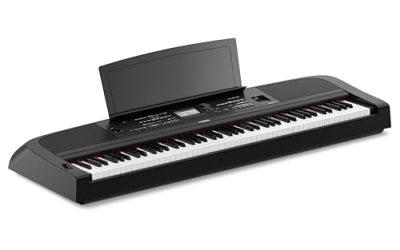
The Yamaha PSR-SX900 suits a busy teaching studio that needs a wide sound library and fast changes between students. The listing describes 1,337 voices, including 252 Super Articulation voices, and 525 accompaniment styles. That depth lets a teacher move from a beginner piano lesson to an advanced arranging session on the same instrument. The 7-inch color touchscreen shows voice and style assignments clearly, and the joystick controller adds expressive control for lead lines. Vocal harmony and a vocoder are built in, which can support singing lessons and student performances. Bluetooth audio is also listed, so a teacher can play a reference track during a lesson. The 61-key layout keeps the instrument compact for a studio with more than one keyboard, while the built-in speakers support a lesson without extra equipment. One limitation is that the large library takes time to master, so save a registration for each regular student.
Key specs (from the manufacturer)
- 61 keys, organ-type (FSB) with initial touch
- Up to 128 notes of polyphony on AWM stereo sampling
- 1,337 voices (252 Super Articulation), 56 drum/SFX kits and 24 organ flutes
- 525 styles: 463 Pro, 46 Session, 10 DJ and 6 Free Play; each with 3 intros, 4 variations, 4 fills, a break and 3 endings
- 7-inch, 800 x 480 touchscreen
- Speakers: two 13 cm plus two 2.5 cm domes, amplified (15 W + 10 W) x 2
- 1 GB of on-board memory for expansion data and four sub line outputs
- About 11.5 kg (25.4 lb), the heaviest of the four
The extra voices and the sub line outputs suit a teaching studio that records or plays through a mixer. The Super Articulation voices respond to how a student plays, so a teacher can show how touch changes the sound of a saxophone or guitar phrase. Manufacturer spec page.
Korg Pa1000

View the Korg Pa1000 on Amazon
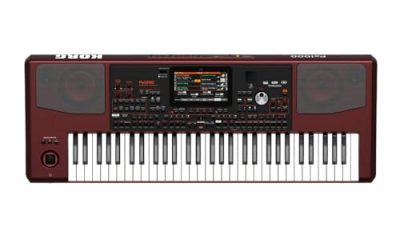
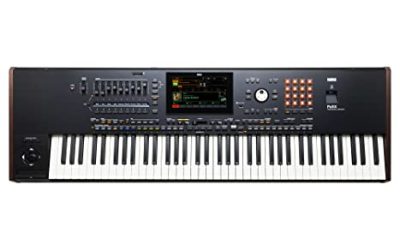
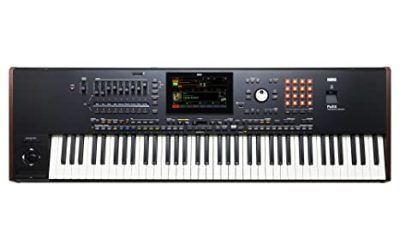
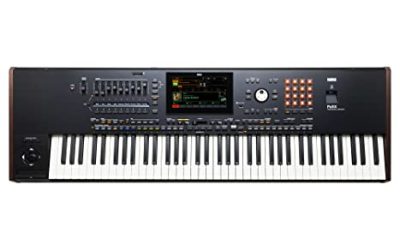
The Korg Pa1000 is a good fit for singing, recording, and advanced lessons, with a tiltable 7-inch TFT color touchscreen and a microphone input that uses TC-Helicon effects processing. The listing describes more than 430 styles and more than 1,700 sounds, plus 600MB of storage for user samples. That gives a teacher room to add custom sounds for a student recital or a school project. The built-in speakers are listed at 2 x 33W, which is useful for a classroom or a small recital room. KAOSS-style MIDI and effects control from the touchscreen gives a student a direct way to shape a performance, and Defined Nuance Control is designed to add realism to solo voices. Three assignable switches and a four-way joystick provide quick control during a lesson. One limitation is the depth of the instrument, which may be more than a beginner needs.
Key specs (from the manufacturer)
- 61 semi-weighted keys (C2 to C7) with velocity and aftertouch
- 128 voices of polyphony on the EDS-X sound engine
- More than 1,750 factory sounds including 107 drum kits
- More than 430 factory styles plus 1,152 user locations
- 7-inch wide capacitive TouchView display with a manual tilt system
- 2 x 33 W amplification with two 100 mm woofers and two 25 mm dome tweeters
- TC-Helicon voice processor, dual MP3 player and recorder, 16-track sequencer, SongBook and KAOSS FX
- User sample memory of 300 MB compressed, expandable to about 960 MB with the latest OS; about 10.75 kg (23.7 lb)
The aftertouch and semi-weighted action suit students moving from piano to arranger playing, and the voice processor makes it the strongest of the four for singing lessons. SongBook keeps lyrics, chords and settings together, which saves a teacher from rebuilding the same setup for each student. Manufacturer spec page.
Specs Side by Side (Manufacturer Data)
These figures come from the Yamaha and Korg specification pages. Items marked “check listing” were not confirmed on the manufacturer page, so verify them on the product page before buying.
| Spec | Yamaha PSR-SX700 | Korg Pa700 | Yamaha PSR-SX900 | Korg Pa1000 |
|---|---|---|---|---|
| Keys | 61, organ-type (FSB) | 61, velocity | 61, organ-type (FSB) | 61, semi-weighted, aftertouch |
| Polyphony | 128 notes | 128 voices | 128 notes | 128 voices |
| Voices / sounds | 986 voices + 41 kits | 1,700+ sounds, 106 kits | 1,337 voices + 56 kits | 1,750+ sounds, 107 kits |
| Styles | 400 | 370+ | 525 | 430+ |
| Display | 7-inch color touchscreen | 7-inch capacitive TouchView | 7-inch, 800 x 480 touchscreen | 7-inch capacitive TouchView, tilting |
| Built-in amplification | 15 W x 2 | 2 x 25 W | (15 W + 10 W) x 2 | 2 x 33 W |
| Bluetooth audio | No | Check listing | Yes | Check listing |
| Weight | Check listing | 9.9 kg | 11.5 kg | 10.75 kg |
Comparison Table
| Feature | Yamaha PSR-SX700 | Korg Pa700 | Yamaha PSR-SX900 | Korg Pa1000 |
|---|---|---|---|---|
| Touchscreen | 7-inch touchscreen | 7-inch TouchView display | 7-inch touchscreen | 7-inch touchscreen, tiltable |
| Keys | 61, FSB | 61 | 61 | 61 |
| Voices or sounds | 986 voices | More than 1,700 sounds | 1,337 voices | More than 1,700 sounds |
| Accompaniment styles | 400 styles | More than 370 styles | 525 styles | More than 420 styles |
Which One Fits Your Situation
For a first arranger, the Yamaha PSR-SX700 is a balanced choice, with a clear touchscreen, 986 voices, and a song recorder for most beginner and intermediate lessons. For many genres, the Korg Pa700 is a strong match, with more than 370 styles and a tempo-change MP3 player. For a busy studio, the Yamaha PSR-SX900 is the better fit, with a larger voice and style library. For singing lessons and advanced students, the Korg Pa1000 is the strongest choice, with vocal processing and a tiltable screen.
How to Run a First Lesson on an Arranger Keyboard
- Start with one voice and one style. Pick a piano voice and a simple pop or ballad style. Too many choices in the first session slow the student down.
- Teach chords before melodies. Show the left hand triggering a chord while the right hand holds a single note. The student hears harmony immediately.
- Use the style parts to explain form. Play the intro, move to a variation for a verse, use a fill before the chorus, and finish with an ending.
- Slow the tempo and raise it in steps. Start well below the target tempo and add a few beats per minute each time the student plays the passage cleanly.
- Record and listen back. A short recording of the student playing with the style is the quickest way to show timing problems.
- Save the settings. Store a registration or memory for each student so the next lesson starts with the same voice, style and tempo.
Buying Notes: Availability and What to Add
Yamaha’s Australian product pages list both the PSR-SX700 and the PSR-SX900 as discontinued, so stock, condition and included accessories can vary between sellers. Before buying, check on the listing whether the music stand and power adapter are included and whether the unit is new or open-box.
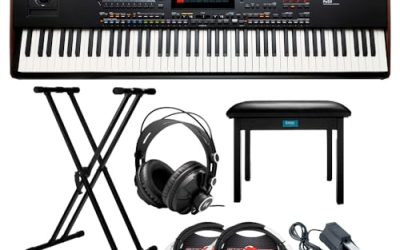
Most lesson setups also need a sustain pedal, a keyboard stand and bench at the right height, and a pair of closed headphones so students can practice in the same room without disturbing each other. A keyboard amplifier is optional for a recital room because the built-in speakers on all four models are intended for small rooms.
Specifications were checked against the manufacturer pages for the PSR-SX700, PSR-SX900, Pa700 and Pa1000 on 23 November 2026.
FAQ
Can a beginner start on a touchscreen arranger keyboard?
Yes. A touchscreen shows sound and style names in plain text, so a beginner can change a voice with a tap and hear the result at once. Start with piano, a simple style, and a slow tempo.
How does an arranger keyboard help with music theory?
An arranger keyboard makes theory audible. A student can play a chord with the left hand and hear the bass, drums, and harmony follow that chord. A teacher can change one note and show how the accompaniment changes, which is easier to remember than a written example alone.
Is a 61-key keyboard enough for music lessons?
Yes, for most beginner and intermediate lessons. A 61-key layout covers a wide range for melody, chords, and accompaniment, and it keeps the instrument compact. Advanced piano students may also need a full-size piano.
What should a teacher check before buying a keyboard for lessons?
Check the touchscreen size and clarity, the number of voices and styles, the song recorder, the headphone output, and the microphone input for singing lessons. Also check the listing for the included power supply and pedals.
Can I record a student’s lesson on these keyboards?
Yes. The PSR-SX700 has a 16-track song recorder and a USB audio recorder and player for WAV and MP3 files. The Korg Pa1000 lists a 16-track sequencer and a dual MP3 player and recorder. Check the listing for the recording options on the other models.
Which of the four is the easiest to start with?
The Yamaha PSR-SX700 and the Korg Pa700 are the simplest places to start: both have a 7-inch touchscreen and a manageable feature set. The PSR-SX900 and the Pa1000 add more voices, memory and vocal tools that a teaching studio may use later.
Do I need a stand and pedal for lessons?
A sustain pedal and a stable stand or table are recommended for lessons, because a student needs to play with consistent hand position and sustain. These are usually sold separately, so confirm what the listing includes.
Final Take
The best touchscreen arranger keyboards for music teaching combine a clear screen, a wide range of sounds, and practice tools that make a lesson easier to follow. The Yamaha PSR-SX700 suits new students, the Korg Pa700 suits genre lessons, the Yamaha PSR-SX900 suits a busy studio, and the Korg Pa1000 suits singing and advanced work. Choose the model that matches your students.
Write Your Review
No reviews yet. Be the first to share your experience!