
The best range to keep an iPhone battery is widely given as 20 percent to 80 percent charge, and the reason lies in how lithium-ion cells age. A battery wears fastest at the extremes, when it sits fully charged for hours or when it drains down to empty, while the middle of the range puts the least stress on the cells. Apple designs iPhone batteries to retain up to 80 percent of their original capacity at 500 complete charge cycles under normal conditions, so the habits that slow that decline are worth knowing.
This guide is for iPhone owners who want their battery to last longer, for owners of older models who plan to keep the phone for years, and for anyone who charges overnight or stores a spare phone. It explains why the 20 to 80 range is recommended, how heat and charging habits affect battery health, and what to do for overnight charging and long-term storage. As an Amazon Associate we earn from qualifying purchases
Why the 20 to 80 Range Gets Recommended
Lithium-ion batteries age through chemical wear, and that wear speeds up when the battery sits at very high or very low charge. Keeping the charge between 20 percent and 80 percent holds the cells in their most comfortable middle band, where the voltage stays moderate and the internal stress stays low. The habit does not need to be exact: charging to 85 percent or starting a charge at 15 percent still beats a routine of full charges and full drains. What matters is the pattern over months, not any single charge.
Apple’s own figures show why the pattern matters. iPhone batteries are designed to retain up to 80 percent of their original capacity at 500 complete charge cycles under normal conditions, and a complete cycle means 100 percent of the battery discharged in total, which can span several days of partial use. Charging from 20 percent to 80 percent uses only part of a cycle each time, so the count grows more slowly than with full 0 to 100 charges. That slower count is the real benefit of the range, and it shows up as a higher Maximum Capacity figure over time.
How to Choose
Daily Charging Range
Aim to plug in when the battery drops toward 20 percent and unplug near 80 percent for everyday use. Short top-ups during the day fit the same pattern, since partial charges add up to cycles only in total, and a phone charged from 40 percent to 70 percent twice uses roughly the same cycle count as one longer charge. Do not worry about hitting the numbers exactly, because the range is a guide rather than a strict limit. When a long day needs a full charge, take it without guilt, and return to the middle range the next day.
Heat and Fast Charging
Heat ages a battery faster than almost any charging habit, so keeping the phone cool matters as much as the charge range. Apple advises against exposing an iPhone to temperatures above 35 degrees Celsius, and charging in a hot car or in direct sun adds heat on top of the warmth charging already creates. Fast charging also generates more heat than slow charging, so a standard charger suits overnight use while a fast charger suits a quick top-up before heading out. If the phone feels hot while charging, move it to a cooler spot and take the case off until it cools.
Overnight Charging Habits
Charging overnight is convenient, and modern iPhones manage it better than older phones did. Optimized Battery Charging, available from iOS 13 onward, learns the daily routine and holds the charge at 80 percent until shortly before the usual wake time, so the phone spends most of the night in the comfortable middle range. The feature needs a few weeks of routine to learn the pattern, and it works best when the wake time stays regular. Owners of older models without the feature can unplug in the morning, since a few hours at full charge now and then matters far less than months of heat exposure.
Long-Term Storage Charge
A phone stored for weeks or months needs a different charge level than a phone in daily use. Apple advises storing a device with the battery around half charged, since a full battery loses capacity faster in storage and an empty battery can fall into a deep discharge that stops it holding a charge. Power the phone off before storing it, keep it in a cool dry place away from direct sun, and check the charge every few months, topping it back toward half when it drops low. A spare phone treated this way wakes up healthy when it returns to service.
Which One Fits Your Situation
Heavy Daily Users
Owners who drain the battery every day should top up during the day rather than waiting for empty. Charging from 30 percent to 70 percent at a desk or in the car keeps the phone inside the comfortable range, and a second short top-up beats one deep drain. A full charge before a long trip is still fine, and the middle range can resume the next day without any harm done.
Light Users Who Charge Overnight
Owners who use little battery during the day can charge overnight with Optimized Battery Charging switched on. The feature holds the charge at 80 percent through the night and finishes shortly before waking, so the phone starts the day full without spending hours at maximum charge. Check that the feature is on under Battery Health settings, and give it a few weeks to learn the routine.
Owners Keeping an Older iPhone for Years
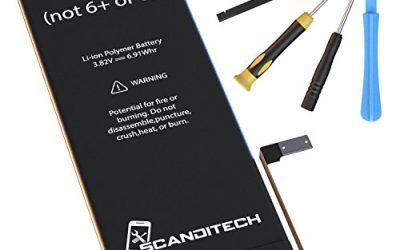
Owners who plan to keep an older iPhone for years gain the most from the strictest version of the range. Holding the charge between 20 percent and 80 percent, avoiding heat, and using a standard charger overnight all slow the decline in Maximum Capacity. When the figure falls below 80 percent, the phone may still work well, but a battery replacement becomes worth considering.
Storing a Spare iPhone
Owners storing a spare iPhone should charge it to around half, power it off, and keep it somewhere cool and dry. A full battery loses capacity faster in storage, while an empty battery can fall into a deep discharge that stops it holding a charge. Check the level every few months and top it back toward half when it drops, so the spare stays ready to use.
Common Mistakes
- Charging to 100 percent and leaving the phone plugged in for hours every night without Optimized Battery Charging switched on.
- Letting the phone drain to empty on a regular basis, since deep discharges wear lithium-ion cells faster than partial charges.
- Charging in a hot car or in direct sunlight, where the extra heat ages the battery faster than the charge level itself.
- Judging battery health by one heavy day of use instead of the Maximum Capacity trend over weeks and months.
- Storing a spare phone fully charged or fully empty for months, instead of leaving it around half charged and powered off.
Frequently Asked Questions
What is the best range to keep an iPhone battery?
The widely recommended range is 20 percent to 80 percent charge. Lithium-ion cells wear fastest at the extremes, so holding the battery in the middle band keeps voltage moderate and slows aging. The range is a guide rather than a strict limit, and charging to 85 percent or starting at 15 percent still beats a routine of full charges and full drains.
Should I charge my iPhone to 100 percent?
A full charge now and then causes no real harm, and a long day away from a charger is a good reason to take one. For everyday use, stopping near 80 percent slows battery aging, since the cells spend less time at maximum voltage. Optimized Battery Charging handles this automatically by holding the charge at 80 percent overnight and finishing shortly before waking.
Does charging overnight damage the battery?
Overnight charging is less harmful on modern iPhones than it once was, thanks to Optimized Battery Charging, which holds the charge at 80 percent through most of the night. Heat matters more than the overnight hours themselves, so a cool room and a standard charger help more than unplugging at midnight. Owners of older models without the feature can simply unplug in the morning.
How do I check my iPhone battery health?
Open Settings, then Battery, then Battery Health and Charging, where the Maximum Capacity figure shows the battery health as a share of its original capacity. Apple designs iPhone batteries to retain up to 80 percent of original capacity at 500 complete charge cycles. When the figure falls below 80 percent, iOS may suggest a battery service, and a replacement becomes worth considering.






Write Your Review
No reviews yet. Be the first to share your experience!