
Our Short List of 3
All 5 Picks at a Glance
| Product | Specs | Action |
|---|---|---|
 1. Apple Pencil Pro | Check price on Amazon | |
 2. Apple Pencil (2nd Generation) | Check price on Amazon | |
 3. Apple Pencil (USB-C) | Check price on Amazon | |
 4. Metapen Pencil A8 | Check price on Amazon | |
 5. Logitech Crayon (USB-C) | Check price on Amazon |
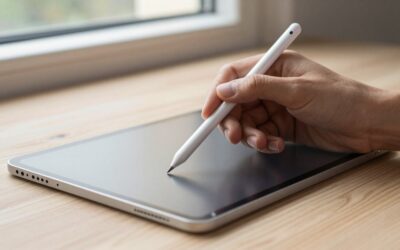
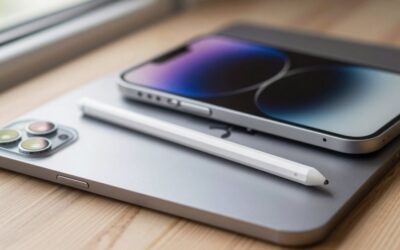
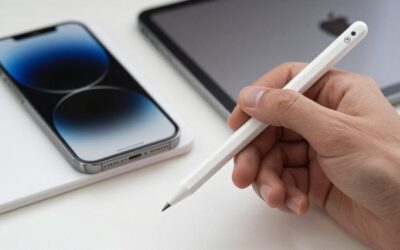
The Apple Pencil lineup has grown into a small family of its own, and the arrival of Apple Pencil Pro at the top of it has made choosing a stylus for an iPad Pro or iPad Air less straightforward than it used to be. Alongside the Pro sit the Apple Pencil (2nd generation), the Apple Pencil (USB-C), and a short list of third-party pencils built on the same technology, each trading away a different feature to reach a lower cost or a wider fit. The right pick depends first on which iPad sits on the desk, because no pencil in this guide works with every iPad.
This guide lines up five styluses in the Pencil Pro class, all made for iPad Pro and its close relatives, and compares them on the points that actually separate them: pressure sensitivity, tilt support, gestures, charging method, and model compatibility. Every pick is the same type of product, an active stylus pen for iPad, so the comparison stays focused on which version of that idea suits a given owner.
As an Amazon Associate, we earn from qualifying purchases.
How to Choose
Start with compatibility, because it rules out more pencils than any other factor. Apple Pencil Pro only works with recent hardware: iPad Pro 11-inch and 13-inch with M4 or later chips, iPad Air with M2 or later chips, and iPad mini with the A17 Pro chip. An owner of an older iPad Pro cannot use the Pro at all, and for that machine the Apple Pencil (2nd generation) is the full-featured option. The Apple Pencil (USB-C) and the third-party picks cover the widest range, reaching back to iPads from 2018.
Next, decide whether pressure sensitivity matters. It is the single biggest dividing line in this lineup. Apple Pencil Pro and the Apple Pencil (2nd generation) both sense how hard the tip presses, so a line grows thicker or darker with pressure, which illustrators and lettering artists rely on. The other three picks leave pressure out and change line weight through tilt alone. For handwriting, annotation, and signing, tilt-only pencils feel close to the full-featured models, because handwriting rarely calls for pressure control.
Gestures and charging separate the rest. Apple Pencil Pro adds a squeeze gesture, a barrel roll that rotates a brush as the pencil turns, haptic feedback, hover preview, and Find My support. The 2nd generation pencil offers a double-tap to switch tools and hover on select models, but no squeeze or roll. Both Apple flagship pencils pair and charge magnetically on the side of the iPad. The USB-C Pencil attaches magnetically for storage but pairs and charges through a cable, while the Metapen and the Crayon charge over USB-C and, in the Crayon’s case, skip pairing altogether.
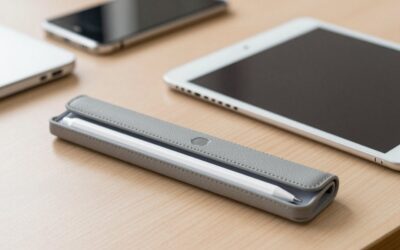
Finally, think about how the pencil will be carried. A pencil that charges on the side of the iPad is hard to leave behind, and the Pro adds Find My support. A shared-workspace pencil takes drops and gets borrowed, which favors the Crayon’s reinforced flat body. A spare pencil for occasional markup favors the fastest top-up charge, which is where the Metapen A8 makes its case.
1. Apple Pencil Pro
Apple Pencil Pro is the flagship of the lineup and the only model that combines every Apple Pencil feature in one body. It delivers pixel-perfect precision with tilt and pressure sensitivity and the low latency the line is known for, then adds tools none of the other picks can match. Squeezing the barrel opens a tool palette in supported apps, rolling the pencil between the fingers rotates shaped brushes through its barrel roll gyroscope, and a haptic pulse confirms actions such as snapping a shape into place. Hover lets supported iPads preview a mark before the tip touches the screen, and the Pro is the first Apple Pencil that can be located with Find My.
The trade-off is the narrowest compatibility in this guide. The Pro uses a revised magnetic pairing and charging system, so it works only with iPad Pro models built on M4 and later chips, iPad Air models built on M2 and later chips, and the iPad mini with the A17 Pro chip. Owners of earlier iPad Pro generations should skip to the next pick. For owners of a current iPad Pro, the Pro is the natural first choice.
Who It Suits
Apple Pencil Pro suits illustrators, designers, and photo editors on a current iPad Pro or iPad Air who use pressure, brush rotation, and quick tool switching every day. It also suits heavy note-takers on those models who value Find My support and magnetic charging. Owners of any earlier iPad should skip it, because it will not pair with their tablet at all.
2. Apple Pencil (2nd Generation)
The Apple Pencil (2nd generation) remains the full-featured pencil for the large installed base of earlier iPad Pro models. It matches the Pro on the fundamentals: pixel-perfect precision, tilt and pressure sensitivity, and low latency, with a flat edge that attaches magnetically to the side of the iPad for automatic pairing and wireless charging. A double-tap on the touch surface switches tools in supported apps, and on later iPad Pro generations it also supports Apple Pencil hover.
What it gives up next to the Pro is the newer gesture set: no squeeze, no barrel roll, no haptic feedback, and no Find My support. In return, it covers iPad Pro generations the Pro cannot touch, from the 3rd generation 12.9-inch model through the 6th, plus the 4th and 5th generation iPad Air and the 6th generation iPad mini. For an owner of one of those tablets who draws or paints, this is still the most complete pencil available.
Who It Suits
This pencil suits artists and note-takers with a pre-M4 iPad Pro, an iPad Air 4 or 5, or an iPad mini 6 who want genuine pressure sensitivity and magnetic wireless charging. Owners of the newest iPad Pro and iPad Air generations should skip it and choose the Pro instead, since this generation does not pair with their tablets.
3. Apple Pencil (USB-C)
Apple Pencil (USB-C) is the broad-fit member of Apple’s own lineup. It keeps pixel-perfect precision, tilt sensitivity, and low latency, and it supports hover on the iPad Pro and iPad Air models that offer it. Its compatibility list is the longest of any Apple-branded pencil here, running from older iPad Pro generations through the current M-series models, the standard iPad line, and recent iPad mini models.
The compromises are clear and deliberate. There is no pressure sensitivity, so line weight comes from tilt alone, which matters to painters and matters little for notes and markup. Pairing and charging happen through a USB-C cable under the sliding cap, and while the pencil attaches magnetically for storage, that attachment does not charge or pair it. It also requires iPadOS 17.1.1 or later. For a household or team sharing one pencil across several iPad generations, that trade is often the sensible one.
Who It Suits
Apple Pencil (USB-C) suits students, annotators, and document reviewers who write and mark up far more than they paint, and anyone who needs one Apple pencil to work across several iPad generations. Artists who depend on pressure-controlled brushes should skip it and choose the Pro or the 2nd generation model that matches their iPad.
4. Metapen Pencil A8
The Metapen Pencil A8 is the value pick in this lineup, a third-party stylus built for iPads from 2018 onward. It offers pixel-level precision with tilt sensitivity and palm rejection, so a hand can rest on the screen while writing, and it attaches magnetically to supported iPads for carrying. Its headline convenience is charging speed: the A8 charges over USB-C at twice the pace Metapen quotes for a standard pencil of this type, which makes it easy to keep as a spare that is always ready.
Like the USB-C Pencil, the A8 has no pressure sensitivity and no gesture controls, so creative work that leans on pressure or brush rotation belongs with Apple’s flagship models. It also works only with iPads, not with iPhone, Android, or Windows devices. Within those limits, it covers a wide range: iPad 6th through 11th generation, iPad Pro 11-inch and 12.9-inch generations plus the 13-inch M4 model, iPad Air 3, 4, 5, and the M2 and M3 generations, and iPad mini 5 and 6.
Who It Suits
The Metapen Pencil A8 suits note-takers, students, and PDF annotators who want a capable everyday stylus for a 2018 or later iPad without paying flagship prices, and owners who want an inexpensive second pencil for a bag or drawer. Anyone who draws with pressure-sensitive brushes, or who owns an older iPad, should skip it.
5. Logitech Crayon (USB-C)
Logitech Crayon takes a different approach to the same job. Built with Apple Pencil technology, it writes with pixel precision in the hundreds of apps that support Apple Pencil, and its smart tip adjusts line weight automatically as the pencil tilts. There is no pairing step at all: slide the switch toward the tip and start writing. The flat aluminum body cannot roll off a desk, carries drop protection rated to 4 feet, and shows remaining charge through indicator lights.
Crayon charges over USB-C with the same cable used by current iPads and provides up to 7 hours of writing time from a full charge, with an automatic shutoff after inactivity. It has no pressure sensitivity, so it is a writing and markup tool rather than a painting instrument. Its fit is broad, covering USB-C iPads from 2018 and later.
Who It Suits
Logitech Crayon suits classrooms, families, and shared workplaces where a pencil must survive drops, connect instantly, and work in the hands of whoever picks it up. Artists who need pressure sensitivity should skip it and choose one of the Apple models matched to their tablet.
Frequently Asked Questions
Does Apple Pencil Pro work with older iPad Pro models?
No. Apple Pencil Pro pairs only with iPad Pro 11-inch and 13-inch models built on M4 and later chips, iPad Air models built on M2 and later chips, and the iPad mini with the A17 Pro chip. Earlier iPad Pro generations use a different magnetic charging system, so the Pro cannot attach, pair, or charge on them. Owners of those models should choose the Apple Pencil (2nd generation) for pressure sensitivity, or the Apple Pencil (USB-C) for a simpler writing pencil.
What is the difference between Apple Pencil Pro and Apple Pencil (2nd generation)?
Both offer pressure and tilt sensitivity, low latency, and magnetic wireless pairing and charging. The Pro adds a squeeze gesture, barrel roll for rotating brushes, haptic feedback, and Find My support, and it serves the newest iPad Pro and iPad Air models. The 2nd generation pencil offers a double-tap tool switch instead and serves the earlier iPad Pro generations, the iPad Air 4 and 5, and the iPad mini 6. The deciding factor is which iPad is owned, since each pencil pairs with a different set of models.
Can a third-party pencil like the Metapen A8 or Logitech Crayon replace an Apple Pencil?
For handwriting, annotation, form filling, and general navigation, yes. Both picks provide tilt-based line control and palm rejection, and the Crayon uses Apple Pencil technology, so they work across apps that support Apple Pencil input. What they cannot do is pressure-sensitive drawing, because neither senses tip pressure, and neither offers Apple’s gesture features. Buyers who paint or letter with pressure-controlled brushes need an Apple Pencil Pro or a 2nd generation Apple Pencil matched to their iPad.
Which pencil in this lineup works with the most iPad models?
The Apple Pencil (USB-C) covers the widest range among Apple’s own pencils, spanning older and current iPad Pro generations, several iPad Air generations, the standard iPad line, and recent iPad mini models. The Metapen Pencil A8 and Logitech Crayon reach a similarly broad set of iPads from 2018 onward. The Apple Pencil Pro covers the fewest models, so checking the exact model list matters most with that pick.
Final Verdict
The best Pencil Pro lineup starts, unsurprisingly, with Apple Pencil Pro itself. For a current iPad Pro or iPad Air, its squeeze and barrel roll gestures, haptic feedback, hover, and Find My support make it the most capable stylus in the class. One step down, the Apple Pencil (2nd generation) keeps the same drawing fundamentals for the many iPad Pro and iPad Air models that predate the M4 generation, and for those owners it remains the correct flagship rather than a compromise.
Below the flagships, the choice turns on budget and breadth of fit. Apple Pencil (USB-C) is the safe all-rounder for writing and markup across many iPad generations. The Metapen Pencil A8 delivers everyday writing and annotation for the lowest commitment in the lineup. Logitech Crayon earns its place where pencils are shared, dropped, and expected to work the moment they are switched on. Match the pencil to the iPad model first, then to whether pressure sensitivity is truly needed.
Product and ASIN Reference
| Product | ASIN |
|---|---|
| Apple Pencil Pro | B0D3J71RM7 |
| Apple Pencil (2nd Generation) | B07K1WWBJK |
| Apple Pencil (USB-C) | B0CL7J12YK |
| Metapen Pencil A8 | B09ZTXVNVD |
| Logitech Crayon (USB-C) | B0BJYS9M4R |
Write Your Review
No reviews yet. Be the first to share your experience!