
The best webcam for a Mac is often the iPhone you already own, used through Continuity Camera, because its 12MP-plus sensors beat nearly every USB webcam in low light; if you want a dedicated camera that stays mounted, the Logitech MX Brio or Insta360 Link 2 are the strongest 4K picks, and the Logitech Brio 4K or C920-class 1080p cameras are the value choices. Mac mini, Mac Studio and Mac Pro owners need an external camera, since those desktops have none built in.
Which route makes sense depends on the Mac you have, how often you are on calls and how much setup friction you will tolerate. The tables and scenarios below map those factors to a choice.
As an Amazon Associate we earn from qualifying purchases at no extra cost to you.



Start Here: Does Your Mac Already Have a Good Camera?
| Mac | Built-in camera | Center Stage | Do you need an external webcam? |
|---|---|---|---|
| MacBook Air (M4) and MacBook Pro (M4 generation and later) | 12MP Center Stage | Yes | Usually no, unless you use an external monitor with the lid closed |
| MacBook Air (M2/M3), MacBook Pro (M1 Pro to M3) | 1080p FaceTime HD | No | Optional; worthwhile for daily meetings or low light |
| Older Intel MacBooks | 720p FaceTime HD | No | Yes, for a noticeable quality jump |
| iMac (M4) | 12MP Center Stage | Yes | Rarely |
| iMac (M1/M3) | 1080p FaceTime HD | No | Optional |
| Mac mini, Mac Studio, Mac Pro | None | n/a | Yes, or use Continuity Camera |
| Any Mac with Apple Studio Display | 12MP Ultra Wide in display | Yes | Rarely |
Option 1: Continuity Camera With Your iPhone
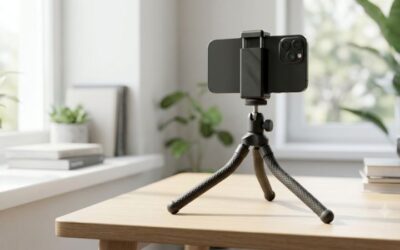
Continuity Camera lets a nearby iPhone act as a wireless webcam for any app on macOS Ventura or later. It needs an iPhone XR or newer, both devices signed in to the same Apple Account, and Wi-Fi plus Bluetooth turned on. Features include Center Stage, Portrait mode, Studio Light and Desk View (iPhone 11 and later), which shows your desk from above using the ultra-wide lens.
Strengths: a far bigger sensor and better processing than most webcams, zero extra cost. Weaknesses: you need a mount (MagSafe clips from Belkin and others, or a small tripod), the phone gets warm on long calls, and it is tied up while in use. If you take calls for more than an hour or two a day, a dedicated webcam is less hassle.
Option 2: A Dedicated USB Webcam
macOS supports standard UVC webcams without drivers, so any mainstream USB camera works in FaceTime, Zoom, Teams, Meet and OBS. Companion apps (Logi Options+, Elgato Camera Hub, Insta360 Link Controller) add manual exposure, field-of-view and framing controls on Mac.
| Camera | Max resolution | Field of view | Connection | Standout feature | Price band |
|---|---|---|---|---|---|
| Logitech MX Brio | 4K30 / 1080p60 | adjustable, up to about 90° | USB-C | Large sensor for cleaner low-light image; privacy shutter | Upper midrange |
| Insta360 Link 2 | 4K30 | about 79° | USB-C | Motorized gimbal with AI subject tracking, whiteboard and desk modes | Upper midrange to premium |
| Logitech Brio 4K | 4K30 / 1080p60 | 65°, 78° or 90° | USB-A (USB-C cable on newer units) | Proven, widely supported; HDR | Midrange |
| Elgato Facecam MK.2 | 1080p60 | about 84° (PTZ digital framing) | USB-C | Fixed-focus lens tuned for streaming; uncompressed video | Midrange |
| Opal Tadpole | 1080p | wide | USB-C | Tiny clip-on body sized for MacBook lids | Midrange |
| Logitech C920 / C922 class | 1080p30 (C922 720p60) | 78° | USB-A | Budget standard; works everywhere | Budget |
Picks by Setup
Mac mini or Mac Studio on a desk monitor
The Logitech MX Brio is the safest all-round choice: good low-light quality, USB-C to plug into the Mac’s front port, and a built-in privacy shutter. If you present at a whiteboard or move around while talking, the Insta360 Link 2 tracks you with its gimbal.
MacBook Pro in clamshell mode
With the lid closed, the built-in camera is off. Continuity Camera mounted on the external monitor is ideal if you have an iPhone; otherwise a 4K webcam on the monitor keeps framing consistent.
Older MacBook Air with a 720p camera
The Opal Tadpole is small enough to clip onto a laptop lid and travel with you. A C920-class 1080p webcam is the cheaper alternative if the camera stays at home.
Streaming and content creation
Elgato’s Facecam MK.2 at 1080p60 pairs well with OBS on Mac and Elgato’s Stream Deck ecosystem. For higher detail, 4K cameras let you crop in without losing sharpness.
Occasional calls, tight budget
Use Continuity Camera with an inexpensive MagSafe mount. Image quality will surpass most budget webcams.
Bandwidth Reality: Why 4K Is Not Always Visible
Zoom, Teams and Google Meet typically send 720p or 1080p to other participants, even if your camera captures 4K. A 4K camera still helps, because it gives the software more pixels for digital zoom and framing, and larger sensors handle dim rooms better. But for pure call quality, lighting matters more than resolution.
| Improvement | Typical cost | Impact on call image |
|---|---|---|
| Face a window or add a soft light at eye level | Low | Large |
| Raise the camera to eye level | Free to low | Large (flattering angle) |
| 1080p to 4K webcam | Midrange | Moderate |
| Upgrade internet upload to 5 Mbps or more | Varies | Moderate to large for 1080p sending |
Setup Tips on macOS
- Grant permission: System Settings > Privacy & Security > Camera, then enable each app that needs it.
- Choose the camera in each app: FaceTime, Zoom and Teams each have their own camera menu; macOS does not set a global default.
- Use Video Effects: click the green camera icon in the menu bar during a call to toggle Center Stage, Portrait and Studio Light where supported.
- Plug into the Mac, not a cheap hub: 4K webcams can drop frames or disconnect on underpowered USB hubs.
- Clean the lens: a smudge does more damage than a lower resolution; use a microfiber cloth.
Bottom Line
If your Mac has a 12MP Center Stage camera, you likely do not need a webcam. If it does not, try Continuity Camera first; it is free and excellent. For a permanent camera on a Mac mini, Mac Studio or clamshell MacBook, choose the Logitech MX Brio for overall quality, the Insta360 Link 2 for tracking, or a 1080p Logitech for budget setups, and invest in lighting before resolution.
Ready to decide? Our #1 pick for 2026 is the MacBook Air (M4) and MacBook Pro (M4 generation and later).
Live price & availability on Amazon.





Write Your Review
No reviews yet. Be the first to share your experience!