
The best iPhone accessories are the ones you touch every day: a case that fits your exact model, a microphone that makes your videos sound clear, and a cable that does not fray. If you own an iPhone 15 Plus, the ESR Classic Hybrid is our top case pick for a slim MagSafe-compatible clear look, with the OtterBox Symmetry Series as the sturdier runner-up. For creators, the DJI Mic Mini is the better wireless lavalier setup, and the Anker 60W USB-C cable 2-pack is the sensible cable to keep in every room.
- Top Picks at a Glance
- Comparison Table
- 1. ESR Classic Hybrid for iPhone 15 Plus: Best Overall Case
- 2. OtterBox Symmetry Series for iPhone 15 Plus and 14 Plus: Best Protective Case
- 3. Cozycase Full-Body Waterproof Case for iPhone 15 Plus: Best Rugged Option
- 4. Diaclara Magnetic Case for iPhone 14: Best for iPhone 14 Owners
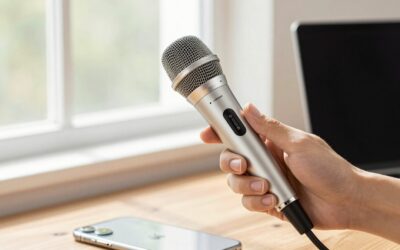
- 5. DJI Mic Mini (1 TX + 1 RX): Best Premium Wireless Lavalier
- 6. Bulatry 2-Pack Wireless Mini Lavalier Microphone: Best Budget Wireless Mic
- 7. Anker USB-C to USB-C Cable, 60W, 2-Pack, 6 ft: Best Cable Value
- Also Consider
- How We Chose
- Buying Guide
- Common Mistakes
- Build Your Kit by User Type
- A Simple Setup Routine for Better Phone Audio
- When to Replace Each Accessory
- Frequently Asked Questions
- Which One Should You Buy?
- Sources
Chargers and power banks already have their own guides on this site, so this roundup deliberately looks past them. We cover seven main picks across three categories (cases, wireless lavalier microphones and cables), four “also consider” options, a table that maps each product to a use case, and a buying guide with concrete thresholds for compatibility, drop protection and audio range. We also flag where a listing does not state a specification so you can check it before you buy.
Top Picks at a Glance
- Best Overall Case (iPhone 15 Plus): ESR Classic Hybrid, clear, MagSafe compatible
- Best Protective Case: OtterBox Symmetry Series for iPhone 15 Plus and 14 Plus
- Best Rugged Waterproof-Style Case: Cozycase full-body heavy duty case for iPhone 15 Plus
- Best Case for iPhone 14: Diaclara magnetic MagSafe case with built-in screen protector
- Best Premium Wireless Mic: DJI Mic Mini (1 transmitter + 1 receiver)
- Best Budget Wireless Mic: Bulatry 2-pack wireless mini lavalier microphone
- Best Cable Value: Anker USB-C to USB-C 60W cable, 2-pack, 6 ft
Comparison Table
| Product | Best for | Key specs (from the listing) | Watch for | Price tier |
|---|---|---|---|---|
| ESR Classic Hybrid (iPhone 15 Plus) | Slim, clear everyday case | Clear; anti-yellowing; ultra-thin; MagSafe compatible; 3X military-grade protection | Thin shell is not a rugged case | Budget |
| OtterBox Symmetry Series (15 Plus and 14 Plus) | Brand-name protection with a slim profile | Snaps to MagSafe; raised edges protect camera and screen | Color options limited to the listing | Mid-range |
| Cozycase Waterproof Full-Body (15 Plus) | Outdoor, work and beach use | Full body; 360 degree shockproof; screen and camera protector; dust and drop proof | Water rating (IP level) not listed; bulk | Mid-range |
| Diaclara MagSafe case (iPhone 14) | iPhone 14 owners (6.1 inch) | Built-in touch-sensitive screen protector; camera lens protector; MagSafe compatible | Fits iPhone 14 only | Budget |
| DJI Mic Mini (1 TX + 1 RX) | Vlogs, interviews, streaming | Noise cancelling; automatic limiting; 400 m transmission | Receiver connector must match your iPhone | Premium |
| Bulatry 2-Pack Lavalier | Casual video and tight budgets | 2 mics; 65 ft range; 6 hour working time; noise reduction | Connector type not listed | Budget |
| Anker USB-C Cable 2-Pack | Home, desk and travel bag | 60W; 6 ft; black; works with recent iPhones and iPad mini 6 | Not a 240W cable | Budget |
1. ESR Classic Hybrid for iPhone 15 Plus: Best Overall Case
- Clear hybrid case with a slim, ultra-thin profile
- Anti-yellowing material, according to the listing
- Compatible with MagSafe accessories
- Marked with 3X military-grade protection (a manufacturer claim; the standard used is not listed here)
Best for: iPhone 15 Plus owners who want to show off the phone’s color without adding bulk. Skip if: you drop your phone often on hard surfaces or work in rough environments.
A good clear case should do three jobs: stay clear, add a lip around the screen and camera, and not block wireless charging or MagSafe. This one is written for MagSafe and uses a hybrid design that pairs a rigid back with a flexible frame, which is the common recipe for balancing grip and impact absorption. Anti-yellowing coatings slow the discoloration that clear cases often show after months of sun and hand contact, though no coating stops it forever.
If you often use a magnetic wallet, a car mount or a magnetic stand, check that the magnets feel firm after you snap them on. A thin MagSafe-compatible case should hold light accessories without wobble, but heavy accessories may still slip.
Pros: slim; clear; MagSafe ready; anti-yellowing claim; affordable. Cons: limited drop protection compared with rugged cases; clear cases still show scratches.
2. OtterBox Symmetry Series for iPhone 15 Plus and 14 Plus: Best Protective Case
- Black, fits both iPhone 15 Plus and iPhone 14 Plus
- Snaps to MagSafe
- Raised edges protect the camera and screen
- Ultra-sleek design per the listing
Best for: people who want a name-brand case with a slim, grippy profile. Skip if: you want a clear case or a case with a built-in stand.
The Symmetry line is OtterBox’s slimmer series, designed to add protection without the thickness of the brand’s heavy-duty cases. Raised edges around the screen help keep glass off the table when the phone lands face down, and raised camera surrounds protect the lenses. Because the case supports both 15 Plus and 14 Plus models, double-check the version you buy against the iPhone you own, since the two phones share a screen size but not every button or camera detail.
The advantage over cheap cases is less about magical drop numbers and more about fit and finish: buttons click consistently, cutouts line up, and the edges do not peel after a few months. That is why it is a good case for an owner who keeps phones for several years.
Pros: brand fit and finish; MagSafe snap; raised edges; covers two models. Cons: not clear; fewer colors in this listing; no screen protector included.
3. Cozycase Full-Body Waterproof Case for iPhone 15 Plus: Best Rugged Option
- Full-body heavy duty case in black
- 360 degree shockproof design with screen and camera protection
- Described as military grade, double water-proof, dust-proof and drop-proof
- Waterproof (IP) rating: not listed; check the maker’s page before submerging a phone
Best for: hikers, boaters, construction work and beach days. Skip if: you want MagSafe charging or a slim pocket profile.
Full-body rugged cases with built-in screen covers trade convenience for coverage. A sealed front panel protects against splashes and dust, but it can mute touch response slightly and make Face ID or the front camera less crisp. Water-resistance claims also vary, and without a stated IP rating you should treat the case as splash protection rather than something for deep or long-term submersion.
Many rugged cases do not support wireless charging well, so plan on a cable for charging. For a work phone that spends the day around dust, water or dropped tools, that trade is often acceptable.
Pros: broad coverage; built-in screen and camera protection; made for rough use. Cons: bulky; water rating not listed; can reduce screen clarity and wireless charging.
4. Diaclara Magnetic Case for iPhone 14: Best for iPhone 14 Owners
- For iPhone 14 (6.1 inch), shown here in Peri Purple
- Compatible with MagSafe
- Built-in touch-sensitive anti-scratch screen protector
- Camera lens protector included
Best for: iPhone 14 owners who want case, screen protector and lens cover in one piece. Skip if: you own a different model, since this case is sized only for the iPhone 14.
All-in-one cases solve the problem of bubbles and misalignment in separate screen protectors. The film is part of the case, so installation is a snap rather than a careful alignment job. The trade-off is that the screen cover sits under a front frame, which can add thickness and may feel less smooth under your thumb than bare glass.
We included it because it fills a gap: many MagSafe case lists focus on the newest models, but plenty of readers still use an iPhone 14. Confirm your model number in Settings before buying.
Pros: integrated screen protector; lens cover; magnetic; budget friendly. Cons: fits only iPhone 14; front frame adds bulk.
5. DJI Mic Mini (1 TX + 1 RX): Best Premium Wireless Lavalier
- One transmitter and one receiver
- Ultralight design, noise cancelling, automatic limiting
- 400 m transmission distance in open conditions (manufacturer figure)
- Works with camera, iPhone and Android according to the listing
Best for: creators who record talking-head videos, interviews and streams. Skip if: you only record occasional clips and do not care about audio quality.
Phone microphones are good at picking up everything near them, which is exactly what you do not want in a noisy room. A clip-on transmitter near the speaker’s chest captures voice at close range, and the receiver sends it to the phone. The result is clearer speech with less echo. Automatic limiting helps prevent clipping when a speaker gets loud, which is a frequent problem in handheld recordings.
Check the receiver connector before buying. Recent iPhones use USB-C, so a USB-C receiver plugs in directly, while older Lightning iPhones need an adapter. Also remember that a stated transmission range of 400 m applies in open space; indoors, walls cut the effective distance sharply.
Pros: compact; reliable audio features; long stated range; widely recognized brand. Cons: costs more than generic mics; receiver connector needs checking.
6. Bulatry 2-Pack Wireless Mini Lavalier Microphone: Best Budget Wireless Mic
- Two microphones in the pack
- Wireless range stated as 65 ft
- 6 hour working time
- Noise reduction; for iPhone and Android phones
- Connector type: not listed in the title
Best for: casual video, classroom clips and short interviews. Skip if: you need studio-grade sound or long, multi-hour sessions.
A two-microphone pack is useful for two-person interviews or a spare when one mic’s battery runs out. Six hours of working time is enough for most casual recording sessions, but heavy users should recharge between takes. Because the stated range is 65 ft in open space, it is better suited to close-up use than to long-distance recording.
Before buying, confirm whether the product is Lightning or USB-C and match it to your phone. If the listing offers both, choose carefully, because the wrong connector makes the mic useless on an iPhone.
Pros: two mics; low cost; light and portable. Cons: basic features; range and sound quality below premium options; connector must be checked.
7. Anker USB-C to USB-C Cable, 60W, 2-Pack, 6 ft: Best Cable Value
- Two 6 ft cables in black
- 60W fast charging capacity
- USB-C on both ends
- Listed for iPhone 17 and 18 series, iPad mini 6 and more
Best for: a cable at the bedside, one at the desk and spares for travel. Skip if: you need the highest wattage for a laptop.
The cable is the part of the charging chain most likely to fail, because it bends dozens of times a day. Buying a two-pack means a spare is ready when the first one frays. Sixty watts is more than most iPhones can use, and it also covers iPads and many phones and tablets, so one cable style works across devices. A six-foot length reaches across a sofa or from a wall outlet to a bed without stretching.
Pros: two cables; long; broad compatibility. Cons: not rated for laptop-level 240W charging; cable only, no adapter.
Also Consider
- Temdan Magnetic Case for iPhone 15 Plus and 14 Plus: translucent matte case with a built-in invisible kickstand and MagSafe compatibility, helpful for video watching.
- Apple 60W USB-C Woven Charge Cable (1 m): the first-party option for people who prefer to stay with Apple accessories.
- Hollyland Lark M2 Wireless Microphone: a USB-C mini lapel mic listed for iPhone 15 and newer with a 1000 ft stated range and 30 hour battery with its case.
- Mini Mic Pro: a compact wireless mic for iPhone and Android marketed to short-form video creators.
How We Chose
This guide is research-based. We did not personally use these products. We reviewed manufacturer listing details, compatibility notes, published specifications and widely available independent reviews of the brands involved. We looked for clear model-specific fit, protective features that matter in everyday use, and clear compatibility statements for each accessory. We limited the list to two products per brand and said “not listed” wherever the listing left out a specification. Always confirm your exact iPhone model before buying a case, because even models that share a screen size can differ in camera layout and button position.
Buying Guide
Confirm your exact iPhone model
Open Settings, tap General, tap About, and read the Model Name. Cases are model-specific: an iPhone 14 case will not fit an iPhone 15 Plus. Plus and Pro Max models share some dimensions with others, but camera cutouts differ. If a listing states two models, as the OtterBox does, verify that your model is one of them.
Choose protection by lifestyle
For office use, a slim case with raised edges of about 1 to 2 mm around the screen is enough to keep glass off the desk. For commuting, look for textured grip and reinforced corners. For outdoor work, choose a full-body case, accept the extra bulk, and keep a charging cable handy since many rugged designs interfere with wireless charging.
MagSafe compatibility
MagSafe works through a ring of magnets in the phone. A compatible case has matching magnets or a thin back that lets the phone’s magnets reach the accessory. Rugged cases and thick wallet cases often weaken the grip. If you rely on a magnetic car mount or stand, pick a case with built-in magnets and check the hold at home before a drive.
Microphone range and connection
Stated range figures are measured in open space. Indoors, divide the number by three or four for a realistic estimate. Match the receiver to your phone’s port: USB-C for iPhone 15 and later, Lightning for earlier models. Look for a battery life of at least 5 to 6 hours if you record long sessions, and clip the transmitter 6 to 8 inches from the speaker’s mouth for the best clarity.
Cable length and wattage
For iPhones, 20 to 30W is enough for fast charging, so a 60W cable already has headroom. Pick 6 ft if you charge across a room and 3 ft for desks and cars. Replace a cable when the jacket splits near the connector or the plug becomes loose.
Common Mistakes
- Buying a case for the wrong model because the screen sizes match.
- Expecting a rugged waterproof-style case to support wireless charging.
- Using a microphone far from the speaker and blaming the app for poor audio.
- Assuming every USB-C cable carries the same power.
- Skipping a screen protector when the case does not include one.
Build Your Kit by User Type
| Who you are | Case | Audio | Cable | Why this mix |
|---|---|---|---|---|
| Everyday iPhone 15 Plus user | ESR Classic Hybrid | Not needed | Anker 2-pack | Slim, clear and magnetic with a spare cable |
| Careful commuter who drops things | OtterBox Symmetry Series | Not needed | Anker 2-pack | Raised edges and a snug grip for daily bumps |
| Outdoor or trade worker | Cozycase full-body | Not needed | Anker 2-pack | Dust and splash coverage; charge by cable |
| iPhone 14 owner | Diaclara with built-in protector | Bulatry if you record | Anker 2-pack | One-piece case and screen cover |
| New creator on a tight plan | ESR or Diaclara | Bulatry 2-pack | Anker 2-pack | Cheap upgrade to audio first |
| Regular video creator | OtterBox Symmetry Series | DJI Mic Mini | Anker 2-pack | Reliable audio chain and a durable case |
Audio deserves the biggest share of a creator’s accessory budget. Viewers tolerate average video far more than they tolerate hard-to-hear speech, so moving from the built-in microphone to a lavalier is usually the highest-impact upgrade.
A Simple Setup Routine for Better Phone Audio
- Clip the transmitter on the speaker’s collar or shirt, about 6 to 8 inches from the mouth, and keep it away from jewelry and fabric that can rub against it.
- Plug the receiver into the phone and confirm the phone shows the external microphone in the recording app.
- Record a ten-second sample, play it back with headphones and listen for hiss, clipping or rustling.
- If the sound is too quiet, move the mic closer rather than raising the gain; if it distorts, move it a little farther away or enable limiting if the mic offers it.
- Charge transmitters and receivers before long sessions; a 6 hour rating does not leave room for several back-to-back interviews.
This routine takes under two minutes and removes most of the beginner mistakes. If you shoot outdoors, a foam or fur windscreen on the clip-on mic reduces wind noise, though not every model ships with one.
When to Replace Each Accessory
- Cases: replace when the corners crack, the edges peel away from the phone or the buttons feel stuck. Clear cases yellow gradually; swap when the color bothers you.
- Cables: replace when the jacket splits, the connector wiggles or charging becomes intermittent. A damaged cable can be a heat and safety concern, so do not keep using it.
- Microphones: replace when the battery no longer lasts a session, or when connector contacts get loose.
Frequently Asked Questions
What are the best iPhone accessories to buy first?
A properly fitted case, a spare cable and a screen protector are the most useful first accessories. Creators should add a wireless microphone.
What is the best iPhone 15 Plus case?
The ESR Classic Hybrid is a slim, clear, MagSafe-compatible choice, and the OtterBox Symmetry Series is a more protective alternative with a brand-name finish.
Do I need a MagSafe iPhone case?
If you use magnetic chargers, wallets or car mounts, yes. A MagSafe-compatible case keeps the magnets aligned. If you only use a cable, it is optional.
Is a wireless lavalier microphone worth it for iPhone video?
Yes, if you record voice in noisy places. A clip-on mic near the speaker’s mouth typically sounds clearer than the phone’s built-in microphone at arm’s length.
Will a USB-C microphone work with my iPhone?
iPhone 15 and later use USB-C, so USB-C receivers connect directly. Older iPhones with Lightning need a Lightning version or an adapter, so check the listing.
Are waterproof iPhone cases safe for swimming?
Only if the maker states a suitable water rating and you follow its instructions. The Cozycase listing does not state an IP rating, so treat it as splash and dust protection unless the maker confirms more.
How many cables do I really need?
Most people do well with three: bedside, desk and bag. A two-pack plus one spare covers it.
Which One Should You Buy?
For an iPhone 15 Plus, pick the ESR Classic Hybrid for a slim look or the OtterBox Symmetry Series for more protection, and choose the Cozycase only if your day includes dust, water or rough handling. If you own an iPhone 14, the Diaclara case with its integrated protector is a convenient pick. Creators who want clean audio should choose the DJI Mic Mini, while casual recorders can start with the Bulatry pair. Finally, add the Anker 60W cable 2-pack so you always have a spare within reach.
Sources
- Apple Support pages on identifying iPhone models and MagSafe accessories
- Manufacturer pages for ESR, OtterBox, Cozycase, Diaclara, DJI, Bulatry and Anker
- USB Implementers Forum guidance on USB-C cables and power delivery
- Independent audio and mobile accessory publications covering wireless lavalier microphones
Last updated: October 2026


Write Your Review
No reviews yet. Be the first to share your experience!