
- Top Pick: Sannxell Upgraded High Capacity Battery for iPhone 16 Pro Max Replacement, 19737mWh 0 Cycle A3084 A3295 A3296 A3297 Model, Ultra Long Lasting Li-ion Battery with Full Repair Tool Kit
- Best Value: SWARK New EB-BA515ABY Battery S2218/16 Pro Max Replacement for iPhone 16 Promax A3290 A3082 A3289 with Tools
- Premium Choice: E-YIIVIIL New Replacement Battery S2218(NA248) 4685mAh for iPhone 16 Pro Max A3296, A3084, A3295, A3297 with Tools
When your iPhone 16 Pro Max battery health slips below about 80 percent, you start feeling it: shorter days, sudden shutdowns in cold weather, and throttled performance. Replacing the battery restores that lost stamina for a fraction of the cost of a new phone, but you face a real choice between doing it yourself with a kit and handing it to a professional.
This guide lays out both paths honestly, covering what a DIY replacement actually involves on the 16 Pro Max, the tools and parts you need, the risks, and when paying a technician is the smarter call. The goal is to help you make the decision that fits your comfort level and your wallet.
As an Amazon Associate we earn from qualifying purchases at no extra cost to you.





⚡ Save on Your Next PC — Amazon Prime
Prime members get fast free shipping on the systems above, plus early access to Prime Day & Black Friday PC deals. New members get a 30-day free trial.
Watch: iPhone 16 Pro Max Battery Replacement Guide (DIY vs. Professional) — Video Review
Know When You Need a New Battery
Open Settings, then Battery, then Battery Health and Charging. If maximum capacity has dropped below 80 percent, or you see the Service message, the battery is the likely culprit behind poor life and shutdowns. The 16 Pro Max uses a high-capacity cell, and replacement batteries commonly range from about 4,685mAh up to higher-capacity aftermarket options near 5,100mAh, so confirm the model codes like A3084, A3295, A3296, and A3297 match your device.
The DIY Path: Tools and Parts
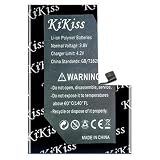
- A kit with tools: Batteries such as the Sannxell and E-YIIVIIL replacements ship with screwdrivers, picks, and a spudger so you are not sourcing tools separately.
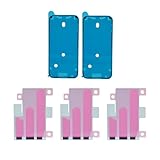
- Adhesive supplies: A screen seal and battery adhesive set like the MEEFIX kit reseals the phone and secures the new cell.
- Patience and a clean space: Expect 45 to 90 minutes; the Pro Max uses tight adhesive and delicate flex cables that punish rushing.
- A heat source and suction: Gentle heat loosens the screen adhesive, and a suction handle lifts the display safely.
The DIY Path: Risks to Weigh
The biggest risks are cracking the display during removal, tearing a flex cable, or puncturing the old battery, which is a fire hazard. Face ID and True Tone can also behave oddly after a swap, and Apple software may show a battery service notice for non-genuine parts even when the replacement works. If you are methodical and have done phone repairs before, a kit makes this achievable; if not, the savings may not be worth the stakes on a premium phone.
The Professional Path
A professional replacement, whether at an Apple Store or a reputable repair shop, buys you speed, warranty coverage, and calibrated parts. Genuine service preserves battery health reporting without warnings and protects features like Face ID. It costs more than a DIY kit, but for many people the certainty and the preserved resale value justify the difference, especially on a flagship they plan to keep for years.
Tips
- Back up your iPhone before any battery work in case something goes wrong.
- Buy a kit that includes tools and fresh adhesive so you are not improvising mid-repair.
- Never bend or puncture the old battery; a swollen cell is especially dangerous.
- If Face ID, the screen, or waterproofing matter to you, lean toward professional service.
Frequently Asked Questions
How do I know if my iPhone 16 Pro Max needs a new battery?
Check Battery Health in Settings. Maximum capacity under 80 percent, a Service message, unexpected shutdowns, or rapid drain all point to a worn battery that a replacement will fix.
Is DIY battery replacement safe on the 16 Pro Max?
It can be, with the right kit, patience, and care, but the risks include cracking the screen, damaging flex cables, or puncturing the battery. Only attempt it if you are comfortable with delicate electronics work.
Will a non-genuine battery trigger a warning?
Apple’s software may display an Unknown Part or battery service notice for aftermarket batteries, and some health metrics may not report. The phone still works, but if you want no warnings, choose genuine parts or professional service.
How much does professional replacement cost versus DIY?
A DIY kit with battery and tools typically runs a fraction of a professional service, which adds labor and genuine parts. The professional route costs more but includes warranty, calibration, and preserved features, which many owners find worth it.
Conclusion
Replacing your iPhone 16 Pro Max battery is one of the best ways to extend the life of a phone you already love. If you have the skills and a complete kit, DIY saves real money; if you value certainty, warranty, and untouched features like Face ID, professional service is the safer bet. Weigh your confidence against the stakes and choose accordingly.


Write Your Review
No reviews yet. Be the first to share your experience!