
Unboxing your first iPad is exciting, but the tablet arrives with almost nothing in the box, which leaves many newcomers wondering what to buy next. The reassuring news is that a small, well-chosen set of accessories covers nearly everyone’s needs. This beginner-friendly guide to the best iPad accessories for 2026 explains what each item does in plain language and recommends dependable picks that will not overwhelm your budget.
As an Amazon Associate I earn from qualifying purchases.
As an Amazon Associate we earn from qualifying purchases at no extra cost to you.




![Ailun Screen Protector for iPad 11th A16 2025 [11 Inch] / 10th Generation 2022 [10.9 Inch], Tempered Glass [Face ID & Apple Pencil Compatible] Ultra Sensitive Case Friendly [2 Pack]](https://m.media-amazon.com/images/I/71Km-MVfzvL._AC_SL400_.jpg)

Best iPad Accessories for Beginners at a Glance
| Product | Best For | Standout Feature | Rating |
|---|---|---|---|
| ESR Rebound Case | First-time protection | Auto sleep-wake trifold | 4.6/5 |
| Logitech Combo Touch | Typing and school | Keyboard with trackpad | 4.7/5 |
| Apple Pencil (USB-C) | Notes and sketching | Low-latency precision | 4.6/5 |
| Lamicall Adjustable Stand | Hands-free viewing | Sturdy angle control | 4.7/5 |
| Anker USB-C Hub | Connecting devices | HDMI and card readers | 4.5/5 |
The iPad Accessories Beginners Should Start With
When you are new to iPad accessories, resist the urge to buy everything at once. Begin with protection, then add one input device that matches how you plan to use the tablet. A student needs a keyboard, an artist wants a stylus, and a casual streamer benefits most from a stand. Everything else can wait. Our overview of what to do first with a new iPad pairs perfectly with this guide.
One thing beginners quickly notice is that the iPad has only a single USB-C port. That single port charges the tablet and connects everything, so a small hub becomes valuable the moment you want to plug in headphones, import photos, or connect to a TV. Understanding this early saves confusion later. For more on expanding your setup, see our list of must-have iPad add-ons.
ESR Rebound Case: Best iPad Accessory for First-Time Protection
A protective case should be a beginner’s first purchase, and the ESR Rebound wraps the iPad in a slim shell with a trifold cover that props it up and triggers sleep-wake when closed. It even holds a stylus. The magnetic flap can pop open in a crammed bag, so it suits gentle carry, but it is light, affordable, and looks great as a starter case.
Logitech Combo Touch: Best iPad Accessory for Typing
If you plan to write essays, emails, or notes, the Combo Touch turns your iPad into a laptop-like machine with a backlit keyboard, a trackpad, and an adjustable stand. It attaches with no pairing or charging. It adds noticeable weight and bulk, so pure media users may skip it, but for students and workers it is genuinely transformative. See it in our iPad keyboard comparison.
Apple Pencil (USB-C): Best iPad Accessory for Notes
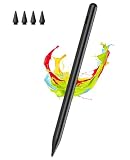
For handwriting, sketching, and marking up documents, the USB-C Apple Pencil delivers smooth, low-latency strokes that feel natural on the screen. It clips to the side magnetically for storage. It lacks the pressure sensitivity serious artists crave, but for note-taking and casual drawing it is the ideal beginner stylus and a joy to use in class or meetings.
Lamicall Adjustable Stand: Best iPad Accessory for Viewing
A stand is an underrated beginner accessory that frees your hands for cooking, video calls, or binge-watching. The Lamicall aluminum stand holds the iPad steady at many angles and resists tipping when you tap the screen. It is not pocketable, so it lives on a desk or counter, but at home it quickly becomes one of the most-used items you own.
Anker USB-C Hub: Best iPad Accessory for Connecting Devices
Because the iPad has one port, a compact hub unlocks HDMI output to a TV, SD card imports from a camera, and wired USB devices all at once. Anker’s hub is bus-powered and needs no wall plug. It can warm up under heavy use, but for anyone presenting slides or importing photos it removes a real limitation. Pair it with our guide to moving files to and from your iPad.
How Beginners Should Prioritize iPad Accessories
The smartest path for a beginner is to buy protection first, then the single input device that matches your main activity, and only later expand into hubs and extra chargers. This keeps costs manageable and ensures every purchase earns its place. A case protects your investment from day one, while a keyboard or stylus unlocks the productivity or creativity you bought the iPad for. For a clear shopping order, follow our complete iPad setup checklist.
Always confirm that each accessory is designed for your exact iPad model and generation. Keyboards and cases attach to specific dimensions and connectors, and a mismatch can leave buttons covered or the fit loose. Favor well-reviewed products from established brands with clear compatibility information over the cheapest generic option, which too often disappoints on fit, feel, and longevity.
Frequently Asked Questions
What iPad accessories do I need as a complete beginner?
Start with a protective case, then add one input device that fits your main use, either a keyboard for typing or an Apple Pencil for notes and sketching. A stand and a USB-C hub are excellent follow-up purchases. Buying in that order keeps costs down while covering the needs of most new iPad owners.
Do I need a keyboard and a stylus for my iPad?
Not necessarily both. If you mainly type documents and emails, a keyboard is the priority, while note-takers and sketchers will get more value from an Apple Pencil. Many beginners start with just one based on their main activity and add the other later once they know how they actually use the tablet.
Why does my iPad only have one port?
Apple designed the iPad with a single USB-C port to keep it thin and simple, using that one port for both charging and connections. A compact USB-C hub easily solves this by adding HDMI, card readers, and extra USB ports, letting you connect to displays, cameras, and accessories whenever you need to.
Are cheap iPad accessories worth buying?
Some are excellent value, but quality varies widely in the budget market. Reputable brands like ESR, Logitech, and Anker offer affordable accessories that perform reliably, whereas unbranded bargains often fit poorly or fail quickly. Read reviews, confirm compatibility with your exact model, and prioritize trusted brands over the very cheapest listing you find.


Write Your Review
No reviews yet. Be the first to share your experience!