
- Top Pick: KCT 2 Pack Paperfeel Screen Protector for iPad A16 11th/10th & iPad Air 11
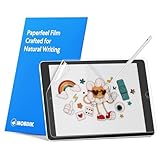
- Best Value: MOBDIK Paperfeel Screen Protector for iPad A16 11th/10th & iPad Air 11
- Premium Choice: Astropad Rock Paper Pencil v3.0 – Paper Screen Protector for iPad Air 11-in (M2/M3/M4) & (M3, 2025) & iPad 10.9-in. (10th & 11th Gen) + Apple Pencil Tips 2 Pack – Compatible with Apple Pencil 1st/2nd Gens and Pencil Pro
Drawing on an iPad can feel surprisingly different from drawing on paper. The glass surface is smooth, reflective, and sometimes too quick under an Apple Pencil, which can make precise lines harder to control. A paper-feel protector adds texture between the stylus tip and display, helping the screen feel less slippery during sketching, lettering, note-taking, and detailed editing.
The best iPad screen protector for artists depends on more than surface texture. Compatibility matters first, followed by price, included accessories, coverage, and how much friction you want. The eight options below cover newer iPad A16, iPad Air, iPad Pro, and older standard iPad models, with prices ranging from under $10 to under $40 at the time of writing. Here are our top picks for 2026.
As an Amazon Associate we earn from qualifying purchases at no extra cost to you.





Quick Picks
| Product | Best for | Price |
|---|---|---|
| KCT 2 Pack Paperfeel Screen Protector for iPad A16 11th/10th & iPad Air 11 | Best budget two-pack | under $10 |
| MOBDIK Paperfeel Screen Protector for iPad A16 11th/10th & iPad Air 11 | Best affordable single protector | under $10 |
| Astropad Rock Paper Pencil v3.0 – Paper Screen Protector for iPad Air 11-in (M2/M3/M4) & (M3, 2025) & iPad 10.9-in. (10th & 11th Gen) + Apple Pencil Tips 2 Pack – Compatible with Apple Pencil 1st/2nd Gens and Pencil Pro | Best premium artist bundle | under $40 |
| MOBDIK Paperfeel Screen Protector for iPad Air 13 & iPad Pro 13 | Best for large-screen artists | under $10 |
| MOBDIK Paperfeel Screen Protector for iPad Air 5/4th & iPad Pro 11 | Best for Air and Pro 11-inch models | under $10 |
| Hocents. Paperfeel Glass Screen Protector for iPad 9th/8th/7th Generation | Best paper-feel glass option | under $20 |
| MOBDIK Paperfeel Screen Protector for iPad 9th/8th/7th Generation | Best value for older iPads | under $10 |
| bersem 2 Pack Paperfeel Screen Protector for iPad Air 13 Inch & Pro 13 Inch | Best large-screen two-pack | under $10 |
How We Picked
We prioritized model compatibility, paper-feel positioning, price, and practical value for artists. A protector that fits the wrong iPad is not a bargain, so each pick is organized around the model names supplied for that product. We also looked at whether a product is sold as a single protector or a two-pack, whether it includes Apple Pencil tips, and whether it uses a paper-feel film or a glass construction.
We did not assign invented measurements for friction, clarity, installation time, durability, or Pencil wear. Instead, the rankings reflect the information available for each product and the type of artist most likely to benefit from it. Before buying, compare the full model description with your iPad’s exact generation and screen size.
The 8 Best Picks
1. KCT 2 Pack Paperfeel Screen Protector for iPad A16 11th/10th & iPad Air 11
The KCT is the strongest value choice for artists who want a paper-like drawing surface without spending much. Its compatibility list covers the iPad A16, 11th-generation and 10th-generation iPad, plus the 11-inch iPad Air. The two-pack is particularly useful for a first installation, since it gives you a replacement if the first application does not go smoothly or the surface eventually needs changing.
- Pro: The under-$10 price is the lowest in this roundup.
- Pro: A two-pack offers a practical spare for artists who draw regularly.
- Con: It is not the broadest compatibility choice in the group.
When to skip: Skip it if you have an iPad Air 13, iPad Pro 13, or an older 7th-, 8th-, or 9th-generation iPad.
2. MOBDIK Paperfeel Screen Protector for iPad A16 11th/10th & iPad Air 11
This MOBDIK protector is a straightforward pick for owners of newer standard iPads and the 11-inch iPad Air. It is aimed at the same core group as the KCT, making it a sensible alternative when you prefer MOBDIK’s listing or only need one protector. The paper-feel design should appeal to sketchers, students, and digital planners who want more resistance than bare glass provides. For under $10, it remains an inexpensive way to change the feel of a compatible iPad without moving to a premium bundle.
- Pro: It covers the iPad A16, 11th/10th-generation iPad, and iPad Air 11.
- Pro: The under-$10 price keeps the upgrade accessible.
- Con: It offers less pack value than the KCT two-pack.
When to skip: Skip it if you specifically want included Pencil tips or a protector for a 13-inch model.
3. Astropad Rock Paper Pencil v3.0
Astropad’s Rock Paper Pencil v3.0 is the premium, accessory-focused option here. It is listed for the iPad Air 11-inch with M2, M3, and M4, the M3 2025 model, and the 10.9-inch iPad 10th- and 11th-generation models. The package also includes a two-pack of Apple Pencil tips and is compatible with Apple Pencil 1st and 2nd generations and Pencil Pro. That makes it appealing to artists who want to refresh both the screen surface and the Pencil contact point in one purchase.
- Pro: It includes a two-pack of Apple Pencil tips.
- Pro: Its compatibility description covers several iPad Air and standard iPad configurations.
- Con: For under $40, it is substantially more expensive than the other picks.
When to skip: Skip it if you want the lowest-cost protector or use an iPad Air 13 or iPad Pro 13.
4. MOBDIK Paperfeel Screen Protector for iPad Air 13 & iPad Pro 13
Large canvases benefit from a surface that helps the Pencil feel more deliberate, and this MOBDIK model is made for the 13-inch iPad Air and iPad Pro. It is a useful match for illustrators, comic artists, and designers who work across a wide workspace rather than a compact display. The under-$10 price is also reasonable for a large-screen-specific protector. Because its listing is focused on 13-inch Air and Pro models, it is easy to narrow down if you already know your iPad belongs to one of those families.
- Pro: It is specifically designed for iPad Air 13 and iPad Pro 13.
- Pro: The under-$10 price is modest for a large-screen option.
- Con: Its compatibility is limited to the listed 13-inch models.
When to skip: Skip it if you own an 11-inch iPad or a standard iPad from an older generation.
5. MOBDIK Paperfeel Screen Protector for iPad Air 5/4th & iPad Pro 11
For owners of an iPad Air 5th or 4th generation or an 11-inch iPad Pro, this MOBDIK protector is the most direct match in the lineup. It targets a popular group of tablets used for illustration, handwritten notes, and photo work. The under-$10 price makes it an easy upgrade for artists who want a textured surface without paying for extras. It is also a useful choice when your iPad is not one of the newer A16 or 10th/11th-generation models.
- Pro: It covers both iPad Air 4th/5th generation and iPad Pro 11 models.
- Pro: The price is a relatively low under $10.
- Con: It is not listed for the 13-inch Air or Pro.
When to skip: Skip it if your iPad is an A16, 10th-, or 11th-generation standard model rather than an Air 4/5 or Pro 11.
6. Hocents. Paperfeel Glass Screen Protector for iPad 9th/8th/7th Generation
This Hocents. option stands apart by pairing a paper-feel description with a glass construction. It is designed for the iPad 7th, 8th, and 9th generations, making it a candidate for artists keeping an older standard iPad in service. The glass format may appeal to shoppers who prefer that category over a conventional film, while the textured positioning is intended to make drawing feel less slick. For under $20, it costs more than the comparable MOBDIK option for the same generations.
- Pro: It is a glass protector rather than a standard paper-feel film.
- Pro: It supports iPad 7th, 8th, and 9th generations.
- Con: It costs more than the under-$10 MOBDIK alternative.
When to skip: Skip it if you prefer the lowest price or need a protector for a newer iPad.
7. MOBDIK Paperfeel Screen Protector for iPad 9th/8th/7th Generation
This is the value pick for artists using an iPad 7th, 8th, or 9th generation. It keeps the feature set simple: a paper-feel protector for older standard iPads for under $10. That low price makes sense for a secondary drawing tablet, a student device, or an older iPad that you want to make more comfortable for handwriting and sketching. It is also less expensive than the Hocents. glass option, though shoppers who specifically want glass may prefer that alternative.
- Pro: It supports three older iPad generations.
- Pro: The under-$10 price is among the lowest in the roundup.
- Con: It is not intended for the newer Air, Pro, or A16 models listed elsewhere.
When to skip: Skip it if you need glass construction or own an iPad released outside the listed generations.
8. bersem 2 Pack Paperfeel Screen Protector for iPad Air 13 Inch & Pro 13 Inch
The bersem is the large-screen alternative to the MOBDIK 13-inch pick, with compatibility for iPad Air 13-inch and iPad Pro 13-inch models. Its main value advantage is the two-pack: for under $10, it provides a spare while remaining close in price to a single large-screen protector. That makes it a compelling option for artists who draw frequently, share a tablet, or simply want an extra protector on hand. Its model coverage is focused, so checking the exact iPad family remains essential.
- Pro: The two-pack is useful for replacement or backup.
- Pro: It supports both iPad Air 13-inch and iPad Pro 13-inch models.
- Con: It does not cover 11-inch or older standard iPad models.
When to skip: Skip it if you own an 11-inch tablet or do not need a spare protector.
Buying Guide
Check the exact iPad model first
Start with the compatibility line, not the product photo. The list includes separate protectors for standard iPads, iPad Air models, and iPad Pro models, and even closely related screen sizes can require different accessories. Match the generation, model family, and screen size before comparing paper-feel texture or price.
Choose film, glass, or a bundle
Most picks are paper-feel protectors, while the Hocents. option is specifically described as paper-feel glass. If you want the broadest value, look at the two-packs from KCT or bersem. If you also need Pencil accessories, Astropad is the only listed option that includes Apple Pencil tips.
Balance friction with everyday use
Artists generally seek texture for control, but a textured surface changes the feel of every interaction, including scrolling and tapping. Consider how often you draw compared with reading, browsing, or video watching. A dedicated drawing iPad may justify a more specialized protector, while a shared family tablet may be better served by a lower-cost option.
Our Verdict
The KCT two-pack is the best overall value for compatible iPad A16, 11th/10th-generation, and iPad Air 11 users. For large-screen artists, the bersem two-pack offers especially practical value, while Astropad’s Rock Paper Pencil v3.0 is the premium choice for shoppers who want Apple Pencil tips included. Owners of older iPads should choose between MOBDIK’s lower price and Hocents.’ glass construction.
FAQ
What is the best iPad screen protector for artists?
The best choice depends on your iPad. KCT is the strongest budget pick for compatible newer standard iPads and iPad Air 11 models. The bersem is a strong large-screen value, and Astropad is the premium bundle with Apple Pencil tips.
Does a paper-feel protector work with Apple Pencil?
These products are positioned for drawing and handwriting with Apple Pencil, but compatibility varies by iPad and Pencil model. Astropad specifically lists compatibility with Apple Pencil 1st and 2nd generations and Pencil Pro.
Is glass better than a paper-feel film for drawing?
Neither is universally better. The Hocents. protector is the only option here specifically described as paper-feel glass. Choose based on your preference for construction, price, and the tactile feel you want while drawing.
How do I avoid buying the wrong protector?
Confirm your iPad’s exact generation, model family, and screen size. Pay close attention to distinctions such as iPad Air 11 versus iPad Air 13, iPad Pro 11 versus iPad Pro 13, and standard iPad generations 7 through 11.
Write Your Review
No reviews yet. Be the first to share your experience!