
Best iPad screen protector for drawing tools transform slippery glass surfaces into paperlike canvases for digital artists. Many creators struggle with shaky strokes and annoying glare while sketching on glossy tablets. Our practical guide reviews top textured covers to enhance control, boost stroke precision, and protect your display.
How to Choose the Right Screen Protector for Drawing
Finding the best iPad screen protector for drawing requires balancing surface friction against visual clarity. Illustrators need a textured surface that mimics authentic sketchpads without dulling display vibrant colors or wearing out pencil tips rapidly. Evaluating material properties ensures you select a cover suited to your workflow.
Surface Texture and Tactile Pencil Resistance
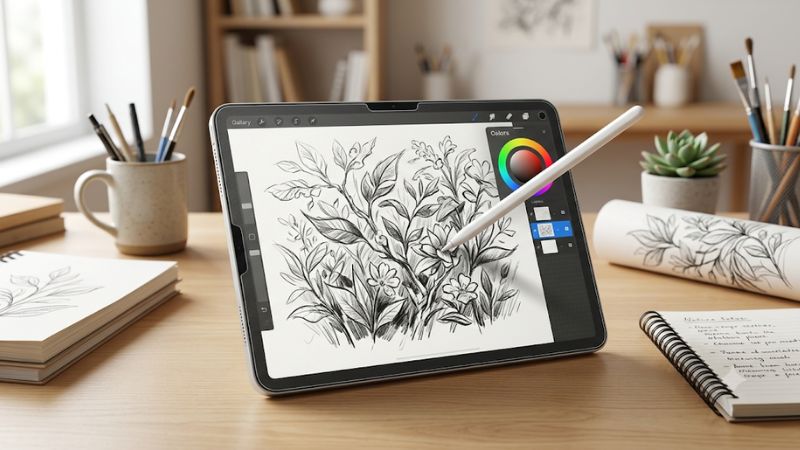
The primary advantage of textured matte covers is the tactile feedback they offer during illustration sessions. Bare tablet glass is naturally slick, causing the digital pencil to slide uncontrollably across fine line art. Micro-beaded surfaces create realistic drag that helps artists maintain precise control over line weight and detail.
Different manufacturing processes result in varying levels of surface roughness across popular product lines. High-friction covers feel almost like heavy watercolor paper, whereas light matte films resemble standard copy paper. Choosing the appropriate texture level depends on whether you focus on delicate sketching or bold ink lines.
Display Clarity and Anti-Glare Properties
Adding a matte layer to your screen inevitably alters light transmission and overall display clarity. Matte finishes scatter incoming light to reduce harsh reflections from overhead lamps or direct sun. This anti-glare effect reduces eye strain significantly during extended drawing sessions in bright room environments.
However, heavy texturing can create a slight chromatic refraction effect known as rainbow grain. Selecting the best iPad screen protector for drawing helps minimize pixel refraction while retaining reflection reduction. High-grade optical PET films strike a pleasant balance between screen crispness and glare prevention.
Apple Pencil Tip Wear and Screen Durability
Friction inevitably causes wear on the plastic nib of your stylus over months of continuous drawing. Coarser surface textures act like fine sandpaper, eroding pencil tips faster than smooth tempered glass. Higher quality films optimize surface resistance to provide natural drag while preserving pencil nib longevity effectively.
Durability of the protective film itself is another essential factor during long-term creative work. Surface coatings must resist scratches from metal pencil tips, dust particles, and fingernails. Premium PET materials retain their matte texture across thousands of stylus strokes without developing smooth polished spots.
Installation Mechanics and Magnetic Options
Installing screen covers can be frustrating when trapped air bubbles or dust specks ruin alignment. Traditional adhesive films require precise technique and clean environments for seamless bubble-free application. Many modern kits include alignment frames and dust removal stickers to make the process simple for users.
Alternatively, magnetic screen protectors use border magnets to snap securely onto tablet bezels without glue. These removable covers allow artists to attach the matte surface for drawing and detach it for clear video viewing. They offer extreme convenience for users who want versatility without permanent installation.
Top Picks for Digital Illustrators and Artists
Evaluating the best iPad screen protector for drawing across different price points helps narrow your top choice. Below is a structured comparison table outlining key attributes of leading models, followed by detailed mini-reviews of each product to assist your purchasing decision based on realistic user experiences.
| Product Model | Attachment Type | Surface Friction | Best For |
| Paperlike 2.1 Matte | Permanent Adhesive | Balanced Medium | Professional Illustrators |
| ESR Paper-Feel Magnetic | Removable Magnet | Moderate Light | Flexible Multi-use |
| Tech Armor Matte Shield | Permanent Adhesive | Smooth Fine | Budget-Conscious Artists |
| Bersem Paperfeel Film | Permanent Adhesive | High Paper Grain | Traditional Sketchers |
Paperlike 2.1 Matte Screen Protector
Paperlike 2.1 is widely regarded as a best iPad screen protector for drawing due to its refined Nanodots surface. This design offers authentic paper resistance without causing extreme haze or rainbow noise on the screen. Professional illustrators who spend hours daily drafting artwork will appreciate its balanced feedback.
The main drawback of Paperlike is its premium price point compared to generic alternative brands. Additionally, the mild surface texture can still cause minor pencil tip erosion over months of heavy pressure shading. It suits dedicated digital artists who prioritize authentic paper feel above budget considerations.
ESR Paper-Feel Magnetic Screen Protector
ESR offers an innovative magnetic mechanism that lets artists apply or remove the textured sheet instantly. This hybrid design allows you to enjoy clear glass resolution for streaming movies and snap on matte texture when opening your drawing application. The magnetic borders hold firm without slipping under stylus pressure.
On the downside, magnetic edges create a subtle elevation gap between the film and underlying glass. This tiny distance can slightly affect stylus precision along the extreme screen borders for detailed work. It is ideal for students and hobbyists who frequently switch between media consumption and digital note taking.
Tech Armor Matte Antiglare Shield
Tech Armor provides an economical solution that delivers effective anti-glare properties alongside light tactile resistance. Made from high quality Japanese PET material, this screen cover protects glass against everyday scratches while dulling reflections. It offers smooth writing comfort without excessive surface roughness.
Because the surface texture is milder than paper-specific options, heavy sketchers might desire more line grip. However, Tech Armor remains a best iPad screen protector for drawing for students on tight budgets. Its durable construction ensures reliable daily defense against scuffs and annoying finger smudges.
Bersem Paperfeel Film Protector
Bersem delivers a pronounced paper texture designed specifically for artists transitioning from traditional graphite drawing. The noticeable grain provides maximum pencil drag, allowing fine control when drawing complex portraits or hand lettering. Its anti-glare finish handles bright outdoor environments with great efficiency.
The aggressive paper texture causes quicker pencil tip wear than smoother matte alternatives on the market. Users must replace stylus nibs more frequently to maintain optimal drawing precision over time. It is best suited for artists who demand strong tactile feedback and do not mind occasional nib replacements.
Frequently Asked Questions About Drawing Protectors
Identifying the best iPad screen protector for drawing involves addressing common concerns regarding usability, maintenance, and display quality. Below are clear answers to frequent questions raised by digital artists when evaluating matte covers for their creative tablets, helping you make a well-informed choice.
Does a Matte Screen Protector Wear Down the Apple Pencil Tip?
Yes, textured matte screen protectors increase friction against the plastic stylus nib, accelerating tip wear over time. Coarser surfaces function like microscopic abrasives, gradually flattening the pencil point after months of active drawing. Replacement tips are inexpensive and easily installed whenever wear becomes visible.
To reduce tip erosion, artists can adjust brush pressure settings within digital illustration software. Lowering physical stroke force minimizes friction while maintaining full line thickness range on screen. Using metal or reinforced replacement tips also extends nib life without altering tactile drawing feedback.
Will a Textured Protector Reduce Display Sharpness and Colors?
Matte screen protectors diffuse light to eliminate glare, which slightly reduces peak screen sharpness and color saturation. Texturing causes microscopic light refraction, creating a subtle grainy appearance on solid white backgrounds. Higher quality optical films minimize this haze while preserving pleasant display vibrancy.
For artists focusing on color-critical color grading or graphic design, removable magnetic protectors offer a great solution. You can sketch with paper texture during line work, then remove the cover to verify accurate color tones on glossy glass. This approach provides the advantages of both textured and clear surfaces.
Are Magnetic Screen Protectors Better Than Adhesive Options?
Choosing the best iPad screen protector for drawing depends on whether you value flexibility or continuous attachment. Magnetic options excel in versatility, permitting quick removal when watching videos or editing photographs. They eliminate installation bubbles completely because no adhesive touches the tablet glass.
Adhesive protectors offer a thinner profile that maintains seamless edge-to-edge touch sensitivity across the display surface. They stay permanently fixed without shifting during rapid drawing strokes or palm resting. Artists who draw constantly often prefer adhesive covers for uninterrupted daily workflow.
How Do You Clean a Matte Screen Protector Without Damage?
Cleaning textured screen covers requires gentle techniques to prevent clogging microscopic matte grooves with oil or lint. Use a soft microfiber cloth dampened lightly with water or screen cleaning spray formulated for electronics. Wipe gently in circular motions to lift skin oils and dust without pressing hard.
Avoid harsh household chemicals like bleach, ammonia, or alcohol solutions, which degrade matte coatings over time. For magnetic protectors, remove the sheet and wash both sides under lukewarm water using mild dish soap. Allow the cover to dry completely before reattaching it to your tablet screen for continued use.
Final Thoughts on Choosing Your Ideal Protector
Selecting the best iPad screen protector for drawing comes down to balancing tactile surface texture, visual clarity, and budget preference. Whether you choose permanent adhesive film or versatile magnetic sheets, adding texture elevates digital art creation. Invest in a quality cover today to enhance your digital illustration experience.
As an Amazon Associate we earn from qualifying purchases at no extra cost to you.


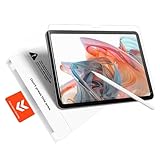


Ready to decide? Our #1 pick for 2026 is the Product Model.
Live price & availability on Amazon.
Write Your Review
No reviews yet. Be the first to share your experience!