
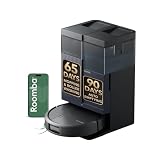
- Top Pick: iRobot Roomba 415X Robot Vacuum & Mop Combo, 20,000Pa, 90 Days Self-Emptying, Multifunction Dock Self-Cleaning & Hot Dry, Smart Obstacle Avoidance, Lifting Spinning Mops, Ideal for Pet Hair
- Best Value: ROPVACNIC Robot Vacuum and Mop Combo 5200Pa Suction Robotic Cleaner
- Premium Choice: Shark AV2501S AI Ultra Robot Vacuum, with Matrix Clean, Home Mapping, 30-Day Capacity HEPA Bagless Self Empty Base, Perfect for Pet Hair, Wifi, Dark Grey
Best Robot Vacuums: Top Picks for Every Home
The best robot vacuum for most homes is the Roborock Saros 10R, while the Dreame X50 Ultra is better for homes with thresholds and mixed flooring, the eufy S1 Pro is a strong hard-floor mop specialist, and a simpler LiDAR robot is the smarter value for buyers who mainly need dependable vacuuming.
- Best Robot Vacuums: Top Picks for Every Home
- Best robot vacuums at a glance
- Roborock Saros 10R: best overall for mixed homes
- Dreame X50 Ultra: best for thresholds and multi-level flooring
- eufy S1 Pro: best for hard-floor mopping
- How suction, navigation, and battery life change the decision
- Match the vacuum to your home
- Bin capacity, dock size, and ownership costs
- Setup steps that prevent common failures
- Bottom line
Choosing between them depends less on the highest advertised suction figure and more on navigation, brush design, dock size, battery performance, and how much pet hair or floor clutter the robot must handle. The recommendations below match those trade-offs to specific home situations.
As an Amazon Associate we earn from qualifying purchases at no extra cost to you.


Best robot vacuums at a glance
| Best for | Recommended model or type | Key advantage | General 2026 price range |
|---|---|---|---|
| Most homes | Roborock Saros 10R | Low-profile body, strong obstacle avoidance, vacuuming and mopping | $1,000–$1,500 |
| Thresholds and complicated layouts | Dreame X50 Ultra | Extendable chassis system designed to cross taller thresholds | $1,000–$1,500 |
| Hard floors and frequent mopping | eufy S1 Pro | Continuous roller mop with a dedicated floor-washing approach | $1,000–$1,500 |
| Pet hair and carpets | High-suction LiDAR robot with a self-empty dock | Longer carpet-cleaning passes and less manual emptying | $400–$900 |
| Small homes and apartments | Low-profile LiDAR robot vacuum | Good mapping without paying for a large multifunction dock | $250–$600 |
Roborock Saros 10R: best overall for mixed homes
The Saros 10R is the most balanced choice for a typical home with hard floors, rugs, furniture, and a mixture of daily crumbs and occasional pet hair. Its low-profile design is approximately 8 cm (3.1 inches) tall, allowing it to reach under more beds and cabinets than many conventional robot vacuums. It uses LiDAR and camera-based sensing to map rooms and identify obstacles, and its dock can automatically empty debris, wash mop pads, dry them, and refill the water system.
Its advertised suction is up to about 19,000Pa, but that number should not be treated as a direct measure of cleaning quality. Brush contact, repeated passes, carpet settings, and whether hair tangles in the roller matter just as much. The Saros 10R is a particularly good fit for households that want frequent automated cleaning but do not want to rescue the robot from cords, shoes, or chair legs every day.
Choose it over a cheaper LiDAR model if the robot must mop regularly or navigate a busy open-plan room. Choose something simpler if you will rarely mop and are comfortable emptying the bin yourself.
Dreame X50 Ultra: best for thresholds and multi-level flooring
The Dreame X50 Ultra is a compelling choice when door tracks, transitions, and thick thresholds are the main obstacle. Its ProLeap system is designed to help the robot climb transitions higher than those handled by ordinary wheels, with manufacturer claims reaching roughly 6 cm in suitable configurations. Real-world performance still depends on the shape and edge of the threshold: a vertical step and a rounded transition are not equivalent.
It combines LiDAR mapping with cameras and structured-light sensing, offers high claimed suction, and includes a multifunction dock for dust collection, mop washing, drying, and water management. The dock is large, so measure the available wall space before buying. It is most useful in homes with several floor surfaces, rooms separated by raised tracks, or furniture that regularly causes navigation problems.
For a single-level apartment with flat transitions, the X50 Ultra’s extra climbing hardware may add cost without solving a problem you have.
eufy S1 Pro: best for hard-floor mopping
The eufy S1 Pro takes a different approach to mopping. Instead of dragging a pair of intermittently cleaned pads across the floor, it uses a continuously rotating mop roller that is washed during operation. That design is attractive for sealed tile, vinyl, and hardwood homes where footprints, kitchen film, and dried splashes matter more than deep carpet cleaning.
Its square-ish body is intended to improve edge coverage, and the dock handles roller cleaning, dirty-water collection, drying, and dust management. The trade-off is specialization: homes with thick carpet, many high-pile rugs, or heavy loose pet hair may be better served by a vacuum-first model with a more conventional roller system.
Do not assume that a more elaborate mop dock eliminates maintenance. The dirty-water tank still needs emptying, the clean-water tank needs filling, and the roller and its channel must be inspected for hair and residue.
How suction, navigation, and battery life change the decision
Suction and brush design
Pa figures are manufacturer-rated and measured under specified conditions, so they are useful for comparing products from the same brand but imperfect across brands. For pet owners, prioritize a rubber or tangle-resistant main brush, an effective edge brush, carpet boost, and a dock that empties reliably. Long human hair can still wrap around any robot’s side brush and axle.
Navigation
LiDAR is usually the most predictable choice for room mapping and efficient routes. Cameras and structured-light sensors can improve recognition of cables, socks, and small objects, but no robot is permission to leave charging cords, liquids, or fragile items on the floor. A robot that maps quickly but repeatedly gets trapped will clean less effectively than a slower model with dependable obstacle handling.
Battery and coverage
Many premium robots advertise roughly 150–200 minutes of runtime in quiet or low-power modes. Maximum suction, carpet boost, mopping, and repeated obstacle avoidance reduce that figure. A robot that can recharge and resume is usually more useful than one with the largest theoretical battery.
For example, assume a robot cleans at an effective 700 square feet per hour after accounting for turning and furniture. A 1,400-square-foot home may require about two hours of active cleaning. Add 20% for rugs and complicated furniture, producing 2.4 hours. A robot rated for 180 minutes may need one recharge, while a recharge-and-resume feature lets it finish without manual intervention.
Match the vacuum to your home
| Your situation | What to prioritize | Best fit |
|---|---|---|
| Studio or one-bedroom apartment | Body height under 9 cm, compact dock, quiet low-power mode | Low-profile LiDAR robot |
| Large home used every day | Recharge-and-resume, self-emptying dock, room scheduling | Roborock Saros 10R or similar premium model |
| Several raised door tracks | Threshold-climbing design and accurate room maps | Dreame X50 Ultra |
| Mostly tile, vinyl, or sealed wood | Strong wet cleaning, edge coverage, washable dock components | eufy S1 Pro |
| One or more shedding pets | Anti-tangle brush, carpet boost, self-empty dock, easy brush access | Vacuum-first LiDAR model with high suction |
| Limited budget or occasional use | Reliable mapping and washable filter rather than a complex mop dock | Midrange LiDAR robot, generally $250–$600 |
Bin capacity, dock size, and ownership costs
Robot dustbins commonly hold about 250–500 mL. That is enough for several routine cleaning cycles in a tidy home, but a shedding dog can fill the bin after one run. A self-empty dock typically stores several weeks of debris, although the interval may be much shorter with multiple pets. Dock dust bags, when used, are consumables; washable or bagless systems reduce recurring purchases but require more direct cleaning.
Plan on checking the main brush weekly in a pet household, washing or replacing the filter as directed, wiping sensors monthly, and inspecting wheels for wrapped hair. Mop pads and filters wear faster when the robot handles grit, fine litter, or muddy floors. Avoid running a mop over unsealed wood, loose rugs, or spills containing large debris unless the manufacturer specifically permits it.
The first parts likely to show wear are brushes, filters, mop pads, and wheel surfaces rather than the motor. Before purchasing, confirm that these parts are available in your region and that the app supports map backup, no-go zones, and replacement-part alerts. A cheaper robot with readily available consumables can cost less over three years than a premium machine whose proprietary parts are difficult to source.
Setup steps that prevent common failures
-
Place the dock on a level floor with clear space in front and beside it. This gives the robot a reliable return path and prevents failed emptying cycles.
-
Run an initial mapping cycle with cables, socks, and fragile objects removed. The map is more accurate when the robot can see the full boundaries of each room.
-
Set no-mop zones for rugs and no-go zones for pet bowls, delicate furniture, or areas with loose cords.
-
Schedule vacuuming when the home is occupied only if the robot’s obstacle avoidance is reliable; otherwise, run the first few cycles while you are nearby.
-
Check the bin and brush after the first week, then adjust frequency according to how much hair and debris the robot collects.
Bottom line
Buy the Roborock Saros 10R for the broadest mix of navigation, low clearance, vacuuming, and mopping. Select the Dreame X50 Ultra when thresholds are a defining problem, or the eufy S1 Pro when hard-floor mopping is your priority. For smaller homes, limited budgets, or mostly dry vacuuming, a midrange LiDAR robot with a self-empty dock offers better value than paying for a complex mop station you will rarely use.
Ready to decide? Our #1 pick for 2026 is the Most homes.
Live price & availability on Amazon.


Write Your Review
No reviews yet. Be the first to share your experience!