
- Top Pick: 3 in 1 MagSafe Wireless Charger Stand for iPhone Apple Watch AirPods
- Best Value: INIU Wireless Charger, 15W Fast Wireless Charging Phone Station with LED
- Premium Choice: Anlmz 3 in 1 Charging Station for iPhone, Wireless Charger for iPhone 17 16e 16 15 14 13 12 11 X Pro Max & Apple Watch – Wireless Charging Station for AirPods 4 3 Pro
Keeping your iPhone charged and visible at your desk shouldn’t mean choosing between a tangled cable and a phone laid flat where you can’t see notifications. Most desk setups force a compromise: you either prop your phone in a stand and plug it in manually, or you use a charging pad that hides the screen and keeps Face ID out of reach. For anyone working at a computer for hours, that friction adds up fast.
This guide covers the best wireless charging stands that sit neatly on a desk, keep your iPhone upright and glanceable, and deliver reliable power without fumbling with connectors. Whether you want a dedicated single-device charger, a multi-device station for iPhone, Apple Watch, and AirPods, or a magnetic stand with adjustable angles, these picks cover the range of desk-friendly options worth your money.
As an Amazon Associate we earn from qualifying purchases at no extra cost to you.







How to Choose a Wireless Charging Stand for Desk-Friendly iPhone Use
- Charging Speed: Look for 10W minimum for iPhone (Apple caps at 15W with MagSafe-compatible pads). Anything slower turns an overnight top-up into an all-day trickle.
- Magnetic vs. Qi Pad: MagSafe-compatible stands hold the phone securely and allow vertical or horizontal viewing. Standard Qi stands rely on gravity and require precise placement to charge reliably.
- Multi-Device Support: If you own an Apple Watch or AirPods, a 3-in-1 station clears cable clutter and consolidates charging in one footprint. Single-device stands remain best for minimalists.
- Footprint and Stability: A desk stand should have a weighted base to prevent tipping when you tap the screen. Check overall dimensions against your available desk space before buying.
- Viewing Angle: Adjustable tilt or 360-degree rotation lets you switch from notifications to video calls without lifting the phone. Fixed-angle stands are fine for basic glanceability but less versatile.
The Best Wireless Charging Stands for Desk-Friendly iPhone Use Reviewed
3-in-1 MagSafe Wireless Charger Stand
This is the ideal all-in-one solution if you charge an iPhone, Apple Watch, and AirPods daily. The dedicated MagSafe puck holds the phone securely at a comfortable viewing angle while the watch and earbuds charge below, making it a genuine desk-clutter reducer.
INIU 15W Wireless Charger
A strong budget-friendly single-device stand with a 15W output cap and a useful LED indicator that confirms alignment at a glance. Its compact footprint fits tight desk spaces, though iPhone charging tops out at the standard 7.5W Qi rate.
Anlmz 3-in-1 Charging Station
Another solid multi-device contender that handles recent iPhone models alongside an Apple Watch and AirPods in one tidy base. The integrated design and broad device compatibility make it a practical pick for a household with multiple Apple products.
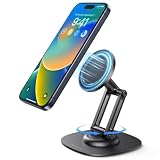
VRIG Magnetic Phone Stand
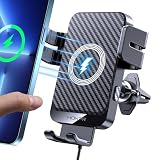
The standout for flexibility, with a 360-degree rotating magnetic mount that lets you flip between portrait and landscape instantly. It is perfect for video calls or media at your desk, though the single-device focus means no Apple Watch or AirPods charging.
Anker 313 Qi-Certified 10W Stand
A no-nonsense, Qi-certified stand from a brand with a strong reliability track record. It delivers dependable 7.5W charging for iPhone in a clean, understated design that blends into any desk setup without drawing attention.
Frequently Asked Questions
Does the iPhone charge at full 15W on every wireless stand?
No. iPhone reaches 15W only on chargers using Apple’s MagSafe charging profile. Standard Qi-certified stands cap at 7.5W, regardless of the charger’s advertised maximum. Check for MagSafe compatibility if speed matters.
Will a thick or rugged case interfere with wireless charging?
Yes. Cases thicker than roughly 3mm or those containing metal plates, magnets, or cardholders can block charging or cause intermittent connections. MagSafe-compatible cases are designed to work seamlessly with magnetic chargers.
Is a 3-in-1 station worth it if I only own an iPhone?
Probably not. If you do not own an Apple Watch or wireless-charging AirPods, a single-device stand costs less, takes up less space, and does the job just as well. Multi-device stations only pay off when you use every slot.
Can I use the phone while it charges on a wireless stand?
Yes, but with limits. Fixed stands allow tapping and glancing at notifications, while magnetic stands with rotation let you switch orientations for video calls. Heavy use generates heat, which may slow or pause charging temporarily.
Final Thoughts
For most desk setups, the 3-in-1 Mag Wireless Charger Stand is the strongest overall pick thanks to its multi-device convenience and clean design. The VRIG Magnetic Phone Stand is the choice if adjustable viewing angles matter more than charging other devices. And for a dependable, budget-friendly single-device option, the Anker 313 Qi-Certified 10W Stand remains hard to beat.

Write Your Review
No reviews yet. Be the first to share your experience!