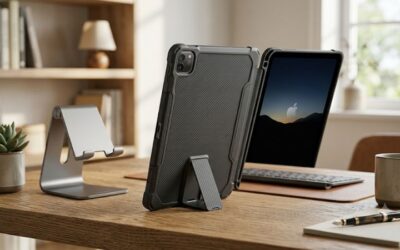
- Top Pick: Apple iPad 11-inch: A16 chip, 11-inch Model, Liquid Retina Display, 128GB, Wi-Fi 6, 12MP Front/12MP Back Camera, Touch ID, All-Day Battery Life — Silver
- Best Value: Apple iPad 2021 (10.2-inch, Wi-Fi, 64GB) – Space Gray (Renewed)
- Premium Choice: Apple iPad 11-inch: A16 chip, 11-inch Model, Liquid Retina Display, 128GB, Wi-Fi 6, 12MP Front/12MP Back Camera, Touch ID, All-Day Battery Life — Pink
- Top Picks Compared
- iPad 10th Generation Full Specifications
- Where to Buy the iPad 10th Generation
- Performance: A14 Bionic in 2026
- Display: 10.9-inch Liquid Retina
- Cameras: Landscape Front Camera is the Real Star
- Battery Life & USB-C: All-Day Reliability
- Best iPad 10th Generation Accessories
- iPad 10th Gen vs iPad Air vs iPad 9th Gen
- iPad 10th Generation: Pros & Cons
- Who Should Buy the iPad 10th Gen?
- Top-Rated Picks
- Related Guides
- Related Guides
- Frequently Asked Questions
- Final Verdict: iPad 10th Gen in 2026
- Related Articles
- Related Guides
Top Picks Compared
As an Amazon Associate we earn from qualifying purchases at no extra cost to you.


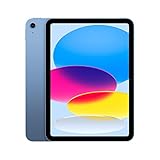


Apple iPad (10th Generation): with A14 Bionic chip, 10.9-inch Liquid Retina Display, 64GB, Wi-Fi 6, 12MP front/12MP Back Camera, Touch ID, All-Day Battery Life – Silver

PrimeApple Pencil (USB-C): Device Compatibility Check Required – Pixel-Perfect Precision, Tilt Sensitivity, Perfect for Note-Taking, Drawing, and Signing Documents. Charges and Pairs with USB-C

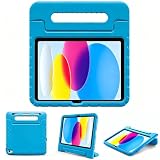
PrimeESR for iPad A16 Case, iPad 11th/10th Generation Case (2026/2026), Removable Magnetic Cover with Pencil Charging & Storage, Adjustable Portrait/Landscape Stand, 9 Standing Angles, Shift Series, Black
As an Amazon Associate we earn from qualifying purchases. Product prices and availability are accurate as of the date/time indicated.
iPad 10th Generation Review (2026): Still the Best Value iPad?
TheiPad 10th generationarrived in 2022 as Apple’s most colorful and capable entry-level tablet to date — and in 2026 it remains a compelling buy. Powered by theA14 Bionic chip, dressed in a refreshed flat-edge aluminum design, and sporting a gorgeous10.9-inch Liquid Retina display, the iPad 10th gen made a statement: budget doesn’t have to mean boring. The switch toUSB-C, a landscape front camera ideal for FaceTime and video calls, and support for theApple Pencil USB-Call distinguish it from the older iPad 9th gen it replaced.
In 2026, you can find the iPad 10th gen at a noticeably reduced price — making it thebest-value iPad Apple sellsfor most everyday users. It handles browsing, streaming, studying, light creative work, and productivity apps with ease. If you need M-chip muscle for heavy video editing or want ProMotion, the iPad Air is the next step up. But for students, families, and casual users, the iPad 10th gen delivers everything you need at a price that’s hard to argue with. This review covers everything: performance, display, cameras, battery, and the best accessories to pair it with.
Score: 8.7 / 10 | Best all-round value entry iPad in 2026
Buy the iPad 10th gen if:
- You want a modern, USB-C iPad at the lowest possible Apple price
- You’re a student, casual user, or buying for a family member
- You need landscape FaceTime, Apple Pencil support, and a great screen
- You’re replacing an aging iPad 7th/8th/9th gen
Get the iPad Air instead if:
- You need M-chip performance for heavy creative work or coding
- You want a laminated display with Apple Pencil Pro support
- You run Stage Manager or demanding pro workflows regularly
iPad 10th Generation Full Specifications
| Spec | Detail |
|---|---|
| Display | 10.9-inch Liquid Retina, 2360×1640, 264 ppi, 500 nits |
| Chip | Apple A14 Bionic (5nm, 6-core CPU, 4-core GPU, 16-core Neural Engine) |
| Storage | 64GB / 256GB |
| Front Camera | 12MP Ultra Wide, landscape orientation, Center Stage |
| Rear Camera | 12MP Wide-angle, 4K video @ 60fps |
| Battery | ~10 hours (28.65Wh), 20W fast charge |
| Connectivity | Wi-Fi 6 (802.11ax), optional 5G (cellular model), Bluetooth 5.2 |
| Port | USB-C (USB 2.0 speeds) |
| Biometrics | Touch ID (top button) |
| Apple Pencil | Apple Pencil USB-C, Apple Pencil 1st gen (with adapter) |
| Keyboard | Magic Keyboard Folio, Smart Connector |
| Colors | Blue, Pink, Silver, Yellow |
| Weight | 477g (Wi-Fi) / 481g (cellular) |
| Dimensions | 248.6 × 179.5 × 7mm |
| iPadOS | Ships with iPadOS 16, upgradeable to iPadOS 18+ |
Where to Buy the iPad 10th Generation
Amazon offers the best pricing on the iPad 10th gen in 2026, especially when bundled with Prime deals. Both storage options are readily available. We recommend the 64GB for light users and the 256GB if you store photos, videos, or a large app library.
Best Value iPad
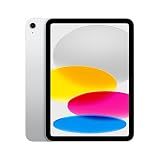
- 10.9″ Liquid Retina
- A14 Bionic
- 64GB Storage
- 12MP Landscape Front Cam
- USB-C
- Touch ID
- Wi-Fi 6
- ~10hr Battery
- Excellent A14 performance for price
- USB-C future-proofed
- Best-in-class front camera position
- Vibrant color options
- Non-laminated display (slight gap)
- 64GB fills up faster than expected
- USB 2.0 transfer speeds
Best Storage
- 10.9″ Liquid Retina
- A14 Bionic
- 256GB Storage
- 12MP Landscape Front Cam
- USB-C
- Touch ID
- Wi-Fi 6
- ~10hr Battery
- 4× storage — rarely need to manage space
- Same A14 chip, same great display
- Smart upgrade for power users
- All four color options available
- Price jump over 64GB
- Still non-laminated display
- No mid-tier 128GB option
Performance: A14 Bionic in 2026
TheA14 Bionicwas Apple’s top chip in 2020 — the same silicon that powered the iPhone 12 lineup. In 2026, it remains surprisingly capable for everything an entry iPad needs to do. Everyday tasks like web browsing in Safari, streaming Netflix or YouTube in 4K, and running standard productivity apps like Pages, Keynote, and Google Docs feel completely fluid with no lag or hesitation.
Light gaming performs well too — titles like Minecraft, Roblox, and casual App Store games run without frame drops. Where you’ll feel the A14’s age is in sustained heavy workloads: extended video exports in LumaFusion, large Procreate canvases with many layers, or running multiple memory-intensive apps simultaneously. For those use cases, the iPad Air with its M-series chip offers a meaningful performance step up.
The16-core Neural Enginehandles on-device AI features — live translation, Voice Control, Smart Photo features — smoothly. RAM (4GB) is adequate for typical multitasking but Safari will reload background tabs faster than you’d like on a device with more RAM. For most users — students, remote workers, casual creatives — the A14 will never feel slow in day-to-day use through 2026 and beyond.
Display: 10.9-inch Liquid Retina
The iPad 10th gen sports a10.9-inch Liquid Retina IPS displayrunning at 2360×1640 resolution (264 ppi) with a peak brightness of 500 nits. Colors are vivid and accurate, text is razor-sharp, and the wide color (P3) gamut makes photos and video content pop. For a device in this price range, the display quality is genuinely impressive.
The main trade-off versus the iPad Air is thenon-laminated panel: there’s a small air gap between the glass and the LCD layer, which creates a slight reflection parallax and makes the screen feel less “under-glass” compared to the Air’s fully laminated display. In bright outdoor conditions, the 500-nit ceiling shows its limits. For indoor use — studying, watching content, Zoom calls, sketching with Apple Pencil — you’ll rarely notice these limitations.
There is no ProMotion (120Hz) here — the iPad 10th gen refreshes at a standard 60Hz. Scrolling is smooth and perfectly usable, but if you’ve used an iPad Pro or come from a high-refresh display you may notice the difference in fast-scrolling scenarios.
Cameras: Landscape Front Camera is the Real Star
Thelandscape-oriented 12MP Ultra Wide front camerais one of the iPad 10th gen’s best upgrades over older models. Because it sits on the long edge of the iPad — where most people naturally hold it during video calls — Center Stage keeps you framed perfectly during FaceTime, Zoom, and Teams meetings without awkward repositioning. This single feature makes the iPad 10th gen dramatically better for video calling than the iPad 9th gen.
The12MP rear cameracaptures good photos and records 4K video at 60fps, although most iPad users rarely rely on the rear camera for serious photography. For document scanning, whiteboard capture, and casual snapshots it performs well.
Smart HDR 3 processing improves dynamic range in challenging lighting. Overall, these are capable, modern cameras that are a genuine step above what entry-level tablets from competitors offer at this price point.
Battery Life & USB-C: All-Day Reliability
Apple’s claimed10-hour battery lifeholds up well in real-world use. A full day of mixed tasks — morning Zoom calls, afternoon browsing and document editing, evening streaming — consistently leaves charge to spare. Heavy gaming or sustained video playback will drain faster, but you’d typically end a full day with 20–30% remaining under normal conditions.
The move toUSB-C(replacing the Lightning port on iPad 9th gen) is a welcome, practical upgrade. You can charge from any modern USB-C adapter, share chargers with MacBooks and Android devices, and connect USB-C accessories directly. The one caveat: transfer speeds are USB 2.0 (480 Mbps), not the faster USB 3 found on iPad Air and iPad Pro. For most users who sync over Wi-Fi this is irrelevant, but it’s worth knowing if you transfer large video files via cable regularly.
The iPad 10th gen charges at up to20W— Apple’s 20W USB-C adapter (sold separately) is the fastest compatible charger. A full charge from empty takes around 2.5–3 hours.
Best iPad 10th Generation Accessories
The right accessories transform the iPad 10th gen from a great tablet into a full productivity machine. Here are our top picks for stylus, keyboard, and protection.
Best Stylus
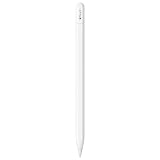
- USB-C Charging
- Pressure Sensitive
- Tilt Detection
- Pixel-perfect Precision
- Works with iPad 10th Gen
- Charges via USB-C — no dongle needed
- Full pressure and tilt sensitivity
- Low latency, responsive feel
- Affordable vs Pencil Pro
- No magnetic attachment/charging on iPad 10th gen
- No double-tap gesture support
- Cap can be easily lost
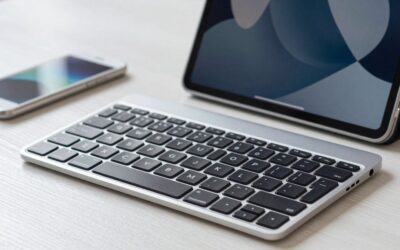
Best Keyboard

- Backlit Keyboard
- Built-in Trackpad
- Kickstand Design
- Smart Connector (no battery)
- iPad 10th Gen Specific
- Backlit keys, comfortable typing
- Trackpad improves cursor navigation
- Draws power from iPad — no battery needed
- Four usage modes (laptop, stand, view, type)
- Heavier than a simple case
- Trackpad smaller than MacBook equivalent
- Pricier than third-party keyboard alternatives
Best Case

- Slim Folio Design
- Magnetic Closure
- Adjustable Stand
- Auto Sleep/Wake
- iPad 10th Gen Fit
- Slim, lightweight protection
- Magnetic closure stays secure
- Multiple stand angles
- Great value for quality
- No built-in keyboard
- No Pencil holder
- Fabric attracts lint over time
iPad 10th Gen vs iPad Air vs iPad 9th Gen
| Feature | iPad 10th Gen | iPad Air (M2/M3) | iPad 9th Gen |
|---|---|---|---|
| Chip | A14 Bionic | M2 / M3 | A13 Bionic |
| Display Size | 10.9-inch | 11-inch / 13-inch | 10.2-inch |
| Display Type | Liquid Retina (non-laminated) | Liquid Retina (laminated) | Retina (non-laminated) |
| Resolution | 2360×1640 | 2360×1640 / 2732×2048 | 2160×1620 |
| Front Camera | 12MP Landscape | 12MP Landscape | 12MP Portrait |
| Rear Camera | 12MP | 12MP | 8MP |
| Port | USB-C (USB 2.0) | USB-C (USB 3) | Lightning |
| Apple Pencil | USB-C / 1st gen | Apple Pencil Pro | 1st gen only |
| Touch ID | Top button | Top button | Home button |
| Colors | 4 (vibrant) | 4 | 2 (Space Gray / Silver) |
| Starting Price (2026) | $ (best value) | $$ (mid-range) | $ (discontinued/refurb) |
Bottom line:The iPad 10th gen beats the 9th gen in nearly every way — newer chip, better cameras, USB-C, colorful design. Against the iPad Air, it’s a meaningful step down in chip power and display quality, but a significant step down in price. Most users are better served by the iPad 10th gen unless they have specific M-chip needs.
iPad 10th Generation: Pros & Cons
- Strong A14 Bionic performance for price
- Beautiful 10.9″ Liquid Retina display
- Landscape front camera is excellent for video calls
- USB-C replaces Lightning — modern and practical
- Four vibrant color options
- All-day 10-hour battery life
- Non-laminated display (parallax gap vs iPad Air)
- USB 2.0 transfer speeds on USB-C port
- No ProMotion / 120Hz refresh rate
- Only 64GB or 256GB — no 128GB middle option
Who Should Buy the iPad 10th Gen?
Buy the iPad 10th gen if you:
- Want the most affordable modern Apple iPad with USB-C and a great display
- Are a student needing a reliable study and note-taking tablet
- Use your iPad primarily for browsing, streaming, reading, and light productivity
- Want Apple Pencil support for sketching or annotation without paying Air prices
- Are buying for a child, family member, or as a first iPad
- Are upgrading from an older Lightning iPad (9th gen or earlier)
Skip the iPad 10th gen and get the iPad Air if you:
- Need the performance boost of M-series chip for video editing, 3D work, or pro apps
- Want a laminated display for a premium writing/drawing feel with Apple Pencil Pro
- Regularly transfer large files and need USB 3 speeds
- Use Stage Manager intensively as a productivity workflow
For more on the value side of the Apple ecosystem, see our guide toApple refurbished iPhones— great for pairing with your new iPad at a discount.
Top-Rated Picks
![Ailun 3 Pack Screen Protector for iPhone 17 / iPhone 16 Pro [6.3 inch] with Installation Frame, Dynamic Island Compatible, Case Friendly[Not for iPhone16/16Plus/16Pro Max/17Pro/17Pro Max/Air]](https://m.media-amazon.com/images/I/711tQq-VhOL._AC_SL400_.jpg)

![Spigen for iPhone 17 Pro Max Case, Ultra Hybrid MagFit [TPU Covered Camera Control] [Anti-Yellowing] [Compatible with Magsafe] - Clear](https://m.media-amazon.com/images/I/51GLXwRKvtL._SL400_.jpg)
![Spigen for iPhone 17 Pro Max Case, Ultra Hybrid MagFit [TPU Covered Camera Control] [Anti-Yellowing] [Compatible with Magsafe] - Frost Black](https://m.media-amazon.com/images/I/61zbspkFCJL._AC_SL400_.jpg)
Prime
Top Rated
Spigen for iPhone 17 Pro Max Case, Ultra Hybrid MagFit [TPU Covered Camera Control] [Anti-Yellowing] [Compatible with Magsafe] – Frost Black

| Product | Brand | Rating | Reviews | Price |
|---|---|---|---|---|
| Ailun 3 Pack Screen Protector for iPhone 17 / iPhone … | Ailun | ★ 4.6 | 1132.9k | under $10 |
| Ailun Screen Protector for iPhone 16 Plus/iPhone 15 P… | Ailun | ★ 4.6 | 1132.9k | under $10 |
| Spigen for iPhone 17 Pro Max Case, Ultra Hybrid MagFi… | — | ★ 4.6 | 330.8k | under $20 |
| Spigen for iPhone 17 Pro Max Case, Ultra Hybrid MagFi… | — | ★ 4.6 | 330.8k | under $20 |
| Ailun 3 Pack Screen Protector for iPhone 16 Pro [6.3 … | Ailun | ★ 4.5 | 431.5k | under $10 |
Related Guides
- Best Otterbox iPad Cases in 2026: Top Rugged Covers
- Best iPad Cases With Keyboard: Reviewed and Compared (2026)
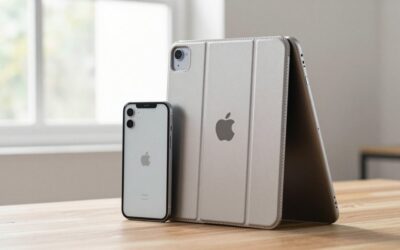
- Best iPad Cases in 2026: Top Protective Covers Reviewed
Frequently Asked Questions
Is the iPad 10th gen worth it in 2026?
Yes — the iPad 10th gen remains excellent value in 2026. Its A14 Bionic chip handles all everyday tasks smoothly, the 10.9-inch Liquid Retina display is genuinely good, and the USB-C port plus landscape front camera make it feel modern. Apple has reduced the price since its 2022 launch, making the value proposition stronger than ever for casual users, students, and families.
Does the iPad 10th gen support Apple Pencil?
Yes, but with a specific model. The iPad 10th gen supports theApple Pencil USB-C(the current recommended pairing) and theApple Pencil 1st generationwith a USB-C to Apple Pencil adapter. It doesnotsupport Apple Pencil 2nd gen or Apple Pencil Pro. The Apple Pencil USB-C charges via its USB-C cap and offers full pressure and tilt sensitivity.
iPad 10th gen vs iPad Air — which should I buy?
For most everyday users, the iPad 10th gen is the better value. If your use case is browsing, streaming, studying, video calls, and light creative work, the A14 Bionic handles all of it without issue. Upgrade to iPad Air if you need M-chip performance for video editing, a laminated display for premium Pencil drawing, or USB 3 transfer speeds. The iPad Air costs significantly more — the performance jump only matters for specific workflows.
Is 64GB enough for iPad 10th gen?
For light users, yes — 64GB covers streaming apps, browsing, productivity apps, and a moderate photo library. If you download movies or shows for offline viewing, store a large photo/video library on device, or use multiple heavy apps simultaneously, the 256GB model is a smarter long-term investment. You cannot upgrade storage after purchase, so it’s worth spending a bit more upfront if you’re on the fence.
Does the iPad 10th gen have Touch ID?
Yes. The iPad 10th gen featuresTouch ID built into the top (power) button, replacing the home button design of older iPads. It’s fast, reliable, and works whether you’re holding the iPad in portrait or landscape orientation. Face ID is not available on the iPad 10th gen — that feature is exclusive to iPad Pro models.
Can the iPad 10th gen run Stage Manager?
Stage Manager (Apple’s windowed multitasking feature) is available on iPad 10th gen on the built-in display only — you can use it with overlapping app windows in a limited form. However, Stage Manager with external display support requires an M-series chip (iPad Air or iPad Pro). If you need the full external monitor Stage Manager experience for a desktop-like workflow, you’ll need to step up to an iPad Air.
Final Verdict: iPad 10th Gen in 2026
The iPad 10th generation is not Apple’s newest or most powerful tablet — but in 2026 it remains thebest-value entry point into the Apple iPad lineup. It offers a genuine generational upgrade over older iPads: a modern flat-edge design in four cheerful colors, a landscape USB-C front camera that actually makes sense for video calls, USB-C charging, and a capable A14 Bionic chip that handles real-world tasks without breaking a sweat.
The non-laminated display and USB 2.0 speeds are compromises that matter more to some users than others. For students, families, casual creatives, and anyone upgrading from an older Lightning iPad, the iPad 10th gen delivers a premium experience at an approachable price. Our score:8.7 / 10.
| Category | Score | Notes |
|---|---|---|
| Performance | 8.5 / 10 | A14 handles everyday tasks excellently |
| Display | 8.3 / 10 | Beautiful but non-laminated |
| Cameras | 8.6 / 10 | Landscape front cam is best-in-class for this tier |
| Battery | 9.0 / 10 | All-day reliability, consistent 10hr |
| Value | 9.2 / 10 | Best-value Apple tablet in 2026 |
| Overall | 8.7 / 10 | recommended for most users |
Buy iPad 10th Gen 64GB on Amazon →
Buy iPad 10th Gen 256GB on Amazon →
Disclosure: As an Amazon Associate, iphoneipadreview.com earns from qualifying purchases. Prices and availability are subject to change. Product images are from Amazon. All opinions are our own.
Related:iPhone 16e review— Apple’s most affordable iPhone in 2026. Also see our guide toApple refurbished iPhonesfor more budget-friendly Apple picks.