
When comparing USB-C vs. Lightning AirPods charging, the real decision is less about sound quality and more about how your home is wired. The earbuds themselves may feel identical, but the charging case determines which cables you keep in drawers, what your family can share, and how easy it is to replace a lost cord. A Lightning AirPods case can still be a sensible, low-cost choice in 2026, especially if you already own several Lightning accessories. A USB-C case is usually the better fit for a home that is gradually standardizing on one modern connector.
The right option depends on your existing phones, tablets, laptops, travel chargers, and budget. It also depends on whether you charge by cable every night or mostly use a wireless charging pad. Here is how the two connectors compare in everyday home use.
As an Amazon Associate we earn from qualifying purchases at no extra cost to you.




Quick Verdict
Choose USB-C AirPods if you want one cable type for AirPods, Android phones, newer iPads, laptops, and many accessories. USB-C is the more flexible long-term option and is particularly convenient in a shared household.
Choose Lightning AirPods if you already have Lightning cables throughout the home, want to spend less on the initial purchase, or are buying a discounted or renewed pair. Lightning remains compact, familiar, and perfectly adequate for charging an AirPods case.
Neither connector makes AirPods charge dramatically faster by itself. AirPods cases draw a relatively small amount of power, so a 60-watt or 100-watt cable does not mean the case charges at 60 or 100 watts. The charger and case regulate the actual power.
Side by Side
| Factor | USB-C AirPods | Lightning AirPods |
|---|---|---|
| Comfort | Same earbud comfort as the comparable AirPods model; connector does not affect fit | Same earbud comfort as the comparable AirPods model |
| Durability | Reversible connector with broad accessory support; cable quality still matters | Established connector with a large supply of replacement cables |
| Price range | About $129-$249 for new AirPods models, depending on generation and features | About $80-$190 for discounted, renewed, or remaining new stock |
| Maintenance | Easy to share with newer USB-C devices; inspect the port for lint | Simple if your home already has Lightning cables; requires a separate cable from USB-C devices |
| Space needed | One USB-C cable can replace several device-specific cords | May require a dedicated Lightning cable in addition to USB-C cables |
| Look | Clean, current connector standard with a symmetrical plug | Small, familiar plug that blends into existing Apple charging setups |
| Resale | Generally stronger appeal for buyers building a USB-C setup | Can appeal to budget buyers, but demand may narrow as older devices leave homes |
| Charging flexibility | Works with USB-C power adapters, hubs, laptops, and many battery packs | Works with Lightning cables, wireless charging on supported cases, and USB-C-to-Lightning cables |
| Best for | Mixed-device homes, frequent travelers, and long-term ownership | Existing Apple households with many Lightning cords and a lower purchase budget |
Where USB-C Wins
USB-C wins on consolidation. A single USB-C-to-USB-C cable can charge a compatible AirPods case, iPad, MacBook, Android phone, battery pack, and many smaller home electronics. That makes a nightstand or kitchen charging station less cluttered, especially when several people share the same power strip.
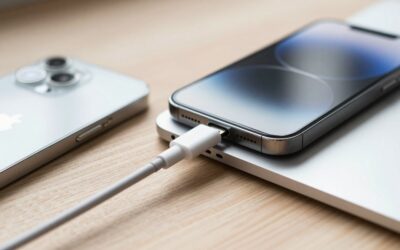
It is also convenient for newer laptops and wall adapters. If your charger has USB-C ports, you can connect USB-C AirPods directly without adding a USB-A adapter or keeping a USB-C-to-Lightning cable nearby. The plug is reversible, so there is no correct orientation to find in a dark bedroom.
USB-C is useful in travel situations, too. Many current hotel, airport, and portable charging setups are moving toward USB-C. A six-foot Anker USB-C to USB-C cable rated for 60 watts costs under $10 for a two-pack in the referenced listing. The 100-watt, six-foot two-pack is also listed for under $10. Either is far more power-capable than an AirPods case requires, but the extra capacity can make the same cable useful for a tablet or laptop.
The practical advantage is not faster AirPods charging; it is fewer cable types. If a family already owns several USB-C phones, choosing USB-C AirPods avoids adding another small cable to the rotation. It can also make replacement easier years later because USB-C cables are common across many product categories.
USB-C may have a resale advantage as well. Buyers replacing older earbuds may prefer a case that fits the connector already used by their phone and computer. That is not a guarantee of a higher resale price, but it can make the product easier to explain and bundle with a modern charging setup.
Where Lightning AirPods Charging Wins
Lightning wins when the cables are already in your home. If you have an older iPhone, older iPad accessories, a bedside dock, or a car charger with a Lightning lead, a Lightning AirPods case can plug into the setup without any changes. Reusing what you own is often cheaper and less wasteful than replacing every cord at once.
Upfront cost is another advantage. Remaining Lightning models, older generations, and renewed units can cost substantially less than current USB-C versions. For example, the referenced renewed Apple AirPods with Lightning Charging Case, 3rd Generation, is listed for under $90. A lower purchase price can matter more than connector uniformity for a guest room, office, teenager, or backup pair.
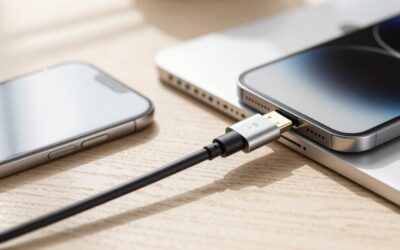
Lightning also works with USB-C wall chargers when you use a USB-C-to-Lightning cable. A listed iPhone fast-charging bundle includes a USB-C charger block and a six- or ten-foot Lightning cable for under $10. A long cable can be practical behind a sofa or bed, although it adds one more cable type to a home that is otherwise moving to USB-C.
There is no meaningful comfort difference between USB-C and Lightning cases when the AirPods model is otherwise the same. The connector is on the case, not in your ear. If you charge wirelessly, you may rarely use the port at all. Supported AirPods cases can charge on compatible wireless pads, reducing the importance of the connector; check the exact model because wireless features vary by generation.
Cost Over 5 Years
The five-year cost depends more on the AirPods model and replacement habits than on the connector. For a simple wired setup, assume one charging cable purchase and no cable replacements.
- USB-C setup: AirPods at roughly $129-$249, plus about $5-$10 for a basic cable when bought in a multipack. Estimated five-year total: approximately $134-$259.
- Lightning setup: AirPods at roughly $80-$190, plus about $5-$10 for a cable. Estimated five-year total: approximately $85-$200.
A budget Lightning purchase can therefore save $40-$60 or more at the start. However, if your home needs a separate Lightning cable while every other device uses USB-C, the difference becomes smaller. Buying two cable types for under $10 each still does not create a major expense, but it adds storage, labeling, and replacement decisions.
For a household that already owns USB-C cables, USB-C AirPods may have the lower practical cost even if the earbuds cost more. For a household with several dependable Lightning cables, the reverse is true. The best five-year value is the connector that uses what you already have and is least likely to be misplaced.
Which One for Your Home
Small apartment
Choose USB-C if counter and drawer space are limited. One cable can serve multiple devices, and a six-foot cord can reach a nightstand or sofa without requiring a separate Lightning lead. If you are furnishing the apartment from scratch, USB-C creates a cleaner charging station. Choose Lightning only if you already have a well-organized Apple charging setup and are buying at a significant discount.
Family with kids or pets
USB-C is usually easier for a shared family charging area because more current devices can use the same cable. Keep a spare cable in a labeled drawer rather than leaving cords across the floor. Cable ratings such as 60W or 100W describe capacity, not guaranteed charging speed, so either referenced Anker cable is more than sufficient for an AirPods case. The bigger concern is strain, chewing, and repeated bending; replace damaged cables promptly.
Rental
For a rental, choose based on portability. USB-C is a strong choice if you move often or carry one charger between rooms and properties. It works well with compact wall chargers and battery packs. Lightning can be the economical choice if you are buying renewed AirPods for a temporary setup or already own long Lightning cables that reach awkward outlets. Avoid permanently installed docks unless you are sure they will move with you.
Long-term home
USB-C is the better forward-looking choice for most long-term homes. It reduces connector variety as older phones and tablets are replaced, and it is more likely to match future accessories. Still, do not discard working Lightning cables simply because you buy USB-C AirPods. Keep one or two for older family devices, resale bundles, or guests. If you expect to use the AirPods for only a few years and the Lightning price is much lower, the savings can outweigh future convenience.
FAQ
Is USB-C charging faster than Lightning for AirPods?
Not necessarily. USB-C can carry much more power in other devices, but AirPods cases draw only what their charging circuitry allows. Charging speed depends on the case, charger, cable, battery level, and model—not simply the shape of the port.
Can I charge USB-C AirPods with a laptop?
Yes, if the laptop has a USB-C port that supplies power. Connect the case with a USB-C-to-USB-C cable. A high-wattage laptop charger is safe when used with a compatible cable because the case requests and receives only supported power.
Can I use a USB-C charger with Lightning AirPods?
Yes. Use a USB-C-to-Lightning cable with a USB-C wall adapter, power bank, or laptop. You cannot use a USB-C-to-USB-C cable directly with a Lightning case because the connectors do not match.
Which connector is better for resale?
USB-C is likely to be easier to match with newer devices, which may help resale appeal. Lightning can still sell well when priced appropriately, particularly for buyers seeking a lower-cost pair or replacing an older set. Condition, battery health, authenticity, and included accessories usually matter as much as the port.



Write Your Review
No reviews yet. Be the first to share your experience!