
Learning how to maintain an iPhone battery is mostly about managing heat, charging habits, and battery age. Done poorly, everyday charging can leave the phone hot for long periods, accelerate battery wear, reduce maximum capacity, and cause unexpected shutdowns when the battery is low. A damaged cable or low-quality charger can also create unreliable charging and unnecessary heat.
The goal is not to keep the battery at exactly 50% or avoid charging overnight at all costs. Modern iPhones manage charging intelligently. Instead, use reliable accessories, keep the phone cool, enable Apple’s battery-management settings, and replace the battery when its condition affects normal use. These steps apply to most current iPhones and remain practical for 2026.
As an Amazon Associate we earn from qualifying purchases at no extra cost to you.


What You Need
| Item | Why | Optional? |
|---|---|---|
| Apple-certified or reputable USB-C or Lightning charging cable | A well-made cable provides a stable connection and reduces charging interruptions. Match the connector to your iPhone. | No |
| USB-C power adapter rated at 20W or higher | A 20W adapter is sufficient for fast wired charging on many iPhone models. Higher-wattage adapters are generally safe when standards-compliant because the phone draws only what it needs. | No, if you already have a safe compatible adapter |
| For Magsafe Portable Charger, 5000mAh Slim Wireless Magnetic Power Bank, about $20 | A compact magnetic backup for short top-ups away from an outlet. Wireless charging can create more heat than wired charging, so use it in a cool, ventilated place. | Yes |
| Anker MagGo Power Bank, 10,000mAh Qi2-Certified 15W Portable Charger, about $80 | A larger travel option with Qi2 wireless charging and up to 15W output for compatible iPhones. It is useful for extended days, but its extra capacity also adds size and weight. | Yes |
| Soft, dry cloth and a small nonmetallic brush | Cleaning lint from the charging port helps the plug seat fully without scraping contacts. | Yes |
Portable-charger prices can vary by retailer and promotion, so expect roughly $19 for a basic 5,000mAh magnetic option and around $80 for a 10,000mAh Qi2 model. Never use a power bank that is swollen, cracked, unusually hot, or physically damaged.
Step-by-Step
1. Check battery health and charging settings (5 minutes)
Open Settings > Battery and review the battery information available on your iPhone. On supported models, select Battery Health & Charging or the equivalent battery-health menu. Look at Maximum Capacity, charging notifications, and any message indicating that service is recommended.
Also open the charging settings and turn on Optimized Battery Charging. On supported newer models, you may also be able to set an 80% Charge Limit. An 80% limit can be helpful if the phone is usually connected to power for long periods, such as on a desk or bedside table. Choose a higher limit when you need the extra capacity for travel.
2. Inspect and clean the charging connection (5–10 minutes)
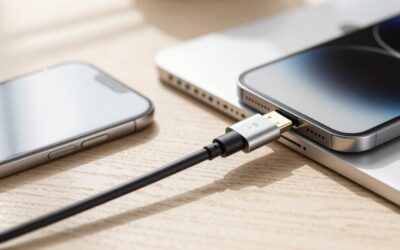
Unplug the iPhone and examine the cable ends for fraying, bent contacts, discoloration, or looseness. Replace a damaged cable rather than taping it and continuing to use it. Check the phone’s charging port with a light. If you see lint, gently loosen it with a dry, nonmetallic brush.
Do not insert a needle, paper clip, or other metal object. Do not force debris deeper into the port, and do not pour liquid into it. If the port is wet, disconnect all accessories and let the phone dry in a room-temperature location before charging.
3. Charge with a reliable adapter (30 minutes to several hours)
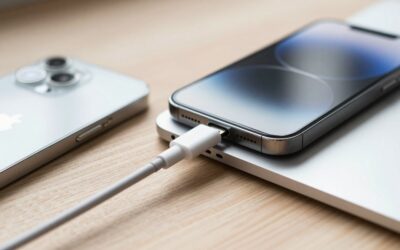
Connect the iPhone to a reputable adapter and a suitable cable. A 20W USB-C adapter is a practical baseline for many models, while a higher-rated adapter can be used if it meets recognized safety standards. The iPhone controls the amount of power it accepts, so a 65W laptop adapter does not automatically force 65W into the phone.
For regular use, charge when convenient instead of waiting for the battery to reach zero. Short top-ups are fine. Keeping the phone roughly between 20% and 80% much of the time may reduce stress compared with repeatedly running it completely flat, but occasional full discharges are not required for calibration.
4. Manage heat while charging (throughout every charge)
Heat is one of the most important factors in battery aging. Charge the iPhone on a hard, open surface rather than under a pillow, blanket, or pile of clothing. Remove a thick case temporarily if the phone becomes noticeably warm. Keep it out of direct sun and away from a hot car dashboard.
Avoid demanding gaming, high-resolution video recording, navigation in direct sun, or intensive downloads while the phone is charging if it is already warm. Apple devices may slow or pause charging when temperatures are outside a safe range. Let the phone cool naturally; do not place it in a refrigerator or freezer.
5. Use wireless and magnetic charging thoughtfully (1–3 hours)
Magnetic and Qi2 chargers are convenient, but wireless charging can produce more heat than a direct cable, especially if the alignment is poor or a thick case is installed. Center the phone on the charger, remove objects between the phone and charger, and keep ventilation around both devices.
The 5,000mAh For Magsafe Portable Charger is best for a compact emergency boost. The 10,000mAh Anker MagGo Qi2 power bank, rated up to 15W, is better suited to long travel days. Neither needs to be used until the iPhone reaches 100%. Disconnect when you have enough power for the next part of the day, particularly if the setup feels hot.
6. Reduce unnecessary battery drain (10–15 minutes)
Open Settings > Battery to see which apps and activities consume the most power. Reduce brightness, enable Auto-Lock, and use Wi-Fi when it is reliable. Review apps with heavy background activity, location access, or frequent notifications. Set location access to While Using when continuous tracking is not necessary.
Keep iOS and important apps updated, since updates can include power-management improvements. Avoid routinely using Low Power Mode as a substitute for fixing a problematic app, but turn it on when you need to extend runtime.
7. Store the phone correctly when unused (5 minutes)
If you will not use the iPhone for several weeks, charge it to approximately 50%, power it down, and store it somewhere cool and dry. Avoid leaving it at 0% for a long time or storing it fully charged in a hot location. Check it occasionally and recharge to about 50% if necessary.
Mistakes to Avoid
- Do not deliberately drain the battery to 0% every day. Lithium-ion batteries do not need routine calibration.
- Do not leave a hot iPhone charging under bedding, in direct sunlight, or inside a closed bag.
- Do not use visibly damaged cables, swollen power banks, or unbranded chargers with questionable construction.
- Do not clean the charging port with liquid, compressed air held too close, or metal tools.
- Do not assume a higher wattage is always better. A safe 20W adapter is enough for many iPhones; charging speed also depends on the phone, cable, temperature, and battery level.
- Do not expect a battery case or magnetic power bank to improve battery health. These products extend runtime; they do not restore capacity.
How Often
Check Battery Health and Charging about once a month, or whenever runtime changes noticeably. Inspect the cable and port every few weeks if the phone is carried in a pocket or bag. Clean the port only when you see debris or experience an unreliable connection.
Use heat precautions every time you charge. Review battery-usage statistics after installing a major iOS update or a new app. Reassess your charging setup before travel, especially if you plan to rely on a wireless power bank for several hours.
When to Call a Pro or Replace
Arrange professional service if the iPhone’s battery is swollen, the screen is lifting, the phone smells unusual, it becomes extremely hot during light use, or it shuts down unexpectedly despite showing charge. Stop using a swollen or physically damaged device and keep it away from heat and pressure.
Battery replacement is worth considering when maximum capacity is near or below 80%, the phone cannot last through normal daily use, or performance and shutdown problems continue. Apple or an authorized repair provider can inspect the phone and install a compatible replacement. Seek help if the charging port is loose, corroded, or damaged rather than repeatedly wiggling the cable.
FAQ
Is it bad to charge an iPhone overnight?
Overnight charging is generally acceptable when the phone, cable, and adapter are in good condition and the device is kept cool. Optimized Battery Charging can reduce the time the battery remains at a high charge. Avoid overnight charging under a pillow or in an enclosed space.
Should I keep my iPhone at 100%?
You can charge to 100% when you need maximum runtime. For a phone that spends most of the day connected to power, an available 80% Charge Limit may help reduce long periods at a high state of charge. Battery health depends on overall use and heat, not one isolated charge.
Are magnetic power banks safe for an iPhone battery?
A reputable, compatible magnetic power bank can be safe. Wireless charging may create extra heat, so keep the phone aligned, remove obstructions, and stop using the power bank if either device becomes excessively hot. Use a cable instead when you need the coolest or fastest practical charge.
How long should an iPhone battery last?
Battery runtime varies with model, age, signal strength, screen brightness, apps, and temperature. Check Battery settings for actual usage rather than relying on a fixed number of hours. If capacity is significantly reduced or the phone no longer meets your routine needs, professional battery replacement may restore practical runtime.



Write Your Review
No reviews yet. Be the first to share your experience!