
The Short Answer
Yes, MagSafe charging is worth it if you use a compatible iPhone every day and value effortless alignment more than the lowest possible price. The one condition is that your phone, case, and charger must all support the same magnetic charging standard; otherwise, you may pay extra for a feature you cannot fully use.
MagSafe is not a dramatic replacement for a wired charger. It is a convenience upgrade. The magnetic connection helps the phone land in the right position, begins charging without plugging in a cable, and can hold the device in place on a desk, nightstand, car mount, or stand. For many people, that small improvement removes enough daily friction to justify the cost. For others, a basic USB-C cable remains faster, cheaper, and more practical.
As an Amazon Associate we earn from qualifying purchases at no extra cost to you.


What You Actually Get
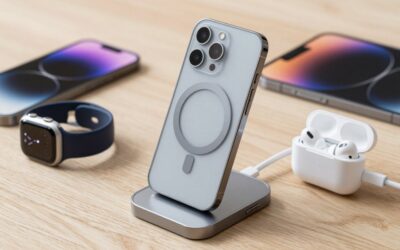
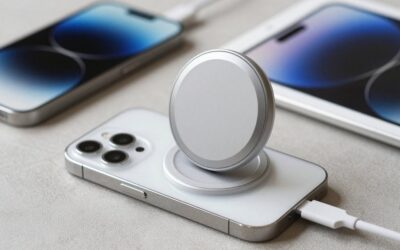
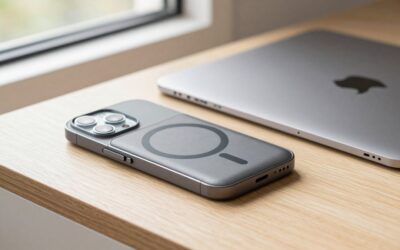
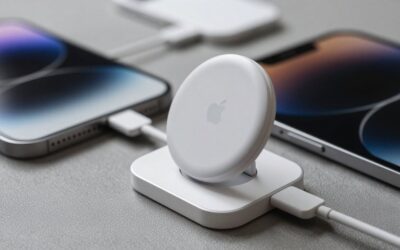
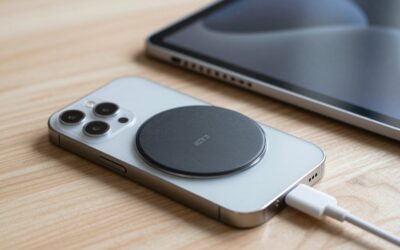
A MagSafe setup has three parts: a magnetic charging puck or stand, a power adapter, and a compatible phone case or bare phone. The charger uses magnets to center itself over the phone’s charging coil. That matters because ordinary wireless charging can stop or charge slowly when the phone shifts just a few millimeters.
With a compatible recent iPhone and an appropriate power adapter, Apple’s MagSafe system can deliver up to 25 watts on supported models. Actual speed depends on the iPhone, battery temperature, software, adapter, and whether the phone is being used while charging. Older iPhones and many third-party magnetic pads may charge at lower rates, often 7.5W, 10W, 15W, or Qi2 speeds.
It is important to distinguish MagSafe from a generic magnetic wireless charger. Some products use magnets only for alignment while relying on standard Qi charging. Others support Qi2, a newer magnetic charging specification designed to offer more consistent alignment and efficiency across compatible devices. A product described as “MagSafe compatible” may not provide the same maximum wattage as Apple’s certified MagSafe charger.
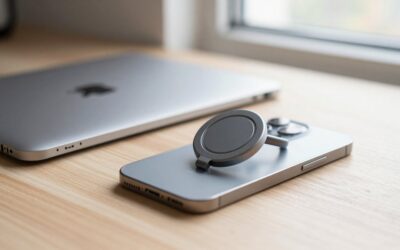
Most charging pucks are compact, roughly 2.5 to 3 inches across, and weigh only a few ounces. That makes them easy to pack, but a puck by itself is not always ideal for viewing the screen. A stand can be more useful at a desk or bedside table, although it takes up more space and usually costs more. The cable is commonly about 3 to 6 feet long, so check the length before buying if your outlet is behind a nightstand or desk.
Budget examples show the price spread. A MagSafe 25W Wireless Charger for Apple Magnetic Fast Charging Pad is listed for under $20, while a MagSafe Charger 2 Pack Magnetic Wireless Charger Fast Charging Pad is listed for under $10. Prices in this category commonly range from about $10 to $20 for basic third-party pads, $20 to $50 for better-built Qi2 or certified options, and roughly $39 to $49 for an official single Apple charging puck, depending on cable length and current pricing. The least expensive options may include a short cable, no power adapter, slower charging, or less secure magnets.
Pros
- Easy one-handed use: Set the phone down and the magnets guide the charger into position. There is no need to search for a port in the dark or align the phone repeatedly.
- Less wear on the charging port: Daily charging does not require inserting and removing a cable from the phone’s USB-C or Lightning port.
- Better overnight convenience: A magnetic puck is easy to pick up and replace without waking fully or turning on a bright bedside lamp.
- Useful with stands and mounts: Magnetic accessories can support landscape or portrait viewing for recipes, video calls, timers, navigation, and the standby-style clock display.
- More predictable wireless charging: The magnetic connection reduces the misalignment that makes a standard wireless pad frustrating.
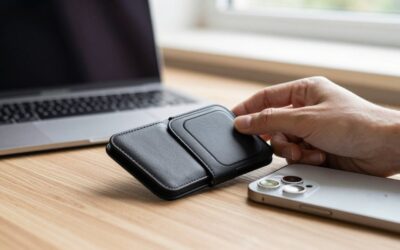
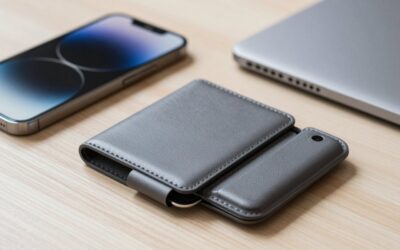
- Flexible accessory ecosystem: A compatible case, wallet, car mount, battery pack, or desk stand can use the same magnetic ring.
- Cleaner surfaces: A small puck or stand can look less cluttered than a loose cable draped across a nightstand or kitchen counter.
Cons
- Wired charging is usually more efficient: Wireless charging loses some energy as heat. If your priority is the fastest top-up or lowest energy waste, use a cable.
- Maximum speed is conditional: A charger advertised at 25W does not guarantee 25W to every iPhone. The phone model, adapter, cable, temperature, and case all matter.
- Heat can affect charging behavior: A phone charging wirelessly under a thick case, in direct sunlight, or while running demanding apps may slow down to control temperature.
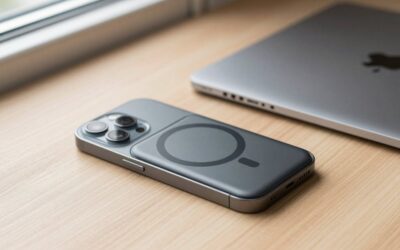
- You may need a new case: A thick, metal, or nonmagnetic case can weaken the connection. A MagSafe-style case generally adds about 1 to 3 millimeters of thickness, depending on its design.
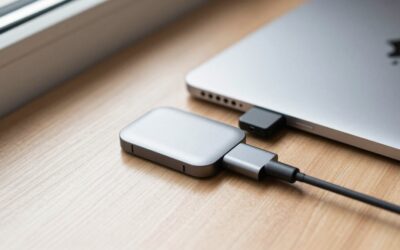
- The cable still needs a power adapter: Many inexpensive pads include the charging cable but not the wall brick. A suitable USB-C adapter may add $10 to $25.
- Magnets are not a universal solution: A phone can still slide or detach when bumped, especially from a cheap stand or car mount.
- Low prices can hide compromises: A under-$10 two-pack sounds appealing, but verify charging speed, safety certifications, cable quality, warranty, and whether both units support the advertised output.
Who Should Buy It
Buy MagSafe if you charge your iPhone in the same places every day and want the simplest possible routine. It is particularly useful for a nightstand, home office, kitchen counter, or bedside table where the phone needs to be easy to grab and replace. It also makes sense if you want a magnetic car mount, a charging stand for video calls, or one ecosystem of compatible accessories.
It is a strong choice for people who frequently charge in short sessions. Dropping the phone onto a pad for 10 or 20 minutes is easier when alignment happens automatically. The convenience can also be valuable for anyone with limited dexterity or difficulty handling small connectors.
For a first purchase, prioritize a reputable charger with clear wattage information, a cable of at least 3 feet, built-in foreign-object detection, and a return policy. If you want maximum speed, confirm that the charger and power adapter support the wattage required by your specific iPhone. A magnetic case is worthwhile if you plan to use mounts or stands regularly.
Who Should Skip It
Skip MagSafe if your phone is incompatible, you already charge comfortably with USB-C, or you mainly care about the lowest price and fastest charging. A cable often costs less, wastes less energy, and continues working when a phone case, camera bump, or magnetic connection creates a problem.
It is also a poor fit if you need to charge several devices at once but do not want to buy multiple pads. A multi-device charging station may be tidier for an iPhone, Apple Watch, and earbuds, while a standard USB-C hub or power strip can be more flexible for a mixed household.
Finally, be cautious if you buy an inexpensive product solely because the packaging uses the word “MagSafe.” Confirm the actual standard and output. A magnetic pad that delivers only basic Qi speeds may still be useful, but it should not be priced like a full-speed MagSafe or Qi2 charger.
Cheaper Alternatives
| Option | Cost | Trade-off |
|---|---|---|
| USB-C cable and wall adapter | $10–$30 | Usually faster and more efficient, but requires plugging in and offers no magnetic alignment. |
| Basic Qi wireless pad | $8–$20 | Works with more devices, but the phone can shift off the charging coil and stop charging. |
| Magnetic third-party single pad | About $10–$20 | Affordable alignment, but output, magnets, heat management, and certification can vary widely. |
| Two-pack magnetic charging pads | About $10–$25 | Good value for multiple rooms, but each pad may charge slowly and a power adapter may be excluded. |
| Qi2 charger | $20–$50 | Magnetic convenience and broader compatibility, but maximum speed depends on the phone and charger pairing. |
| Multi-device charging stand | $40–$150 | Reduces cable clutter for several devices, but costs substantially more than a single charging puck. |
FAQ
Is MagSafe faster than a regular wireless charger?
It can be, but not automatically. Apple’s MagSafe system can reach up to 25W on supported iPhones with the right power source. Many regular Qi pads deliver 5W to 10W, while some support 15W. The phone and charger negotiate the actual rate, so check both specifications rather than relying on the word “wireless.”
Do I need a MagSafe case?
No. A bare compatible iPhone can attach directly to a magnetic charger. However, a MagSafe-compatible case is recommended for reliable alignment through a case. Thick, rugged, wallet-style, or metal cases may reduce charging performance or prevent the magnets from holding securely.
Is a cheap MagSafe charger safe?
It can be, but price alone does not establish safety or performance. Look for clear manufacturer information, over-temperature and over-voltage protection, reputable certification, a durable cable, and a reasonable warranty. Avoid products with vague wattage claims or no information about the required power adapter.
Should I buy the under-$20 single pad or the under-$10 two-pack?
Choose the two-pack if you need chargers in separate rooms and accept that budget pads may have slower charging or fewer accessories. Choose the under-$20 single pad if you want to evaluate one unit first or prefer not to manage two unknown chargers. In either case, check whether a wall adapter is included and verify compatibility with your phone and case.
Write Your Review
No reviews yet. Be the first to share your experience!