
The Short Answer
Maybe—but only if you regularly carry one to three essential cards and want to leave your traditional wallet at home. A MagSafe wallet is convenient for an ID, payment card, and transit or access card. It is not a full wallet replacement for most people, especially if you carry cash, several cards, coins, or a driver’s license plus multiple loyalty cards.
The simplest way to decide whether you need a MagSafe wallet is to count what you carry every day. If the answer is two or three cards, the format can be genuinely useful. If it is five or more cards, a small bifold or slim cardholder will usually be more comfortable and secure.
As an Amazon Associate we earn from qualifying purchases at no extra cost to you.

What You Actually Get
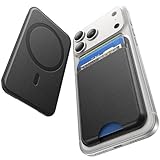
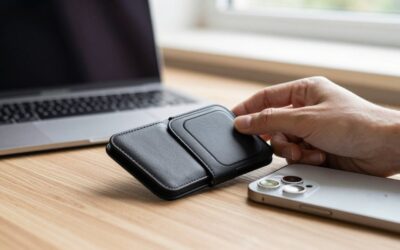
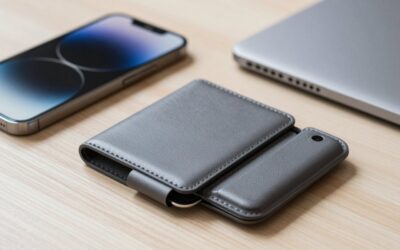
A MagSafe wallet is a slim card holder with magnets built into its back. It attaches to the magnetic ring in compatible iPhones, including iPhone 12 and newer models, and to cases labeled MagSafe-compatible. Most models are roughly 3.7 inches tall, 2.5 to 2.7 inches wide, and about 0.2 to 0.4 inches thick before cards are inserted. Exact dimensions vary by design and material.
Capacity claims can be misleading. A wallet advertised for five cards may hold five thin plastic cards, but embossed cards, metal cards, and thicker access badges take up more room. For daily use, two to three cards are typically easier to insert and remove. A wallet that is packed to its stated maximum can become bulky and may not stay attached as confidently.
Some MagSafe wallets are simple sleeves. Others have a pull tab, finger cutout, cash slot, kickstand, RFID-blocking material, or support for Apple’s Find My network. These features are not standard. In particular, “MagSafe-compatible” does not automatically mean the wallet can be tracked if it is lost. Check whether the specific product includes Find My support.
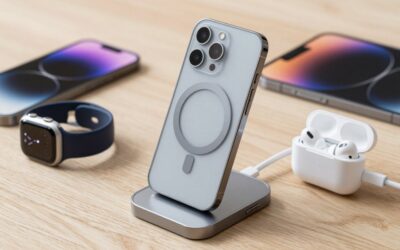
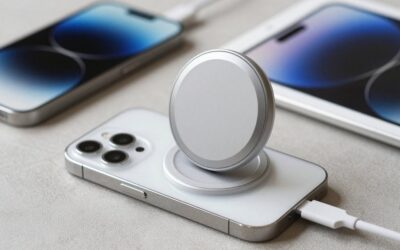
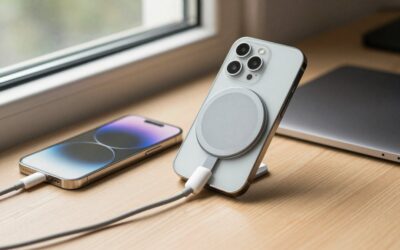
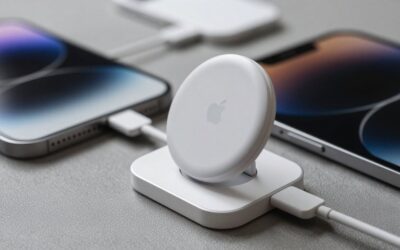
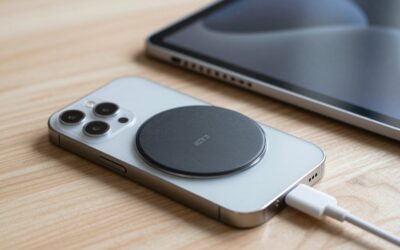
The wallet also affects how you use wireless charging. You generally need to remove it before placing the phone on a MagSafe or Qi2 charger. MagSafe charging can reach up to 15 watts on compatible iPhones and chargers, while a wired USB-C connection avoids the need to detach the wallet. A wallet may remain attached for ordinary phone use, but it can add a raised bump to the back of the phone and may interfere with some stands or charging accessories.
Pros
- It reduces what you carry. For a phone, ID, and one payment card, a MagSafe wallet can replace a larger everyday wallet.
- It is easy to detach. You can remove the wallet when charging, taking a photo with a grip, or handing your phone to someone.
- It keeps essential cards with your phone. Since most people rarely leave home without their phone, the arrangement can reduce the chance of forgetting an ID or credit card.
- It adds little bulk compared with a folio case. A slim model is usually much less cumbersome than a phone case with built-in card storage.
- It can be inexpensive. Basic synthetic or leather-look models often cost less than $10, while better-built options commonly fall between $15 and $60.
- It works with a phone-only routine. If you pay with your phone and carry only a backup card, this setup is practical for errands, commuting, and quick trips.
Cons
- Capacity is limited. Five cards is often a maximum rather than a comfortable everyday capacity. Cash is also limited to a folded bill or two, if the wallet has a cash slot at all.
- Cards can slip out. Open-bottom designs make cards easier to remove, but they also require more care when the phone is placed in a pocket or bag.
- The attachment is not foolproof. Strong magnets help, but a wallet can catch on a seat belt, pocket edge, or bag lining. A non-MagSafe case, thick case, or magnetic car mount can reduce performance.
- You must remove it for many chargers. Wireless charging generally works best with the wallet detached. That extra step can become annoying if you charge several times a day.
- It makes the phone thicker on one side. The uneven profile may make the phone wobble on a table and can be uncomfortable when gaming or holding it one-handed.
- Security features vary. RFID blocking is not necessary for everyone, and it can make contactless access cards less convenient or unusable. A wallet with no tracking feature cannot help you locate it if it is lost.
Who Should Buy It
Buy a MagSafe wallet if you carry a small number of cards and want them physically attached to your phone. It is especially suitable for people who use mobile payments but want a backup credit card, commuters who carry a transit pass, and anyone who wants to leave a larger wallet in a desk, car, or bag.
It is also a good choice if you already own a MagSafe-compatible iPhone case and prefer a modular setup. You can use the phone without the wallet at home, attach it for errands, and remove it for charging. That flexibility is the main reason to choose a magnetic wallet over a built-in card case.
When comparing inexpensive options, the Fanseesy for MagSafe Wallet is listed for under $10 and advertises a five-card capacity with one card slot and one cash slot. The ESR for MagSafe Wallet is listed for under $20 and includes a five-card capacity plus RFID blocking. Treat those capacity figures as upper limits, and verify case compatibility before buying.
Who Should Skip It
Skip a MagSafe wallet if you routinely carry more than three or four cards, cash, coins, receipts, or a key. A conventional slim wallet will distribute those items more comfortably and is less likely to detach.
You should also skip it if you frequently use a MagSafe charger and dislike removing accessories. A wallet can be convenient during the day but irritating at bedtime or at a desk if charging is part of your routine. People who use thick protective cases, magnetic mounts, or phone grips should confirm that all accessories can coexist before purchasing.
Finally, do not rely on a basic MagSafe wallet as your only way to carry an ID or payment method if losing the phone would leave you stranded. A small backup cardholder in a bag may be a safer arrangement.
Cheaper Alternatives
| Option | Cost | Trade-off |
|---|---|---|
| Loose card sleeve | $3–$10 | Usually lighter and cheaper, but it does not attach to your phone. |
| Basic MagSafe wallet | $7–$15 | Good value for one to three cards, but materials, magnets, and stitching may be less refined. |
| Phone case with card pocket | $10–$30 | Keeps cards attached permanently, but adds bulk and requires changing the whole case to remove the wallet function. |
| Small fabric or nylon wallet | $8–$20 | Often holds more cards and cash, but must be carried separately. |
| Minimalist metal cardholder | $15–$50 | More rigid and protective, but usually offers little room for cash and has no phone attachment. |
FAQ
Do MagSafe wallets work with every iPhone?
They work with iPhone 12 and newer models that have a built-in MagSafe magnetic ring, as well as compatible cases. Older iPhones may work only with an added magnetic ring or special case, and attachment strength can vary. A regular case without a magnetic ring may prevent the wallet from holding securely.
Can I charge my iPhone with a MagSafe wallet attached?
Usually, you should remove the wallet before wireless charging. The wallet and cards can block or weaken the charging connection, and the extra thickness may prevent proper alignment. Wired charging works without removing it. If charging convenience matters most, choose a wallet that detaches quickly.
How many cards should I put in a MagSafe wallet?
Start with two or three cards: typically an ID, primary payment card, and backup payment or transit card. You can add more if the fit remains secure, but do not force the wallet to its advertised maximum. Embossed, metal, and unusually thick cards may reduce practical capacity.
Is an RFID-blocking MagSafe wallet worth it?
It can be useful if you specifically want to limit some forms of contactless card scanning, but it is not essential for every shopper. RFID blocking may also interfere with cards that need to be tapped or scanned while still inside the wallet. Choose it for a clear reason rather than treating it as an automatic upgrade.
Write Your Review
No reviews yet. Be the first to share your experience!