
The Short Answer
It depends on one condition: if your iPad regularly travels outside the house, shares a bag with other items, or is used around children, pets, food, or rough surfaces, a screen protector is a sensible $7–$40 insurance policy. If your iPad stays on a desk or coffee table and you handle it carefully, you probably do not need one.
The iPad’s glass display is already durable enough for normal use. A protector will not make the tablet indestructible, and it cannot prevent every crack from a serious drop. Its main job is to absorb everyday scratches, reduce minor scuffs, and sometimes soften the damage from a light impact. Whether that small benefit is worth the extra layer depends more on your habits than on the iPad model itself.
As an Amazon Associate we earn from qualifying purchases at no extra cost to you.


What You Actually Get
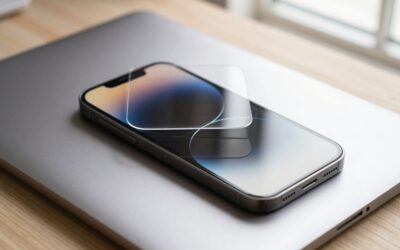
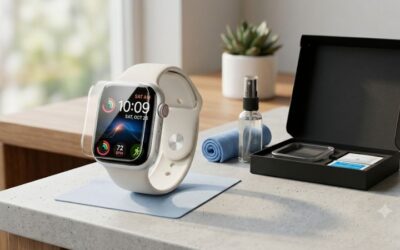
Most inexpensive iPad screen protectors are sheets of tempered glass cut to match a particular display. They typically measure about 0.25–0.33 millimeters thick and weigh roughly 10–25 grams, so the change in overall size and weight is barely noticeable. A package usually includes an alcohol wipe, a dry cleaning cloth, dust-removal stickers, and an alignment guide or installation frame.
The protector sits on top of the iPad’s glass and creates a sacrificial surface. When keys, coins, grit, or a sharp edge rub against the tablet, the protector may take the scratch instead of the original display. If the protector chips or cracks, you replace it while the iPad screen underneath remains usable.
Compatibility matters more than brand. An iPad described as 10.2 inches is not automatically compatible with one described as 10.9 or 11 inches. Camera placement, speaker openings, rounded corners, and the position of the Home button can differ between generations. For example, the Ailun two-pack for the iPad 9th, 8th, and 7th generations with 10.2-inch displays is listed for under $10. Its separate two-pack for the iPad A16 and 10th-generation models with 10.9- or 11-inch displays is listed for under $10. Those are not interchangeable merely because the screen sizes sound similar.
Most clear glass protectors preserve sharpness and color reasonably well, but you may notice a little more glare or fingerprint buildup. Matte, paper-texture, privacy, and blue-light-filter versions change the viewing experience more noticeably. They can be useful for specific needs, but they are not automatically better.
Pros
- Scratch protection: Grit in a backpack, a metal zipper, or a stylus tip can leave marks over time. A protector gives those hazards a replaceable surface to damage.
- Low cost: Basic two-packs often cost $7–$12, while premium glass or specialized finishes usually fall between $15 and $40.
- Easy replacement: Once installed, a protector can usually be removed and replaced in a few minutes without sending the iPad to a repair shop.
- Extra peace of mind: A protector can reduce worry when children use the tablet, when the iPad travels frequently, or when it is used in a kitchen or workshop.
- Better resale appearance: A clean original display generally helps an older iPad look more appealing to a future buyer. A scratched protector can be removed before selling.
- Some impact buffering: Tempered glass may absorb part of the force from a small bump, although it is not a substitute for a case with raised screen protection.
Cons
- Installation can be frustrating: One speck of dust trapped underneath can create a permanent bubble or spot. Alignment is especially important around the front camera and Home button.
- It can crack on its own: A chipped corner or hairline fracture does not necessarily mean the iPad is damaged, but it can look untidy and may make touch gestures feel less smooth.
- More glare and fingerprints: Clear glass can reflect overhead lights and collect oils. Matte versions reduce reflections but may make text look slightly grainier.
- Possible edge problems: Thick cases can press against a protector’s edges and lift it. A case-friendly design leaves a small border around the display to avoid this issue.
- It does not stop major damage: A drop onto a corner, a heavy object landing on the tablet, or bending force can still break the iPad’s actual screen.
- Small effect on drawing feel: Artists may notice a little more drag, tapping noise, or distance between the Apple Pencil and the display. Paper-texture protectors change that feel even more.
Who Should Buy It
Buy a screen protector if your iPad spends time in a backpack, tote, classroom, office, airplane seat pocket, or home with young children. Frequent travelers face more opportunities for grit and accidental contact, even when the iPad is inside a sleeve. A protector is also worthwhile if you place the tablet on counters, use it while cooking, or share it with people who may not treat it as carefully as you do.
It is a particularly reasonable purchase for an entry-level or midrange iPad that you hope to keep for several years. Spending about $7–$12 on a basic two-pack is inexpensive compared with replacing a display, which can cost well over $100 depending on the model and repair provider. The protector will not guarantee a cheaper repair, but it can prevent the kind of cosmetic wear that makes an older tablet look tired.
Choose clear tempered glass for general protection. Choose matte glass if reflections bother you or you write and draw frequently. If you use an Apple Pencil for long sessions, look for reviews that specifically discuss surface friction rather than assuming any “paper-like” product will feel natural.
Who Should Skip It
Skip a protector if your iPad lives in one location, is used only by careful adults, and is already kept in a protective case or sleeve. The tablet’s built-in glass is designed for everyday contact, and adding another surface is not mandatory maintenance.
You may also prefer no protector if you are highly sensitive to glare, want the clearest possible image, or dislike the feel of glass under your finger. Some people find that cleaning the bare screen regularly is less annoying than dealing with bubbles, chips, and edge lifting.
Artists who depend on a precise Apple Pencil feel should try the iPad without a protector first. A protector may still be useful, but it is better to choose based on drawing preference rather than fear of scratches. If you do skip one, a sleeve and a case with a raised bezel provide meaningful protection without covering the display.
Cheaper Alternatives
| Option | Cost | Trade-off |
|---|---|---|
| Basic tempered-glass two-pack | $7–$12 | Best value, but installation tools, coating quality, and edge fit can be inconsistent. |
| Thin film protector | $5–$15 | Light and less noticeable, but it mainly resists scratches and offers little impact protection. |
| Protective case with raised bezel | $15–$60 | Protects edges and corners as well as the screen area, but adds more bulk and does not prevent direct scratches. |
| Padded sleeve | $10–$35 | Good for storage and transport, but provides no protection while the iPad is being used. |
| No protector; careful handling | $0 | Preserves the original touch and viewing experience, but leaves the display exposed to scratches. |
For most buyers, a basic tempered-glass two-pack offers the most practical balance. The Ailun two-pack for compatible 10.2-inch iPads costs under $10, while the Ailun option for compatible A16 and 10th-generation 10.9- or 11-inch models costs under $10. Before ordering, check the exact iPad model number in Settings under General and About, then match that number to the protector’s compatibility list.
FAQ
Will a screen protector prevent my iPad from cracking?
No. It can help with scratches and may absorb some force from a minor impact, but it cannot reliably protect against a corner-first drop or heavy pressure. Pair it with a case that has a raised bezel and reinforced corners if drop protection is your main concern.
Does an iPad screen protector reduce touch sensitivity?
A properly installed, thin protector should not noticeably interfere with normal taps, swipes, or scrolling. Problems are more likely when the glass is thick, poorly aligned, cracked, or installed over dust. If touch response feels inconsistent, remove the protector before assuming the iPad itself is faulty.
Should I use glass or a matte protector for Apple Pencil use?
Choose glass if you want the clearest image and the smoothest, most familiar screen feel. Choose matte or paper-texture film if you want more writing friction and fewer reflections. Matte surfaces can slightly soften fine text and may wear down a stylus tip faster, so neither option is universally best.
How often should I replace an iPad screen protector?
Replace it when it is cracked, badly chipped, lifting at the edges, or covered with scratches that interfere with viewing. An intact protector does not need a scheduled replacement. With careful use, one can last for the life of the iPad; a heavily used tablet may need a new one every year or two.
Write Your Review
No reviews yet. Be the first to share your experience!