
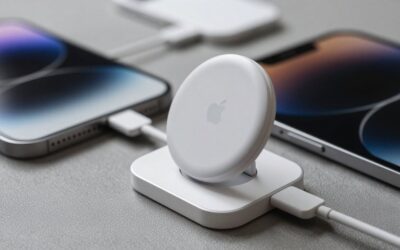
A loose MagSafe connection can make an iPhone stop charging when you pick it up, vibrate against a desk, or shift inside a case. The problem is usually caused by dust, a thick or poorly aligned case, a worn accessory, or a charging cable that is pulling sideways on the puck. If you try to force the magnets together, scrape the phone with metal, or keep charging through repeated heat warnings, you can damage the case, charging surface, cable, or phone.
This guide explains how to fix a loose MagSafe connection safely, whether the issue involves a MagSafe charger, a wallet, a battery pack, a car mount, or another magnetic accessory. The steps apply to current iPhones and accessories in 2026, but always check the specific accessory’s instructions before disassembling or modifying it.
As an Amazon Associate we earn from qualifying purchases at no extra cost to you.


What You Need
| Item | Why | Optional? |
|---|---|---|
| Lint-free microfiber cloth | Removes oils and dust without leaving fibers or scratching the phone | No |
| 70% isopropyl alcohol | Helps remove stubborn skin oil or adhesive residue from hard, unplugged surfaces | Yes |
| Wooden toothpick or soft plastic pick | Gently lifts compacted lint from a case edge or accessory seam | Yes |
| Compatible MagSafe charger and power adapter | Helps determine whether the connection problem is the phone, accessory, cable, or power source | No |
| MagSafe-compatible case | A properly aligned magnetic ring is generally more secure than a thick, nonmagnetic case | Yes |
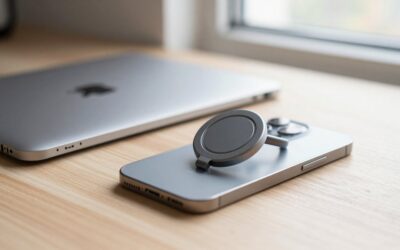
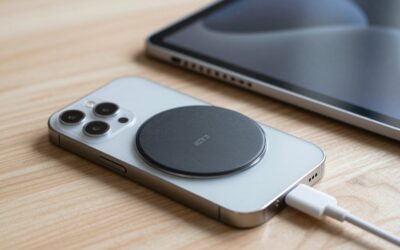
| Casespire Magnetic Silicone Phone Grip Loop Holder for MagSafe iPhone Case, under $10 | An optional grip can reduce accidental drops caused by a slippery phone, but it adds weight and another magnetic interface to inspect | Yes |
Do not use a knife, needle, abrasive pad, household glass cleaner, or water directly on the phone or charger. Unplug the charger before cleaning it, and remove the phone from the case if you are checking the case’s magnetic ring.
Step-by-Step
-
Identify which connection is loose (2–3 minutes)
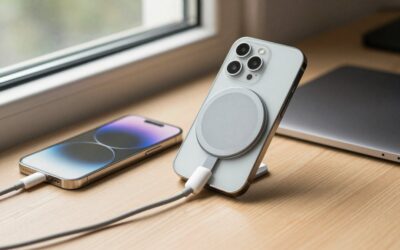
First determine whether the problem is magnetic hold, wireless charging, or the cable connection. Place the phone on the charger without a case and watch for the charging symbol. Gently lift the phone by about 1 inch, then set it down again. If it charges reliably without the case, the case or an attached accessory is the likely cause.
If the charger separates easily but the phone still charges, the magnets may be weak or obstructed. If the phone stays attached but charging repeatedly starts and stops, inspect alignment, debris, heat, the power adapter, and the charger cable.
-
Remove the case and accessories (1–2 minutes)
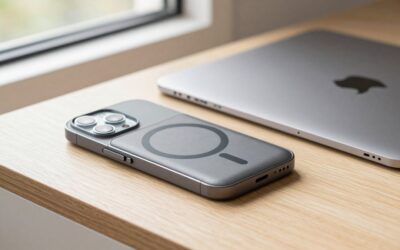
Take off the case, wallet, grip, ring, battery pack, or other magnetic accessory. Test the bare phone directly against the MagSafe charger. A case that is more than roughly 2 to 3 millimeters thick, contains metal plates, or has a poorly centered magnetic ring can reduce both holding power and charging efficiency.
Do not stack multiple magnetic accessories while troubleshooting. Each additional layer can increase the gap between the charging coils and make the connection less stable.
-
Inspect the magnetic surfaces (3–5 minutes)
Look at the circular charging face, the back of the case, and the accessory ring under bright light. Check for lint, grit, hair, adhesive, peeling silicone, dents, cracks, or a ring that has shifted out of the center. A small amount of debris can create a visible gap, even when the magnets appear aligned.
Also inspect the charger cable where it enters the puck and USB connector. A bent cable, split outer jacket, loose connector, or heat-discolored plastic is a reason to stop using the charger and replace it.
-
Clean the phone, case, and charger (3–5 minutes)
Unplug the charger. Wipe the phone’s back, the charger face, and the case with a dry microfiber cloth. For oily residue on a hard surface, lightly dampen a corner of the cloth with 70% isopropyl alcohol; do not pour or spray liquid onto the device. Keep liquid away from openings and allow every surface to dry completely.
Use a wooden toothpick or soft plastic pick only around the edge of a case or accessory. Never dig into the charger, scrape the phone with metal, or attempt to pull out internal components. Remove any metal fragments that may have been attracted to the magnetic ring before reconnecting the charger.
-
Test the charger with a suitable power source (3–5 minutes)
Reconnect the charger to a known-good wall adapter and outlet. For faster wireless charging, use an adapter that meets the charger’s stated requirement; many MagSafe setups need a USB-C power adapter capable of at least 20 watts, though the exact requirement varies by charger and iPhone model.
Test a second outlet or compatible adapter if available. Avoid testing through a loose extension cord, damaged power strip, or low-power computer USB port. If another power source fixes the issue, the magnetic connection may be fine and the original adapter or outlet needs attention.
-
Reattach the case and align it carefully (2–3 minutes)
Put the empty case on the phone and confirm that it fits tightly at all four corners. Place the phone on the charger and let the magnets pull it into position. Do not slide the phone repeatedly across the charger, since grit can mark the surfaces.
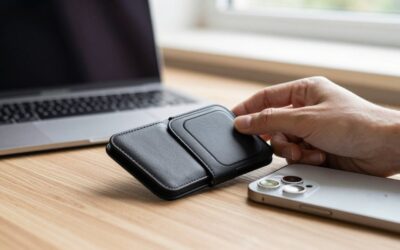
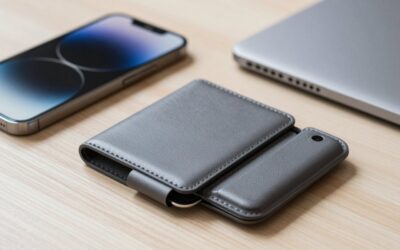
For an accessory such as a wallet or grip, center it over the magnetic ring and press evenly for a few seconds. A magnetic grip should not cover the charger’s central charging area when you are testing wireless charging. If the case has a removable ring, it should lie flat with no lifted edge.
-
Check stability and charging over time (10–15 minutes)
With the phone charging, gently move the cable in a small arc without pulling on the charger puck. The phone should remain connected and should not repeatedly begin and stop charging. Leave it in place for at least 10 minutes, then check whether the phone, case, and charger are unusually hot.
Warmth can be normal during wireless charging, but stop if the phone displays a temperature warning, becomes uncomfortable to touch, smells burnt, or disconnects repeatedly. Remove thick cases and accessories during charging if heat is a persistent issue.
-
Replace the failed part if necessary (5–10 minutes)
Use the test results to isolate the problem. If the bare phone works but the cased phone does not, replace the case with a properly aligned MagSafe-compatible model. If multiple phones fail with the same charger, replace the charger or cable. If only one accessory slips while other MagSafe accessories hold securely, replace that accessory rather than adding extra adhesive or magnets.
Do not glue a loose magnet inside a case unless the manufacturer specifically provides a repair method. Adhesive can shift the ring off-center, interfere with charging, or leave residue on the phone.
Mistakes to Avoid
- Do not place coins, keys, metal plates, or magnetic car-mount inserts between the phone and charger.
- Do not assume a strong magnetic pull means the phone is correctly aligned for charging.
- Do not charge through a visibly cracked case, peeling ring, frayed cable, or liquid-contaminated accessory.
- Do not use a hair dryer, heat gun, or sharp tool to remove adhesive or debris.
- Do not stack a wallet, grip, battery pack, and case while diagnosing the connection.
- Do not ignore repeated charging interruptions. They may create heat and reduce charging reliability.
How Often
Wipe the charger face and case whenever you notice slipping, visible lint, or an intermittent charging symbol. For most people, a quick dry cleaning every one to two weeks is sufficient, with an additional cleaning after beach trips, dusty work, or exposure to skin lotion. Inspect the charger cable and case ring once a month. Replace a case or accessory when its ring lifts, spins, cracks, or no longer sits flat.
When to Call a Pro or Replace
Replace the charger or accessory if it remains loose after cleaning and testing with a bare phone and a known-good power adapter. Stop using it immediately if there is burning odor, sparking, melted plastic, severe heat, exposed wiring, or a swollen battery pack.
Contact Apple or an authorized repair provider if the iPhone will not charge with multiple known-good MagSafe chargers, if the back glass is cracked near the charging area, or if the phone reports a temperature or hardware warning. A professional can determine whether the issue is inside the phone rather than in the magnetic alignment.
FAQ
Why does my MagSafe charger keep falling off?
Common causes include a thick or non-MagSafe case, dirt between the surfaces, a damaged magnetic ring, a heavy accessory, or sideways tension from the cable. Test the bare phone first, then add the case and accessories one at a time.
Can a case make MagSafe charging loose?
Yes. A case can weaken the connection if it is too thick, has an off-center ring, contains metal in the wrong location, or has a ring that is separating from the case. A case designed specifically for MagSafe is usually the better replacement.
Will cleaning fix intermittent wireless charging?
It can, especially when dust, oil, or a small piece of lint prevents the charger and phone from sitting flat. Cleaning will not fix a broken cable, damaged charging puck, shifted magnet, or internal phone fault.
Can I use a magnetic grip with MagSafe?
Yes, if the grip is designed for MagSafe and is removed when it interferes with charging. Check that the grip sits flat, holds securely, and does not become excessively hot. An inexpensive option such as the under-$10 Casespire Magnetic Silicone Phone Grip Loop Holder may help with handling, but replace it if the loop or magnetic base becomes loose.
Write Your Review
No reviews yet. Be the first to share your experience!