
The best MagSafe charging station for most iPhone, Apple Watch and AirPods users in 2026 is the Belkin BoostCharge Pro 3-in-1 with Qi2, because it delivers full 15W magnetic charging for iPhone, Apple Watch fast-charge support, and a stable low-footprint stand. If you do not need an Apple Watch puck, the Anker MagGo Wireless Charging Station is the better compact 2-in-1 pick, while frequent travelers should get a folding option like the Mophie 3-in-1 Travel Charger with MagSafe.
All of the picks below use official MagSafe or Qi2 magnetic alignment for iPhone. That matters more than the word MagSafe on the box. True MagSafe and Qi2 stations provide up to 15W for compatible iPhones from iPhone 12 onward, while generic magnetic Qi chargers are typically limited to 7.5W and charge about twice as slowly.
As an Amazon Associate we earn from qualifying purchases at no extra cost to you.

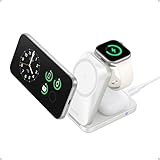
Quick answer: For most people in 2026, the best magsafe charging stations is the Belkin BoostCharge Pro 3-in-1 with Qi2 — our #1 rated choice. See the full ranked comparison, alternatives and buying advice below.
Top 3-in-1 and 2-in-1 stations compared
The core difference is layout, not just brand. 3-in-1 stations add a dedicated Apple Watch fast-charge puck and an AirPods pad. 2-in-1 stations drop the Watch puck for a much smaller desk footprint and lower price.
| Model | Type | iPhone power | Apple Watch support | AirPods pad | Footprint (W x D) | Weight | In-box adapter |
|---|---|---|---|---|---|---|---|
| Belkin BoostCharge Pro 3-in-1 with Qi2 | 3-in-1 tree stand | 15W Qi2 / MagSafe | Yes, fast-charge Series 7 and later | Yes, 5W Qi | approx. 14 x 13 cm | approx. 670 g | 40W USB-C included |
| Anker MagGo 3-in-1 Charging Station (Qi2) | 3-in-1 tree stand | 15W Qi2 | Yes, fast-charge Series 7 and later | Yes, 5W Qi | approx. 12 x 11 cm | approx. 410 g | 40W USB-C included |
| Nomad Base One Max with MagSafe | 3-in-1 flat base | 15W MagSafe | Yes, fast-charge capable | Yes, 5W Qi | approx. 22 x 10.5 cm | approx. 730 g | 30W USB-C included |
| Anker MagGo Wireless Charging Station (2-in-1 pad) | 2-in-1 pad | 15W Qi2 | No | Yes, 5W Qi | approx. 8.5 x 8.5 cm | approx. 210 g | 25W to 30W USB-C included |
| Mophie 3-in-1 Travel Charger with MagSafe | 3-in-1 folding travel | 15W MagSafe | Yes, fast-charge Series 7 and later | Yes, 5W Qi | approx. 18 x 9 cm open, folds to 9 x 9 cm | approx. 280 g | 30W USB-C included, plus travel case |
General market ranges in 2026: 2-in-1 Qi2 pads typically cost 70 to 120 dollars, flat-base 3-in-1 stations 130 to 170 dollars, and full tree-stand 3-in-1 stations with Apple Watch fast charge 140 to 180 dollars. Travel folding MagSafe chargers are usually 130 to 160 dollars because you pay for miniaturization.
Charging speed: what to actually expect
MagSafe and Qi2 are not instant full-speed chargers. They follow an iPhone charge curve, which means wattage drops after 50 to 60 percent to protect battery health.
- iPhone 12 through iPhone 16 Pro Max: Expect 0 to 50 percent in about 55 to 70 minutes on a true 15W MagSafe/Qi2 magnetic spot when using the included 30W or higher adapter. A 7.5W magnetic Qi pad takes 110 to 140 minutes for the same amount. Case thickness over 3 mm, metal rings, or credit-card wallet cases can drop you back to slow charging.
- Apple Watch: Only stations that list fast-charge for Series 7, Series 8, Series 9, Series 10, Ultra and Ultra 2 will charge a Series 7 or later from 0 to 80 percent in about 45 minutes. Older or non-certified pucks take 75 to 110 minutes. This is the biggest real-world difference between cheap 3-in-1 stands and certified ones.
- AirPods: Almost all AirPods pads are 5W. AirPods Pro 2 with MagSafe case charge in about 90 to 120 minutes on the base. Do not judge a station by AirPods speed, they all cap low by design.
If you own an iPhone 12, 13, or 14, you do not need a new phone to benefit from Qi2. Qi2 stations are backward compatible with MagSafe iPhones and provide the same 15W magnetic charge, often with better heat management than early MagSafe pucks.
Desk footprint and fit calculation
Footprint decides whether a station actually stays on your nightstand. Measure before you buy.
How to check fit in 30 seconds
Take your nightstand depth and subtract 8 cm for cable bend and wall clearance. If the result is under 13 cm, avoid tree stands and choose a flat 2-in-1 pad or folding travel charger. For example: a 20 cm deep shelf minus 8 cm clearance leaves 12 cm of usable depth. A Belkin tree stand at 13 cm deep will overhang, while an 8.5 cm Anker 2-in-1 pad leaves 3.5 cm spare.
Area comparison helps visualize clutter: a 14 x 13 cm tree stand occupies about 182 square cm. An 8.5 x 8.5 cm 2-in-1 pad occupies about 72 square cm, or about 60 percent less desk area. The Nomad Base One Max flat bar at about 22 x 10.5 cm occupies about 231 square cm but fits better against a wall or under a monitor because it is long and low.
Height also matters for StandBy mode. Tree stands hold the iPhone 12 to 15 cm high and tilted at 60 to 70 degrees, which is ideal for StandBy clock and FaceTime. Flat pads do not support StandBy viewing and are better if you charge face-down overnight.
Which station should you buy
Decision matrix by situation
| Your situation | Best type | Why |
|---|---|---|
| Charge iPhone + Watch + AirPods every night on a nightstand | Belkin BoostCharge Pro 3-in-1 with Qi2 or Anker MagGo 3-in-1 | Watch fast-charge saves 30 to 40 minutes, tree design enables StandBy |
| Small desk, dorm, or you do not own an Apple Watch | Anker MagGo 2-in-1 pad | 60 percent smaller footprint, same 15W iPhone speed, lower cost |
| Premium desk setup, metal and glass preferred | Nomad Base One Max | Heaviest base at 730 g prevents tipping with iPhone Pro Max + case, official MagSafe module |
| Travel 2+ nights per month, hotel and office | Mophie 3-in-1 Travel Charger | Folds to pocket size, single USB-C cable powers all three devices, no loose pucks |
| Thick OtterBox-style case, PopSocket, or wallet case | Any 15W tree stand with adjustable tilt | Vertical magnetic hold is stronger than flat pads when case adds 2 to 3 mm gap |
Case compatibility and Apple Watch details
For full 15W speed, use a MagSafe or Qi2-compatible case with a built-in magnet ring. Apple silicone, leather, and clear MagSafe cases, plus Qi2-rated cases from ESR, Anker, Nomad, Mophie, and Belkin, all work. Non-magnetic cases thicker than 3 mm, cases with metal kickstands over the coil area, or cases with slide-in card slots will cause slipping, heat, and drop to 7.5W or less.
Test alignment this way: place the iPhone on the magnetic spot without forcing it. If it snaps centered with an audible click and shows the MagSafe charging animation, alignment is correct. If you have to reposition it or it slides when you tap the screen in StandBy, the case is interfering.
For Apple Watch, check band clearance. Closed-loop bands like Solo Loop and Braided Solo Loop need a suspended puck that lifts the Watch face away from the base. Flat pucks built into a base work fine with sport bands with buckles but can pinch Solo Loop bands. Belkin, Anker MagGo 3-in-1, and Mophie Travel models all use raised Watch pucks specifically to solve this.
Durability and ownership realities
MagSafe stations rarely fail electronically. What wears first is physical: the soft-touch coating on AirPods pads collects dust and gets shiny after 8 to 12 months, and white fabric or vegan-leather bases show denim transfer. Wipe weekly with a dry microfiber cloth. Avoid alcohol wipes on coated pads, they accelerate peeling.
The second failure point is the USB-C cable joint at the back of the stand. Tree stands get nudged daily when you lift the phone. Leave 8 cm of slack behind the station and route the cable straight back, not sideways, to avoid loosening the port. If your station flickers between charging and not charging, the cause is almost always a third-party low-wattage adapter or worn cable, not the magnetic coil. Use the included 30W to 40W adapter. A 20W iPhone adapter cannot sustain 15W phone plus Watch plus AirPods at once.
Heat is normal. MagSafe charging generates 38 to 42 degrees C on the back of the phone during the first 30 minutes. Stations with aluminum bodies like Nomad dissipate heat faster than plastic tree stands. Remove thick cases for the fastest top-ups, and do not stack an iPhone on top of AirPods on a 2-in-1 pad. Common mistake: placing AirPods on the iPhone magnetic spot. They will show charging but charge very slowly and overheat.
Setup for best speed
- Plug the station directly into a wall outlet with its included power brick. Power strips shared with laptops and monitors can cause power negotiation drops.
- Enable StandBy under Settings then StandBy on iPhone for tree stands, and set Night Mode to turn the clock red overnight.
- For Apple Watch fast charge, update watchOS first. Fast-charge requires recent watchOS on Series 7 and later to negotiate full speed.
- If you use Always On Display, expect 10 to 15 minutes longer to 50 percent because the screen draws 1 to 2W while charging.
Bottom line: buy a certified 15W Qi2 or MagSafe 3-in-1 with Apple Watch fast-charge if you charge all three Apple devices daily. Buy a 2-in-1 Qi2 pad if space or budget is tight, since iPhone speed is identical. Travelers should prioritize a folding MagSafe model over a desktop tree stand, even if the desk footprint is larger when open.
Ready to decide? Our #1 pick for 2026 is the Belkin BoostCharge Pro 3-in-1 with Qi2.
Live price & availability on Amazon.




Write Your Review
No reviews yet. Be the first to share your experience!