
- Top Pick: Apple Pencil Pro: Latest Model – Device Compatibility Check Required – Pixel-Perfect Precision, Tilt and Pressure Sensitivity, Perfect for Note-Taking, Drawing, and Art. Charges and Pairs Magnetically
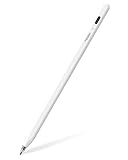
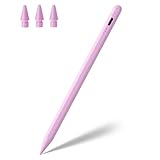
- Best Value: Jamjake Stylus Pen for iPad 6-11th Gen 2X Fast Charge, Palm Rejection-White
- Premium Choice: Apple Pencil (USB-C): Device Compatibility Check Required – Pixel-Perfect Precision, Tilt Sensitivity, Perfect for Note-Taking, Drawing, and Signing Documents. Charges and Pairs with USB-C
The iPad Pro has become a legitimate professional art tool, but the stylus you pair with it makes or breaks the experience. Choosing between Apple’s own Pencils and the growing field of capable third-party alternatives comes down to your device, your budget, and how much you rely on features like pressure sensitivity and tilt shading. Pick wrong and you will fight your tools; pick right and the tablet disappears beneath your hand.
- Watch: Ultimate Guide to Choosing the Right Apple Pencil for Digital Art on iPad Pro — Video Review
- Pressure Sensitivity: Why It Matters Most for Art
- Tilt, Palm Rejection, and Latency
- Matching the Pencil to Your iPad
- Budget Alternatives Worth Considering
- Tips
- Frequently Asked Questions
- Conclusion
- Related Articles
- Related Guides
This guide breaks down what actually matters for digital artists in 2026, from tilt and pressure to charging methods and compatibility. Whether you are a professional illustrator eyeing the Apple Pencil Pro or a student weighing a budget alternative, you will finish knowing exactly which stylus belongs in your kit and why.
As an Amazon Associate we earn from qualifying purchases at no extra cost to you.



⚡ Save on Your Next PC — Amazon Prime
Prime members get fast free shipping on the systems above, plus early access to Prime Day & Black Friday PC deals. New members get a 30-day free trial.
Watch: Ultimate Guide to Choosing the Right Apple Pencil for Digital Art on iPad Pro — Video Review
Pressure Sensitivity: Why It Matters Most for Art
For painting and inking, pressure sensitivity is non-negotiable. It lets a light touch draw a hairline and firm pressure lay down a bold stroke, mimicking real brushes and pens. The Apple Pencil Pro offers the full range Apple’s silicon supports, which is why serious illustrators gravitate to it. Many budget styluses skip true pressure entirely, so read specs carefully if shading is central to your work.
Tilt, Palm Rejection, and Latency
Tilt sensitivity enables broad shading like the side of a graphite pencil, and low latency keeps your line under the nib instead of lagging behind it. The Apple Pencil Pro and Apple Pencil (USB-C) both deliver tilt, though only the Pro adds pressure. Third-party pens like the Metapen Pencil Air8 Pro advertise palm rejection and low latency at a fraction of the price, which is compelling for note-takers and hobby artists.
Matching the Pencil to Your iPad
Compatibility is the trap that catches most buyers. The Apple Pencil Pro pairs and charges magnetically on recent iPad Pro and Air models, while the Apple Pencil (USB-C) suits a broader range but charges by cable and lacks pressure. Alternatives such as the Metapen Pencil A8 V4 and various Jamjake and generic styluses span iPad generations from 2018 through 2026, so confirm your exact model before buying any of them.
Budget Alternatives Worth Considering
Not everyone needs the Pro. For sketching, note-taking, and casual art, options like the Jamjake Stylus Pen or a wireless-charging alternative with tilt and palm rejection cost far less and cover the basics well. They trade the finest pressure nuance for value, making them ideal for students or anyone testing whether iPad art is for them before investing.
Tips
- Verify compatibility first: Check your iPad’s exact model against the pencil’s supported list before purchasing anything.
- Prioritize pressure for painting: If you paint or ink, the Apple Pencil Pro’s pressure range justifies its cost.
- Buy spare nibs: Nibs wear down with heavy use; a spare set keeps your lines crisp.
- Consider charging style: Magnetic charging is effortless, while USB-C or fast-charge alternatives suit those who forget to dock a pen.
Frequently Asked Questions
Do I need the Apple Pencil Pro or will a cheaper one do?
If you paint or shade with pressure, the Apple Pencil Pro is worth it. For notes, outlines, and casual sketching, a tilt-and-palm-rejection alternative like the Metapen A8 covers the essentials at much lower cost.
Do third-party styluses support pressure sensitivity?
Most budget styluses do not offer true pressure sensitivity; they simulate line variation through tilt or nothing at all. If pressure matters, confirm it explicitly in the product specs before buying.
Will an Apple Pencil work on any iPad?
No. Each Apple Pencil supports specific iPad generations. The Pencil Pro targets recent iPad Pro and Air models, while the USB-C version and third-party pens cover wider but still limited ranges.
How long do stylus nibs last?
Heavy daily use wears a nib in a few months, though light use stretches that to a year or more. Keeping a spare set on hand means you never lose precision mid-project.
Conclusion
The right Apple Pencil comes down to your workflow: choose the Apple Pencil Pro for pressure-driven painting on a compatible iPad Pro, the Apple Pencil (USB-C) for tilt-based work on a budget, or a well-reviewed alternative like the Metapen line if you want strong performance for less. Confirm compatibility, stock a few spare nibs, and your iPad will feel like a proper sketchbook in 2026.
Write Your Review
No reviews yet. Be the first to share your experience!