
- Top Pick: Stylus Pen for iPad A16 11th 10th 9th 8th 7th 6th Generation, iPad Pro 12.9 11 13 inch M4, iPad Air M3 M2 5th 4th 3rd Gen, iPad Mini A17 Pro 7 6 5, for Apple Pencil Pro 1st 2nd Gen Alternative (White)
- Best Value: Apple Pencil (USB-C): Device Compatibility Check Required
- Premium Choice: Apple Pencil Pro: Latest Model – Device Compatibility Check Required
Best Apple Pencil for Beginners (2026)
Picking your first Apple Pencil can be confusing because there are several versions, and the accessories that go with them add another layer of choices. The good news is that beginners really only need to match the Pencil to their iPad and grab a couple of simple add-ons to get started comfortably. This guide explains the best Apple Pencil options and beginner-friendly accessories for 2026 in plain language.
As an Amazon Associate I earn from qualifying purchases.
As an Amazon Associate we earn from qualifying purchases at no extra cost to you.


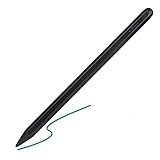

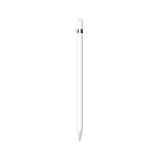





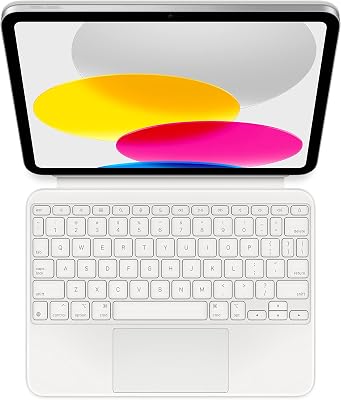

We focused on what actually matters for newcomers: which Pencil works with which iPad, and which low-cost accessories make writing and drawing feel natural from day one. Everything below is easy to set up and forgiving for people still learning the ropes.
| Product | Best For | Standout Feature | Rating |
|---|---|---|---|
| Apple Pencil (USB-C) | Budget beginners | Affordable entry point | 4.6/5 |
| Apple Pencil Pro | Newer iPads | Squeeze and barrel roll | 4.8/5 |
| Elago Silicone Grip | Comfort | Anti-slip sleeve | 4.6/5 |
| Paperlike Protector | Natural feel | Paper-like texture | 4.7/5 |
| MoKo Storage Case | Keeping it safe | Hard shell with tips | 4.5/5 |
Apple Pencil (USB-C) — Best Budget Starting Point
For beginners on a budget, the USB-C Apple Pencil covers the essentials at the lowest price. It pairs and charges over USB-C, offers precise, low-latency writing, and supports tilt shading. It skips pressure sensitivity, but for note-taking and casual sketching it is more than enough to learn on.
Pros: affordable, precise, easy to charge. Cons: no pressure sensitivity. It is the ideal first stylus, and it pairs well with the iPad accessories we recommend for newcomers.
Apple Pencil Pro — Best for Newer iPads
If your iPad supports it, the Apple Pencil Pro adds pressure sensitivity, a squeeze gesture, and barrel-roll control that make drawing far more expressive. It charges magnetically on the side of the iPad and finds a comfortable home for beginners ready to grow into serious creativity.
Pros: pressure and tilt, handy gestures, magnetic charging. Cons: only works with certain iPads. It is the pick for those who want room to grow, and it appears again in our creative tools guide.
Elago Silicone Grip — Best Comfort Accessory
The Apple Pencil’s smooth barrel can feel slippery, and a silicone grip fixes that instantly. The Elago sleeve adds a comfortable, anti-slip surface that reduces hand fatigue during long note-taking sessions, which beginners especially appreciate while building good habits.
Pros: reduces slipping and fatigue, cheap, easy to fit. Cons: may block magnetic charging if left on. It is a small upgrade with big comfort gains, and it fits the theme of our comfort accessories guide.
Paperlike Screen Protector — Best for Natural Writing
Writing on glass feels slick to newcomers, and a Paperlike protector adds gentle friction that mimics paper. This makes handwriting neater and sketching more controlled, helping beginners feel confident faster. It also cuts glare and fingerprints on the iPad screen.
Pros: natural writing feel, less glare, protective. Cons: wears nibs faster and softens sharpness. It is a favorite starter upgrade, and it connects to the screen accessories we cover.
MoKo Storage Case — Best for Protection
Beginners often toss their Pencil loose in a bag, risking scratches and drops. The MoKo hard case cradles the Pencil securely and holds spare nibs, teaching good storage habits from the start while protecting an investment that is easy to damage.
Pros: sturdy protection, holds spare tips, compact. Cons: one more item to carry. It keeps your Pencil safe between sessions, and it complements the travel gear we highlight.
Replacement Tip Pack — Best Practical Extra
Nibs wear down over time, and beginners are often surprised when writing starts feeling scratchy. A small pack of replacement tips restores crisp precision in seconds and ensures your Pencil always performs its best, making it a smart, inexpensive thing to keep on hand.
Pros: restores precision, cheap, easy to swap. Cons: quality varies by brand. It is the practical spare every beginner should own from the outset.
How Beginners Should Choose an Apple Pencil
Start by confirming which Apple Pencil your iPad actually supports, since compatibility is the single most important factor. From there, decide whether you need pressure sensitivity for art or just precise writing for notes. Add a grip and a paper-like protector for comfort, and keep a case and spare tips handy. Matching the Pencil to your iPad first prevents costly mistakes, a point we stress in our iPad buying guide.
Frequently Asked Questions
Which Apple Pencil works with my iPad?
Apple Pencil compatibility depends on your exact iPad model and generation. The USB-C Pencil and Apple Pencil Pro support different iPads, so you must check Apple’s compatibility list before buying. Using the wrong Pencil means it will not pair or charge, so confirming compatibility is the essential first step for every beginner.
Do beginners need pressure sensitivity?
Not necessarily. Pressure sensitivity matters most for drawing and painting, where it varies line thickness and shading. For note-taking, marking up documents, and casual sketching, the budget USB-C Pencil without pressure sensitivity works well. If you plan to focus on digital art, though, a pressure-sensitive Pencil is worth the extra investment.
Is a screen protector necessary for using an Apple Pencil?
A protector is not required, but a paper-like one greatly improves the writing feel for beginners by adding friction that mimics paper. It also protects the screen from scratches. Many newcomers find handwriting neater and drawing more controlled with a matte protector, so it is a popular and affordable first upgrade.
How do I keep my Apple Pencil from getting lost or damaged?
Use a storage case when traveling and a grip or sleeve to prevent it from rolling off surfaces. Pencils that charge magnetically stay attached to the iPad when not in use, which helps. Building a habit of returning the Pencil to its case or magnetic spot keeps it safe and easy to find every time.










Write Your Review
No reviews yet. Be the first to share your experience!