
Best ipad screen protector for writing solves the annoying problem of taking notes on slippery glass screens. Stylus slipping reduces hand control and causes fatigue during long study sessions. This detailed guide reveals top matte covers that mimic paper texture, helping you choose the right surface for smooth digital handwriting.
How to Choose the Right Screen Protector
Selecting a screen cover for digital note taking requires balancing surface feel with screen clarity. Standard glass feels slick under a stylus, making your handwriting look sloppy and tiring your hand quickly. Evaluating specific technical features helps you find a durable cover that enhances your daily writing productivity.
Surface Friction and Texture Quality
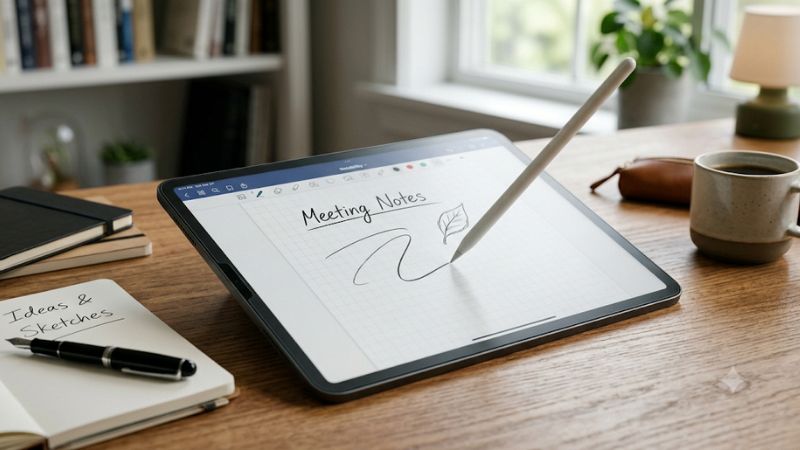
Finding the best ipad screen protector for writing depends heavily on tactile friction. A proper paperlike texture provides subtle resistance against the stylus tip, mimicking real paper. This resistance gives your hand better control over stroke thickness and letter shapes, creating a natural feel during long study or journal sessions.
Excessive roughness can cause unnatural dragging, while insufficient friction leaves the display feeling like bare glass. Manufacturers use specialized micro-bead coatings to achieve realistic tooth without ruining touch responsiveness. Testing different friction levels ensures you get comfortable feedback tailored to your personal pressure.
Display Clarity and Anti-Glare Properties
Matte textures diffuse light rays to reduce harsh reflections from overhead office lights and sunlit windows. This anti-glare finish prevents eye strain when taking lengthy lecture notes or reviewing manuscripts outdoors. However, heavy matte coatings can introduce minor color noise or rainbow artifacts across bright white backgrounds.
Premium protectors utilize advanced optical clarity layers to minimize refraction while maintaining glare reduction. Higher clarity preserves vivid colors and sharp text resolution, ensuring videos and photos still look vibrant. Choosing a balanced matte film gives you reflection-free writing without compromising overall visual quality.
Tip Wear and Installation Simplicity
Coarse matte surfaces act like fine sandpaper, gradually grinding down plastic pencil nibs over time. Selecting a smooth micro-textured protector preserves tip longevity while retaining sufficient grip for clean penmanship. Investing in gentler materials reduces the need for frequent replacement tips and keeps maintenance costs low.
Simple installation methods prevent annoying dust bubbles and misaligned edges during application. Modern protectors offer alignment frames, cleaning kits, or magnetic attachments for effortless mounting. A bubble-free fit ensures consistent touch sensitivity across every corner, letting you write without frustrating dead spots.
Top Screen Protectors for Digital Writers
Investing in a best ipad screen protector for writing transforms your tablet into a dedicated notebook. We compared leading models across friction, screen clarity, nib preservation, and installation ease to highlight top performers. The summary comparison table below offers a quick glance at key specifications before reading detailed reviews.
| Product Model | Material Type | Friction Level | Glare Defense | Mounting Mechanism |
| Paperlike 2.1 | Matte PET Film | Moderate Tooth | High Reduction | Permanent Adhesive |
| Bersem Paperfeel | Textured PET Film | Medium-High Tooth | High Reduction | Permanent Adhesive |
| ESR Magnetic | PET Magnet Hybrid | Balanced Medium | Medium-High | Snap-On Magnetic |
| KCT Paperglass | Tempered Glass Matte | Smooth Light Tooth | Medium Reduction | Permanent Adhesive |
Paperlike 2.1 Matte Film
The Paperlike 2.1 matte film is ideal for students and journal enthusiasts seeking realistic paper friction. Its unique Nanodots technology creates consistent resistance for fine pen strokes, making handwriting exceptionally neat. Real user feedback praises its tactile feel, though some note slight color graininess on white backgrounds.
Key benefits include excellent glare defense and precise stylus feedback, while rapid nib wear remains a small downside. Its permanent adhesive installation demands patience, but included alignment tools help avoid trapped dust. Writers who prioritize authentic paper feel will appreciate this top-tier option for daily note taking.
Bersem Paperfeel Screen Protector
Bersem Paperfeel caters to budget-conscious users seeking the best ipad screen protector for writing without spending high premiums. Its textured surface provides firm pencil grip that reduces hand fatigue during extended drafting or outlining tasks. Honest reviews highlight impressive durability and anti-glare protection.
Main advantages are affordable pricing, strong anti-fingerprint properties, and easy bubble-free installation kits. Minor drawbacks include slight screen brightness reduction and increased tip friction compared to smooth glass. Overall, it serves as an economical choice for students needing reliable texture on a everyday budget.
ESR Magnetic Paper-Feel Protector
ESR Magnetic Paper-Feel suits users wanting removable convenience for media watching and casual writing. Magnetic border strips allow instant snap-on application when writing, followed by quick removal for full display clarity. Users love the versatile flexibility, although edge lifting can occur if dust builds up under magnetic borders.
Choosing the best ipad screen protector for writing with magnetic borders eliminates permanent display grain. The matte texture offers comfortable feedback, and the washable design keeps magnetic strips sticky over time. It represents the best option for artists and note takers who frequently switch between typing and handwriting.
KCT Paperglass Screen Protector
KCT Paperglass combines shatterproof glass protection with a lightly etched matte writing surface. It is designed for active professionals needing drop defense alongside controlled friction for signing documents or annotating files. Reviews applaud its robust drop safety, though the hybrid material feels smoother than traditional paper.
Strengths include superior screen impact resistance, outstanding clarity, and gentle nib wear during daily use. Minor cons involve slightly less tooth than pure PET films and slightly heavier overall tablet weight. It stands out as a tough hybrid solution for users needing both screen defense and enhanced handwriting precision.
Frequently Asked Questions
Understanding screen protector mechanics helps resolve common concerns regarding stylus tips and display performance. Many prospective buyers worry about clear resolution, pen wear, and mounting techniques before making a final purchase. The following responses address top user questions regarding textured film installation and usage.
Does a Matte Screen Protector Wear Down Apple Pencil Tips?
Matte surfaces feature microscopic textured ridges that create friction to mimic real notebook paper feel. This friction slowly wears down plastic stylus nibs faster than smooth glass displays over months of heavy use. Using moderate writing pressure extends tip life significantly while preserving consistent stroke responsiveness.
Investing in a high-grade best ipad screen protector for writing helps balance friction and tip longevity. Choosing smoother micro-bead coatings minimizes nib abrasion without sacrificing subtle handwriting grip. Keeping spare replacement tips handy ensures continuous note taking without unexpected disruption during busy schedules.
Does a Paper Texture Film Reduce Display Brightness?
Textured films scatter light to minimize glare, which can slightly reduce peak brightness and color saturation. White backgrounds may show faint rainbow sparkling under direct scrutiny due to microscopic surface refraction. Most users quickly adjust to this slight change in exchange for superior writing comfort and reduced eye strain.
Modern matte coatings use advanced optical PET materials to maintain high light transmission across all pixels. Increasing your screen brightness slightly offsets any mild diffusion, preserving vivid video playback and sharp text. Removable magnetic protectors also let you enjoy pristine glass clarity whenever you finish writing notes.
How Do You Install a Matte Protector Without Bubbles?
Installing a matte film requires a dust-free environment like a steamed bathroom to prevent air bubbles. Thoroughly clean the glass using alcohol wipes and microfiber cloths, then clear remaining specks with dust stickers. Careful alignment along tablet edges ensures smooth adhesion without trapped air pockets along screen borders.
Using a best ipad screen protector for writing with auto-alignment frames simplifies the mounting procedure. Gently push out small bubbles toward screen edges using a firm squeegee or soft credit card. Proper preparation guarantees a smooth, bubble-free surface that maintains precise stylus tracking across the whole display.
Are Magnetic Screen Protectors Better Than Adhesive Ones?
Magnetic protectors offer superior versatility because you can snap them on for taking notes and remove them later. This feature prevents permanent display grain during movie streaming while providing full glare protection during work sessions. They are fully washable and reusable, making them popular among multi-purpose tablet users.
Adhesive films offer thinner profiles and stronger edge-to-edge adhesion that stays permanently secure. Selecting the best ipad screen protector for writing comes down to whether you prefer fixed texture or flexible removal. Weighing your daily routine between pencil work and video viewing helps identify your ideal mounting style.
Final Thoughts
Selecting the best ipad screen protector for writing boosts stylus accuracy while eliminating glass glare. Whether you pick permanent paperlike film or removable magnetic covers, matching friction to your needs enhances productivity. Invest in a quality surface today to transform your digital handwriting experience with confidence.
As an Amazon Associate we earn from qualifying purchases at no extra cost to you.




Ready to decide? Our #1 pick for 2026 is the Product Model.
Live price & availability on Amazon.
Write Your Review
No reviews yet. Be the first to share your experience!