
- Top Pick: Stylus Pen for iPad A16 11th 10th 9th 8th 7th 6th Generation, iPad Pro 12.9 11 13 inch M4, iPad Air M3 M2 5th 4th 3rd Gen, iPad Mini A17 Pro 7 6 5, for Apple Pencil Pro 1st 2nd Gen Alternative (White)
- Best Value: Aplfan 1st Gen USB-C Pencil for iPad 2018-26: All-Metal, BT Shortcut Button
- Premium Choice: Pencil 1st Generation for iPad (2026-2018), iPad Pencil USB C Fast Charging

Best Seller
Apple Pencil for iPad (1st Generation) Bluetooth and Lightning connector -White (Renewed)


Apple Pencil 1st Gen remains an active part of the Apple ecosystem, serving entry-level iPad users who need precise stylus input. If you are using a standard iPad or an older model, choosing this legacy accessory requires weighing its outstanding performance against a few modern inconveniences. This honest review analyzes its capabilities, design, and value to determine if it is the right match for your workflow.
Quick Overview of the Apple Pencil 1st Gen Experience
Before investing in any Apple digitizer, understanding how its physical layout fits into your daily routine is essential. The original stylus was engineered to bring pen-like utility to standard touchscreens, setting a high standard for tablet handwriting and sketching. Let’s break down how this legacy device feels to hold, its physical quirks, and how its charging method compares to modern iPad Pro M4 accessories.
As an Amazon Associate we earn from qualifying purchases at no extra cost to you.



Design Aesthetics and Stylus Ergonomics
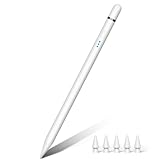
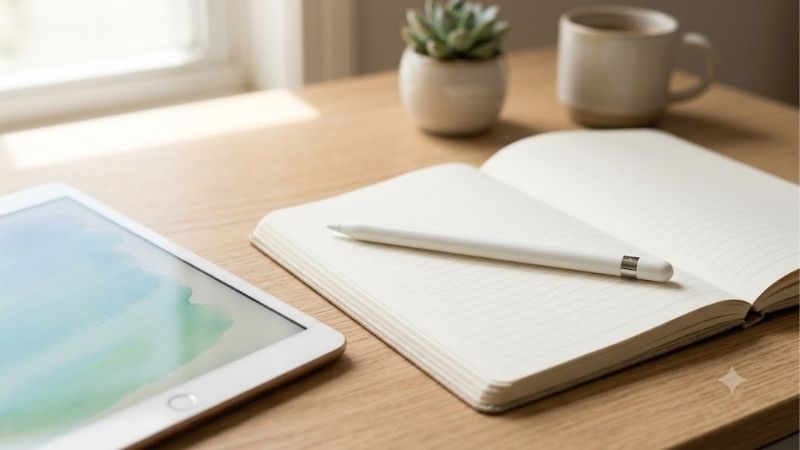
First-time users will immediately notice the glossy, pure-white finish that covers the entirety of the Apple Pencil 1st Gen cylindrical body. This polished plastic exterior gives the stylus a clean, minimalist appearance that aligns perfectly with Apple’s premium design language. The circular shape is perfectly uniform, mimicking a traditional analog writing instrument, though it lacks any flat edges to naturally prevent rolling.
Because the body is completely round, the Apple Pencil 1st Gen can easily roll off slanted desks if left unattended, which can lead to accidental drops. To protect your investment and add drop protection, many owners add aftermarket silicone sleeves from brands like vs Spigen or vs OtterBox. This round layout creates a very sleek, slim profile in the hand, though it lacks the integrated flat-edge resting positions found on modern styluses.
Charging Method and Lightning Connector Quirks
One of the most discussed design choices of the Apple Pencil 1st Gen lies directly beneath the magnetic cap of this stylus. Removing the cap reveals a male Lightning connector, which you must plug directly into your iPad’s port to establish pairing and charging. This creates an awkward, horizontal extension from the side of your tablet that can be easily bumped and damaged if you are not extremely careful.
To make charging the Apple Pencil 1st Gen less awkward, Apple includes a small female-to-female Lightning adapter in the retail packaging. This tiny adapter works beautifully with an MFi certified cable from premium accessory brands vs Anker or vs Belkin, helping you avoid direct iPad charging. While this system charges the battery incredibly quickly, the charging mechanism remains a major pain point compared to modern magnetic wireless charging. Unlike modern gear that works with MagSafe or is qi2 compatible, this stylus relies entirely on a physical connection for charging.
Device Compatibility and Connectivity Limits
Understanding the strict Apple Pencil 1st Gen compatibility list is critical before purchasing this model, as it is engineered exclusively for specific iPad displays. It works seamlessly with older lightning-equipped models like the iPad 6th through 9th generations, the iPad mini 5th Gen, and original iPad Pro configurations. It is not compatible with modern, high-end hardware like the iPad Pro M4, nor is it compatible with iPhone 17, and it does not work with modern smartphones like the iPhone 17 Pro Max.
Establishing a connection is simple, pairing the Apple Pencil 1st Gen automatically the moment you plug the Lightning connector into your iPad’s charging port. This Bluetooth connection remains highly stable with virtually zero dropouts, though you must re-pair the device if you switch between multiple compatible iPads. If you are wondering should you buy this accessory, verifying that your specific model of tablet is on the active compatibility list is the most important step.
See today’s deal on Amazon →
Key Features and Everyday Performance Face-Off
Beyond visual aesthetics, a high-quality stylus must deliver a highly precise and lag-free writing experience to be worth buying in 2026. The true power of this original pen lies in its internal sensors, which translate your hand movements into smooth digital ink. Let’s analyze how its pressure sensitivity, battery efficiency, and software integration hold up during demanding productivity and creative design sessions.
Pressure Sensitivity and Drawing Precision
The primary strength of the Apple Pencil 1st Gen is its excellent pressure and tilt sensitivity, allowing you to draw with incredible accuracy. The screen digitizer detects minute variations in hand pressure, letting you transition smoothly from thin details to bold brushstrokes. This responsive action is completely linear, ensuring that digital sketching feels incredibly natural and intuitive for both beginner and professional artists.
Additionally, tilt detection lets you shade your drawings in creative apps just as you would with a traditional charcoal pencil. While the visual rendering of the Apple Pencil 1st Gen is highly precise, users should note that entry-level iPads lack the high-refresh ProMotion screens of premium models. This means that while the tracking is instant, the visual feedback on standard screens may feel slightly less fluid than on premium hardware.
Battery Life, Standby Efficiency, and Charging Speeds
Inside the slim chassis of the Apple Pencil 1st Gen is a rechargeable battery designed to deliver up to 12 hours of continuous active drawing or writing. This capacity easily covers a full day of lectures or sketching sessions, and the standby battery drain is minimal when the pen is idle. Since there is no physical battery indicator on the stylus, you must check your iPad’s battery widget to monitor remaining power.
Fortunately, the Apple Pencil 1st Gen features an exceptionally fast charging cycle that minimizes downtime when your battery runs low. Plugging the stylus into your tablet for just 15 seconds provides up to 30 minutes of active use, which is perfect for emergency charging. This quick-charge capability ensures that a low battery will never derail your productivity for more than a few moments during intensive work.
Note-Taking Utility and App Ecosystem Support
For students and professionals, the writing comfort of the Apple Pencil 1st Gen is enhanced by the iPad’s native palm-rejection technology, which operates flawlessly. You can rest your hand directly on the tablet screen without registering accidental marks, allowing for a relaxed and natural posture. This makes long lectures and intensive annotation tasks feel comfortable, closely mimicking the experience of writing on physical paper.
The software integration supporting the Apple Pencil 1st Gen across popular productivity apps like GoodNotes, Notability, and Microsoft OneNote is incredibly polished. For artists, the stylus is fully compatible with professional software like Procreate and Adobe Fresco, handling complex layer adjustments with ease. While it lacks the physical shortcut buttons of newer models, the core drawing and writing capabilities are perfectly optimized for these ecosystems.
Check the latest price on Amazon →
- iPhone 13 Pro vs 17 Pro
- Apple Certified Refurbished iPad
- iPad Pro vs iPad Air
- Xiaomi Redmi Note 8 Pro Keyboard
Real User Experience, Pros and Cons, and Buying Advice
Synthesizing the experiences of long-term owners helps uncover how this classic digital pen behaves over years of daily use. While technical specifications look impressive, real-world utility is shaped by how easily the accessory integrates into your daily lifestyle. Let’s look closely at what customers highlight in reviews, analyze the exact pros and cons, and determine who should buy this stylus.
Synthesis of Customer Feedback and Common Criticisms
Verified buyer feedback on Amazon highlights outstanding praise for the writing accuracy, durably balanced weight, and reliable palm-rejection performance of the Apple Pencil 1st Gen. Students consistently report that the stylus transforms their tablet into a complete paperless notebook, keeping their studies highly organized. Many users note that the performance easily matches newer styluses, proving the underlying technology remains highly competitive.
Conversely, customer complaints focus heavily on the loose, modular components and the lack of convenient storage options on the tablet itself. Because the Apple Pencil 1st Gen does not cling magnetically to the iPad’s edge, users frequently misplace it in bags or leave it behind. Additionally, the small magnetic cap and the charging adapter are highly prone to getting lost, which adds minor frustrations to the user experience.
Comprehensive Analysis of Pros and Cons
Evaluating the exact advantages and limitations of the Apple Pencil 1st Gen is crucial to determine if its design matches your personal budget. While its drawing performance remains highly reliable, its physical compromises require a careful comparison before making a final decision. Reviewing these points will clarify how the original model fits into your regular tablet workspace.
When looking at the positive aspects, the ✅ Pros of the Apple Pencil 1st Gen include its outstanding pressure and tilt sensitivity, which allow for natural drawing and illustration. Additionally, the device offers exceptional palm rejection and extremely low latency on all compatible iPad displays. Its ultra-fast charging speed provides 30 minutes of battery life in 15 seconds, and it has a balanced, solid weight distribution that mimics a high-quality writing instrument.
Conversely, the negative aspects or ❌ Cons center around its awkward horizontal charging method that exposes the Lightning connector to physical damage. Additionally, the magnetic cap and Lightning charging adapter are exceptionally easy to lose, and it lacks native magnetic attachment to the iPad for storage. Finally, users will need an extra USB-C adapter to pair and charge it with the standard iPad 10th Gen, which adds to the accessory cost.
Verdict: Who Should Buy and Who Should Skip
Deciding if the Apple Pencil 1st Gen is a smart investment depends entirely on your current tablet model and what you need from a digital pen. If you own an older Lightning-based iPad and need pressure sensitivity for drawing, sketching, or painting, this model is absolutely worth buying in 2026. Its precision tracking and reliable input make it a far better tool for artistic endeavors than cheap third-party alternatives.
However, if you own a USB-C iPad and primarily need a pen for basic note-taking, you should skip the Apple Pencil 1st Gen in favor of the Apple Pencil (USB-C). The USB-C version charges directly via a cable, magnetically attaches to the side of your tablet, and does not require easily lost adapters. Additionally, if you plan to upgrade to a high-end iPad Pro M4 or use a MacBook Air M3, this original model is completely incompatible and must be skipped.
Conclusion
In conclusion, the Apple Pencil 1st Gen remains a highly precise, top-performing digital pen that continues to offer excellent value for owners of compatible legacy iPads. While its awkward charging design and easily lost parts feel dated compared to modern alternatives, its pressure-sensitive drawing engine is still exceptionally capable. If you need professional-grade drawing accuracy on an entry-level iPad, this original stylus is a highly reliable tool that will serve you well.
Check the latest price on Amazon →
Frequently Asked Questions
Which iPads still support the Apple Pencil 1st generation?
It supports the older Lightning-port iPads including the iPad 6th through 9th generations, the iPad mini 5, the iPad Air 3 and the original 9.7-inch and 10.5-inch iPad Pro models. It also works with the iPad 10th generation and the iPad with A16 chip using the USB-C adapter Apple sells for that purpose.
How does it charge?
You pull off the magnetic cap to reveal a male Lightning connector and plug it directly into a Lightning-port iPad, which looks awkward but charges quickly, giving usable runtime in under a minute. Alternatively use the small female-to-female adapter with a normal Lightning cable, which is safer for the connector and easier on desks.
Does it have pressure sensitivity?
Yes. Despite its age it offers full pressure and tilt sensitivity with low latency, which is why it still outperforms the newer Apple Pencil USB-C model for drawing. What it lacks is the double-tap tool switch of the 2nd generation, magnetic attachment and wireless charging, plus the squeeze and haptics of the Apple Pencil Pro.
Why does it keep losing its cap?
The cap attaches with a small magnet only, so it detaches easily in bags and pockets and is one of the most commonly lost Apple accessories. Replacement caps are sold cheaply by third parties, and many owners fit a silicone sleeve with a tethered cap holder or keep the Pencil in a case loop to avoid the problem.
Is it worth buying new in 2026?
Only if you own a compatible iPad and want pressure sensitivity at the lowest official price. It remains fully functional and Apple still sells it. If you are buying a newer USB-C iPad, check which Pencil that model supports first, because pairing the wrong generation is the most common purchase mistake with Apple styluses.










Write Your Review
No reviews yet. Be the first to share your experience!