
Best paper feel screen protector for ipad options give artists and students the natural drag needed for precise writing and drawing on glass surfaces. Slippery displays often reduce control and cause hand fatigue during long creative sessions. This guide reviews top models and helps you choose the perfect texture for your device.
How to Choose the Right Screen Protector
Selecting the best paper feel screen protector for ipad requires balancing surface friction with visual transparency for daily use. Different matte coatings offer varying levels of resistance, affecting both stylus stroke precision and screen color richness. Understanding key features ensures you get maximum comfort without sacrificing clarity.
Surface Texture and Friction Level
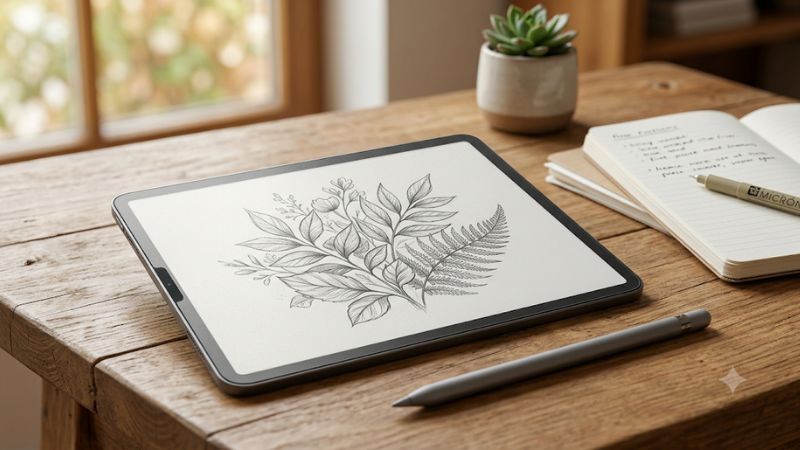
Surface texture directly dictates how much resistance your stylus encounters when gliding across the glass display during work. Heavy micro-etched textures simulate rough sketchbook paper, providing exceptional pencil control for fine art and detailed shading. However, increased drag can cause faster wear on plastic tip nibs during intensive sessions.
Lighter textures offer a smoother glide that feels closer to smooth printer paper or finished journal pages. These surfaces work exceptionally well for fast note taking, casual journaling, and everyday menu navigation on your device. Choosing the proper friction level depends heavily on whether you prioritize artistic control or nib longevity.
Display Clarity and Anti-Glare Properties
Matte coatings scatter incoming light rays to dramatically reduce harsh reflections from overhead light bulbs and bright sunlight. This glare reduction minimizes eye strain when studying or illustrating for extended periods in brightly lit rooms. Users who frequently work outdoors or under studio lamps benefit greatly from these specialized finishes.
The trade-off for glare reduction is a subtle reduction in screen sharpness and a slight rainbow refraction effect on white backgrounds. High quality matte films minimize this sparkling phenomenon while preserving true color balance and contrast. Finding a balanced screen cover keeps your artwork vibrant while keeping unwanted reflections away.
Installation Method and Reusability
Traditional adhesive protectors adhere permanently to the front glass panel using silicon bonding layers for seamless fit. Installation requires clean room conditions to prevent dust specks from creating permanent air bubbles under the film surface. Once aligned correctly, adhesive sheets remain securely attached during rigorous pencil strokes.
Magnetic options feature quick snap-on borders that allow instant attachment and removal whenever clear video viewing is desired. Users can easily detach the matte layer when watching high definition movies or sharing photos with friends. Reusable sheets can be rinsed with water and stored safely inside protective sleeves when not in active use.
Top Rated Paper Feel Screen Protectors
Investing in a best paper feel screen protector for ipad enhances digital handwriting and illustration while protecting display glass from scratches. Top manufacturers offer distinct designs ranging from traditional adhesive films to removable magnetic panels. Evaluating leading models helps you discover the perfect companion for your tablet.
| Product Model | Attachment Type | Texture Profile | Best Suited For |
| Paperlike 2.1 | Permanent Adhesive | Fine Micro-Bead | Professional Artists & Illustrators |
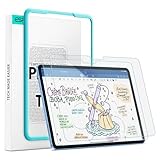
| ESR Magnetic | Removable Magnetic | Medium Paper Friction | Students & Hybrid Tablet Users |
| BERSEM Matte | Permanent Adhesive | Balanced Sketch Friction | Budget-Conscious Note Takers |
Paperlike 2.1 Screen Protector
The Paperlike 2.1 stands out as a premier choice for serious digital artists seeking authentic paper friction while drawing on digital glass. Its Nanodots technology distributes tiny micro-beads evenly across the surface to reduce glare and preserve original screen brilliance. Users enjoy precise stroke control that feels identical to fine paper.
This model is ideal for professional illustrators and graphic designers who spend hours crafting intricate digital artwork daily. The main drawbacks include a higher price tag and noticeable wear on standard stylus nibs over months of heavy usage. Nevertheless, its superior tactile feedback makes it a worthy investment for dedicated creators.
ESR Magnetic Paper-Feel Protector
The ESR Magnetic Paper-Feel film features magnetic side strips that snap securely onto tablet bezels without using permanent liquid adhesives. This innovative design allows users to attach the matte filter for drawing sessions and remove it completely for crystal clear video viewing. It provides great versatility for multi-purpose tablet users.
Students and casual note takers will appreciate the flexibility of removing the sheet whenever matte texture is no longer required. Advantages include effortless bubble-free installation and easy washing under running water. A minor drawback is slightly reduced edge sensitivity, though central drawing performance remains consistently smooth.
BERSEM Matte Screen Protector
BERSEM offers an affordable two-pack matte protector that delivers reliable friction and effective anti-glare performance for budget conscious buyers. The micro-etched surface provides a balanced drag that improves handwriting neatness and reduces hand fatigue during study hours. It serves as an excellent entry point into paper style films.
This screen protector suits students and budget minded users who need reliable protection and tactile drag without breaking the bank. Pros include exceptional value, anti-fingerprint coating, and included alignment tools for easy installation. Cons include slight reduction in display brightness and slightly faster tip wear over time.
Frequently Asked Questions About Paper Feel Covers
Understanding how a best paper feel screen protector for ipad impacts daily usability helps buyers make confident purchase decisions. Many first-time users wonder about tip wear, image quality, and maintenance procedures before applying matte films. Clear answers to common questions ensure you select and maintain your screen cover effectively.
Do Paper Feel Protectors Wear Down Stylus Tips?
Yes, matte screen covers feature textured micro-structures that create intentional friction, which gradually wears down soft plastic stylus tips over time. The rate of wear depends on your pressure habits, drawing frequency, and the specific grit level of the film surface. Heavy handed artists usually notice tip rounding within several months.
To minimize tip wear, consider using lighter stroke pressure or purchasing durable metal-replacement tips designed for textured screens. Replacing worn plastic tips is inexpensive and quick, making the small trade-off well worth the enhanced drawing precision. Regular inspection prevents exposed metal shafts from scratching the protective film.
Does a Matte Film Affect Screen Clarity and Colors?
Matte surfaces disperse light rays across the panel, which slightly reduces overall contrast and creates a fine prismatic sparkle effect. While high quality films minimize this effect, white backgrounds may appear slightly grainy compared to bare display glass. Color accuracy remains close to original levels, but absolute vibrancy is muted.
For digital artists doing color-critical color grading, magnetic removable protectors offer the best solution by detaching easily when needed. General users, note takers, and sketch artists rarely find the minor visual compromise bothersome during daily tasks. The glare reduction benefits often outweigh the mild reduction in display sharpness.
How Do You Clean and Maintain Paper Texture Covers?
Cleaning textured screen covers requires gentle techniques to remove skin oils, dust particles, and graphite-like residue from micro-grooves. Wipe the surface using a soft microfiber cloth dampened lightly with water or dedicated screen cleaning solution. Avoid harsh chemical cleaners or abrasive towels that could strip away the matte finish.
If you use a removable magnetic cover, rinse it under lukewarm tap water with mild dish soap to wash away accumulated oils. Allow the sheet to air dry completely on a clean lint-free towel before reattaching it to your tablet display panel. Proper maintenance ensures consistent tactile resistance and extends film longevity over time.
Final Thoughts
Finding the best paper feel screen protector for ipad transforms digital creation into a tactile experience reminiscent of traditional paper sketching. Whether you select a permanent high-precision film or a removable magnetic sheet, improved stylus control boosts productivity. Pick the texture matching your workflow and enjoy creating.
As an Amazon Associate we earn from qualifying purchases at no extra cost to you.



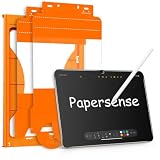

Ready to decide? Our #1 pick for 2026 is the Product Model.
Live price & availability on Amazon.
Write Your Review
No reviews yet. Be the first to share your experience!