
- Top Pick: Lexar D40E 128GB Dual USB 3.2 Gen 1 Type-C Jump Drive, Titanium Grey
- Best Value: KDD Tablet Pillow Stand with Storage, Foldable iPad Holder for Bed, Lap and Desk, Angle Adjustable Soft Pad Dock with Stylus Mount Compatible with iPad Pro 12.9, 11, Air, Mini, Phones, Books (Green)
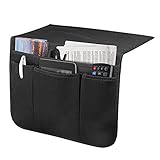
- Premium Choice: SYSOV Bedside Caddy Bedside Storage Organizer Magazine Phone Tablet iPad Remote Holder, Organizer Caddy for Home College Dorm Bed, Sofa, Bunk Bed (Black)
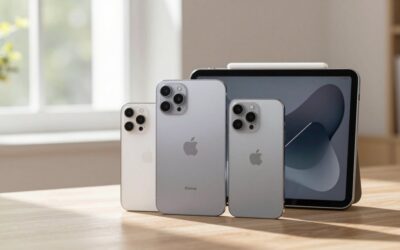
If you are asking “how much storage does iPad need,” the best answer depends on what you keep on it. A basic iPad used for browsing, email, streaming, reading, and light note-taking can work well with 128GB. Choose 256GB for school, work, gaming, drawing, or long-term use. Heavy video editing, large photo libraries, downloaded media, and professional creative apps are better suited to 512GB or 1TB.
Storage is built in, so it cannot be upgraded later. Cloud services can reduce the amount stored on the tablet, but they do not eliminate the need for free space. iPadOS, system files, app caches, and temporary files use part of the advertised capacity. As a practical rule, avoid filling an iPad beyond roughly 80% to 90% of its capacity.
As an Amazon Associate we earn from qualifying purchases at no extra cost to you.



The Short Answer
- 64GB: Suitable only for light use, such as web browsing, email, streaming, ebooks, and a small number of apps.
- 128GB: The best starting point for most casual users, children, and general home use.
- 256GB: The safest choice for students, gamers, artists, frequent travelers, and anyone keeping photos or videos locally.
- 512GB: Ideal for large creative projects, extensive offline media, and demanding games.
- 1TB or 2TB: Intended for professional video, audio, photography, design, and other large working files.
For most buyers, 128GB is enough if the iPad is primarily a streaming and productivity device. If the price difference is manageable, 256GB offers considerably more breathing room and is usually the better long-term value.
Standard Sizes
Storage capacity and physical size are separate decisions. A larger iPad does not automatically include more storage, although higher-capacity versions are often paired with premium models. The table below shows common storage choices alongside representative iPad body dimensions. Dimensions can vary slightly by generation.
| Storage | Best for | Typical iPad body size | Approx. size in centimeters | Planning note |
|---|---|---|---|---|
| 64GB | Streaming, reading, light browsing | 7.69 × 5.30 × 0.25 in | 19.53 × 13.46 × 0.64 cm | Works best with cloud storage and few games |
| 128GB | General home use, school basics | 9.79 × 7.07 × 0.28 in | 24.87 × 17.96 × 0.71 cm | Good all-purpose starting point |
| 256GB | Gaming, drawing, photos, work | 9.74 × 7.02 × 0.24 in | 24.74 × 17.83 × 0.61 cm | Recommended for long-term ownership |
| 512GB | Large games, creative projects, offline media | 11.04 × 8.46 × 0.24 in | 28.04 × 21.49 × 0.61 cm | Useful when files stay on the device |
| 1TB–2TB | Professional video, design, photography | 11.09 × 8.48 × 0.20 in | 28.17 × 21.54 × 0.51 cm | For large libraries and demanding workflows |
For physical storage, allow extra room for a case. A case can add 0.1 to 0.3 inches to thickness and may increase the overall length and width by about 0.2 to 0.5 inches. A stand or organizer should support the cased dimensions, not just the bare tablet.
How to Measure Your Space
- Measure the iPad. Record the length, width, and thickness with its case attached. If you have not bought the tablet yet, use the manufacturer’s listed body dimensions and add clearance.
- Measure the storage area. For a shelf, caddy, drawer, or bedside pocket, measure the opening rather than the outside dimensions. Note the narrowest point.
- Add usable clearance. Leave at least 0.25 inches, or 0.64 cm, around a tablet for easy removal. For a soft pocket, 0.5 inches, or 1.27 cm, is more comfortable.
- Check depth and stability. A stand should support the tablet’s center of gravity. For a large 12.9- or 13-inch iPad, look for a broad base and a ledge at least 0.5 inches deep.
- Account for accessories. Measure the Apple Pencil, charging cable, keyboard, headphones, and power adapter if they will share the same storage spot.
- Confirm cable access. A bedside holder is more useful when the charging port remains reachable. Allow roughly 2 to 4 inches of cable movement instead of trapping the connector at a sharp angle.
By Room or Use Case
Bedroom and Bedside
A 128GB iPad is generally sufficient for bedtime reading, streaming, alarms, and casual browsing. Physical organization matters more here than maximum capacity. A bedside caddy with a tablet pocket can hold a device, remote, phone, and magazine without taking up nightstand space. Compact organizers commonly cost about $8 to $25, depending on fabric, reinforcement, and the number of pockets. Measure the gap between the mattress and bed frame before buying; an overfilled caddy can slip or make the mattress sit unevenly.
Living Room
For a shared family iPad used for streaming, recipes, shopping, and games, choose at least 128GB. Go to 256GB if several people download games or keep photos and videos on the device. A pillow-style tablet stand is convenient on a sofa or lap and often includes a stylus pocket or small storage compartment. Typical prices range from about $20 to $30. Check that the holder accommodates the screen size and the case thickness, especially for an 11-inch or larger iPad.
Home Office
Office users who work mainly in browser-based apps, email, video calls, and cloud documents can usually choose 128GB. Select 256GB if you save PDFs, presentations, scanned documents, downloaded training videos, or large offline files. Physical storage should keep the iPad upright and separate from keyboards, chargers, and notebooks. A desk stand with a viewing angle around 60 to 70 degrees is comfortable for video calls, while a lower angle is better for writing.
School and College
Students should consider 256GB when the iPad will hold multiple years of handwritten notes, textbooks, recorded lectures, design apps, and games. A 128GB model can work if files are regularly moved to cloud storage. An organizer with separate pockets is helpful in a dorm or shared bedroom, particularly when it can hold a charger and headphones. Leave enough room for a keyboard case, which may add approximately 0.5 to 1.5 inches to the tablet’s thickness depending on the design.
Travel and Creative Work
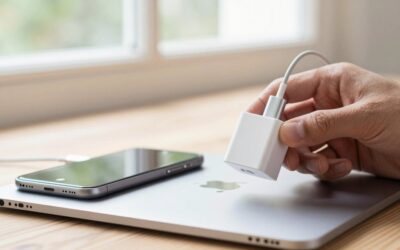
Travelers who download movies, maps, music, and games should favor 256GB. Photographers, illustrators, musicians, and video editors should start at 512GB if the iPad is part of the active workflow. A USB-C flash drive can provide temporary file transfer and backup space, but it does not increase the iPad’s built-in capacity for every app. Basic 128GB USB-C drives often sell for roughly $20 to $40. Keep backups in at least two locations before deleting originals.
Common Sizing Mistakes
- Buying for today only: Apps, games, photos, and system files tend to grow. If you expect to keep the iPad for four or five years, move up one storage tier.
- Confusing cloud storage with device storage: Cloud plans make files accessible but do not guarantee that every app or download can run without local space.
- Ignoring large games and video: A single game can require many gigabytes after updates and downloadable content. Video files can consume storage even faster.
- Measuring without the case: A snug pocket may fit a bare iPad but reject it once a rugged case, keyboard, or folio is attached.
- Choosing a stand without a ledge: A tall or heavy iPad needs a front lip and a stable base. A narrow phone stand may tip forward.
- Filling the device completely: Keep several gigabytes free for updates, temporary downloads, and normal operation.
FAQ
Is 128GB enough for an iPad?
Yes, for most casual users. It is enough for streaming, web browsing, email, reading, school notes, and a moderate app collection. Choose 256GB if you download substantial media, play large games, or store photos and videos locally.
Is 256GB enough for an iPad?
For most people, 256GB is the best balance of price and flexibility. It handles productivity, school, gaming, drawing, travel downloads, and a growing photo library without requiring constant cleanup.
How much storage does an iPad need for drawing?
Choose 256GB for regular drawing and illustration. A 512GB model is preferable if you keep many layered files, use high-resolution canvases, record time-lapse videos, or also edit photos and video.
Can an external drive replace more iPad storage?
An external USB-C drive can help transfer, archive, and back up files, but it is not a complete replacement for internal storage. Apps, many game files, and some working documents still need room on the iPad itself. If you regularly manage large files, buying more built-in storage is simpler.








Write Your Review
No reviews yet. Be the first to share your experience!