
- Top Pick: Seagate Exos X16 ST12000NM001G 12 TB Hard Drive – Internal – SATA (SATA/600) (Renewed)
- Best Value: Western Digital 12TB WD Blue Internal Hard Drive HDD – 7200 RPM, SATA 6 Gb/s, 512 MB Cache, 3.5" – WD120EAGZ
- Premium Choice: Western Digital 12TB WD Red Plus NAS Internal Hard Drive HDD – 7200 RPM, SATA 6 GB/s, CMR, 512 MB Cache, 3.5" – WD120EFGX
A 12TB hard drive sits at an awkward threshold. It is large enough to hold a full 4K media library, a growing photo archive, or a multi-user NAS volume, yet small enough to fit inside a consumer enclosure without exotic cooling. The problem is not capacity—it is reliability at that capacity. At 12TB and above, shingled magnetic recording (SMR) drives can suffer severe write degradation during rebuilds or simultaneous multi-stream workloads. A drive that benchmarks well on paper may take three times longer to resilver in a RAID array than a comparable CMR model.
What separates a worthwhile purchase from a disappointing one comes down to three published specifications: recording technology (CMR versus SMR), workload rating (annual terabytes the manufacturer certifies the drive to handle), and warranty terms. Renewed and refurbished units add a fourth variable: how many power-on hours the drive accumulated before being recertified. Owner feedback consistently highlights that enterprise-class drives rated for 550TB/year workloads behave very differently in a home NAS than desktop-class drives rated for 180TB/year, particularly under sustained sequential writes. This roundup compares eight drives that buyers encounter at the 12TB price point in 2026, sorted by published specs, listed price, and aggregate owner sentiment from retail feedback.
As an Amazon Associate we earn from qualifying purchases at no extra cost to you.





Quick Picks
| Product | Best for | Price |
|---|---|---|
| Seagate Exos X16 (Renewed) | High-capacity NAS on a budget | under $350 |
| WD Blue 12TB (WD120EAGZ) | Desktop bulk storage, single-drive use | $445 |
| WD Red Plus 12TB (WD120EFGX) | Solo or small-office NAS, CMR guarantee | under $500 |
| Seagate Exos X14 (Renewed) | Server RAID arrays, mixed workloads | under $400 |
| Toshiba MG07 14TB (Renewed) | Maximum capacity per dollar | $319 |
| Toshiba MG07 12TB (Renewed) | NAS arrays needing matched capacity | under $350 |
| Seagate Exos X12 (Renewed) | Lowest-price enterprise CMR option | under $400 |
| MDD 12TB NAS (Renewed) | Buyers who value warranty length above all | under $350 |
How We Picked
We narrowed this category using four criteria drawn from manufacturer spec sheets and recurring themes in owner reviews: recording technology (CMR drives avoid the sustained-write cliff that plagues SMR models in RAID rebuilds), annual workload rating (enterprise units at 550TB/year versus consumer units at 180TB/year dictate acceptable duty cycles), cache size (512MB buffers absorb burst writes more effectively than 256MB in multi-stream environments), and condition transparency (renewed drives with disclosed power-on hours carry less risk than those sold without provenance information).
The 8 Best 12Tb Hard Drive in 2026
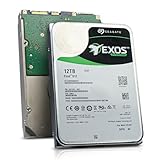
Seagate Exos X16 12TB (Renewed)
This renewed Exos X16 delivers enterprise 7200 RPM CMR performance at a price that undercuts most consumer alternatives, making it a strong candidate for homelab builders assembling a multi-bay NAS without a datacenter budget. The 512MB cache handles burst workloads well, and the 550TB/year workload rating means the drive is certified for heavy sustained writes.
- Pro: 550TB/year workload rating, far exceeding consumer drive certifications.
- Pro: 512MB cache benefits multi-stream write scenarios common in Plex or video-editing NAS setups.
- Con: Renewed condition means prior power-on hours are unknown; lifespan remaining is uncertain.
Skip this if you need a drive with a manufacturer-backed warranty and cannot accept the risk of unverified prior usage.
Western Digital 12TB WD Blue (WD120EAGZ)
The WD Blue targets desktop users who want a single large-volume drive for local backups, game libraries, or media archives. It is not a NAS-optimized drive—no rotational vibration sensors, no extended workload rating—but for sequential desktop access patterns it operates quietly and runs within standard temperature tolerances.
- Pro: New condition with a full manufacturer warranty; no ambiguity about drive history.
- Pro: 512MB cache and 7200 RPM spin speed deliver solid sustained transfer rates for single-user desktop workloads.
- Con: Desktop-class workload rating means it is not designed for 24/7 multi-user NAS access.
Skip this if your primary use case is a multi-bay RAID array or always-on server; the workload rating is simply too low for that duty cycle.
Western Digital 12TB WD Red Plus (WD120EFGX)
The WD Red Plus is the conservative choice for NAS buyers who want CMR recording, NASware firmware optimization, and a new drive with a clean warranty. It runs at 7200 RPM with 512MB cache and includes rotational vibration sensors, making it suitable for multi-bay enclosures where drive-to-drive vibration matters.
- Pro: CMR recording with NAS-specific firmware; no sustained-write penalty during RAID rebuilds.
- Pro: New condition, full warranty, and rotational vibration sensors for stable multi-bay operation.
- Con: For under $500 it is the most expensive option here by a wide margin, largely paying for the new-drive warranty premium.
Skip this if your budget allows a renewed enterprise drive with a higher workload rating and you are comfortable with the condition trade-off.
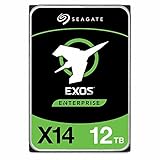
Seagate Exos X14 12TB (Renewed)
One generation below the X16, the Exos X14 maintains the same 550TB/year enterprise workload rating and 512MB cache in a renewed package priced modestly above the X16. Buyers choose the X14 when they want Seagate’s Helium-sealed enterprise platform but find the X16 unavailable in their region or seller inventory.
- Pro: Helium-filled design reduces internal drag, lowering both power draw and operating temperature versus air-filled predecessors.
- Pro: 512MB cache and 7200 RPM sustain high multi-thread write throughput in server environments.
- Con: Renewed status introduces unknown prior wear; no way to verify exact remaining lifespan from the listing alone.
Skip this if you specifically need the newest firmware or the absolute maximum capacity point in Seagate’s current lineup.
Toshiba 14TB MG07 (Renewed)
This Toshiba MG07 is included despite being a 14TB drive because at $319 it is the cheapest capacity-per-terabyte option in this roundup. For buyers whose primary constraint is budget rather than exact 12TB alignment, the extra two terabytes arrive at a lower total cost than most 12TB alternatives here.
- Pro: Lowest listed price in this comparison while offering 2TB more capacity than the 12TB drives.
- Pro: Enterprise CMR design rated for 550TB/year workloads, matching the Seagate Exos line.
- Con: 256MB cache is half the size of competing Exos models, which can slow burst-write absorption under mixed workloads.
Skip this if your array requires drives of identical capacity for efficient RAID parity; a 14TB member in a 12TB array wastes two terabytes per slot.
Toshiba 12TB MG07 (Renewed)
The 12TB variant of Toshiba’s MG07 enterprise line sits for under $350, nearly identical in price to its 14TB sibling. For array builders who need matched 12TB capacity across multiple slots without paying the WD Red Plus premium, this renewed Toshiba fills the gap with CMR recording and a 7200 RPM spindle.
- Pro: Matches the 12TB capacity target at one of the lowest prices, ideal for populating multi-bay arrays economically.
- Pro: Enterprise 550TB/year workload rating and CMR design mean no sustained-write degradation during rebuilds.
- Con: 256MB cache trails the 512MB found in Seagate Exos drives, potentially affecting burst performance under heavy multi-stream writes.
Skip this if your workload involves frequent small random writes where cache size matters more than raw sequential throughput.
Seagate Exos X12 12TB (Renewed)
The Exos X12 is the oldest generation in this list, but for under $400 it still carries Seagate’s enterprise Helium platform, 550TB/year rating, and 7200 RPM CMR design. It appeals to buyers who prioritize proven long-term reliability data over cutting-edge areal density.
- Pro: Well-documented platform with years of field deployment data, giving renewed buyers confidence in typical failure rates.
- Pro: Helium-sealed construction keeps idle power consumption low, relevant for drives in always-on NAS units.
- Con: 256MB cache is the same limitation as the Toshiba options, half the Exos X14/X16 figure.
Skip this if you want the highest available transfer rates; newer generations with larger caches will edge it out in sustained-write scenarios.
MDD 12TB NAS (Renewed)
The MDD12TSATA25672NAS is a lesser-known brand sold renewed with a five-year warranty, an unusually generous term for a refurbished drive. It matches core enterprise specs: 7200 RPM, CMR, 256MB cache, and a NAS-oriented design. The warranty is its primary differentiator in a market where renewed drives typically offer 90 days.
- Pro: Five-year warranty on a renewed drive is exceptional and shifts risk away from the buyer substantially.
- Pro: Priced for under $350, it sits between the cheapest Toshiba options and the Seagate Exos renewed drives.
- Con: Limited brand recognition and sparse independent review data make long-term reliability harder to assess than established lines.
Skip this if your NAS manufacturer only certifies drives from Seagate, WD, or Toshiba for compatibility lists.
Buying Guide
CMR vs SMR: Why Recording Technology Matters at 12TB
At capacities of 12TB and above, the difference between conventional magnetic recording (CMR) and shingled magnetic recording (SMR) becomes critical for RAID users. SMR drives overlap adjacent tracks to increase density, which means rewriting one track forces the drive to rewrite several neighbors. In a single-drive desktop scenario this is barely noticeable. In a four- or eight-bay RAID array during a rebuild—where the surviving drive must read all data while simultaneously writing parity—SMR firmware can take hours longer to complete. Every CMR option in this list avoids that penalty. If a spec sheet does not explicitly state CMR, assume SMR at this price tier.
Workload Rating: Matching Drive to Duty Cycle
Manufacturer workload ratings, expressed in terabytes written per year, indicate the sustained I/O load a drive is engineered to handle without elevated failure rates. Consumer desktop drives like the WD Blue typically carry a 180TB/year rating. Enterprise and NAS drives in this comparison range from 300TB to 550TB/year. A 24/7 NAS serving multiple family members or a small office team will accumulate written data far more rapidly than a desktop backup drive that sees a few hours of activity daily. Buying a drive with a workload rating below your actual usage pattern is the single most common cause of premature failure in home server builds.
Cache Size and Its Effect on Real-World Write Bursts
Drive cache buffers incoming writes before they reach the platters. A 512MB cache can absorb a larger burst than a 256MB cache before the drive must slow to its sustained write rate to flush. In practical terms, this matters when copying a large file set to a NAS while other users are streaming video or running virtual machines. The Seagate Exos X16 and X14 with their 512MB buffers handle this scenario more gracefully than the Toshiba MG07 or Seagate X12 with 256MB. For sequential bulk transfers with no concurrent activity, the difference is negligible.
Our Verdict
The Seagate Exos X16 12TB (Renewed) is the top pick for buyers who need the best published specifications per dollar: 550TB/year workload rating, 512MB cache, CMR recording, and a price under $330. The Toshiba 12TB MG07 (Renewed) for under $350 is the budget pick when cache size is not a concern and matched multi-bay capacity is the priority. However, if a five-year warranty on a renewed drive outweighs every other factor, the MDD 12TB NAS wins that niche decisively.
FAQ
Is a renewed hard drive safe for NAS use?
A renewed drive is functional but carries unknown prior wear. Many sellers provide S.M.A.R.T. data showing power-on hours, but not all listings include this. If you use a renewed drive, configure your array with hot-spare capacity and set up S.M.A.R.T. monitoring from day one rather than relying solely on the drive surviving its first year.
Can I mix CMR and SMR drives in the same RAID array?
Technically yes, but it is ill-advised. The SMR member will become the rebuild bottleneck, and its slower sustained-write behavior can cause the array controller to time out and mark the drive as failed. Match recording technology across all members of an array to avoid asymmetric rebuild times.
Why are 14TB drives sometimes cheaper than 12TB drives?
Manufacturers produce 12TB, 14TB, and 16TB variants on the same platter stack by disabling platters via firmware for lower-capacity models. When large volumes of higher-capacity drives enter the renewed market—often from datacenter refresh cycles—their price drops below the smaller-capacity siblings that remain in limited supply.
Do I need a drive with rotational vibration sensors for a two-bay NAS?
For two bays the benefit is marginal, but these sensors do reduce micro-vibration-induced read errors as drives age. If both drives spin simultaneously and share a compact enclosure, a model with sensors adds a small reliability margin at no cost penalty, since most enterprise and NAS-class drives in this comparison already include them.









Write Your Review
No reviews yet. Be the first to share your experience!