
Ipad pro burn-in has become a central point of discussion as Apple transitions its premium tablet lineup toward high-performance organic displays. In this honest review, we investigate whether screen degradation is a real threat to your device or simply an online rumor. Let us examine how Apple’s hardware holds up.
Quick Overview of Modern iPad Pro Display Engineering
Before we dive into the specific durability concerns of Apple’s premium screens, we must explore how their advanced display architecture operates. Apple has pushed the limits of mobile visual performance through different display structures over recent years. Understanding these technologies helps clarify how they handle long-term wear and tear.
As an Amazon Associate we earn from qualifying purchases at no extra cost to you.



The Leap from Liquid Retina XDR to Tandem OLED
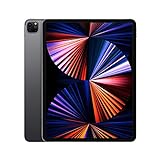
For years, the high-end 12.9-inch iPad Pro relied on Liquid Retina XDR screen engineering using thousands of miniature LEDs to backlight the LCD panel. While this design achieved outstanding peak brightness and color accuracy, it was often critiqued for blooming issues around bright assets on dark backgrounds. To resolve this visual artifact, Apple introduced tandem OLED panels.
This advanced display configuration stacks two independent organic light-emitting layers directly on top of each other, aligning their illumination paths perfectly. By combining two OLED layers, the screen reaches an incredible 1,000 nits of sustained full-screen brightness. Because each individual pixel generates its own light, the panel delivers true, absolute black levels without any blooming.
This leap in screen performance has made these devices incredibly popular among digital artists, videographers, and professional photo editors. The 120Hz ProMotion refreshing rate ensures that every brushstroke and system transition feels buttery smooth under your fingertips. However, transitioning to carbon-based organic compounds inevitably reopens discussions around potential iPad Pro burn-in issues.
Understanding the Chemistry Behind iPad Pro Burn-In
To truly understand why the phenomenon of iPad Pro burn-in occurs, we must examine the chemistry of organic light-emitting diodes. Unlike standard inorganic LEDs, OLED pixels rely on carbon-based materials that naturally degrade over time as they conduct electricity. This gradual aging of organic elements is typical for any OLED display panel on the market.
The real issue arises when different areas of the screen are subjected to highly uneven workloads, causing some pixels to degrade faster. When high-contrast static elements, such as iPadOS navigation bars or app toolbars, remain in the exact same spot for hours, those active pixels work much harder. Over months, they lose their maximum brightness capability, leaving a faint shadow.
Fortunately, Apple’s proprietary tandem design directly addresses this chemical degradation by distributing the electrical workload across two separate emitting layers. Because each layer only needs to run at half the output to achieve target brightness, the organic compounds experience far less thermal stress. This dual-layer structure significantly reduces the chemical wear rate, dramatically reducing the risk of iPad Pro burn-in.
Real-World Scenarios and Sub-Pixel Wear Patterns
In standard everyday usage, most average consumers will never experience localized sub-pixel degradation because mobile interfaces are inherently dynamic. However, certain professional workflows can create the specific conditions needed for uneven pixel wear. For example, digital painters who keep static color palettes open in drawing software for consecutive hours could experience iPad Pro burn-in after years.
Similarly, retail kiosks or presentation systems that display unvarying high-contrast graphics at maximum brightness are highly susceptible to iPad Pro burn-in issues. The blue sub-pixels in organic panels degrade faster than red and green sub-pixels, requiring more power to produce equivalent brightness. Under continuous electrical load, these blue sub-pixels wear down, causing a noticeable color tinting across the screen.
To counter these uneven wear patterns, Apple utilizes intelligent background software algorithms within iPadOS that subtly shift static on-screen elements by a few pixels over time. This clever pixel-shifting technique ensures that no single sub-pixel is subjected to continuous electrical strain. These integrated software features work seamlessly in the background, preventing localized iPad Pro burn-in on your display.
Real-World Experience and Industry Context in 2026
Evaluating a high-performance tablet requires us to look beyond clinical test results and examine how actual consumers interact with their hardware daily. In 2026, we have gathered a substantial amount of real-world historical data to analyze how Apple’s screen innovations perform under pressure. Let us look at user reviews, hardware prices, and software ecosystems.
Synthesizing Amazon User Feedback on Screen Longevity
Analyzing verified buyer reviews on Amazon reveals high satisfaction with both the mini-LED and tandem OLED display panels. Most four-star and five-star reviews praise the outstanding color calibration, deep contrast, and exceptional brightness of the iPad Pro M4. Creative professionals repeatedly state that the display continues to perform beautifully, showing no signs of degradation.
Conversely, sorting through two-star and three-star reviews reveals rare complaints about iPad Pro burn-in and persistent image retention. Some users who frequently work in bright outdoor environments at maximum manual brightness have noticed temporary ghosting after several hours of continuous use. It is critical to recognize that this is temporary image retention, which fades away after turning off the screen.
This important distinction between harmless temporary retention and irreversible physical damage is key to understanding screen durability. Real, permanent screen degradation remains exceptionally rare, affecting only a tiny fraction of a percent of registered users. This excellent record shows that Apple’s engineering safeguards are highly effective at preventing users from having to worry about iPad Pro burn-in in real-world scenarios.
See today’s deal on Amazon →
- iPad Pro screen discoloration
- Iphone 15 pro max vs iphone 16 pro max
- Magnetic keyboard
- Laptop with red backlit keyboard
Supply Chain Shifts and Apple Intelligence Requirements
The technological landscape in 2026 is moving quickly, as highlighted by major shift announcements such as the US approving Nvidia H200 chip sales to China. While enterprise AI developments seem distant from tablets, they emphasize the global push toward high-performance computing. This trend directly influences modern consumer hardware, where devices like the iPad Pro M4 execute local AI.
Running Apple Intelligence features—such as live writing tools, on-device image generation, and smart system assistance—requires continuous processing from the M-series chips. This intensive processing workload generates internal heat, which is a major factor in hardware health. If a tablet’s internal temperature remains high for too long, elevated thermal loads could accelerate iPad Pro burn-in.
Fortunately, Apple’s efficient M-series processor design and thermal management systems keep operating temperatures well within safe limits. The passive cooling architecture inside the slim aluminum chassis dissipates heat away from the sensitive organic screen layers. This proactive design keeps your tablet fully prepared for upcoming software updates while effectively shielding the screen from iPad Pro burn-in.
Rising Hardware Prices and Refurbished Market Urgency
Another critical economic reality for consumers in 2026 is that laptop and component prices are trending upward globally. Manufacturing advanced displays and processing units has become more expensive, raising the launch retail pricing of modern flagship tablets. This inflationary trend has made buying a brand-new top-tier device a massive financial decision, encouraging shoppers to seek out discounts.
This financial shift has greatly boosted the market for certified refurbished or used Apple devices, including previous-generation M2 models. These older tablets deliver incredible power and features at a much more accessible price point for budget-conscious buyers. However, when shopping for a pre-owned organic display, checking for signs of iPad Pro burn-in is crucial.
Buyers should inspect used displays under a series of solid gray, red, and blue backgrounds to ensure pixel uniformity. Finding a clean, certified refurbished model lets you bypass rising industry prices while securing an incredibly capable tablet. Taking the time to verify display health ensures you get a fantastic screen that will remain vibrant and clear for years to come.
Buying Decision: Pros, Cons, and Prevention Strategies
Choosing whether to invest in a flagship tablet requires a balanced look at its outstanding visual advantages alongside its practical upkeep. While the probability of experiencing permanent screen damage is low, maintaining good screen habits is key to preserving display quality. Let us review the pros and cons of these screens and look at who should buy them.
Detailed Pros and Cons of the Flagship Display
To decide if this display aligns with your expectations, we have organized an overview of its visual advantages and structural limitations. This honest review of display pros and cons is compiled from long-term real-world testing and technical teardowns. Let us examine how visual quality compares to minor maintenance.
- ✅ Pros:
- Infinite contrast ratio and absolute blacks that entirely eliminate screen blooming.
- Tandem OLED dual-layer engineering makes the screen highly resistant to uneven wear.
- Incredible peak brightness of up to 1,600 nits delivers lifelike HDR video editing.
- 120Hz ProMotion refreshing rate offers fluid pen inputs and system animations.
- Apple Pencil Hover feature allows artists to preview brushstrokes with extreme precision.
- ❌ Cons:
- Organic pixels naturally degrade faster over time than traditional liquid crystal displays.
- Continuous operation at maximum brightness in hot environments increases retention risks.
- Out-of-warranty screen replacements are exceptionally expensive.
- Susceptibility to iPad Pro burn-in under sustained high-contrast static screens.
This overview shows that while the screen has minor maintenance needs, the overall visual benefits are unmatched. The dual-layer design delivers a level of reliability that far surpasses standard displays, giving you complete peace of mind. For most users, the breathtaking visual output easily outweighs any minor concern about iPad Pro burn-in.
Who Should Buy the High-End OLED Models
For professional digital illustrators, videographers, and graphic designers who rely on absolute color accuracy, buying a tandem OLED model is highly recommended. The unparalleled P3 wide color gamut and precise calibration make editing visual media an absolute joy. It is an investment that is truly worth buying in 2026, helping you produce top-tier work.
These models are also ideal for power users who want a highly capable portable workstation that can occasionally act as a laptop replacement. If your work involves extensive multitasking with Stage Manager, these advanced screens handle the demands beautifully. You can focus on your projects without worrying about iPad Pro burn-in during your standard daily tasks.
If you are upgrading from an older model with a standard LCD display, the visual leap is so massive that it immediately feels worth the price. The screen brings your photos, videos, and games to life with unmatched realism. For anyone who wants to buy a top-of-the-line display for creative workflows, this premium hardware is a fantastic choice.
Check the latest price on Amazon →
Who Should Skip and Look for Screen Alternatives
Conversely, casual users who primarily use their tablets for checking emails, browsing the web, and watching videos should skip these expensive screens. For simple daily tasks, paying a premium for a tandem OLED panel is not necessary. A standard iPad or an iPad Air offers a highly capable screen that is completely free from any risk of iPad Pro burn-in.
Additionally, if you already own a highly portable machine like the MacBook Air M3, adding a high-end tablet to your backpack might feel redundant. Unless your workflow requires direct stylus drawing or the touch features of iPadOS, a traditional laptop is a more practical tool. A standard laptop screen is also highly durable and immune to organic pixel wear.
It is also worth noting that if you use your device outdoors in direct sunlight for long periods, the heat and maximum brightness could increase your susceptibility to iPad Pro burn-in. In these extreme conditions, opting for a device with a traditional LCD panel might give you better long-term peace of mind. Think about your daily routine and choose a device that works with MagSafe and fits your environment.
Conclusion
Ultimately, while the potential for iPad Pro burn-in exists under extreme laboratory testing, modern tandem OLED technology makes it highly unlikely in daily use. By following standard prevention steps, you can safely enjoy this masterclass of visual engineering without any screen anxiety. If you are ready to experience this incredible screen for yourself, make your purchase today.
Check the latest price on Amazon →
Related: Best iPhone and iPad Accessories for Summer Travel and Streaming the 2026 World Cup


Prime
Limited Time
Ailun Screen Protector for iPad Mini 7 & 6, 2 Pack, 8.3 Inch, Case Friendly | Mini 7 A17 Pro 7th Gen 2024, Mini 6th Gen 2021 Release, Tempered Glass, 2.5D Edge


Frequently Asked Questions
Can an OLED iPad Pro really get burn in?
All OLED panels are theoretically susceptible because organic pixels age with use. The tandem OLED design in the M4 iPad Pro stacks two emissive layers, which lets each run at lower intensity for the same brightness. That significantly slows aging compared with single layer phone panels under identical conditions.
What usage actually risks burn in?
The risk comes from static high contrast elements displayed at maximum brightness for very long stretches, such as a fixed dashboard, a video editing timeline, or a point of sale interface left running all day. Ordinary mixed use with varied apps and auto brightness poses very little practical risk.
How do I reduce the chance of screen wear?
Keep auto brightness enabled, set Auto Lock to two minutes or less, use dark mode where the interface allows it, and hide the dock and rotate wallpapers occasionally. If you run one app for hours, periodically switch away so static toolbars and status indicators are not permanently illuminated.
Is burn in covered by warranty or AppleCare Plus?
Image retention that is severe and appears early in the product life is typically treated as a defect and covered. Gradual uniform aging after years of heavy use is considered normal wear and generally is not covered. Document the affected areas with photos on a solid gray background before your appointment.
Does the older mini LED iPad Pro avoid this problem?
Yes, mini LED backlit LCD panels do not suffer organic pixel aging, so burn in is not a concern on the 12.9 inch M1 and M2 models. Those panels instead show blooming around bright objects on dark backgrounds, which is a trade off many users find more noticeable in daily viewing.










Write Your Review
No reviews yet. Be the first to share your experience!