
A phone case collects more than fingerprints. It picks up hand oils, makeup, lint, food residue, pocket dust, and bacteria from countertops and gym bags. Cleaning it the wrong way can leave a clear case cloudy, make a silicone case feel sticky, scratch a glossy finish, or weaken the fit around the buttons and camera opening. The safest method is simple: remove the case, use mild soap and water, scrub gently, and let it dry completely before putting it back on your phone.
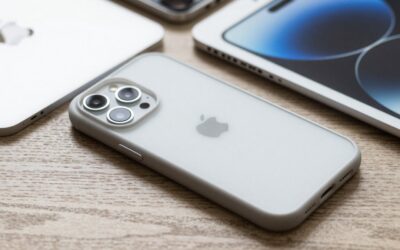
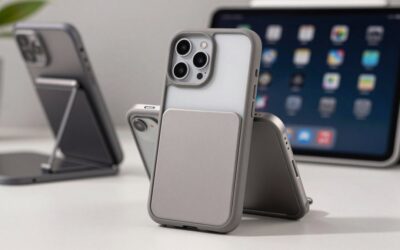
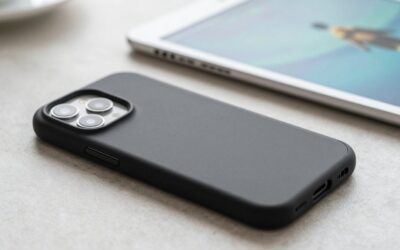
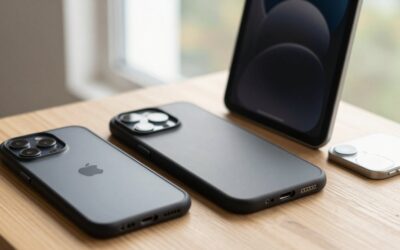
This approach works for most plastic, TPU, silicone, hybrid, and magnetic iPhone cases, including clear styles such as the TORRAS Crystal Clear case and black protective cases such as the SUPFINE Magnetic case. In 2026, many cases include magnets, anti-yellowing coatings, textured grips, or multilayer construction, so harsh cleaners are even less necessary.
As an Amazon Associate we earn from qualifying purchases at no extra cost to you.


What You Need
| Item | Why | Optional? |
|---|---|---|
| Soft microfiber cloth, about 12 x 12 inches | Wipes away oils and dries the case without scratching glossy plastic. | No |
| Mild dish soap | Breaks down hand oils, food residue, and everyday grime. | No |
| Warm water | Helps loosen dirt without exposing the case to excessive heat. | No |
| Soft toothbrush or small detailing brush | Reaches raised edges, button covers, camera cutouts, and textured grip areas. | Yes |
| Cotton swabs | Useful for narrow seams around the camera opening, MagSafe ring area, and ports. | Yes |
| 70% isopropyl alcohol wipes | Can remove stubborn surface oils on many hard plastic cases when used sparingly. | Yes |
| Baking soda | Creates a gentle paste for white silicone or plastic cases with stubborn marks. | Yes |
Step-by-Step
1. Remove the case from the iPhone — 1 minute
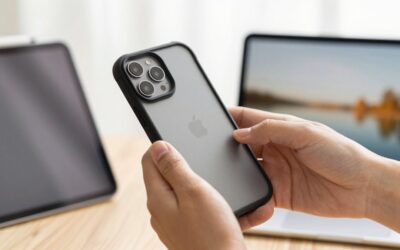
Take the iPhone out before cleaning anything. Start at one lower corner and gently peel the case away from the phone rather than pulling hard on the camera edge. If your case has a rigid plastic shell, work slowly around the corners to avoid bending or cracking it.
Set the phone aside on a clean, dry towel. Do not spray cleaner directly onto the phone or try to clean the inside of the case while it is still installed. Moisture trapped between the case and phone can leave water spots, collect dust, or reach buttons and openings.
2. Shake out loose debris and wipe the inside — 2 minutes
Hold the empty case over a trash can or sink and gently tap it to dislodge grit. Use a dry microfiber cloth to wipe the interior, especially around the camera cutout, button covers, and lower speaker and charging-port openings.
This first dry wipe matters because fine sand or grit can act like sandpaper once water is added. If you see debris caught in a tight seam, lift it out with a dry soft brush or cotton swab. Avoid metal tools, pins, knives, and toothpicks that can gouge soft TPU or silicone.
3. Make a mild cleaning solution — 1 minute
Fill a small bowl with about 2 cups of warm water. The water should feel comfortably warm, not hot; avoid temperatures above roughly 100°F. Add 2 or 3 drops of mild dish soap and swirl the water gently.
Do not use dishwasher detergent, bleach, acetone, nail-polish remover, ammonia-based glass cleaner, or concentrated disinfectant. These products can strip coatings, dull clear plastic, fade printed graphics, and damage soft-touch finishes.
4. Wash the case with a cloth or soft brush — 4 to 6 minutes
Dip the microfiber cloth into the soapy water, then wring it out until damp rather than dripping. Wipe the exterior and interior of the case. Pay attention to the areas your hands touch most: side rails, button covers, lower corners, and the back panel.
For textured cases or dirt lodged around raised edges, use a soft toothbrush. Work with light pressure in small circles. Spend extra time around the camera opening, where makeup, pocket lint, and skin oils often accumulate. If the case has a magnetic ring, clean around it with the cloth rather than aggressively scrubbing one spot.
Most TPU, silicone, and hard-plastic cases can tolerate a quick hand wash. However, do not soak cases with fabric exteriors, leather panels, glued-on decorations, wood accents, or exposed metal hardware unless the manufacturer specifically says they are washable.
5. Treat stubborn stains carefully — 3 to 5 minutes
For gray marks on a white or light-colored silicone case, mix 1 teaspoon of baking soda with a few drops of water to make a loose paste. Apply it with a soft cloth, rub gently for 30 to 60 seconds, then rinse thoroughly. Do not use baking soda on printed artwork, delicate coatings, leather, or very glossy clear cases because even mild abrasives can change the finish.
For greasy residue on a hard plastic case, wipe the affected area once with a 70% isopropyl alcohol wipe. Follow immediately with a water-dampened cloth, then dry. Test alcohol on a hidden inner corner first. If color transfers to the wipe or the surface becomes dull, stop using it.
Yellowing on a clear case is different from dirt. Clear TPU can discolor as it ages and reacts with UV exposure, heat, oils, and dyes. Washing removes surface grime, but it cannot reliably reverse material yellowing.
6. Rinse away soap residue — 1 to 2 minutes
Wipe the case with a second clean cloth dampened with plain water. If the case is a basic one-piece plastic, TPU, or silicone design, you may rinse it briefly under a gentle stream of lukewarm water instead. Keep the rinse short and avoid high water pressure.
Check the inside corners and button areas for soap film. Leftover soap can make a case slippery, tacky, or streaky once dry. For cases with a fabric lining, leather exterior, or decorative details, skip running water and use only a clean damp cloth to remove the soap.
7. Dry fully before reinstalling — 30 to 60 minutes
Pat the case dry with a clean microfiber cloth, then stand it upright on a dry towel with the interior facing down or sideways so moisture can escape. Let it air-dry completely for at least 30 minutes; thick, multilayer cases may need up to 60 minutes.
Do not use a hair dryer, radiator, oven, direct sunlight, or a heated car dashboard. High heat can warp plastic, loosen adhesives, deform button covers, and accelerate yellowing in clear materials. Once the case is fully dry inside and out, wipe the back and edges of the iPhone with a dry microfiber cloth and reinstall the case.
Mistakes to Avoid
- Cleaning the case while it is on the phone. Moisture and debris can become trapped against the iPhone.
- Using bleach or harsh disinfectants. They may discolor silicone, cloud clear TPU, or damage coatings.
- Using rough sponges, magic erasers, or scouring pads. These can leave permanent scratches and a hazy finish.
- Soaking leather, fabric, wood, or decorated cases. Water can stain, swell, loosen glue, or distort the material.
- Using very hot water. Heat can warp slim cases and reduce the precision of the fit around buttons.
- Reinstalling before the case is dry. Even small amounts of moisture can attract dust and leave marks on the phone.
How Often
Give your case a quick dry wipe every 2 to 3 days if you use your phone heavily, take it to the gym, cook often, or carry it in a pocket or bag with other items. A full soap-and-water cleaning every 2 to 4 weeks is sufficient for most people.
Clean it immediately after a spill, after exposure to sunscreen or makeup, or if it feels sticky. Remove the case and wipe the phone itself at least once a month. Dust trapped along the edges can slowly rub against the phone’s finish, especially in rigid cases.
When to Call a Pro or Replace
A phone case usually does not need professional cleaning. Replacement is typically the safer choice when a case is cracked, warped, permanently sticky, shedding its coating, or no longer fitting snugly around the iPhone. Replace it if the corners have split, the camera lip is worn down, or the case no longer stays securely in place after a drop.
For a leather, luxury, or designer case with an ink stain, mold, strong odor, or extensive water damage, contact the case maker or a professional leather-care service before applying cleaners. Replace clear cases when yellowing remains after washing; this is often material aging rather than a removable stain. Basic protective cases are commonly available in the roughly $8 to $15 range, making replacement more practical than aggressive cleaning.
FAQ
Can I wash an iPhone case in the dishwasher?
No. Dishwasher heat, strong detergent, and prolonged water exposure can warp plastic, damage magnets or adhesives, and make clear cases cloudy. Hand-washing with mild dish soap is safer.
Can I use alcohol wipes on an iPhone case?
Usually, a 70% isopropyl alcohol wipe is acceptable for many hard plastic cases when used lightly. Avoid it on leather, fabric, painted designs, soft-touch coatings, and any case that shows color transfer or dulling during a small spot test.
Why is my clear iPhone case still yellow after cleaning?
Yellowing is often caused by aging TPU reacting with light, heat, skin oils, and dyes from clothing or bags. Cleaning removes grime but cannot fully restore plastic that has changed color internally. Replacement is the best solution when the yellow tone remains.
How do I clean lint from the camera cutout and button edges?
Remove the case, then use a dry soft toothbrush, microfiber cloth edge, or cotton swab to lift lint from seams. Avoid compressed air at close range and avoid sharp tools, which can damage soft material or push debris deeper into the case.
Write Your Review
No reviews yet. Be the first to share your experience!