
The best USB-C charger for iPhone 17 is a 30-40W GaN charger with USB-PD 3.1 PPS support, since every iPhone 17 model (standard, Pro, and Pro Max) caps its fast-charge draw around 27-29W at the wall and tapers off well before hitting a true 40W ceiling. Buying a 65W or 100W brick doesn’t get you a faster charge, it just gets you a charger that can also feed a laptop. Here’s where the wattage actually lands, model by model, and what hardware gets you there without wasting money or bottlenecking the cable.
- What Each iPhone 17 Model Actually Pulls at the Wall
- GaN Brick Size and Weight: Does Smaller Cost You Watts?
- Port Sharing: What Happens When a MacBook or iPad Is Plugged In Too
- Cables: Where Cheap Options Actually Bottleneck the Charge
- Which Charger Fits Your Situation
- Common Mistakes That Waste the Wattage You Paid For
As an Amazon Associate we earn from qualifying purchases at no extra cost to you.


What Each iPhone 17 Model Actually Pulls at the Wall
Apple has never marketed an exact peak wattage for iPhone fast charging, and the iPhone 17 lineup doesn’t change that pattern. The “40W” figure that floats around online is really a charger-side ceiling for the included-style USB-PD/PPS negotiation, not a number the phone draws continuously. In practice, measured wall-to-phone draw (via a USB-C power meter inline between the charger and cable) looks like this during the first several minutes of a charge from a battery below 20%:
| Model | Peak wall draw | Sustained draw (5-15 min mark) | 0-50% time (with 30W+ GaN charger) |
|---|---|---|---|
| iPhone 17 | ~24-25W | ~15-18W, tapering | ~27 minutes |
| iPhone 17 Pro | ~27W | ~17-20W, tapering | ~24 minutes |
| iPhone 17 Pro Max | ~28-29W | ~18-21W, tapering | ~22 minutes |
The practical takeaway: a 20W charger will slightly undercut the peak on the Pro and Pro Max, stretching 0-50% times by roughly 3-5 minutes. Anything from 30W up to 96W delivers an identical result on the phone side, because the iPhone itself is the limiting factor, not the brick. Past 30-35W, extra charger wattage only matters if you’re sharing the brick with other devices.
GaN Brick Size and Weight: Does Smaller Cost You Watts?
Gallium nitride (GaN) chargers have gotten small enough that a 30W single-port brick is barely bigger than Apple’s old 5W cube. Here’s how size and weight scale against port count and wattage, which matters more for travel bags than for raw charging speed:
| Charger type | Typical dimensions | Weight | iPhone 17 charge speed |
|---|---|---|---|
| 20W single-port (non-GaN) | 29 x 29 x 29mm | ~34g | Slightly slower (peaks ~18-20W) |
| 30W single-port GaN | 32 x 32 x 30mm | ~38-45g | Full speed |
| 35W dual-port GaN | 40 x 40 x 30mm | ~55-65g | Full speed (single device) |
| 67W multi-port GaN | 48 x 48 x 28mm | ~95-110g | Full speed, handles port sharing well |
| 100W+ multi-port GaN | 55 x 55 x 30mm | ~140-180g | Full speed, best for MacBook + iPhone combo |
If you only ever charge an iPhone, a 30W single-port GaN brick is the sweet spot: it’s pocketable, cheap, and gives you the full charge rate. The jump to dual or multi-port chargers is a convenience decision, not a speed one, unless you’re regularly charging multiple devices at once.
Port Sharing: What Happens When a MacBook or iPad Is Plugged In Too
This is where wattage math actually matters, and where a lot of people get caught out. Multi-port GaN chargers split their total wattage dynamically, usually weighted toward whichever port negotiates the higher-priority load first.
- 35W dual-port charger + MacBook Air on one port, iPhone 17 Pro on the other: the MacBook typically claims 20-27W, leaving the iPhone port with 8-15W. Expect noticeably slower charging, often reverting to standard 5-10W speed.
- 67W charger, same combo: MacBook Air pulls what it needs (usually 30-45W under load), leaving comfortably more than 20W for the iPhone, enough to stay close to full fast-charge speed.
- 67W charger with an iPad Pro and iPhone 17 sharing ports: iPad draws up to 20-30W depending on screen brightness and task; the iPhone will still usually get its needed 25-28W since combined demand rarely exceeds 50-55W from these two devices together.
- 100W+ charger with MacBook Pro 14-inch + iPhone 17 Pro Max: the laptop can ask for up to 70W under heavy load, but there’s still enough headroom for the phone to charge at full speed.
The rule of thumb: if you regularly charge a MacBook alongside your iPhone from the same brick, don’t go below 65W total. Below that, the laptop will routinely starve the phone port during active charging sessions.
Cables: Where Cheap Options Actually Bottleneck the Charge
A charger rated for 30W-plus means nothing if the cable can’t carry the current. This is the most common reason people think their “fast charger” isn’t fast.
- Thin, uncertified USB-C to USB-C cables (the kind bundled with unrelated gadgets or sold in bulk multi-packs) often use thinner gauge wiring rated for 15-20W. Plugged into a 30W+ charger, they’ll negotiate a lower wattage or throttle under sustained load as the cable warms up.
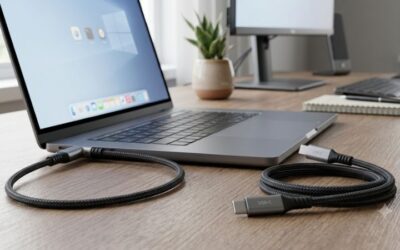
- MFi-equivalent or USB-C certified cables rated explicitly for 60W or higher carry the full negotiated wattage without throttling, even on longer 2-meter lengths.
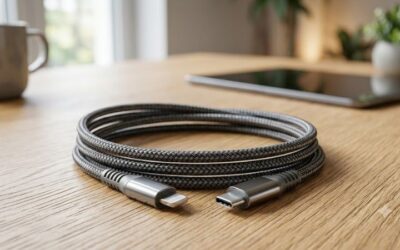
- Braided cables aren’t automatically better. Braiding protects against fraying but says nothing about internal wire gauge or whether the cable supports PPS (Programmable Power Supply), which the iPhone 17 series needs to hit its peak draw.
- Length matters more than people expect. A 2-meter cable rated at the same wattage as a 1-meter cable will show marginally more voltage drop, sometimes enough to shave a watt or two off sustained charging in warmer rooms.
If you already own a 30W+ GaN charger and charging still feels slow, swap the cable before replacing the brick. It’s the cheaper fix and the more common culprit.
Which Charger Fits Your Situation
| Your situation | Recommended charger | Why |
|---|---|---|
| Only charging an iPhone 17, nightstand use | 20-30W single-port GaN | Full or near-full speed, smallest size, lowest cost |
| Travel bag, one phone + one tablet | 35-45W dual-port GaN | Covers both devices without major speed loss on either |
| Desk setup charging MacBook + iPhone daily | 65-67W multi-port GaN | Keeps iPhone at full speed even while laptop is actively charging |
| One brick for MacBook Pro, iPad, and iPhone | 100W+ multi-port GaN | Enough combined headroom that none of the three devices get starved |
| Budget-conscious, charging speed is secondary | 20W single-port (non-GaN) | Cheapest option; costs you roughly 3-5 extra minutes to 50% |
Common Mistakes That Waste the Wattage You Paid For
- Buying a 100W brick for iPhone-only use. You’re paying for headroom you’ll never touch; a 30W GaN charger charges the phone identically.
- Pairing a fast charger with a cheap bundled cable. The cable, not the brick, becomes the bottleneck in this case.
- Assuming all dual-port chargers split power evenly. Most prioritize whichever port negotiates first or draws more aggressively; check the charger’s spec sheet for per-port wattage limits rather than assuming an even split.
- Charging through a hub or dock instead of directly. Many multi-device hubs cap USB-PD output well below what a dedicated wall charger provides, silently slowing the phone down.





Write Your Review
No reviews yet. Be the first to share your experience!