
Buying a magnetic charger looks simple: choose a puck, plug it in, and let the magnets do the rest. In practice, shoppers often pay for features they do not need, confuse magnetic alignment with official MagSafe charging, or buy a low-cost two-pack without checking the cable, power adapter, or safety information. Others focus on the advertised wattage while overlooking the charger’s size, heat management, and whether it works with their case.
This guide explains what to look for in MagSafe chargers in 2026, whether you want a compact charger for a nightstand, a longer cable for a desk, or a spare for travel. The most important details are power, certification, construction, cable length, and the total cost of a usable setup—not simply the price printed on the product page.
As an Amazon Associate we earn from qualifying purchases at no extra cost to you.



Decide These 3 Things First
- What device are you charging? Confirm that your iPhone supports MagSafe and check its maximum wireless charging speed. A magnetic ring on a case or Android phone may provide alignment without delivering official MagSafe performance.
- Where will the charger live? A 1-meter cable is usually adequate on a desk or nightstand. Choose 2 meters if the outlet is behind furniture, under a sofa, or several feet from your usual charging position.
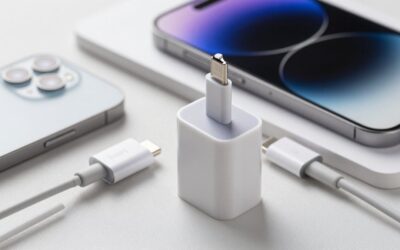
- Do you need the power adapter? Many charger pucks include a USB-C cable but no wall adapter. Budget for a USB-C adapter rated at 20 watts or more, unless the listing clearly includes one.
Size and Cable Length
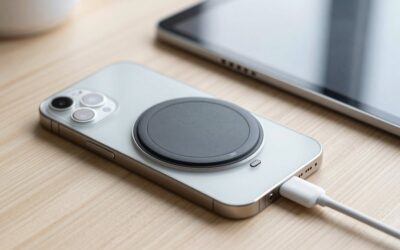
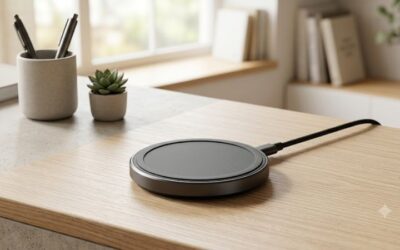
The charging puck should be small enough to use comfortably but substantial enough to stay in place. A typical puck measures roughly 55 to 65 millimeters across and is about 5 to 10 millimeters thick. That footprint fits beneath most phones without extending dramatically beyond the device.
For a desk, a 1-meter cable—about 3.3 feet—is generally the cleanest choice. It reduces cable clutter and keeps the charger close to a laptop or monitor. A 2-meter cable—about 6.6 feet—is more practical beside a bed, especially if the outlet sits low on the wall or behind a nightstand. Longer cables are convenient, but they also create more opportunities for tangling and may be less tidy in a small workspace.
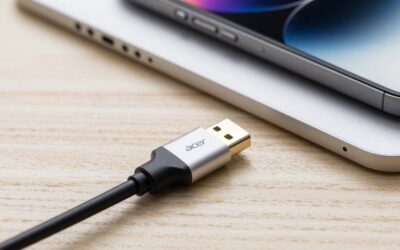
Check the connector at the wall end. Current chargers commonly use USB-C, while some older or inexpensive products use USB-A. USB-C is the better long-term choice because it works with more modern adapters and can support higher power delivery. Also inspect whether the cable is permanently attached. A detachable cable is easier to replace, but the connection can add another point of wear.
Material and Surface Finish
The top of a good charger should have a smooth, phone-friendly surface that will not scratch a glass back or case. Aluminum, coated metal, and firm thermoplastic housings are common. A soft-touch or silicone ring can improve grip and reduce sliding, but very soft coatings may collect dust or become tacky over time.
Look for a puck with rounded edges and no exposed metal around the charging face. A diameter of approximately 60 millimeters gives the magnets enough area for reliable alignment without making the accessory feel bulky. A very thin model can be attractive for travel, but it may be harder to pick up from a flat surface.
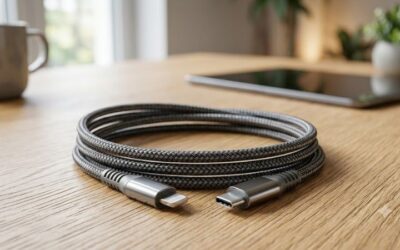
The cable deserves equal attention. A cable around 3 to 4 millimeters thick is usually flexible enough for everyday use without feeling flimsy. Reinforced strain relief at both ends helps protect against bending. Braided coverings can resist abrasion, although they are not automatically better; a poorly made braided cable can still fray or develop a loose connector.
Construction and Magnetic Alignment
Magnetic strength should hold the phone securely during ordinary use, but it should not make the charger difficult to remove from a nightstand. A well-constructed puck stays aligned when the phone is placed down and does not rattle when lifted.
Pay attention to the wording used in the listing. “Magnetic wireless charger” may describe a Qi-compatible pad with a magnetic ring, not an official MagSafe charger. If full MagSafe compatibility matters, look for clear identification of Apple MagSafe support or the appropriate certification. Qi2 chargers can also offer magnetic alignment and may be a sensible alternative, but they should not be assumed to have identical charging behavior for every iPhone.
The back should be flat or have a stable base. A puck that rocks because of a raised cable connection can gradually strain the connector or make one-handed placement frustrating. For a desk, a weighted base or a charging stand may be preferable to a loose puck. For travel, a lightweight pad is usually more useful than a heavier desktop design.
Charging Performance and Everyday Comfort
Wattage is one of the most important specifications, but it must be interpreted correctly. A listing may advertise 15W, 20W, or 25W wireless output, while the phone, charger, cable, and wall adapter each impose their own limits. A 25W charger does not guarantee that every iPhone will charge at 25W.
For a basic setup, choose a charger rated for at least 15W and pair it with a USB-C power adapter rated at 20W or higher. If the product advertises 25W wireless charging, use a compatible adapter with sufficient output and verify that the phone supports that speed. A 30W adapter can provide useful headroom for a single charger, but buying a 65W adapter solely for one puck is usually unnecessary.
Heat is normal during wireless charging, particularly when the phone is in a thick case or being used while charging. A charger should not become uncomfortably hot to touch, smell of melting plastic, or repeatedly disconnect. Keep the charging face clear of metal objects, cards, and loose magnets. Cases thicker than approximately 2 to 3 millimeters may weaken alignment or reduce charging efficiency, so test the case you actually use.
Price Tiers: What You Actually Get
Budget MagSafe-style chargers typically cost about $8 to $20. Two-packs can fall near the bottom of that range; an example two-pack priced for under $10 is inexpensive enough for a drawer, office, or travel bag. At this level, confirm whether the product is officially MagSafe-compatible, whether an adapter is included, and whether the cable is detachable. Low pricing can reflect a basic design rather than a problem, but missing specifications are a concern.
Midrange single chargers generally cost $20 to $40. Products in this range may offer better cable reinforcement, clearer certification information, more consistent fit and finish, or a longer cable. A 1-meter Apple MagSafe Charger priced around $35 and a 2-meter version around $40 illustrate how cable length can affect price without changing the basic function.
Premium options usually cost $40 to $80 or more, particularly when they include a stand, multi-device charging, an integrated power adapter, or a travel-folding design. Do not pay premium prices for wattage alone. A higher price should bring a meaningful advantage, such as a better base, a replaceable cable, multiple charging surfaces, or a stronger warranty.
Warranty and Support
For a simple charger, a one-year warranty is a reasonable minimum. Some established brands provide two years or longer, while inexpensive marketplace products may offer only a short return window. Read whether the warranty covers the cable, since cable failure is a common reason to replace a charger.
Keep the receipt, packaging, and model number until you have tested the charger for at least several charging sessions. Check whether support is provided by the manufacturer or only by the marketplace seller. A clear warranty page should identify the coverage period, exclusions, and process for replacing a defective unit.
A return period of 30 days or more is helpful, especially if you plan to use a case. Test alignment, charging stability, cable length, and surface temperature during the return window. Avoid products with no identifiable brand, no safety information, or no usable customer-support contact.
Delivery and Assembly
Most puck-style chargers require no assembly: connect the cable to a suitable USB-C adapter and place the charger on a stable surface. Stands and multi-device docks may require a base, hinge, or detachable charging module. Assembly should take only a few minutes and should not require tools unless the listing says otherwise.
Before ordering, confirm what arrives in the box. A complete single-device setup may include the puck, a 1-meter or 2-meter cable, and a wall adapter, but many products include only the first two items. If the adapter is missing, add roughly $15 to $35 for a reputable 20W to 30W USB-C adapter.
Spec Checklist
| Spec | Budget | Mid | Premium |
|---|---|---|---|
| Typical price | $8–$20 | $20–$40 | $40–$80+ |
| Wireless output | 7.5W–15W | 15W–25W | 15W–25W per device, or multi-device output |
| Puck size | 55–70 mm wide | 55–65 mm wide | 55–65 mm wide or a dedicated stand |
| Cable length | 1 m is common | 1 m or 2 m | 1.5–2 m, often managed or replaceable |
| Power adapter | Often not included; use 20W+ | May be included; use 20W–30W | Frequently included or built into the system |
| Warranty | 90 days–1 year | 1–2 years | 2 years or longer |
Red Flags
- Unclear charging standard: “Magnetic” alone does not prove official MagSafe compatibility.
- Power claims without conditions: A 25W headline is incomplete if the listing does not specify the required adapter and supported devices.
- No adapter information: Check whether the wall plug is included before comparing prices.
- Very thin cable and weak strain relief: These are common wear points.
- Missing safety details: Look for over-temperature, over-current, and foreign-object protection information.
- Reviews mentioning intermittent charging: Occasional complaints are normal, but repeated reports of disconnects or excessive heat are a reason to pass.
- Case compatibility left unexplained: A charger should state whether it works through cases and what thickness is supported.
FAQ
Do all magnetic wireless chargers count as MagSafe chargers?
No. Some products use magnets only to align a Qi charging coil. Official MagSafe support and Qi2 magnetic charging are distinct claims, so check the product specifications and your phone’s compatibility rather than relying on the word “magnetic.”
Is a 25W MagSafe charger better than a 15W model?
Only if your phone and power setup can use the additional output. A 25W model may offer useful headroom, but it will not automatically charge every device at 25W. The wall adapter must also supply adequate power, usually at least 20W and sometimes more depending on the charger.
Should I buy a 1-meter or 2-meter cable?
Choose 1 meter for a desk, kitchen counter, or nightstand with a nearby outlet. Choose 2 meters when the outlet is behind furniture, low on the wall, or more than about 3 feet from where you use the phone. The longer option costs a little more but can prevent awkward cable tension.
Can I use a MagSafe charger through a phone case?
Usually, if the case is MagSafe-compatible and not excessively thick. A standard case with a properly positioned magnetic ring is the safest choice. Wallets, metal plates, pop grips, and cases thicker than roughly 2 to 3 millimeters can weaken alignment or interrupt charging.
Write Your Review
No reviews yet. Be the first to share your experience!