
- Top Pick: Apple iPad Air 11-inch (M4): Liquid Retina Display, 128GB, 12MP Front/Back Camera, Wi-Fi 7 with Apple N1, Touch ID, All-Day Battery Life — Space Gray
- Best Value: Apple iPad Air 11-inch (M4): Liquid Retina Display, 256GB, 12MP Front/Back Camera, Wi-Fi 7 with Apple N1, Touch ID, All-Day Battery Life — Space Gray
- Premium Choice: Apple iPad Air 13-inch (M4): Liquid Retina Display, 128GB, 12MP Front/Back Camera, Wi-Fi 7 with Apple N1, Touch ID, All-Day Battery Life — Space Gray
iPad Pro vs iPad Air remains the ultimate dilemma for Apple enthusiasts looking to upgrade their tablet experience. With the latest hardware iterations pushing both lineups to their absolute limits, choosing between these two powerful machines requires a careful look at what you truly need. Let’s dive deep into how they stack up across performance, display, value, and everyday usability.
Quick Verdict and Specs: iPad Pro vs iPad Air
If you are short on time, the quick verdict is simple: the Pro is a masterclass in display and pure speed, while the Air remains the smart choice for everyday productivity. For most users, the Air offers 90% of the Pro experience at a fraction of the cost, making it the most sensible option. However, if you are a creative professional who demands absolute color accuracy, unmatched refresh rates, and extreme processing capabilities, the Pro is unparalleled.
As an Amazon Associate we earn from qualifying purchases at no extra cost to you.




See today’s deal on Amazon →
| Feature | iPad Pro (M4) | iPad Air (M2/M3) |
|---|---|---|
| Display Type | Tandem OLED (Ultra Retina XDR) | Liquid Retina (LED) |
| Refresh Rate | ProMotion (10Hz – 120Hz) | Standard 60Hz |
| Processor | Apple M4 Chip | Apple M2 or M3 Chip |
| Front Camera | Landscape 12MP Ultra Wide | Landscape 12MP Ultra Wide |
| Biometrics | Face ID | Touch ID (Top Button) |
| Storage Options | 256GB, 512GB, 1TB, 2TB | 128GB, 256GB, 512GB, 1TB |
| Port / Speed | Thunderbolt / USB 4 | USB-C (USB 3) |
| Starting Price | $999 (11-inch) / $1,299 (13-inch) | $599 (11-inch) / $799 (13-inch) |
Screen Technology and Display Brilliance
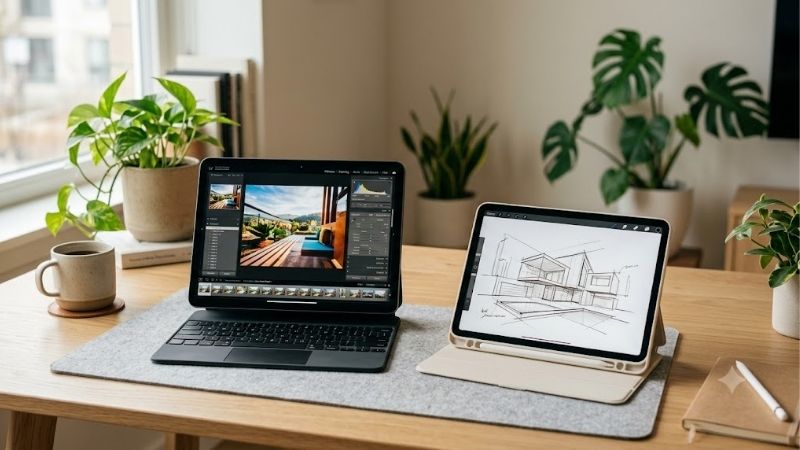
The display is the single most noticeable differentiator when reviewing the screen of the iPad Pro vs iPad Air. The iPad Pro utilizes an advanced Tandem OLED panel, which Apple brands as the Ultra Retina XDR display. This dual-stacked OLED technology achieves an astonishing 1,000 nits of full-screen brightness for both SDR and HDR content, peaking at 1,600 nits for HDR. Every image bursts with infinite contrast, incredibly deep blacks, and vibrant, true-to-life color reproduction. Furthermore, the iPad Pro features ProMotion technology, allowing for a variable refresh rate of up to 120Hz, making UI animations, scrolling, and Apple Pencil usage feel incredibly smooth.
In contrast, the iPad Air relies on a traditional Liquid Retina LED-backlit display. While it is still an incredibly sharp, color-accurate screen that supports the P3 wide color gamut, it is capped at a standard 60Hz refresh rate. Moving between a 120Hz display and a 60Hz display is jarring, as the Air can feel slightly less responsive during fast navigation. It also tops out at 500 nits of brightness (or 600 nits on the larger 13-inch model), which is perfectly fine for indoor productivity but can struggle under direct sunlight.
Ultimately, the winner of this display-centric iPad Pro vs iPad Air battle is the iPad Pro by a wide margin. If your workflow involves HDR video editing, professional photo grading, or if you simply appreciate the fluid motion of high-refresh-rate displays, paying the premium for the Tandem OLED panel is completely justified.
Processor Power and Chip Performance
Performance is another crucial pillar in the iPad Pro vs iPad Air debate, especially since Apple continues to blur the lines between tablets and traditional laptops. The premium iPad Pro M4 features Apple’s advanced 3-nanometer silicon, boasting up to a 10-core CPU and a 10-core GPU with hardware-accelerated ray tracing. This chip is built to handle heavy artificial intelligence processing, boasting a robust Neural Engine capable of 38 trillion operations per second. This makes local AI processing, complex 3D rendering, and multi-stream 4K video editing exceptionally snappy, giving you power that rival many desktop setups.
The iPad Air is equipped with the M2 or M3 chip, which remains an absolute powerhouse for nearly all daily workflows. While it lacks some of the extreme GPU enhancements of the M4, it handles heavy multitasking, gaming, and basic video editing with ease. In day-to-day operations like browsing Safari, managing spreadsheets, and writing documents, you will find it nearly impossible to spot a speed difference between the two models. However, the iPad Pro M4 is distinctly more future-proof, especially as Apple Intelligence features become more demanding over time.
As a result, the iPad Pro vs iPad Air chip competition leans heavily in favor of the Pro, but only if you actually run applications that can leverage that computational headroom. For the average consumer looking for a tablet that is worth buying in 2026, the M-series power in the Air provides more than enough performance for years to come.
Accessories and Practical Usability
When it comes to accessories, the gap between these two models has narrowed significantly, though important distinctions remain. Both devices are compatible with the state-of-the-art Apple Pencil Pro, which features squeeze gestures, barrel roll detection, and haptic feedback. This makes both platforms equally excellent for digital artists, note-takers, and designers. However, when looking at keyboard attachments, the iPad Pro requires the premium aluminum Magic Keyboard, which features a larger trackpad with haptic feedback and a sleek design, while the iPad Air uses the standard Magic Keyboard.
Connectivity is another factor that heavily influences practical usability. The iPad Pro features a high-speed Thunderbolt / USB 4 port, supporting data transfer speeds up to 40Gb/s and allowing you to output to high-resolution external monitors. The iPad Air features a standard USB-C port that supports USB 3 speeds up to 10Gb/s, which is perfectly sufficient for external SSDs and basic hubs but lacks the sheer bandwidth of Thunderbolt. Both models now feature landscape-oriented front cameras, resolving a long-standing user complaint and making video calls far more natural on both platforms.
The decision in accessories depends on how you plan to use your tablet. If you intend to use your tablet as a complete laptop replacement with complex desktop dock configurations, the Pro’s Thunderbolt port is essential. For typical student use or portable typing, the Air is a highly capable companion.
Weighing the Value: Pros, Cons, and Market Realities in 2026
Buying a tablet in 2026 requires understanding not just technical specs, but also broader economic trends. With international trade shifts and changing manufacturing pipelines, the Apple ecosystem has experienced interesting pricing dynamics. Here, we dive into the core pros and cons of both options while evaluating how recent global tech market developments impact your immediate purchasing decisions.
iPad Pro M4: Strengths, Weaknesses, and Market Shifts
The iPad Pro M4 is arguably the most impressive tablet ever made, but it is not without its drawbacks. Here is a quick look at what makes it a stellar buy, along with its potential downsides:
- ✅ Pros:
- Astonishingly thin and lightweight design (even thinner than the Air)
- Tandem OLED display provides the best viewing experience on any mobile device
- Ultra-fast M4 processor is future-proofed for next-generation Apple Intelligence
- Face ID integration provides seamless, secure unlocking
- ❌ Cons:
- Extremely high starting price point ($999 for the base 11-inch model)
- Accessories like the new Magic Keyboard and Apple Pencil Pro add significant cost
Interestingly, international semiconductor dynamics are directly influencing the premium tablet landscape. For instance, when news broke that the US approved Nvidia H200 chip sales to China, it highlighted the massive, global race for high-performance AI hardware. This intense demand for AI capabilities explains why Apple has packed such an incredibly powerful Neural Engine into the iPad Pro M4. As advanced local AI processing becomes standard, the Pro ensures your device won’t lag behind, making the iPad Pro vs iPad Air decision even more complex for tech enthusiasts who want to remain on the cutting edge of AI productivity.
iPad Air: Pros, Cons, and Budget Considerations
The iPad Air has earned a reputation as the “Goldilocks” tablet of the Apple lineup. It strikes a remarkable balance of features, performance, and price, though it does force a few compromises:
- ✅ Pros:
- Excellent value proposition, starting at just $599
- Available in both 11-inch and 13-inch form factors to suit different needs
- M-series chip offers desktop-class performance for everyday applications
- Stunning, lightweight design available in multiple pastel colors
- ❌ Cons:
- Limited to a standard 60Hz display refresh rate
- Lacks Face ID, relying on Touch ID built into the top power button
- Lacks the ultra-deep contrast levels of Tandem OLED
When evaluating the iPad Pro vs iPad Air through the lens of pure value, the Air is the undisputed champion for budget-conscious buyers. It runs the exact same iPadOS software, supports the best accessories, and handles everyday multi-tasking without breaking a sweat. For the price of a base-model iPad Pro, you can purchase an iPad Air plus an Apple Pencil Pro and a protective case, making it an incredibly sensible financial decision.
The Rising Cost of Tablets and Component Shortages
A critical factor for any tech shopper in 2026 is the changing macroeconomic climate surrounding consumer electronics. Recent industry reports indicate that laptop and component prices are trending upward globally due to rising manufacturing, shipping, and raw material costs. Everything from flash memory storage chips to OLED displays has become more expensive to produce. This upward price pressure means that the current pricing of the iPad lineup might not hold forever, and we could see retail hikes or reduced discounts later in the year.
This looming price trend adds a strong element of urgency when deciding on your iPad Pro vs iPad Air purchase. If you have been on the fence about whether should you buy a new device, purchasing now is highly recommended before manufacturing costs are fully passed down to retail consumers. Getting your tablet locked in at today’s price is a smart way to shield your wallet from impending market inflation.
See today’s deal on Amazon →
- iPhone 13 Pro vs 17 Pro
- Apple Certified Refurbished iPad
- Apple Pencil 1st Gen
- Xiaomi Redmi Note 8 Pro Keyboard
The Ultimate Buying Decision and Alternative Options
Choosing between these premium tablets comes down to identifying your daily workflow demands and budget flexibility. While both devices represent the pinnacle of modern tablet engineering, there are alternative paths you can take if neither model fits your exact lifestyle. Let’s look at a popular alternative and provide a clear, definitive guide on which tablet you should ultimately bring home today.
The Alternative Choice: iPad Mini for Ultimate Portability
If you find that both the 11-inch and 13-inch sizes are simply too bulky for your daily commute, you might want to look at a compact option. The iPad Mini is an outstanding alternative to the standard iPad Pro vs iPad Air models if your primary goal is portability and easy one-handed reading. It features a smaller 8.3-inch display, a powerful A-series or M-series processor, and full compatibility with portable stylus options. It fits easily into small bags, jacket pockets, and is perfect for field workers, pilots, and casual readers alike.
Of course, going smaller means sacrificing screen real estate for multitasking, and it isn’t ideal if you plan to use it as a primary laptop replacement. However, for charging setups, it works with MagSafe-style magnetic charging stands and high-quality third-party accessories. For power adapters, comparing Apple’s official chargers vs Anker wall blocks reveals massive savings, allowing you to build an ultra-portable workstation on a budget. If portability is your absolute highest priority, the iPad Mini is definitely worth buying in 2026.
Check the latest price on Amazon →
Who Should Buy the iPad Pro?
The iPad Pro is tailored specifically for users who refuse to compromise on hardware quality. You should buy the iPad Pro if you are a creative professional, such as a photographer, videographer, 3D artist, or developer, who can actively utilize the M4 chip’s high-speed graphics processing and Thunderbolt speeds. The Tandem OLED display is also highly recommended if you consume a massive amount of HDR media and want the absolute best visual experience money can buy.
Additionally, if you want a tablet that feels incredibly fluid and fast, the 120Hz ProMotion display is worth the price of admission alone. Think of the iPad Pro as a long-term investment; it is a premium device built to easily handle the next five to seven years of software updates and demanding AI features.
Who Should Buy the iPad Air?
For the vast majority of consumers, the iPad Air is the most practical choice. You should buy the iPad Air if your daily activities consist of web browsing, drafting emails, streaming Netflix, taking notes in class, and light photo editing. It provides more than enough processing power to make your daily tasks feel instantaneous, and it shares the same landscape camera layout and Apple Pencil Pro support as its premium sibling.
The Air is also an excellent option if you want a large-screen tablet experience without paying a fortune, as the 13-inch iPad Air is hundreds of dollars cheaper than the 13-inch iPad Pro. If you want to keep your setup versatile and affordable, pairing an iPad Air with a MacBook Air M3 creates a highly productive, dual-device ecosystem for less than the cost of a fully specced iPad Pro setup.
Conclusion
Finding the right balance in the iPad Pro vs iPad Air debate comes down to prioritizing your budget against your need for top-tier display tech and processing power. While the iPad Pro M4 offers an incredible peak into the future of tablet hardware, the iPad Air remains the smart, value-driven choice for almost everyone.
See today’s deal on Amazon →
Related guide: See our Best USB-C Fast Chargers for iPhone in 2026 for the top picks and buying advice.


Prime
Editor's Pick
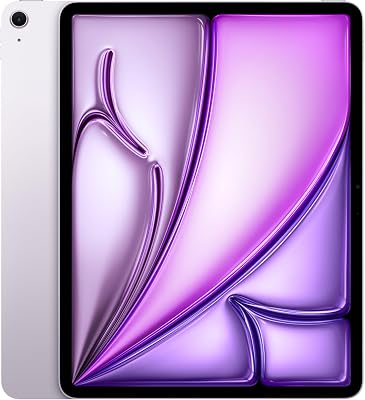
Apple iPad mini (A17 Pro): Apple Intelligence, 8.3-inch Liquid Retina Display, 256GB, Wi-Fi 6E, 12MP Front/12MP Back Camera, Touch ID, All-Day Battery Life — Space Gray
Frequently Asked Questions
What is the main difference between iPad Pro and iPad Air?
The Pro leads on display and input technology: a Tandem OLED panel, ProMotion up to 120Hz, Face ID, Thunderbolt and support for Apple Pencil Pro. The Air uses a good but conventional laminated LCD at 60Hz with Touch ID in the top button and standard USB-C. Both run the same iPadOS and the same core apps.
Does the Air have a fast enough chip?
Yes for nearly everything. Apple puts M-series silicon in both lines, so the Air handles Procreate, LumaFusion video editing, Stage Manager multitasking and demanding games comfortably. The Pro chip pulls ahead in sustained heavy exports and professional workloads, but for note-taking, drawing, browsing and general creative work the difference rarely changes how the tablet feels.
Which one should artists buy?
Buy the Pro if you want the 120Hz refresh rate for the lowest pen latency, the deeper OLED contrast for colour work, and the Apple Pencil Pro squeeze and barrel-roll gestures. Choose the Air if you mainly sketch, take notes and want the best value, since the Apple Pencil 2nd generation still gives pressure and tilt.
Do they share keyboards and cases?
No, not across the board. Body dimensions, magnet layouts and Smart Connector positions differ between the Pro and Air lines and between generations within each line, so the Magic Keyboard and folio cases are model-specific. Always match the accessory to the exact generation and screen size, since even the same nominal size can differ slightly.
Is the Pro worth the price premium?
Only if you will genuinely use the display and connectivity advantages. Video editors moving large files benefit from Thunderbolt speeds, illustrators benefit from ProMotion and Pencil Pro, and anyone working in dark rooms benefits from OLED black levels. For students, note-takers and general users, the Air delivers most of the experience for meaningfully less money.








Write Your Review
No reviews yet. Be the first to share your experience!