
Best Typecase iPad Keyboard and Alternatives (2026)
Turning an iPad into a real productivity machine starts with the keyboard, and Typecase built a reputation for offering laptop-style typing at a friendlier price than Apple’s own options. But the iPad keyboard market is crowded, and finding the right one depends on your model, budget, and how much you type. This guide covers the best Typecase iPad keyboards and the strongest alternatives worth considering in 2026.
As an Amazon Associate I earn from qualifying purchases.
As an Amazon Associate we earn from qualifying purchases at no extra cost to you.


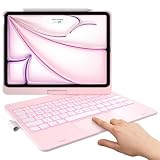


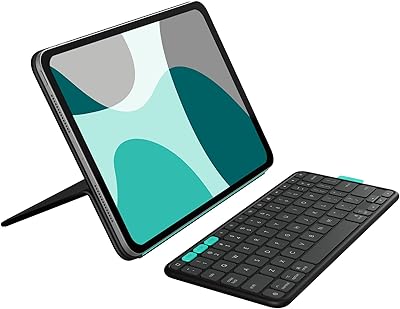
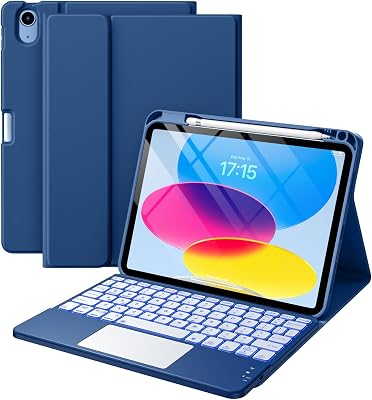
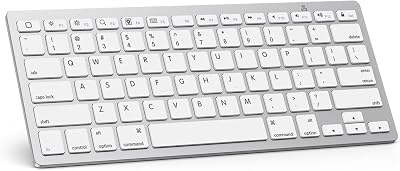
We looked at typing feel, trackpad quality, battery life, backlighting, and how securely each keyboard holds the iPad at different angles. Because a keyboard case lives on your tablet all day, comfort and build quality matter as much as the feature list.
| Product | Best For | Standout Feature | Rating |
|---|---|---|---|
| Typecase Touch | Value productivity | Trackpad and backlight | 4.6/5 |
| Logitech Combo Touch | Premium typing | Detachable keyboard | 4.7/5 |
| Apple Magic Keyboard | Best trackpad | Floating cantilever design | 4.7/5 |
| ESR Rebound Keyboard | Budget pick | Slim magnetic attach | 4.5/5 |
| Brydge Air MAX+ | Laptop feel | Aluminum hinge body | 4.4/5 |
Typecase Touch — Best Value iPad Keyboard
The Typecase Touch delivers a lot for the money, combining a responsive keyboard with a multi-touch trackpad and seven-color backlighting. It attaches as a folio, protects the iPad on all sides, and props the tablet up at adjustable angles for comfortable typing anywhere.
Pros: great value, backlit keys, integrated trackpad. Cons: heavier than slim covers. It is the standout budget-to-midrange choice, and it pairs well with the productivity accessories we recommend for iPad users.
Logitech Combo Touch — Best Premium Alternative
If you want a step up in build quality, the Logitech Combo Touch offers a detachable backlit keyboard, an excellent trackpad, and an adjustable kickstand back. Snap the keyboard off for pure tablet use, then reattach it when it is time to work seriously.
Pros: superb trackpad, flexible kickstand, sturdy build. Cons: adds real weight and costs more. It is a favorite for hybrid work, and it appears again in our iPad case roundup.
Apple Magic Keyboard — Best Trackpad Experience
Apple’s Magic Keyboard remains the gold standard for trackpad quality and typing precision. Its floating cantilever design looks striking, the backlit keys feel satisfying, and a passthrough charging port frees up the iPad’s USB-C. It is the most polished option available.
Pros: best-in-class trackpad, premium feel, passthrough charging. Cons: expensive and no lap stability. It is the pick for those who want the ultimate experience, complementing the premium accessories we cover.
ESR Rebound Keyboard — Best Budget Option
For the tightest budgets, the ESR Rebound keyboard case attaches magnetically, adds a slim keyboard and trackpad, and keeps weight down. It is not as refined as pricier rivals, but it covers the essentials for casual typing at a fraction of the cost.
Pros: affordable, lightweight, magnetic attach. Cons: smaller keys and modest trackpad. It is a smart entry point, and it fits the theme of our budget accessory guide.
Brydge Air MAX+ — Best Laptop Feel
The Brydge Air MAX+ uses an aluminum body and a sturdy hinge to make the iPad feel like a genuine laptop. The keys have satisfying travel, the trackpad supports gestures, and the metal construction adds a premium heft that clamshell fans love.
Pros: true laptop feel, solid hinge, backlit keys. Cons: heavier and pricier. It is ideal for anyone who misses a traditional notebook, and it rounds out our keyboard comparison.
Arteck Bluetooth Keyboard — Best Standalone Keyboard
If you prefer to keep your iPad slim and use a separate keyboard only when needed, the Arteck Bluetooth keyboard is a compact, affordable choice. It pairs quickly, offers long battery life, and slips easily into a bag for occasional typing sessions on the go.
Pros: very portable, long battery, low price. Cons: no trackpad or case protection. It is the flexible option for light typists who do not want a permanent keyboard case.
How to Choose an iPad Keyboard
Match the keyboard to how much you type. Heavy users benefit from a full trackpad and backlit keys, while occasional typists may prefer a slim or standalone option. Confirm the keyboard fits your exact iPad model, since sizing and connector placement vary. Weigh the added bulk against the productivity gain, and prioritize a good trackpad if you plan to skip a mouse. Our iPad productivity guide digs deeper into building an efficient mobile setup.
Frequently Asked Questions
Do iPad keyboards work with any iPad model?
No, keyboard cases are sized for specific iPad models and often rely on precise magnet or Smart Connector placement. A keyboard made for one iPad usually will not fit or connect properly with another. Always check the compatibility list and buy the version made for your exact model and generation.
Is a trackpad worth having on an iPad keyboard?
A trackpad is genuinely useful because iPadOS supports full cursor control, making text editing, browsing, and multitasking faster. If you do real work on your iPad, a trackpad reduces how often you reach up to touch the screen. Casual typists can skip it, but most productivity users find it well worth the extra cost.
How long do iPad keyboard batteries last?
Bluetooth keyboards with backlighting typically last several weeks per charge with normal use, though heavy backlight use shortens that. Smart Connector keyboards like the Magic Keyboard draw power directly from the iPad and never need separate charging. Turning off backlighting when you do not need it noticeably extends battery life on Bluetooth models.
Can I use a keyboard case and still remove the iPad quickly?
Detachable designs like the Logitech Combo Touch and Apple Magic Keyboard let you separate the tablet in seconds, which is ideal for switching between typing and handheld use. Folio-style cases require folding the keyboard back instead. If you frequently swap modes, prioritize a detachable or magnetic design for the most convenience.









Write Your Review
No reviews yet. Be the first to share your experience!