
iPad Air 4th Generationrepresents a giant leap for this line of tablets by offering a pro look at a low price. It is a very fast and slim device with a beautiful screen that makes your work and play feel smooth. This review will help you see if this is the best deal for your budget and needs on the market today.
Design and Display Innovations
Evaluating the design of the iPad Air 4th Generation reveals how a sleek frame can change your view of a tablet. It drops the old home button to make room for a big screen that goes from edge to edge. This major change gives you more space for your work and makes the whole device look modern and clean.
As an Amazon Associate we earn from qualifying purchases at no extra cost to you.


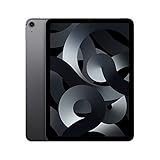
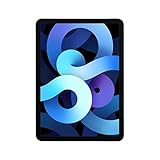


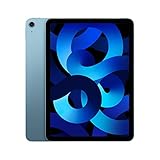

The Liquid Retina Screen Experience
This standard tablet has a Liquid Retina screen that makes colors look very bright and text look super sharp. This display uses a special technology to adjust the light based on your room so your eyes do not get tired at night. It is perfect for reading books, watching movies, or editing your favorite photos.
A special coat on the glass also stops glare when you use the tablet out in the sun or under bright lights. This means you can work in a park or by a window without any annoying reflections on your screen. The screen is also very fast to touch, which makes your daily tasks feel quick and responsive.
Modernized Flat Edge Aluminum Chassis
This tablet has a strong metal body with flat sides that feels very safe and solid when you hold it in your hands. This new look matches the professional models but keeps the cost much lower for normal buyers. The aluminum case is built to last and can easily survive the bumps of your daily trips.
The smooth metal finish does not show oily fingerprints, which keeps the back of your device looking clean all day long. Every port, seam, and button is cut with great care to show off high quality. It feels like a very expensive piece of tech, even though it is priced for a much wider range of budgets.
Vibrant Color Options for Personal Style
Instead of just silver or gray, this line of tablets offers many fun colors to let you show your personal style. You can choose from nice shades like light green or sky blue to stand out from the crowd. These colors look very cool and give the device a fresh vibe that fits in both school and work settings.
A unique color option makes it easy to find your device in a busy room and adds a touch of joy to your daily routines. The colored coating is tough and will not scratch off easily, which means your tablet will look brand new for a long time, even if you do not want to hide it inside a thick protective case.
Integration of Touch ID in the Power Button
To make the screen larger, the fingerprint scanner was moved to the power button on the top edge of the device. This sensor is incredibly fast and secure, letting you unlock your screen in just a split second. It also lets you buy items online and log into your private apps with a single quick touch.
Setting up this safety feature takes less than a minute and lets you save more than one finger for easy access. The button feels very solid to press and works well whether you hold the tablet in your hand or rest it on a desk. It is a smart way to keep your personal data safe without slowing down your day.
Performance and Hardware Capabilities
Under the fast hood, the iPad Air 4th Generation has a very strong chip and good hardware parts that work just like a real laptop. This great power lets you run hard apps and play fun games with no slow times at all. It is made to give you a very smooth feel for all your daily work, study, or entertainment needs.
The Processing Power of the A14 Bionic
The advanced chip inside this device makes sure that all your apps open very fast and multitasking feels totally smooth. You can edit high-quality video files, write code, or make detailed art designs without seeing any annoying lags or heat. It keeps up with your speed so you can get more done in less time.
This strong processor also has a smart brain that helps with complex tasks like voice search and automated photo edits. It handles heavy numbers and rules in the background so everything you do feels fast and easy. It is a big leap forward in how a tablet can help you work with no frustration or wait times.
USB-C Connectivity for Modern Workflows
Trading the old port for a standard USB-C connection is one of the best changes for people who need to get work done. This port lets you plug in fast hard drives, camera cards, and other tools directly without using a lot of extra cords. It makes moving files very quick so you can share your work in a few seconds.
This port on the iPad Air 4th Generation also lets you plug into a big monitor to show your work or watch films on a large screen. You can charge the battery and move data at the same time using just one simple cable. It turns your portable tablet into a powerful workstation that can fit onto any small desk space.
Battery Life and Power Management Efficiency
The internal battery is made to last all day long, so you can do your work or study without needing to find a wall outlet. You can stream videos, write long reports, and surf the web for up to ten hours on a single charge. This great life means you can leave your heavy charger at home when you head out for the day.
When you do need to charge up, the fast charger gets you back to full power in no time so you do not have to wait around. Smart power tech inside the device protects the life of the battery over many years of daily use. You can trust that the power will stay strong and reliable for all your future travel and projects.
Camera Quality for Video Calls and Photos
The front camera is built to make your video calls look very clear and sharp, which is great for work meetings or online classes. It adjusts to the light in your room so your face is not too dark or too bright. This means you will always look your best when talking to friends, family, or your team on the web.
On the back, there is a very good camera that can take high-quality photos and shoot clean videos in full ultra-high definition. It is very handy for scanning papers for school or work without needing a real scanner. It also works with modern apps to let you drop virtual things right into your real room on the screen.
| Tablet Feature | Entry Tier Model | Air Fourth Gen | Pro Level Model | | Screen Type | Standard Retina | Liquid Retina Display | ProMotion Liquid Retina | | Screen Diagonal | 10.2 Inches | 10.9 Inches Screen | 11.0 Inches Screen | | Processing Unit | A13 Bionic Chip | A14 Bionic Processor | M1 Processor Chip | | Port Type | Lightning Port | USB-C Standard Port | Thunderbolt USB-C Port | | Stylus Compatibility | Apple Pencil One | Apple Pencil Two | Apple Pencil Two | | Speaker System | Two Audio Speakers | Landscape Stereo Sound | Four Audio Speakers | | Main Security | Front Home Touch ID | Top Power Touch ID | Front Face ID Camera |
Accessory Ecosystem and Everyday Value
Beyond the device itself, the iPad Air 4th Generation works with many great add-ons that can help you do a lot more. These tools can turn your simple tablet into a real workstation in just a few seconds. Finding the right tools for your daily tasks is the key to getting the most value out of your new tablet purchase.
Compatibility with the Apple Pencil Gen 2
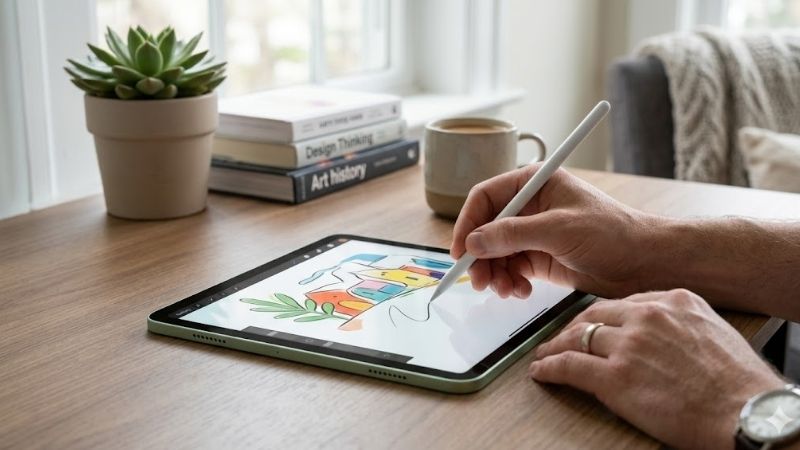
Using the modern digital pen with the iPad Air 4th Generation feels just like writing on paper because it is very fast and reacts to your hand. The pen snaps onto the side of the tablet with strong magnets to pair and charge without any cords. It is a very clean system that keeps your tool ready for any new creative ideas.
This smart charge system means your pen is always full when you need to write down notes or sketch a fast drawing. Designers will love how they can tilt the pen to shade their art, making the tablet feel like a real sketch pad. It is a must-have tool for students who want to keep all of their class notes in one safe place.
Keyboard Options for Typing and Productivity
If you need to type long papers for school or work, using a floating keyboard case gives you a fast and comfortable feel. These smart cases hold your tablet up in the air at a nice angle while also acting as a cover to protect the front and back of your device from scratches and dust when you throw it in your bag.
These great keyboards do not need a wireless connection or a separate charger because they connect directly to the back of the tablet. This means you can just snap it on and start typing with no wait times or battery worries. The built-in trackpad also lets you use laptop gestures to navigate your files with ease.
Storage Tiers and Making the Right Choice
Picking the best amount of space for your tablet is a very important step that depends on what you do every day. If you mostly want to watch movies, browse web pages, and check your mail, the base level of space is more than enough. It gives you plenty of room for your daily apps and some personal files or photos.
But if you are a creative worker who wants the iPad Air 4th Generation, you should think about getting the larger storage option. Editing big video files or saving large art projects takes a lot of local space. Having extra room means you do not have to worry about running out of space or moving files to the cloud constantly.
Value Proposition Compared to Other Models
When you look at all the choices, this tablet stands out because it offers high-end features at a price that is easy on your wallet. It shares the premium look and accessory options of the most expensive models while keeping the cost down, which makes it an amazing deal for students, writers, and casual home users.
This middle spot in the lineup makes it a very smart purchase for anyone who wants a great tablet that will last for years without spending too much cash. It gives you the best of both worlds by offering top performance and great styling in a package that will easily satisfy almost any user who wants a modern device.
Find out more:
Recommended Products
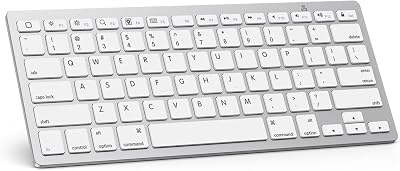
PrimeOMOTON Ultra-Slim Bluetooth Keyboard for iPad 11th/10th/9th/8th/7th, iPad Pro/Air/Mini and iPhone Series, Wireless iOS Keyboard with 12 Multimedia Keys for Office, Home, Travel, School, White

Primetypecase Touch iPad 11th 10th Generation Case with Keyboard (11" 2026, A16 & 10.9" 2026) – 360° Rotatable, 11-Color Backlit, Multi-Touch Trackpad, Pencil Holder, Thin & Light – Black

PrimeTUNKARMOR for iPad 9th / 8th / 7th Generation 10.2 inch & iPad Air 3rd Gen & iPad Pro 10.5 inch Case with Keyboard 7 Color Backlit – Built in Pencil Holder with Mouse (Black)
As an Amazon Associate we earn from qualifying purchases. Product prices and availability are accurate as of the date/time indicated.
Conclusion
To sum it up, the iPad Air 4th Generation is a stellar tablet that gives you high-end performance without forcing you to pay a high price. With its fast speed, modern look, and great tool options, this device is ready to help you with all of your daily goals. It is a recommended buy that is sure to make your digital life fun.
Top-Rated Picks
![Ailun 3 Pack Screen Protector for iPhone 17 / iPhone 16 Pro [6.3 inch] with Installation Frame, Dynamic Island Compatible, Case Friendly[Not for iPhone16/16Plus/16Pro Max/17Pro/17Pro Max/Air]](https://m.media-amazon.com/images/I/711tQq-VhOL._AC_SL400_.jpg)

![Spigen for iPhone 17 Pro Max Case, Ultra Hybrid MagFit [TPU Covered Camera Control] [Anti-Yellowing] [Compatible with Magsafe] - Clear](https://m.media-amazon.com/images/I/51GLXwRKvtL._SL400_.jpg)
![Spigen for iPhone 17 Pro Max Case, Ultra Hybrid MagFit [TPU Covered Camera Control] [Anti-Yellowing] [Compatible with Magsafe] - Frost Black](https://m.media-amazon.com/images/I/61zbspkFCJL._AC_SL400_.jpg)
Prime
Top Rated
Spigen for iPhone 17 Pro Max Case, Ultra Hybrid MagFit [TPU Covered Camera Control] [Anti-Yellowing] [Compatible with Magsafe] – Frost Black

| Product | Brand | Rating | Reviews | Price |
|---|---|---|---|---|
| Ailun 3 Pack Screen Protector for iPhone 17 / iPhone … | Ailun | ★ 4.6 | 1132.9k | under $10 |
| Ailun Screen Protector for iPhone 16 Plus/iPhone 15 P… | Ailun | ★ 4.6 | 1132.9k | under $10 |
| Spigen for iPhone 17 Pro Max Case, Ultra Hybrid MagFi… | — | ★ 4.6 | 330.8k | under $20 |
| Spigen for iPhone 17 Pro Max Case, Ultra Hybrid MagFi… | — | ★ 4.6 | 330.8k | under $20 |
| Ailun 3 Pack Screen Protector for iPhone 16 Pro [6.3 … | Ailun | ★ 4.5 | 431.5k | under $10 |
Frequently Asked Questions
What are the key specifications of the iPad Air 4?
It introduced the flat edge design with a 10.9 inch Liquid Retina display, the A14 Bionic chip, USB C charging, and Touch ID relocated to the top button. It was the first Air to support Apple Pencil second generation and the Magic Keyboard, effectively borrowing the iPad Pro form factor.
Which Apple Pencil works with it?
Apple Pencil second generation, which attaches magnetically to the flat right edge for pairing and wireless charging and supports the double tap tool switch gesture. The original Lightning Apple Pencil is not compatible, and neither is Apple Pencil Pro, which requires the newer M generation Air and Pro models.
Is it still fast enough in 2026?
For browsing, streaming, notes, and light drawing the A14 remains perfectly capable and the device still receives iPadOS updates. Heavy multitasking, large Procreate canvases, and demanding games show their age, and the base memory limits how many Safari tabs stay loaded. It suits casual and student use well.
Does the Magic Keyboard fit it?
Yes. The iPad Air 4 shares dimensions with the 11 inch iPad Pro from that era, so the Magic Keyboard and Smart Folio designed for the 2018 to 2022 11 inch Pro fit correctly, as do most cases for that size. The newer M4 Magic Keyboard does not fit.
Should I buy this used or step up to a newer Air?
If the price gap is small, a newer M series Air brings a meaningfully faster chip, Apple Pencil Pro support, and more headroom for future iPadOS releases. Buy the fourth generation only when it is substantially cheaper and you have confirmed the battery is in reasonable health.







Write Your Review
No reviews yet. Be the first to share your experience!