
An iPad’s screen is its most expensive and most vulnerable surface. A single face-down drop onto tile or a set of keys sharing a bag pocket can spider the glass or leave micro-scratches that catch the light forever. Protecting that screen properly is far cheaper than a repair, and it takes only a few minutes and the right combination of tempered glass and a shock-absorbing case.
This guide explains how scratches and cracks actually happen, how to choose and install a screen protector without trapped bubbles, and how to pair it with a case that guards the corners where drops do the most damage. Whether you have a standard iPad, an Air, or a Pro, the principles are the same.
As an Amazon Associate we earn from qualifying purchases at no extra cost to you.



⚡ Save on Your Next PC — Amazon Prime
Prime members get fast free shipping on the systems above, plus early access to Prime Day & Black Friday PC deals. New members get a 30-day free trial.
Watch: How to Protect Your iPad Screen from Scratches and Drops — Video Review
Understand How Damage Happens
Scratches usually come from hard particles like sand, grit, or keys pressing against the glass in a bag, while cracks come from drops that concentrate force on a corner or edge. The screen does not need to hit hard to fail; a short face-down fall onto a small object can be enough. Knowing this shapes the fix: tempered glass defeats scratches and spreads minor impacts, while a raised-edge case absorbs the drops.
Choose the Right Screen Protector
- Tempered glass over film: Glass protectors like the amFilm and OtterBox options resist scratches and cracks far better than thin plastic film.
- Pencil compatibility: If you use an Apple Pencil, pick a protector rated for it so it keeps a smooth, responsive glide.
- Privacy if needed: A privacy tempered glass narrows viewing angles for public use while still guarding the screen.
- Model-specific fit: Match the protector to your exact iPad generation and size so the cutouts and edges align precisely.
Install Without Bubbles
Work in a low-dust room. Clean the screen with the included alcohol wipe, then the microfiber cloth, and lift any remaining specks with the dust-removal stickers. Align the protector using the frame or guide if provided, lower it from one edge, and let it self-adhere while you press outward from the center to push bubbles to the edges. Small bubbles usually disappear within a day as the adhesive settles.
Add a Shock-Absorbing Case
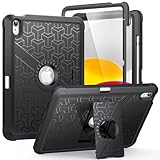
A protector stops scratches, but a case stops cracks. Shockproof cases like the MoKo or WESOROL options add raised bumpers and corner cushioning that absorb the energy of a fall before it reaches the glass. Look for a slightly raised lip around the screen so that when the iPad lands face down, the case frame, not the display, takes the hit.
Tips
- Buy a multi-pack protector so a botched install or future wear is not a problem.
- Press out bubbles from the center outward, never trap them by starting at the edges.
- Choose a case with a raised screen lip so face-down drops land on the frame.
- Replace a protector as soon as it cracks; a damaged protector protects far less.
Frequently Asked Questions
Do I need both a screen protector and a case?
Yes, they handle different threats. A tempered-glass protector stops scratches and minor impacts on the glass, while a case cushions the drops and protects the corners and edges. Together they cover the two most common ways iPads get damaged.
Will a screen protector affect Apple Pencil use?
A quality tempered-glass protector rated for Pencil use keeps writing smooth and responsive. Some matte protectors even add a paper-like texture. Just avoid thick or low-quality film that can dull touch sensitivity.
How do I remove bubbles under my screen protector?
Press small bubbles gently toward the nearest edge with a microfiber cloth or a card. Tiny bubbles often clear on their own within 24 hours. If a bubble sits around trapped dust, lift the protector, remove the speck with tape, and reapply.
Are expensive screen protectors worth it?
Premium options like OtterBox glass offer better clarity, touch response, and durability, but budget tempered glass from reputable brands protects effectively too. The key is choosing real tempered glass sized for your iPad rather than thin plastic film.
Conclusion
Protecting your iPad screen is a five-minute job that pays for itself the first time you drop the tablet. Fit a proper tempered-glass protector to defeat scratches, pair it with a shock-absorbing case that guards the corners, and install carefully to avoid bubbles. Do that once, and your iPad’s screen will stay pristine for years.
Write Your Review
No reviews yet. Be the first to share your experience!