
The iPad Mini paired with the Apple Pencil Pro is the closest thing Apple makes to a digital pocket notebook, and in 2026 it is a beloved combo for note-takers and artists on the move. This guide covers what the pairing does well and the accessories that complete it.



Recommended Products

PrimeESR for AirPods Pro 2 Case (2023/2022/2019, 2nd/1st Gen), Compatible with AirPods Pro 2nd Generation (USB-C/Lightning Cable), Effortless MagSafe, Drop-Proof Lock, Easy Open, Cyber Series, Black | 2023

PrimeOtterBox Soft Touch Case for AirPods 4th Gen – Black Crystal – Protective Apple AirPods Case

Adonit Gaming Stylus with Palm Rejection iPad Gaming Pencil, High Precision, for iPad Air 3rd, 4th Gen, iPad mini 5th, iPad 6th, 7th, 8th Gen, iPad Pro 3rd, 4th Gen,(11/12.9Inch)
As an Amazon Associate we earn from qualifying purchases. Product prices and availability are accurate as of the date/time indicated.
Why the Pencil Pro and iPad Mini Pair So Well
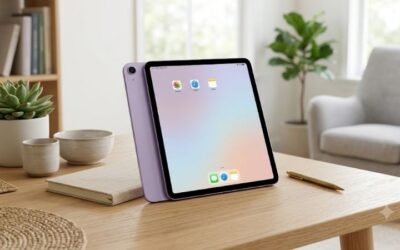
The current iPad Mini supports the Apple Pencil Pro, bringing the full professional stylus feature set to Apple’s smallest tablet. Squeeze the barrel to summon the tool palette, roll the Pencil to rotate shaped brushes and chisel nibs, and feel a subtle haptic tick confirm actions, all of which matter more on a small screen where on-screen toolbars eat precious space. The Mini’s size makes it a true grab-and-go sketchbook, light enough to hold one-handed while standing, and the Pencil Pro magnetically docks and charges on the Mini’s edge. Note that the Mini’s pairing list matters: it supports the Pencil Pro and the USB-C Pencil, but not the older second-generation Pencil.
Features That Change Daily Note-Taking
On a pocketable screen, efficiency features compound. The squeeze gesture eliminates round trips to the toolbar when switching between pen and eraser mid-meeting, and barrel roll gives calligraphy and highlighting a natural angle control that previously required settings menus. Apple’s hover capability shows where the tip will land before contact, sharpening precision on the Mini’s denser display. Double-tap remains for quick tool toggles, and Find My support means a Pencil lost in a couch or taxi is recoverable, a real comfort for an accessory this small. Combined with the Mini’s instant wake, the pairing genuinely replaces the paper pocket notebook for meetings, field notes, and margin-scribbled reading.
Accessories That Complete the Kit
A few additions make the Mini-plus-Pencil combo travel-proof. A folio case with a Pencil-edge cutout protects the tablet while preserving magnetic charging; cases that cover the right edge entirely will block docking, so check photos carefully. An elastic Pencil strap or covered channel guards against the bag-bump that knocks a magnetically docked Pencil loose. Paper-feel matte screen protectors transform handwriting on the Mini’s slick glass, at the cost of faster tip wear, so add a multipack of spare nibs. For artists, a compact stand that props the Mini at a drafting angle turns any cafe table into a tiny studio. Everything here fits in a small pouch alongside a charging cable.
Buying Advice and Common Confusions
The Pencil naming maze trips up many Mini owners, so verify before purchase: the Apple Pencil Pro works with the current-generation iPad Mini, while older Mini generations pair with different Pencil models instead. If you are buying both devices together, confirm the Mini generation explicitly rather than assuming the store listing is current. Secondhand Pencil Pro units are common and generally safe purchases since pairing resets cleanly, but test squeeze and haptics promptly. Students and note-takers who never draw might find the cheaper USB-C Pencil sufficient, sacrificing pressure sensitivity and the Pro gestures. But for anyone sketching, annotating, or writing daily, the Pencil Pro’s tool-switching speed pays for itself in saved friction.
Related guides on our site:Best Lightning to Lightning Cables in 2026: Top Specialty Cords·Best Anker Nano Power Banks in 2026: Top Compact Chargers·Best Phone Stands in 2026: Top Desktop Holders Reviewed·Best Apple Pencil Tips in 2026: Top Replacement Nibs·Best Magic John Screen Protectors in 2026: Top Easy-Install Glass.
Frequently Asked Questions
Does the Apple Pencil Pro work with every iPad Mini?
No. The Pencil Pro pairs with the current iPad Mini generation that lists it as supported. Earlier Mini models work with different Pencil generations, so check Apple’s compatibility list.
How does the Apple Pencil Pro charge on the iPad Mini?
It snaps magnetically to the Mini’s edge and charges wirelessly there, exactly like on larger iPads. A case must leave that edge accessible for docking and charging.
Is the iPad Mini screen too small for serious drawing?
It is smaller than a typical sketchbook page, but pinch-zoom workflows and the Pencil Pro’s precision make detailed work entirely practical. Many artists prize the Mini for portable sketching.






Write Your Review
No reviews yet. Be the first to share your experience!