

Prime
Best Seller
Satechi Slim LX3 Wired Keyboard, Full-Size Design with Cross-Platform OS Switching, USB-C or USB-A Connectivity, Designed for Mac and PC Setups, Space Black


Wired Keyboard options are experiencing a massive resurgence among professionals who value lag-free performance and zero battery anxiety. While wireless peripherals have dominated headlines, a reliable physical cable offers unparalleled stability for serious productivity. Let us dive into this comprehensive, honest review to see if a dedicated desktop accessory is right for you.
Quick Overview of the Satechi W3 Wired Keyboard
Getting your workspace organized requires choosing accessories that streamline your daily workflow. The Satechi W3 represents a premium approach to desktop inputs, targeting users who want the classic Apple aesthetic without dealing with Bluetooth disconnects or battery degradation. This device bridges the gap between modern design and vintage reliability, delivering a full-sized layout tailored specifically for macOS. Let us look closer at how this sleek accessory integrates into your daily routine.
As an Amazon Associate we earn from qualifying purchases at no extra cost to you.


Design Aesthetics and Build Quality
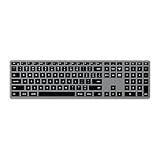
The physical footprint of this aluminum-style accessory immediately reminds you of Apple’s official space gray peripherals. It sports an ultra-slim profile with a wedge-shaped design that angles the keys slightly upward for a more ergonomic typing posture. The space gray finish matches perfectly with hardware like the MacBook Air M3, creating a cohesive, professional aesthetic on any desk.
Despite its slim nature, the build quality feels incredibly solid with zero noticeable chassis flex. The keycaps have a slight indentation that cradles your fingertips, while the weighted base ensures the keyboard stays firmly in place during intense typing sessions. It is a beautiful piece of hardware that elevates the visual appeal of any modern workstation.
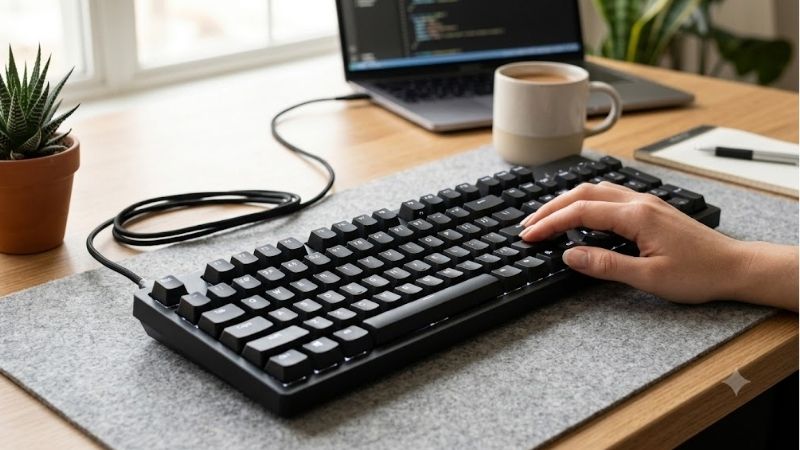
Satechi has paid close attention to the bottom of the device as well, adding durable rubberized feet that prevent slipping on glass or wooden surfaces. The integrated USB-C cable is reinforced at the strain relief point, indicating that it can withstand years of being packed into backpacks or shifted around your desk. This physical durability makes it a highly dependable desk companion.
Key Layout and macOS Compatibility
Operating a full-sized layout is a massive productivity booster, especially for those who work extensively with spreadsheets or data entry. This wired keyboard features a complete numeric keypad, standard directional arrow keys, and a dedicated document navigation cluster. It ensures you have immediate access to every critical key without needing to memorize complex function shortcuts.
Compatibility with Apple hardware is seamless right out of the box, requiring zero driver installations or software configurations. The keyboard maps perfectly to macOS, offering dedicated keys for Spotlight search, Mission Control, App Exposé, and media playback. Whether you plug it into an iMac, a Mac Studio, or a portable laptop, it functions instantly with zero setup friction.
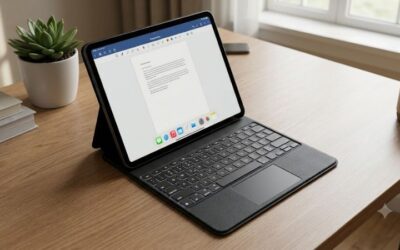
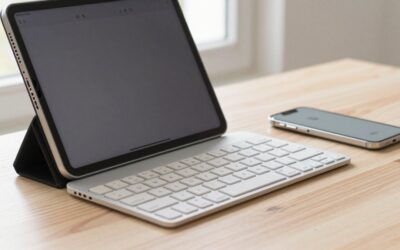
For mobile users, this input device also offers excellent utility when connected to a tablet like the iPad Pro M4. The plug-and-play functionality means you can transition from desktop writing to mobile productivity in seconds. It represents a highly versatile input solution for individuals operating across multiple devices in the Apple ecosystem.
Backlighting and Customization Options
One of the standout features of this model is its brilliant adjustable backlighting, a feature often missing from official Apple desktop keyboards. The keys are illuminated by crisp white LEDs that shine clearly through the legends, making it easy to work in dimly lit environments. You can easily adjust the brightness across three distinct levels to suit your ambient room lighting.
The backlighting is designed to turn off automatically after periods of inactivity to prevent unnecessary energy draw from your host device. Because it runs on direct bus power, you do not have to worry about battery drain, though it will draw a microscopic amount of power from your laptop. The lighting is uniform across the entire layout, with very little light bleed around the edges of the keys.
While it lacks the flashy RGB customization found on gaming keyboards, the clean white glow fits perfectly into a professional office environment. The simplicity of the illumination system ensures that it remains functional rather than distracting. It is a highly practical feature that enhances usability during late-night editing or coding sessions.
Check the latest price on Amazon →
Key Features and Real-World Typing Performance
Understanding the technical capabilities of your input hardware is essential before committing to a permanent desk setup. A reliable wired keyboard should offer more than just a stable connection; it must deliver a satisfying tactile response that keeps you productive through hours of continuous typing. Let us break down how this model handles everyday workloads, focusing on tactile feedback, connectivity, and integrated shortcut features.
Tactile Feedback and Key Travel
Typing on this scissor-switch mechanism feels remarkably crisp, offering a snappy tactile bump that makes writing incredibly satisfying. The key travel is short and responsive, mimicking the low-profile feel of modern laptops while providing slightly more feedback. Each keypress registers with a quiet, muffled click, ensuring you do not disturb colleagues in an open office environment.
The low-profile keys are spaced generously apart to reduce typing errors and accidental double-presses. This comfortable layout makes transitioning from a laptop keyboard to this full-sized desktop version effortless. Whether you are drafting a long report or writing code, the consistent tactile feedback keeps your hands comfortable and reduces overall typing fatigue.
For users accustomed to deep mechanical switches, the shallow travel might require a brief adjustment period. However, for fans of Apple’s standard scissor-switch designs, this typing experience feels like a natural and highly refined upgrade. The balance of speed and comfort makes it an exceptional choice for writers who spend all day at their desks.
Wired Connection and USB-C Integration
The primary advantage of choosing a wired keyboard over a wireless alternative is the absolute reliability of a physical connection. There are no wireless pairing issues, no lag when waking your computer from sleep, and zero potential for signal interference in crowded Wi-Fi environments. This instant responsiveness is critical for professionals who cannot afford a single dropped keystroke.
Featuring a modern USB-C connector, the attached cable plugs directly into newer Macs without requiring annoying adapters or dongles. The cable itself is long enough to route cleanly behind desk mounts or monitor stands, maintaining a tidy workspace layout. It is a true plug-and-play solution that removes the complexity of managing wireless accessories.
While some users might prefer a detachable cable for easier transport, the fixed cable design ensures that you never lose your connection wire. The cable casing is durable and highly flexible, preventing kinks and bends over time. It represents a straightforward, robust design that prioritizes daily uptime and simplicity over unnecessary wireless features.
Multimedia Keys and Productivity Shortcuts
Navigating your operating system quickly is a hallmark of an efficient workspace, and this model delivers with a dedicated row of multimedia shortcuts. You can adjust volume, mute audio, play or pause media, and skip tracks with a single button press. These dedicated keys prevent you from having to interrupt your workflow to adjust your background music or volume levels.
Beyond media controls, the keyboard includes system shortcuts that simplify screen brightness adjustments and window management. Having hardware buttons for brightness makes it easy to dim your display when shifting from day to night work. These intuitive layouts ensure that you remain in complete control of your computing environment directly from your fingertips.
The inclusion of a dedicated calculator key and an instant lock button adds another layer of everyday utility. Locking your Mac when stepping away from your desk is reduced to a single quick keystroke, enhancing your physical security in shared workspaces. These thoughtful productivity additions make the overall user experience feel polished and tailored for modern workflows.
See today’s deal on Amazon →
Real User Experience, Pros, and Cons
Reading about specifications is helpful, but analyzing how a product performs in the real world over several months provides the most accurate buying guide. By examining verified user experiences and comparing this device to industry standards, we can identify its true strengths and potential shortcomings. Let us evaluate what consumers think about this accessory alongside a balanced review of its overall advantages and limitations.
Synthesizing Amazon Buyer Feedback
Analyzing customer feedback across various retail platforms reveals a high level of satisfaction, particularly among creative professionals. Many buyers who transitioned from wireless setups praise the zero-latency typing and the convenience of never needing to recharge their keyboard. The brightness and clarity of the adjustable white backlighting are also frequently cited as major highlights.
On the other hand, some critical 2-to-3-star reviews point out that the keycaps can develop a slight shine over months of heavy daily usage. A few users also mentioned they wished the USB-C cable was detachable to make it easier to pack for travel. These minor complaints are common for slim keyboards but are worth noting if you plan to travel frequently with your setup.
Overall, the general consensus is that this keyboard provides an excellent alternative to Apple’s official offerings at a fraction of the price. It solves the common issues of wireless dropouts while offering a premium look and feel. The positive feedback highlights its status as a reliable workstation upgrade for everyday users.
Pros and Cons of This Wired Keyboard
To help you make an informed decision, it is important to weigh the specific benefits of this wired keyboard against its physical drawbacks. While a wired connection offers unparalleled stability, it may not suit every desktop layout or user preference. Below is a detailed breakdown of the pros and cons of integrating this accessory into your setup.
✅ Pros:
- Instant, lag-free USB-C plug-and-play connection with zero battery maintenance.
- Beautiful space gray aluminum construction that complements Apple desktop aesthetics.
- Adjustable, uniform white backlighting with three levels of brightness control.
- Full-sized layout including a complete numeric keypad for rapid data entry.
- Snappy scissor-switch key mechanism providing tactile feedback and quiet operation.
❌ Cons:
- The non-detachable USB-C cable restricts portability and customization options.
- Profile is extremely slim, which might not satisfy fans of mechanical keyboards.
- Lacks cross-platform key layout customization software for advanced remapping.
While a wired keyboard introduces some cable management responsibilities, the freedom from battery maintenance makes it a highly practical tool. This trade-off is particularly attractive for permanent home offices or professional design studios where consistent uptime is valued above all else. For most users, the positive benefits far outweigh the minor limitations.
Is It Worth Buying in 2026?
When deciding if a premium desktop accessory is worth buying in 2026, comparing its price to its long-term utility is crucial. Retailing around $70, this model is significantly more affordable than Apple’s official wireless alternatives, which often cost over $129. The cost savings combined with the elimination of battery degradation make it a smart economic investment.
While brands like Satechi compete in the premium space vs Anker or other hub manufacturers, their keyboard build quality is top-notch. For standard desktop users, a wired setup remains highly practical because it removes wireless troubleshooting entirely. It represents a highly durable and cost-effective solution for anyone looking to build a reliable workstation.
Ultimately, should you buy this keyboard or stick to wireless? If your workspace is stationary and you value maximum uptime, this desktop accessory is an absolute winner. It delivers a premium typing experience and high-end aesthetics without any of the wireless headaches.
Conclusion
Investing in a high-quality wired keyboard is the easiest way to guarantee a reliable, lag-free, and comfortable typing experience. The Satechi Slim W3 combines premium aluminum styling, crisp backlighting, and plug-and-play simplicity into an exceptional desktop package. Upgrade your workspace today and enjoy a seamless physical connection that maximizes your productivity.
See today’s deal on Amazon →
Frequently Asked Questions
Why choose a wired keyboard over Bluetooth for a Mac?
A wired USB keyboard needs no pairing, no batteries and no reconnection after sleep, and it works at the macOS boot picker and in Recovery mode where Bluetooth is unavailable. That makes it the reliable choice for troubleshooting, for shared workstations and for anyone tired of a keyboard dropping out mid-sentence. It also has effectively zero input latency.
Does the Satechi Slim W3 need an adapter?
No. It terminates in USB-C, so it plugs straight into any modern MacBook, iMac, Mac mini or USB-C iPad without a dongle. If your Mac only has USB-A ports, a simple passive USB-C to USB-A adapter works because the keyboard draws very little power and uses standard HID rather than any USB-C specific protocol.
Will a wired keyboard work with an iPad?
Yes. iPadOS supports USB keyboards directly through the USB-C port, including full shortcut support such as Command-Space for search and Command-Tab for app switching. Connecting through a powered hub is wise if you also want to charge, since the single port otherwise has to serve both roles and the keyboard will block it.
Does it have a Mac layout and function keys?
Mac-specific wired keyboards such as the Satechi Slim range use the Command and Option labelling in the correct positions and include a top row with brightness, Mission Control, Launchpad and media controls that macOS recognises natively. A generic PC keyboard still types fine, but you will need to remap modifiers and lose most of the top-row shortcuts.
How durable is a slim scissor-switch keyboard?
Scissor switches typically last several million keystrokes, less than a mechanical switch but ample for years of normal use, and the aluminium top plate on premium slim boards resists flex better than plain plastic. The likely failure points are the fixed cable at the strain relief and worn keycap legends, so route the cable without sharp bends.

Write Your Review
No reviews yet. Be the first to share your experience!