
Even as Apple transitions its newest devices to USB-C, millions of active iPhones and iPads still rely on the classic Lightning port for power and data sync. Upgrading to a high-quality USB-C to Lightning cable is the single best way to unlock fast charging, allowing you to power up your compatible iPhone from 0% to 50% in just 30 minutes when paired with a compatible wall adapter. This comprehensive buying guide highlights the absolute best cables available in 2026, ensuring you get safe, durable, and blazing-fast performance for your Apple ecosystem.
Recommended Products

Prime Redragon K503 Wireless Gaming Keyboard, 3-Mode (2.4G/BT/USB), RGB LED Backlit, Multimedia Keys, Fully Programmable Silent Membrane Keyboard with Wrist Rest for Windows PC Games (Black)
![elago 2 Pairs AirPods 4 Ear Tips Cover Designed for AirPods 4, [Fit in The Case] Anti Slip Silicone Cover, Anti Scratches, Installation Guide (1 Pair of Each) (Dark Grey & White)](https://m.media-amazon.com/images/I/619SpLSDQVL._AC_SL1500_.jpg)
Prime elago 2 Pairs AirPods 4 Ear Tips Cover Designed for AirPods 4, [Fit in The Case] Anti Slip Silicone Cover, Anti Scratches, Installation Guide (1 Pair of Each) (Dark Grey & White)

Prime Caseology by Spigen Vault Designed for Airpods Pro 2nd Generation Case (2022/2023/2024) Drop Protection Cover with Carabiner - Matte Black
As an Amazon Associate we earn from qualifying purchases. Product prices and availability are accurate as of the date/time indicated.
What to Look For in a USB-C to Lightning Cable
When shopping for a cable, the absolute first thing you must verify is MFi (Made for iPhone/iPad) certification. This is Apple’s official licensing program; cables without this certification may trigger “Accessory Not Supported” errors, damage your device’s battery, or stop working entirely after an iOS update. MFi-certified cables contain a tiny, proprietary hardware chip that regulates voltage and communicates safely with your Apple device.
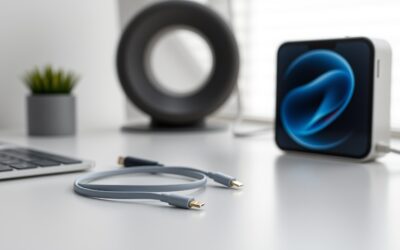
Beyond certification, build quality is paramount. Standard silicone cables tend to fray and split at the stress points near the connector collars. Look for cables featuring reinforced strain relief collars and braided nylon exterior jackets. Double-braided nylon or ballistic nylon weaves offer superior resistance to bending, twisting, and pet chewing, dramatically extending the lifespan of your accessory compared to cheap plastic alternatives.
Key Features and Specifications That Matter
To get the most out of your cable, you need to understand the underlying specifications. First is power delivery. A quality USB-C to Lightning cable supports USB Power Delivery (USB-PD). When paired with an 18W, 20W, or higher USB-C power brick, these cables deliver the maximum charging speed your Lightning-equipped iPhone or iPad can handle. Standard USB-A to Lightning cables are capped at much slower speeds, making USB-C a necessity for modern fast charging.
Data transfer speed is another specification to keep in mind. Due to the limitations of the Lightning hardware interface itself, most USB-C to Lightning cables transfer data at USB 2.0 speeds, which maxes out at 480 Mbps. While this is perfectly adequate for syncing music or backing up a device to a Mac or PC, it is not meant for high-speed external drive transfers. Finally, pay attention to the internal wire gauge; thicker internal copper wires (typically 21 to 24 AWG for power lines) ensure minimal resistance and safer power delivery over longer distances.
How to Choose for Different Needs and Budgets
Your ideal cable depends entirely on how and where you plan to use it. If you need a reliable cord for your bedside table or office desk, a standard 3-foot or 6-foot braided cable from a reputable third-party brand offers the best balance of price and performance. These budget-friendly options deliver the exact same charging speeds as Apple’s first-party cables at a fraction of the cost, while offering vastly superior physical durability.
For travelers or those who use their devices while lounging on the couch, an extra-long 10-foot cable is a game-changer. It gives you the freedom to move around without being tethered directly to the wall outlet. Conversely, if you are looking for a cable specifically for your car’s dashboard or to pair with a portable power bank, a short 1-foot or 1.5-foot cable is ideal because it eliminates messy clutter and prevents tangles. Those with a higher budget who prioritize aesthetics and tactile feel should look for premium liquid silicone cables, which are incredibly soft, completely tangle-free, and highly flexible.
Usage and Setup Tips for Maximum Longevity
To ensure your new cable lasts for years, proper handling is essential. Always unplug the cable by gripping the hard plastic or metal connector shell rather than pulling on the flexible cord itself. Yanking the fabric or silicone jacket puts immense stress on the internal copper solder points, which is the leading cause of premature cable failure.
When packing your cable for travel, avoid wrapping it tightly around your hand or folding it into sharp angles. Instead, coil the cable loosely in a natural circle, following its natural curve, and secure it with a velcro strap or cable tie. Additionally, keep the Lightning gold contacts clean. Over time, pocket lint, dust, and moisture can accumulate in the connector tip, leading to poor connections or slow charging. If you notice charging drops, gently clean the gold pins with a wooden toothpick or a lint-free cloth dipped in a tiny drop of isopropyl alcohol.
Who Each Cable Type Suits Best
Heavy travelers and commuters are best served by heavy-duty, double-braided nylon cables. These users constantly pack, unpack, and bend their cables in bags, making rugged durability the top priority. A braided cable can survive being stuffed into a backpack repeatedly without fraying.
For minimalists and desk workers, a premium liquid silicone cable is the perfect fit. These cables lay completely flat on a desk without retaining kinks or bends, keeping your workspace looking neat and organized. Finally, the casual household user who simply wants to charge their phone overnight will be perfectly satisfied with a standard, budget-friendly 6-foot MFi-certified cable, which provides plenty of slack to use the phone in bed without breaking the bank.
Related guides on our site: Ipad pro yellow screen troubleshooting guide for users · MacBook Pro bezel crack: Expert Repair and Prevention Tips · Orange smudge on macbook pro screen: Expert Removal Guide · Icloud locked macbook pro: A complete recovery guide · Macbook pro 2017 backlight issue troubleshooting guide.
Frequently Asked Questions
Do I need a special wall charger to fast charge with a USB-C to Lightning cable?
Yes. To achieve fast charging, you must plug your USB-C to Lightning cable into a wall adapter that supports USB Power Delivery (USB-PD) and has a power output of at least 18W to 20W. Standard older USB-A wall bricks or low-wattage chargers will not fast charge your device, even if you use a USB-C adapter.
Will using a third-party USB-C to Lightning cable void my Apple warranty?
No, using a third-party cable will not void your Apple warranty as long as the cable is officially MFi (Made for iPhone/iPad) certified. Apple actively licenses its technology to reputable accessory makers. Always look for the official “Made for Apple” badge on the product packaging to guarantee safety and compatibility.
Why does my iPhone stop fast charging after it reaches 80% battery?
This is a normal safety feature built into iOS called Optimized Battery Charging. To protect your battery’s long-term health and prevent overheating, your iPhone automatically slows down the charging speed once it reaches 80%. The cable is still working perfectly; your phone is simply regulating the power intake to extend its overall lifespan.
Write Your Review
No reviews yet. Be the first to share your experience!