
- Essential Features of Mobile Typing Solutions
- Connectivity Protocols and Battery Architecture
- Physical Design Formats and Portability Factors
- Software Integration and Operating System Compatibility
- Protective Accessories and Essential Travel Companion Gear
- Recommended Products
- Conclusion
- Related Guides
- Frequently Asked Questions
- Related Articles

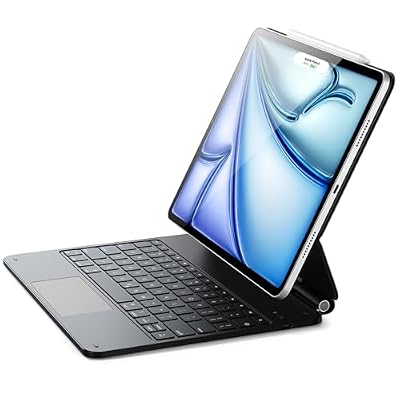


Essential Features of Mobile Typing Solutions
Choosing the perfect portable keyboard requires a clear understanding of your personal ergonomic needs and daily typing habits. Different options offer varying levels of tactile feedback and physical key travel. We must examine the core elements that define a high-quality typing accessory before making any final purchase online.
As an Amazon Associate we earn from qualifying purchases at no extra cost to you.






Key Switch Mechanics and Tactile Response
The physical switches beneath your keycaps dictate how comfortable your long typing sessions will be. Traditional mechanical keys provide a satisfying tactile bump and audible click that many writers prefer. However, these models tend to be thicker and heavier, which can impact how easily they fit inside a standard travel backpack.
Scissor-switch alternatives offer a much lower profile while still maintaining a responsive feel. These systems require less force to actuate, making them ideal for rapid typing in quiet office spaces. Think about whether you prefer a deeper click or a near-silent operation when evaluating the diverse options on the market.
Ergonomic Layouts for Reduced Wrist Strain
Typing on a small portable keyboard for extended periods can sometimes lead to muscle fatigue or wrist strain. This is why many manufacturers design models with angled key layouts or gentle slopes. These clever modifications help keep your hands in a natural position, preventing long-term discomfort during long working sessions.
Some advanced accessories even feature split designs that separate the left and right key sections. This physical separation allows your shoulders to relax and improves your overall writing posture. If you plan to type for several hours each day, prioritizing these ergonomic properties will protect your health over the years.
Build Materials and Frame Rigidness
The materials used to construct your accessory determine both its overall durability and total weight. Aluminum frames offer exceptional rigidity and a premium feel, ensuring the board does not flex while you type. However, these metallic options are usually more expensive and add noticeable bulk to your everyday carry bag.
High-grade polycarbonate plastics provide a lighter alternative that still resists daily wear and tear. These budget-friendly options are excellent for casual travelers who want to minimize their load. Look for matte finishes that resist fingerprints and oil accumulation, keeping your device looking good condition over months of use.
Connectivity Protocols and Battery Architecture
Modern wireless protocols have transformed how we link a portable keyboard to our various personal electronics. Ensuring your new accessory offers stable connections and long-lasting power is essential for uninterrupted remote work. Let us explore the primary wireless technologies and power configurations available to consumers today.
Bluetooth Channels and Multi-Device Pairing
Bluetooth technology remains the industry standard for connecting accessories to tablets, laptops, and smartphones. Premium models allow you to pair with up to three separate devices simultaneously and switch between them instantly. This convenient feature is incredibly useful for professionals who manage multiple screens at once.
When choosing a model, look for updated Bluetooth versions that offer improved energy efficiency and faster pairing speeds. Modern standards ensure minimal lag between your physical key presses and the characters appearing on your display screen. This rapid response is vital for maintaining a natural and fluid writing rhythm.
Rechargeable Lithium Cells Versus Alkaline Batteries
Internal rechargeable lithium-ion batteries are standard in high-end models, offering convenient USB-C charging ports. These systems eliminate the need to carry spare cells, saving you money and reducing environmental waste. Most models can easily operate for several weeks on a single charge under normal daily writing conditions.
Conversely, some budget designs still rely on standard AAA alkaline batteries for their primary power source. While this requires physical replacements, it ensures you will never have to wait for a device to recharge near a wall outlet. Consider your personal travel habits when deciding which power style fits your daily routine.
Wireless Dongles and Wired Backup Options
For users who require maximum stability and zero latency, a dedicated USB receiver is an excellent alternative. These compact dongles use specific radio frequencies to establish a secure link that is completely immune to local signal interference. This connection is recommended if you work in crowded wireless environments.
Many modern designs also support a direct wired connection using a detachable cable. This dual-mode capability allows you to continue typing while recharging your system, ensuring you never face unexpected downtime. Always check if the package includes a quality cable before finalizing your portable keyboard order online today.
| Technology | Range | Battery Life | Compatibility |
| Bluetooth | 30 feet | Up to 80 hours | Universal |
| Wireless USB | 33 feet | Up to 90 hours | Windows Mac |
| Wired Cable | Unlimited | Infinite | All USB Ports |
Physical Design Formats and Portability Factors
The physical layout and folding mechanism of your accessory will determine how easily it integrates into your mobile lifestyle. Some models prioritize a ultra-thin profile, while others feature unique folding designs to maximize saving space. Let us examine the three primary design formats currently popular among digital nomads.
Folding Designs and Centered Hinges
Investing in a folding portable keyboard is the ultimate way to conserve valuable space inside your luggage. These clever designs fold in half along a centered physical hinge, reducing their horizontal length significantly when closed. This allows the accessory to slip effortlessly into a jacket pocket or small storage pouch.
However, you must pay close attention to the structural design of the hinge mechanism to ensure long-term durability. Some cheap models can feel unstable when placed on uneven surfaces like your lap or a soft airplane tray table. Premium options feature magnetic locks that keep the frame completely rigid while you are working.
Tenkeyless and Sixty Percent Layouts
Tenkeyless designs eliminate the traditional numeric keypad to reduce width while retaining all standard function keys. This format strikes an excellent balance between structural familiarity and space savings, making it popular for writers. You still get full-sized keys without sacrificing a significant amount of desk space.
Sixty percent layouts go even further by removing the arrow cluster and dedicated navigation keys from the main board. These compact models require you to use function key combinations to access secondary commands. This minimalist approach requires a brief learning curve but offers the absolute lightest setup for travel.
Rigid Slab Formats with Protective Sleeves
Rigid slab designs do not feature folding joints, making them exceptionally sturdy and simple to use anywhere. Because they lack moving parts, these accessories are less prone to physical failure over years of continuous travel. They provide a highly consistent typing surface that feels identical to a traditional desktop setup.
To protect these solid boards during transport, many manufacturers include a fitted protective sleeve or hard case. Some of these cases are designed to double as a convenient tablet stand, maximizing their overall utility. This clever design feature saves you from having to purchase and pack a separate stand for your screen.
Software Integration and Operating System Compatibility
Achieving seamless communication between your input hardware and your preferred operating system is critical for productivity. A well-designed accessory will automatically detect your host system and adjust its functional layout to match the correct shortcuts. Let us analyze how modern units handle cross-platform integration.
Dual Layout Keys for Windows and Mac
Many modern typing accessories feature keycaps printed with both Windows and macOS system commands. This dual-printing system ensures you can easily find essential buttons like Alt, Option, Command, and Control without confusion. It is a fantastic feature for professionals who switch between different operating systems daily.
In addition, advanced models include a physical toggle switch to instantly swap the internal key mapping settings. This ensures that the operating system registers your commands correctly without requiring manual driver installations. Always check the product specifications to confirm that your preferred platform is fully supported.
Companion Software and Custom Macro Profiles
Premium hardware manufacturers often provide dedicated companion software to help you customize your typing experience. This software allows you to remap individual keys, adjust backlight brightness, and check exact battery percentages. These features are highly beneficial for power users who want absolute control over their gear.
Some applications also let you record custom macros to automate repetitive tasks with a single keypress. These personal profiles are stored directly on the internal memory of your portable keyboard, ensuring they work on any device. This hardware-level storage is incredibly convenient when using multiple work computers.
Mobile Platform Support for Tablets and Phones
Using a physical board with mobile operating systems like iOS or Android can completely transform your smartphone experience. These platforms now feature comprehensive keyboard support, allowing you to use standard copy and paste shortcuts. This setup turns a basic mobile phone into a capable drafting workstation.
However, some mobile platforms may handle specific function keys differently than standard desktop computers. It is wise to research how smoothly your chosen model interfaces with mobile text editing applications before buying. Selecting a highly compatible accessory ensures a seamless transition between desktop and mobile typing.
Protective Accessories and Essential Travel Companion Gear
Pairing your new mobile typing board with the correct protective accessories will safeguard your investment during transport. Laptop sleeves and hard cases prevent physical damage from accidental drops and heavy impact. Let us explore the primary accessory categories that will enhance your travel experience and keep your gear safe.
Hard Shell Cases and Soft Neoprene Sleeves
A dedicated hard shell case offers the maximum level of physical protection against external forces during transit. These cases feature rigid outer panels that resist crushing forces, ensuring your keys do not get bent inside a packed bag. They are recommended for travelers who frequently check their luggage at airports.
Soft neoprene sleeves provide a lighter alternative that protects your typing accessory from superficial scratches and dust. These flexible covers slide easily into tight spaces and add minimal weight to your daily load. Choose a zippered model with an extra pocket to store your charging cables and wireless adapters safely.
Adjustable Stands for Tablets and Smartphones
To achieve an ergonomic working setup on the go, a sturdy tablet stand is absolutely essential. These folding supports improve your mobile screen to eye level, reducing neck fatigue during long typing sessions. Many compact stands are constructed from lightweight aluminum and fold flat for easy storage inside your pocket.
When choosing a stand, look for models with rubberized grips to prevent your expensive devices from sliding around. Some advanced designs allow you to adjust both the height and viewing angle for best visibility. Pairing this tool with your typing setup creates a highly functional workstation wherever you choose to work.
Dust Blowers and Microfiber Cleaning Cloths
Maintaining a clean typing surface is vital for ensuring the longevity and performance of your mechanical switches. Small dust particles and crumbs can easily lodge underneath keycaps, causing keys to stick or fail completely. Carrying a small hand-powered air blower allows you to quickly clear debris while working on the go.
A premium microfiber cloth is another essential item for wiping away finger oils and smudges from your board. These ultra-soft cloths clean polished surfaces effectively without leaving behind any fine scratches. Make it a habit to wipe down your equipment at the end of each day to prevent dirt buildup and maintain a fresh look.
Find out more:
Recommended Products

ProtoArc
ProtoArc Foldable Bluetooth Keyboard, XK01 Full-Size Portable Wireless Keyboard for Travel, 105 Keys, 0.65" Keycaps, Multi-Device Sync for iPad Tablet Smartphone Laptop PC Windows iOS Android, Black

ProtoArc
Prime
ProtoArc Foldable Compact Keyboard for Phone and Tablet, XK04 Pocket-Sized Travel Bluetooth Keyboard with PU Leather Cover, 3 Device Workflow for On-the-Go Typing – Black

ProtoArc
ProtoArc Foldable Keyboard and Mouse, XKM01 True Full-Size Folding Wireless Keyboard Mouse Combo for Business Travel, a Portable Office Suite On-the-Go, Compatible with Laptop iPad Tablet – Black Gray
As an Amazon Associate we earn from qualifying purchases. Product prices and availability are accurate as of the date/time indicated.
Portable Keyboardsetups are becoming essential tools for modern professionals who work remotely. Finding a compact and reliable typing solution can significantly improve your daily workflow while traveling. This comprehensive guide will help you select the ideal model for your specific typing needs and budget today.
Conclusion
Investing in a high-quality portable keyboard is the absolute best way to improve your mobile productivity and protect your physical health. By selecting a model with stable connectivity, responsive keys, and an ergonomic design, you can easily work from anywhere. Explore the top-rated retail models today to find your perfect fit.
Frequently Asked Questions
Do folding keyboards work with iPad and iPhone?
Yes. Nearly all travel keyboards connect over Bluetooth and pair with iPadOS and iOS as standard input devices, giving you full keyboard shortcuts. Look for a model that includes an integrated stand groove and a Mac or iOS layout switch so the command key sits in the correct position.
Is a folding or slim slab design better?
Folding models pack smaller and fit inside a jacket pocket, but the hinge creates a gap that disrupts touch typing across the split. Slim slab keyboards keep a continuous key field and feel far more natural, at the cost of occupying the full width of a bag compartment.
How much typing comfort do I sacrifice?
Key pitch is the number that matters. Full size spacing is nineteen millimetres, and anything at seventeen or above stays comfortable for long sessions. Below sixteen millimetres accuracy drops noticeably for most adults. Key travel under one millimetre also makes extended writing feel harsh.
What battery life should I expect while travelling?
Most rechargeable travel keyboards last several weeks of moderate use per charge because they lack backlighting. Choose a model with USB C so you can share a cable with your other devices, and check for an auto sleep feature that prevents drain when the keyboard shifts in a bag.
Can one keyboard pair with several devices?
Many travel models support three simultaneous Bluetooth pairings and switch between them with a key combination, which is genuinely useful when you carry a tablet and a laptop. Single pairing models exist at lower prices but force a tedious repair each time you change devices.










Write Your Review
No reviews yet. Be the first to share your experience!