
Apple’s MagSafe technology has completely redefined how we power our iPhones and iPads, turning a simple charging cable into a secure, magnetic ecosystem of high-speed power accessories. In 2026, the market is filled with options ranging from ultra-compact travel stands to multi-device charging hubs that juice up your iPhone, Apple Watch, and AirPods simultaneously. This comprehensive buying guide will help you navigate the top wireless charging picks to find the absolute best MagSafe charger for your specific setup and daily routine.


Recommended Products

PrimeOMOTON Ultra-Slim Bluetooth Keyboard for iPad 11th/10th/9th/8th/7th, iPad Pro/Air/Mini and iPhone Series, Wireless iOS Keyboard with 12 Multimedia Keys for Office, Home, Travel, School, White

Primetypecase Touch iPad 11th 10th Generation Case with Keyboard (11" 2025, A16 & 10.9" 2022) – 360° Rotatable, 11-Color Backlit, Multi-Touch Trackpad, Pencil Holder, Thin & Light – Black

PrimeTUNKARMOR for iPad 9th / 8th / 7th Generation 10.2 inch & iPad Air 3rd Gen & iPad Pro 10.5 inch Case with Keyboard 7 Color Backlit – Built in Pencil Holder with Mouse (Black)
As an Amazon Associate we earn from qualifying purchases. Product prices and availability are accurate as of the date/time indicated.
What to Look for in a MagSafe Charger
When shopping for a MagSafe charger, the most critical distinction to understand is the difference between “Made for MagSafe” (MFM) certified products and “MagSafe compatible” accessories. MFM-certified chargers are officially licensed by Apple and use proprietary magnetic charging modules. These certified devices deliver the maximum wireless charging speeds—up to 15W or even 25W on newer compatible iPhone models—while offering advanced temperature regulation to protect your phone’s battery health. “MagSafe compatible” chargers, on the other hand, are standard Qi or Qi2 wireless chargers with built-in magnets. While they will securely snap to the back of your iPhone, older non-Qi2 models may limit your charging speed to a slower 7.5W.
Additionally, pay close attention to the build quality and magnetic strength. A premium charger should feature strong, high-grade N52 neodymium magnets to prevent your phone from slipping off, especially on vertical stands or car mounts. The materials used in construction—such as anodized aluminum, weighted zinc-alloy bases, and soft-touch silicone pads—not only determine the charger’s durability but also ensure that you can lift your phone off the stand with one hand without pulling the entire charger off your desk.
Key Features and Specifications That Matter
To get the most out of your wireless charging experience, there are several technical specifications you must verify before making a purchase. First and foremost is the charging wattage. With the latest advancements in Apple’s power delivery, premium MagSafe chargers paired with a 30W or higher USB-C Power Delivery (PD) wall adapter can fast-charge your iPhone to 50% in about 30 minutes. If you are buying a multi-device charging station, ensure the total power output is distributed efficiently so that your iPhone, Apple Watch, and AirPods all charge at their maximum individual speeds simultaneously.
Another crucial specification is the inclusion of the Qi2 wireless charging standard. Qi2 is heavily based on Apple’s MagSafe technology and brings magnetic alignment and 15W charging speeds to a wider range of accessories at a more competitive price point. Furthermore, look for chargers that support Apple’s StandBy mode. This feature turns your iPhone into a bedside clock or dashboard widget display when docked horizontally. To use StandBy mode effectively, choose a MagSafe stand with an adjustable viewing angle (ideally between 30 to 60 degrees) so you can easily view your screen from your bed or desk.
How to Choose for Different Needs and Budgets
Your ideal MagSafe charger depends largely on where you plan to use it and how much you are willing to invest. For a dedicated bedside table setup, a 3-in-1 charging tree is the gold standard. While these premium stations represent a higher upfront investment, they declutter your nightstand by consolidating three separate charging cables into a single, elegant desktop solution. If you are shopping on a budget, a standalone MagSafe puck or a Qi2-certified desk stand offers the best value, delivering top-tier charging speeds without the added cost of secondary watch or headphone pads.
For frequent travelers, portability is the ultimate priority. Look for multi-device MagSafe chargers with foldable, hinged designs that can pack completely flat into a travel pouch. Some travel-friendly models even convert from a flat 3-in-1 pad into a triangular phone stand, allowing you to watch movies on a tray table while charging. For commuters and road-trippers, a MagSafe car mount that clips securely to your vehicle’s air vents or dashboard is essential, ensuring your phone stays locked in place for GPS navigation while receiving a continuous stream of power.
Essential Usage and Setup Tips
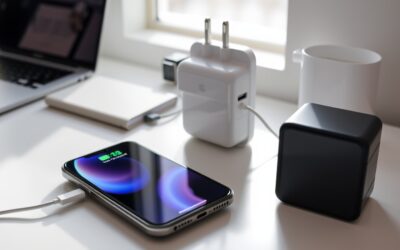
To maximize the efficiency and lifespan of your MagSafe charger, proper setup is key. Always pair your charger with a high-quality wall adapter that meets or exceeds the manufacturer’s recommended wattage. Many users make the mistake of plugging a high-speed MagSafe charger into an old 5W brick, which severely throttles the charging speed. If your charger does not come with a wall adapter in the box, purchase a reputable USB-C PD (Power Delivery) wall charger to ensure best performance.
Additionally, keep in mind that heat is the enemy of lithium-ion batteries. Wireless charging naturally generates more heat than traditional wired charging. To keep your phone cool, place your charger in a well-ventilated area away from direct sunlight. If you use a protective case on your iPhone, it must be a MagSafe-compatible case with integrated magnetic rings. Standard thick plastic or leather cases will weaken the magnetic connection, reduce charging efficiency, and cause excessive heat buildup, which will ultimately degrade your iPhone’s battery health over time.
Who Each Type of MagSafe Charger Suits Best
The classic single MagSafe charging puck is best suited for minimalists and active users who want to use their phone comfortably while it charges. Because the puck snaps directly to the back of the phone, you can easily hold the device, play games, or send texts without being anchored to a rigid stand. On the other hand, a heavy, stationary desktop stand is perfect for office professionals who want to keep their iPhone at eye level for hands-free FaceTime calls, video streaming, or monitoring notifications throughout the workday.
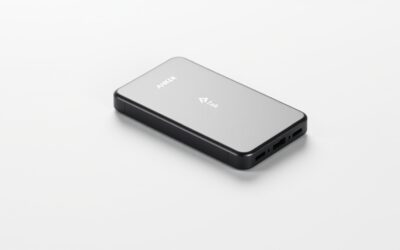
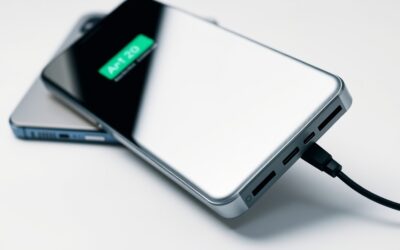
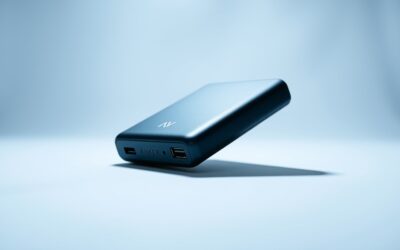
The multi-device 3-in-1 charging station is the ultimate luxury for power users deeply embedded in the Apple ecosystem. If you wear an Apple Watch daily and use wireless-charging AirPods alongside your iPhone, these consolidated hubs are indispensable. Finally, active travelers and digital nomads will find the greatest utility in compact, folding magnetic power banks or modular travel pads that fit easily into a backpack pocket, ensuring they stay powered up on the go without carrying a tangled mess of cords.
Related guides on our site:Ipad pro yellow screen troubleshooting guide for users·MacBook Pro bezel crack: Expert Repair and Prevention Tips·Orange smudge on macbook pro screen: Expert Removal Guide·Icloud locked macbook pro: A complete recovery guide·Macbook pro 2017 backlight issue troubleshooting guide.
Frequently Asked Questions
Will a MagSafe charger work through any standard iPhone case?
No, standard cases that do not have built-in MagSafe magnets will significantly weaken the magnetic hold and can drastically reduce or completely block the wireless power transfer. For a secure connection and maximum charging speeds, you must use a case specifically labeled as MagSafe-compatible, which features an integrated ring of magnets to pass the charge through to your phone.
Is MagSafe charging safe for my iPhone’s long-term battery health?
Yes, MagSafe charging is completely safe. While wireless charging does generate slightly more heat than wired charging, certified MagSafe and Qi2 chargers feature built-in thermal sensors that automatically regulate the power flow or temporarily pause charging if the phone gets too warm. To protect your battery, avoid using your phone for intensive tasks like gaming while it is wirelessly charging.
What is the difference between a 15W MagSafe charger and a 7.5W magnetic charger?
The primary difference is charging speed. Official “Made for MagSafe” and Qi2-certified chargers can deliver up to 15W of power (or more on select newer devices), allowing your phone to charge twice as fast. Older, uncertified magnetic chargers are limited to the basic Qi standard of 7.5W, which will take significantly longer to fully power up your device.
Write Your Review
No reviews yet. Be the first to share your experience!