
With iPhone models continuing to support rapid charging speeds, finding the right power adapter is essential to keeping your device powered up throughout a busy day. Modern iPhones no longer ship with a charging brick in the box, leaving users to navigate a vast marketplace of third-party options to find the safest and fastest plug. This comprehensive buying guide highlights the best fast iPhone chargers for 2026, helping you cut through the marketing jargon to find the perfect blend of speed, safety, and portability.


Anker iPhone Charger, 2-Pack 20W Fast USB C Charger Block, Type C Charger Fast Charging for iPhone 17/17 Pro Max/16 Series/iPad Pro and More (White, 2 Pack & 2 Cable)

![[Apple MFi Certified] iPhone 17 Charger Fast Charging, Stuffcool 4Pack PD 20W USB C Chargers Dynamic Power Adapter Type C Wall Charger + 6FT Type C Cable for iPhone 17/17 Pro/17 Pro Max/16 Pro/15/iPad](https://m.media-amazon.com/images/I/618-MJqshTL._AC_SL1500_.jpg)

Recommended Products

Apple iPad Magic Keyboard Case for iPad Pro 13-inch (M4 and M5), Great Typing Experience, Built-in Trackpad, Function Row, US English – Black

Primetomtoc Slim & 360° Protective Tablet Sleeve for 13-inch iPad Air & iPad Pro M5/M4/M3 2026-2025, Water-Resistant Case with CornerArmor

PrimeSpigen for iPad Air 11 Inch Case M4 (2026), iPad Air 11 Inch Case M3/M2 (2025-2024), 10.9 Inch 5th/4th Generation (2022/2020), Tough Armor Pro Protective Case with Kickstand and Pencil Holder, Black
As an Amazon Associate we earn from qualifying purchases. Product prices and availability are accurate as of the date/time indicated.
What to Look for in a Modern iPhone Fast Charger
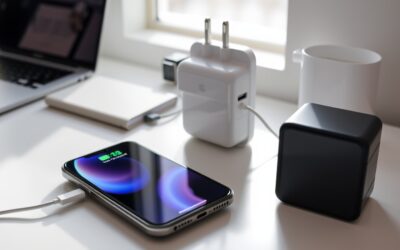
When shopping for a fast charger, the first and most crucial specification to look for is USB Power Delivery (USB-PD). This is the industry-standard protocol that Apple devices use to negotiate power levels safely. Without USB-PD, a charger will default to a much slower rate, regardless of how many watts it claims to output. To fast charge an iPhone, you need a charger that supports this protocol over a USB-C port, as traditional USB-A ports cannot deliver the necessary wattage.
Another critical technology to seek out is Gallium Nitride, commonly abbreviated as GaN. Traditional chargers use silicon components, which generate more heat and require larger enclosures. GaN chargers use advanced semiconductor material that conducts electrons far more efficiently. This efficiency allows manufacturers to build incredibly compact plugs that run cooler while delivering high wattage, making them the superior choice for travel and crowded power strips.
Key Features and Specifications That Matter
To make an informed purchase, you must understand the relationship between wattage and your specific iPhone model. While older iPhones maxed out at 18W or 20W, newer Pro models can pull closer to 27W to 30W under best conditions. Therefore, purchasing a charger rated for at least 30W ensures you are maximizing your device’s charging speed. Buying a higher-wattage charger, such as a 45W or 65W brick, will not damage your iPhone; the phone’s internal PMIC (Power Management Integrated Circuit) will only draw the maximum power it can safely handle.
Additionally, pay attention to the Programmable Power Supply (PPS) standard. While PPS is primarily used by Samsung and other Android devices to dynamically adjust voltage and current, having a PPS-compatible charger ensures future-proof compatibility if you share accessories with non-Apple users. Lastly, look for safety certifications from recognized testing laboratories, such as UL (Underwriters Laboratories) or ETL, which guarantee the plug has undergone rigorous testing against short-circuiting, overcurrent, and overheating.
How to Choose for Different Needs and Budgets
Selecting the right charger depends heavily on your daily routine and budget. If you are looking for the most affordable, set-it-and-forget-it option for a bedside table, a single-port 20W or 30W GaN wall plug from a reputable third-party brand offers the best value. These budget-friendly plugs are incredibly small, reliable, and will charge an iPhone from zero to fifty percent in about thirty minutes without breaking the bank.
For power users and frequent travelers, a multi-port charger rated between 45W and 67W is the smarter investment. These chargers feature multiple USB-C ports, allowing you to fast-charge your iPhone while simultaneously powering an iPad, Apple Watch, or even a MacBook Air. While these multi-port bricks carry a higher price tag, they eliminate the need to pack multiple individual adapters, saving valuable space in your travel bag. Just keep in mind that when multiple devices are plugged in, the total wattage is split among the active ports.
Crucial Usage and Setup Tips for Maximum Speed
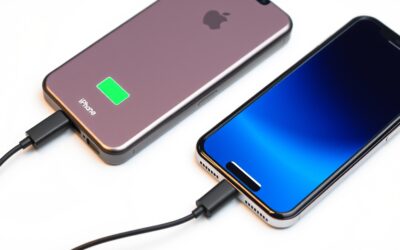
Buying a high-speed plug is only half the battle; you also need the right cable to complete the circuit. To achieve fast charging, you must use a high-quality USB-C to USB-C cable (for iPhone 15 series and newer) or a USB-C to Lightning cable (for iPhone 14 series and older). Ensure the cable is certified by Apple’s MFi (Made for iPhone) program or comes from a reputable brand, as cheap, uncertified cables can restrict charging speeds or cause damage to your phone’s charging port.
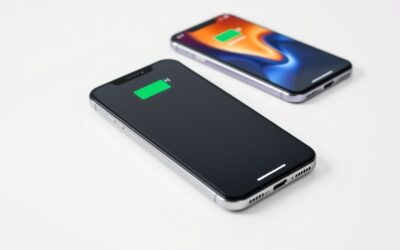
Be aware that fast charging speeds are not linear. Your iPhone will charge at its absolute fastest rate from zero to fifty percent, after which the charging speed will gradually taper off to protect battery health. To further preserve your battery’s lifespan over years of fast charging, enable the “improved Battery Charging” feature in your iPhone’s battery settings. This feature learns your daily charging routine and delays charging past eighty percent until you need to use it, preventing the battery from sitting at maximum capacity and high temperatures for extended periods.
Who Each Type of Fast Charger Suits Best
The ultra-compact single-port 30W GaN charger is best suited for minimalists, daily commuters, and students. Its tiny footprint fits easily into a pocket or small purse, making it the perfect companion for topping up at a coffee shop or library. It provides the maximum possible charging speed for any standard iPhone without adding unnecessary bulk to your everyday carry.
The heavy-duty multi-port charger (65W and above) is designed for professionals, tech enthusiasts, and family travelers. If your workspace or hotel bedside table is cluttered with an iPhone, an iPad, wireless earbuds, and a laptop, a high-wattage multi-port desktop charger consolidates your power needs into a single outlet. This setup is perfect for anyone who values organization and wants a centralized hub to rapidly power all their personal devices at once.
Related guides on our site:Ipad pro yellow screen troubleshooting guide for users·MacBook Pro bezel crack: Expert Repair and Prevention Tips·Orange smudge on macbook pro screen: Expert Removal Guide·Icloud locked macbook pro: A complete recovery guide·Macbook pro 2017 backlight issue troubleshooting guide.
Frequently Asked Questions
Will using a 100W laptop charger damage my iPhone?
No, using a high-wattage laptop charger will not damage your iPhone. Modern iPhones are designed with sophisticated power management systems that communicate with the charger. The iPhone will only draw the maximum power it is rated to receive (typically up to 27W-30W for newer models), leaving the remaining capacity of the charger unused and perfectly safe.
Why does my iPhone get warm when using a fast charger?
It is completely normal for your iPhone to feel warm during fast charging, especially when charging from a low battery percentage. The rapid transfer of energy generates heat. GaN chargers and the iPhone’s internal thermal management systems work together to keep this heat within safe limits, but you can minimize it by avoiding heavy phone usage or gaming while fast charging.
Do I need an official Apple charger to get the fastest speeds?
No, you do not need an official Apple-branded charger to achieve maximum fast-charging speeds. Third-party chargers from reputable accessory brands offer the exact same charging performance, safety features, and reliability as Apple’s official plugs, often at a lower price point and in much smaller, more portable designs thanks to advanced GaN technology.
Write Your Review
No reviews yet. Be the first to share your experience!