
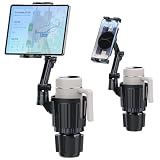
- Top Pick: eSamcore Tablet Holder for Car, for iPad Stand Cup Holder Car Mount
- Best Value: Peastrex Cup Holder Tablet Mount, Ipad Cup Holder Car Mount with Adjustable Arm for Tablet iPhone 3-11in iPad Pro Air Mini, Fire, iPhone 15, Galaxy S24 Z Fold 5
- Premium Choice: 2-in-1 Tablet Cup Holder Mount, Extra Drink Holder for Car Truck iPad Stand
The FIFA World Cup 2026 is finally here, and with matches spread across the USA, Canada, and Mexico from June through the July 19 final, American fans have never had more reason to keep a screen close at hand. Whether you’re stuck at your desk, riding the train, or hosting friends in your living room, your iPhone and iPad are the most flexible way to catch every goal. This guide walks you through how to stream the World Cup on Apple devices and rounds up the accessories that turn a small screen into a genuinely great matchday experience.
As an Amazon Associate we earn from qualifying purchases. Prices and availability are accurate as of the date/time indicated and are subject to change.
As an Amazon Associate we earn from qualifying purchases at no extra cost to you.





Which Apps Let You Stream the World Cup in the US?
In the United States, English-language World Cup coverage runs primarily through FOX and FS1, which means the FOX Sports app and Fubo are your two most direct routes to a live feed on iPhone and iPad. Spanish-language matches air on Telemundo, so the Telemundo Deportes app and Peacock cover that side. Live-TV streaming bundles like YouTube TV, Hulu + Live TV, and Sling TV also carry the relevant channels, so if you already subscribe to one you may not need anything new.
Before kickoff, download your chosen app from the App Store, sign in (a cable or streaming login is usually required for the full live feed), and run a quick test stream a day early. That way you’re not troubleshooting a login screen while the anthems play. For a deeper breakdown of picking the right service, see our guide to the best sports streaming apps for iPhone.
Does World Cup Streaming Work on iPad?
Yes. Every major app above ships a native iPad version, and the larger 10.9-inch to 13-inch displays make the iPad arguably the best portable device to stream the World Cup on. iPadOS also supports Split View and Stage Manager, so you can keep a live match on one side and a live stats or bracket page on the other. If you own an iPad Pro or Air with a laminated display, the wide viewing angles are ideal for two people watching side by side.
Setup Tips for a Smooth Matchday
A few minutes of prep prevents buffering heartbreak. Connect to 5 GHz Wi-Fi at home rather than the crowded 2.4 GHz band, and if you’re on cellular, confirm you have a strong 5G signal before relying on it for 90-plus minutes. Enable Low Data Mode only as a fallback, since it can drop video quality. Close background apps, turn on Do Not Disturb so notifications don’t spoil a goal, and if you’re watching with sound, pair earbuds early to avoid disrupting others. Finally, make sure your device is charged or plugged in — a knockout match can run well past two hours with extra time and penalties.
Best Accessories to Stream the World Cup on iPhone & iPad
The right gear separates a cramped, hand-cramping stream from a comfortable, TV-like experience. Here are the categories worth investing in for tournament season.
Stands and MagSafe Mounts
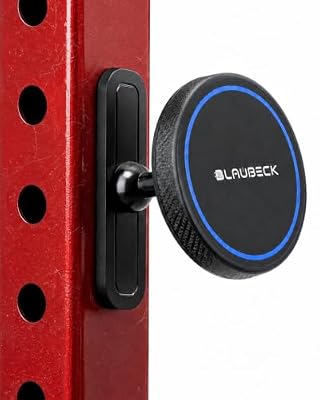
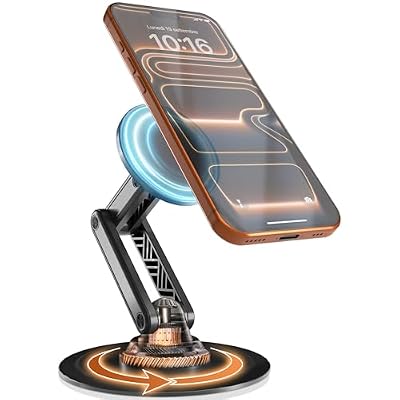
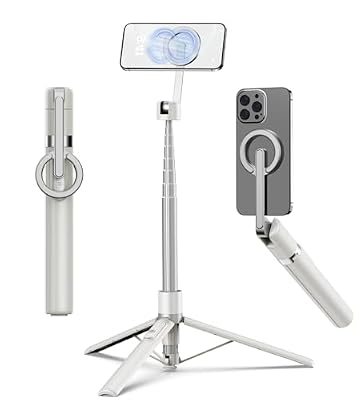
Holding a phone for a full match is miserable. A folding aluminum stand or an adjustable tablet stand props your iPad at eye level on a desk, kitchen counter, or nightstand. For iPhone 12 and newer, a MagSafe desk mount or car vent mount snaps on instantly and lets you rotate to landscape in a second. Look for stands with a weighted base and adjustable tilt so the screen stays put through every celebration. Our roundup of the best iPad stands covers picks for every budget.
Battery Packs and Power Banks
Streaming video is one of the most battery-hungry things you can do. A MagSafe-compatible power bank clings to the back of your iPhone for cable-free top-ups, while a higher-capacity 10,000–20,000 mAh brick can recharge an iPad mid-tournament. Prioritize packs that support USB-C Power Delivery so you get fast, efficient charging rather than a slow trickle.
HDMI and AV Adapters for Casting to a TV
Want the match on the big screen without AirPlay hiccups? A Lightning or USB-C Digital AV adapter connects your iPhone or iPad directly to any HDMI television, mirroring your stream in up to 1080p (USB-C models on newer iPads can push higher). It’s the most reliable, lag-free way to get a phone feed onto a TV, and it doubles as a travel tool for hotel rooms during the tournament.
Earbuds and Chargers
Wireless earbuds keep commentary crisp in noisy environments and let you follow a match without bothering anyone nearby. Pair them with a fast USB-C wall charger and a durable braided cable so your device tops up quickly between the group stage and knockout rounds. If you’re upgrading, check our best wireless earbuds for iPhone comparison.
Accessory Comparison Table
| Accessory | What It Does | Best For | Price Range | Rating |
|---|---|---|---|---|
| Adjustable iPad/Phone Stand | Props your screen at eye level, hands-free | Desk and kitchen-counter viewing | $15–$40 | 4.6 / 5 |
| MagSafe Battery Pack | Snap-on wireless top-up charging | Watching on the go without cables | $30–$90 | 4.5 / 5 |
| USB-C / Lightning AV Adapter | Mirrors your stream to any HDMI TV | Casting the match to a big screen | $20–$50 | 4.4 / 5 |
| Wireless Earbuds | Private, clear match commentary | Noisy rooms and public spaces | $50–$180 | 4.7 / 5 |
| USB-C Fast Charger + Cable | Rapid recharge between matches | Keeping devices powered all day | $18–$45 | 4.6 / 5 |
Putting It All Together
A realistic matchday kit for most fans is simple: an adjustable stand, a MagSafe or USB-C power bank, a pair of earbuds, and an AV adapter for the nights you want the game on the TV. That combination costs less than a single ticket and keeps you covered whether you’re streaming the World Cup from your couch, your commute, or a friend’s backyard. Stock up before the knockout rounds — accessory demand spikes as the tournament heats up, and popular stands and adapters can sell out. For more Apple gear ideas, browse our complete iPhone accessories buyer’s guide.
Frequently Asked Questions
Which apps stream the World Cup in the US?
English-language matches stream through the FOX Sports app and Fubo, while Spanish-language coverage runs on Telemundo Deportes and Peacock. Live-TV bundles such as YouTube TV, Hulu + Live TV, and Sling TV also carry the FOX, FS1, and Telemundo channels, so an existing subscription may already give you access.
Does streaming the World Cup work on iPad?
Absolutely. All the major streaming apps have native iPad versions, and the larger display makes the iPad one of the best portable devices for watching matches. iPadOS features like Split View and Stage Manager even let you follow live stats alongside the game.
How do I cast the match from my iPhone or iPad to a TV?
The most reliable method is a Lightning or USB-C Digital AV adapter that plugs directly into your TV’s HDMI port and mirrors your screen with no lag. Alternatively, you can use AirPlay to an Apple TV or an AirPlay-compatible smart TV, though a wired adapter avoids Wi-Fi congestion during busy matchdays.
How can I make my battery last through a full match?
Lower your screen brightness, turn on Do Not Disturb, close background apps, and keep a MagSafe or USB-C power bank attached during long knockout games that go to extra time. Streaming over strong Wi-Fi instead of cellular also reduces battery drain, and plugging into a fast USB-C charger between matches keeps you ready for the next kickoff.
Ready to decide? Our #1 pick for 2026 is the Adjustable iPad/Phone Stand.
Live price & availability on Amazon.





Write Your Review
No reviews yet. Be the first to share your experience!